Rendering USD Scenes From Houdini on a Farm: Dependencies and Pitfalls
A USD render can finish successfully and still produce an incomplete image. This usually happens when a referenced layer, asset, texture, or cache cannot be found on the render machine. USD is built around composition, so a scene may remain structurally valid even when part of its external data is unavailable. That makes render USD Houdini farm dependencies especially important to check before submitting a sequence. The problem is easy to miss because the farm may report a successful render while the missing content only becomes obvious during review.
Why a USD render can fail silently
USD scenes are assembled through layers and composition arcs such as sublayers, references, and payloads. If one of those external files is unavailable, the stage can still open with the remaining composition intact. The result may simply contain less content than expected, which makes render USD Houdini farm dependencies easy to overlook during a farm submission.
This is more dangerous than a job that stops immediately. A failed job gets your attention before the whole sequence is processed. A partially resolved USD scene can render every frame successfully, while the missing asset remains unnoticed until the final review. That can waste both farm time and budget.

Everything your scene actually depends on
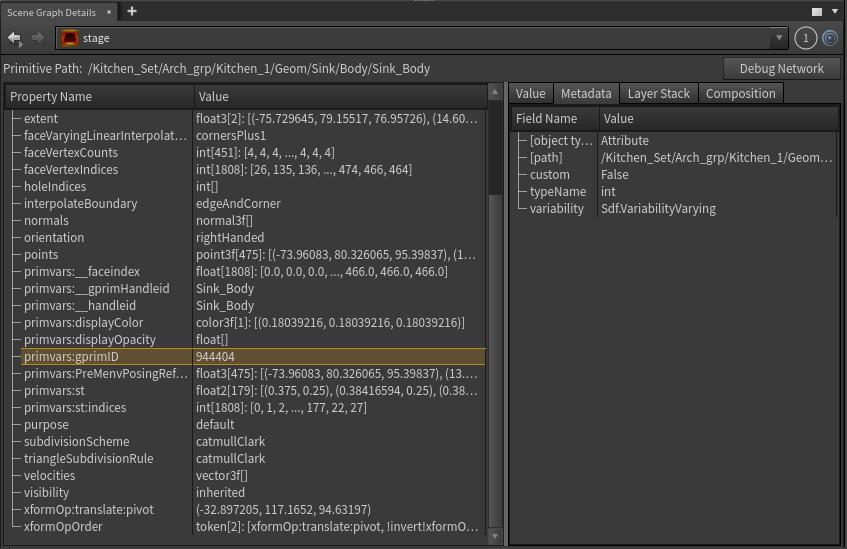
A USD scene rarely lives inside one file. It can be assembled from multiple layers, referenced assets, payloads, textures, and other external data, so sending only the main USD file is not enough. Before submitting a farm job, I check which layers and composition arcs actually contribute to important prims. Solaris provides the Scene Graph Details pane for this inspection.
-
-
-
- Open Scene Graph Details while working in Solaris.
- Select an important prim, such as a Mesh, Material, or asset root.
- Open the Layer Stack tab to inspect the layers contributing to the selected prim.
- Check the Composition tab when you need to trace references, payloads, and other composition arcs.
- Look at the file paths shown for the contributing layers and make sure those files will also be available to the render machine.
-
-
Paths that only exist on your machine
File paths are one of the most common sources of USD farm problems. A path that works perfectly on my workstation may point to a location that does not exist on the render machine. Relative paths and project-based environment variables can make scenes easier to move between machines, provided the farm environment resolves those paths correctly.
I prefer to standardize paths while building the scene instead of fixing them just before submission. That keeps the project portable and makes render USD Houdini farm dependencies easier to audit. When using environment variables, I also check the official documentation for the exact Houdini or USD version, because the available variables and recommended workflow can change.
Packaging a scene so it travels
USD is designed to compose a scene from multiple layers and external assets, so a project can be organized as a collection of files rather than one large scene file. Houdini provides output processing tools that can help copy referenced assets into a portable directory structure when exporting USD.
-
-
-
- Find the Output Processors: In a USD ROP or Component Output node, look for the Output Processors section.
- Enable the processor: Turn on Copy All Assets to Referencing Layer Directory when it is available in your Houdini version.
- Export the scene: Houdini can process the stage and copy referenced assets into a directory alongside the exported USD file.
- Check the resulting paths: The exported USD should point to the copied files using relative paths that work from the new project location.
- Test the package: Open the exported scene from the destination environment before sending it to a render farm. This catches missing files before they become farm jobs.
-
-
However, some dependencies can still live outside the USD package and must be included separately:
-
-
-
- Absolute File Paths: Fixed paths such as C:/Users/Name/… can point to locations that do not exist on the render machine. Project variables such as $HIP or $JOB are generally easier to move between environments when configured correctly.
- External HDAs: Custom .hda or .otl files may live in user preference folders or other directories outside the project. Those files need to be installed or included on the render machine.
- Custom Environment and Package Files: A local houdini.env file or package definitions may add external paths that are required by the project. Recreate these settings in the farm environment when necessary.
- Dependent Asset Networks: An HDA or production tool may rely on additional HDAs, sub-assets, or simulation caches stored elsewhere. Packaging the main USD file does not automatically make every external dependency portable.
- External Textures and Caches: Texture maps, .bgeo, .abc, and simulation data can remain outside the main USD structure. Include them in the project package or make sure the farm can access their original location.
-
-
Layer order and version drift
USD composition is order-sensitive. When layers are combined, their strength and position affect the final scene, so a missing or replaced layer can change the result without making the scene obviously broken.
Version differences matter as well. Houdini and the USD libraries used by different environments can produce different behavior with the same scene. I will record the Houdini version and USD version used for the project, then keep that information with the project files when moving the scene to another machine.
Renderer and license considerations
The renderer itself is another dependency to check. Karma is integrated with Houdini and SideFX bundles Karma licenses with Houdini Core and FX, including licenses that can be used on a render farm or cloud environment. Third-party Hydra renderers may require their own license, so that license and its farm configuration need to be prepared before rendering.
A pre-flight check for USD jobs
A short check before submission can prevent an expensive render from producing the wrong result.
-
-
-
- List and package dependencies: Include USD layers, assets, textures, caches, HDAs, and other required files.
- Use portable paths: Prefer relative paths or project environment variables that the render machine can resolve.
- Preserve layer structure: Keep the intended layer order and composition relationships unchanged.
- Record versions: Note the Houdini and USD versions used to build the project.
- Prepare renderer licenses: Confirm the required license for any third-party renderer or Hydra delegate.
-
-
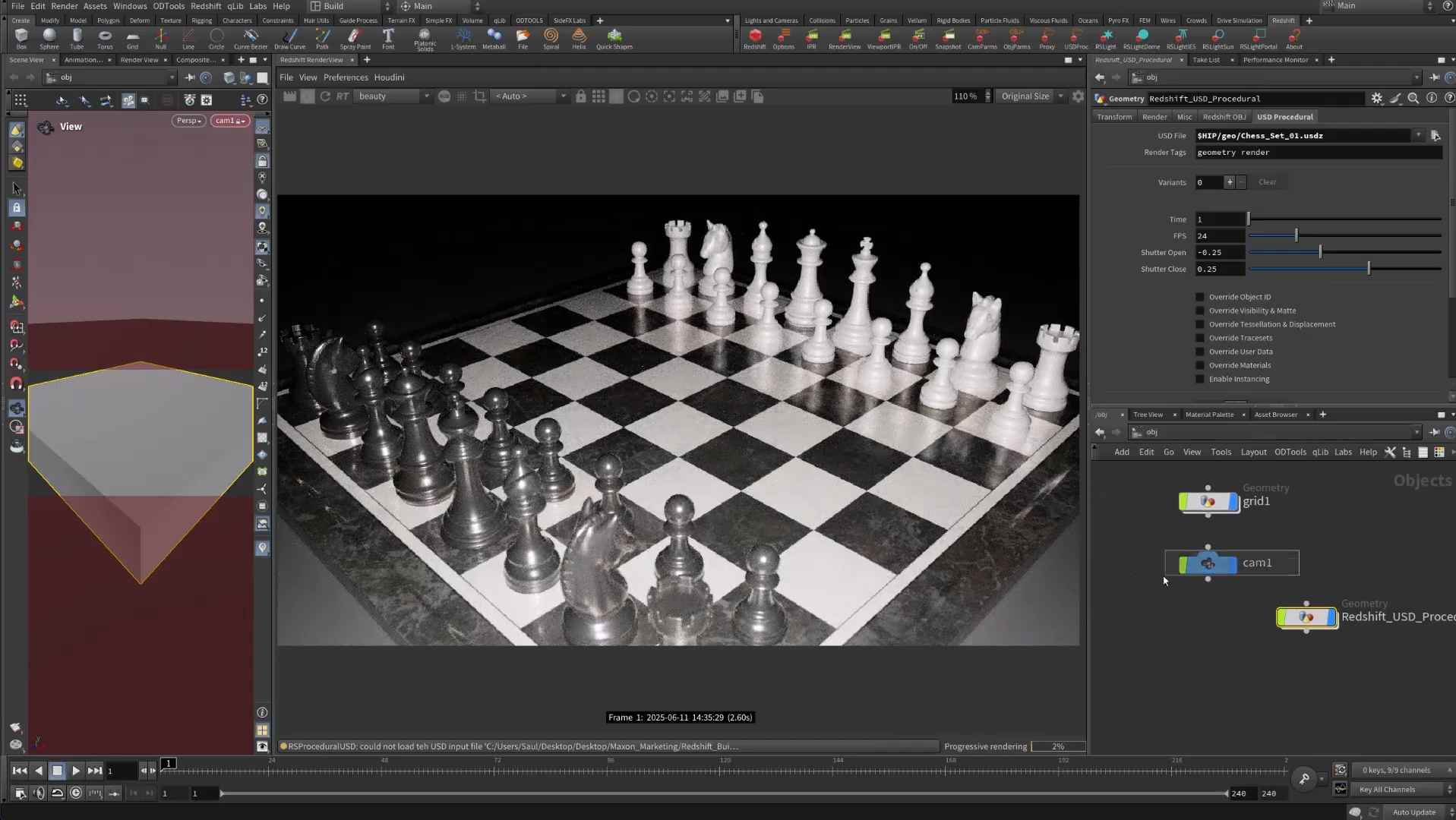
Once the scene is ready on the rented machine, I always open it there and inspect the result visually. I also render one test frame and compare it with the local version before launching the full sequence. This quick check is one of the simplest ways to catch render USD Houdini farm dependencies problems early.
USD-Specific Risks When Rendering on a Farm
| Risk | Symptoms | Prevention |
|---|---|---|
| Missing referenced layer files | Missing content without a clear error message | List all dependencies and package the scene before submission |
| Paths that only exist on your machine | Missing assets or textures | Use relative paths or project environment variables |
| Layer order changes | Unexpected differences in the final result | Record the layer structure and visually check the scene before rendering |
| Houdini or USD version mismatch | Different results even though the scene opens successfully | Record and use the same project versions |
| Missing third-party renderer license | The job fails or falls back to another renderer | Prepare the license in advance and check the license requirements |
Speed up your render with iRender RTX 5090 cloud workstation
If you already have a Houdini project and want to render it remotely without getting caught by hidden USD issues, a cloud workstation can give you a useful validation step before the full render. With iRender, you can open the USD scene through remote desktop, switch to a shaded viewport, and spend a couple of minutes checking whether important layers and assets are present. You can then render one test frame and compare it with the local result. That small check is much cheaper than paying for hundreds of frames before discovering that an asset layer was missing. You can also install the same Houdini version used by the project.
iRender provides cloud workstations with high-end GPU and CPU configurations.
-
-
-
- GPU: RTX 5090 and RTX 4090, from single-GPU to multi-GPU configurations
- CPU: AMD Ryzen™ Threadripper™ PRO 3955WX and 5975WX
- RAM: Up to 256GB
- Storage: Up to 2TB
-
-
Our workstation gives you control over the software environment, so you can install the Houdini version and applications required by your project. This makes it useful for rendering, scene work, and lookdev when your local machine does not have enough capacity.
However, the rented workstation will not clean up a messy USD structure for you. You should prepare the paths and package the scene before uploading the files. Since billing starts when the machine is running, it’s better to upload the required layers and assets first, then start the workstation and run the test.
Right now, iRender is launching the 100% bonus for new user’s first deposit, check it out.
Check out some of iRender tests on RTX 5090:


FAQ
Q: Why did my USD render come back missing assets without an error?
USD can continue opening and rendering when one of its referenced files is unavailable, so the missing content may not stop the job. That is why you should always open the scene on the render machine and check it visually. It’s also better to render one test frame before committing the full sequence.
Q: How do I send a USD scene to a render farm correctly?
List every dependency, including USD layers, assets, textures, and caches. Use relative paths or project environment variables, and package the scene when appropriate. Record the Houdini version used for the project so the render environment can be matched correctly. These checks make render USD Houdini farm dependencies much easier to manage.
Q: Do I need an extra license to render USD scenes from Houdini?
If you use Karma, SideFX states that Karma licensing is bundled with Houdini Core and FX, so you do not need a separate third-party renderer license. If you use another renderer through Hydra, that renderer may require its own license. This needs to be planned when adding more render machines.
Register an account on iRender to claim your 100% bonus for the first deposit and render without limitations.
iRender – Maximum Speed – Absolute Freedom.