
Why is Redshift rendering slow on multi-GPU servers?
Many users expect that Redshift rendering should be faster with more GPUs. However, some discover the opposite: when rendering on a server with 4-8 GPUs, the process can actually take longer compared to a workstation with fewer cards, or even their personal computer. This blog explains why Redshift rendering slow on multi-GPU servers and how to improve performance.
Why is Redshift rendering slow on multi-GPU servers?
The main cause is usually a CPU bottleneck.
The reason is: CPU is responsible for preparing and sending data to the GPU. If your project includes heavy assets, complex shaders, or detailed rendering settings, this pre-processing step can take seconds or even minutes. When multiple GPUs are involved, the CPU workload increases, adding to the loading time before rendering begins.
For heavy scenes, the render time per frame is long enough that the additional CPU load is negligible. In these cases, having more GPUs will provide a noticeable speedup.
For light or simple scenes, the CPU load can exceed the GPU rendering time. Therefore, a multi-GPU server may be slower than one with fewer GPUs.
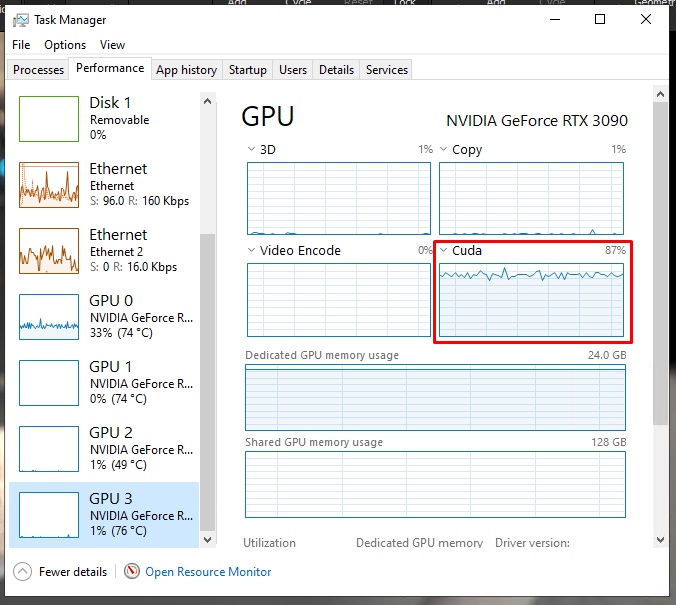
To check which GPUs are rendering, open Task Manager > Performance > GPU, then switch one of the tabs (3D, Copy, Video Decode, or Video Processing) to CUDA.
How to make Redshift render faster?
Run multiple renders at once
If you’re paying for a workstation with many GPUs, maximize its power instead of leaving them idle. Open multiple projects or render jobs simultaneously to keep all GPUs active.
Use fewer cards server for light scenes
For small or simple projects, using fewer GPUs saves time and money.
We also tested C4D Redshift render times on single vs 4x RTX 4090 servers with light and heavy scenes. The results showed that with light scenes, the 4-card machine rendered 2.7 times faster, while with heavy scenes it sped up 3.2 times. So, for light scenes, it is reasonable to use a machine with fewer cards, but for heavy scenes, the more cards the machine still wins.
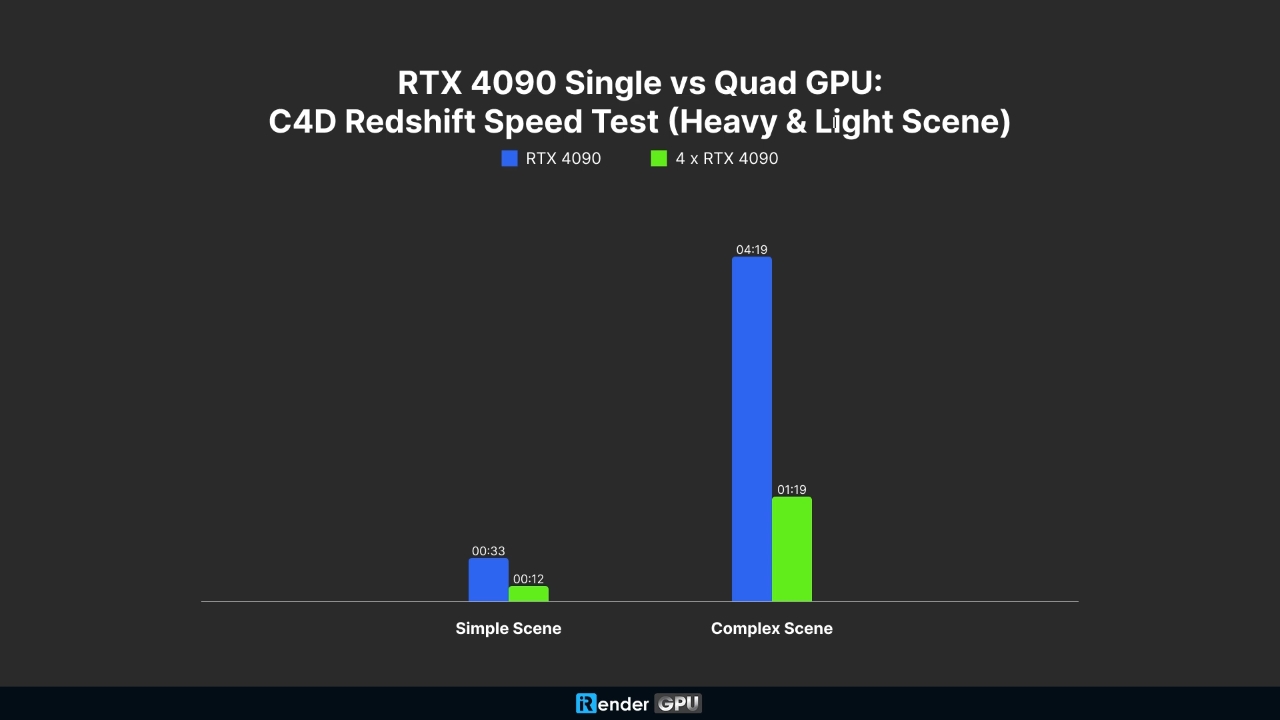
See more about our benchmark test video below.

Render on several servers at the same time
If you have access to multiple machines, split your project and render in parallel. This not only accelerates the process but also ensures no resources are wasted.
Conclusion
The idea that “more GPUs always means faster rendering” isn’t always true. When you encounter Redshift rendering slow on multi-GPU setups, it usually comes down to CPU bottlenecks and scene complexity. By understanding these factors, you can optimize both speed and cost, ensuring Redshift delivers the performance you expect.
Speed up Redshift rendering with iRender render farm
If you often encounter errors or take too long when rendering with Redshift on your personal machine, the optimal solution is to use iRender – the best render farm for Redshift. With a powerful GPU system, you can significantly shorten the rendering time and avoid hardware compatibility issues.
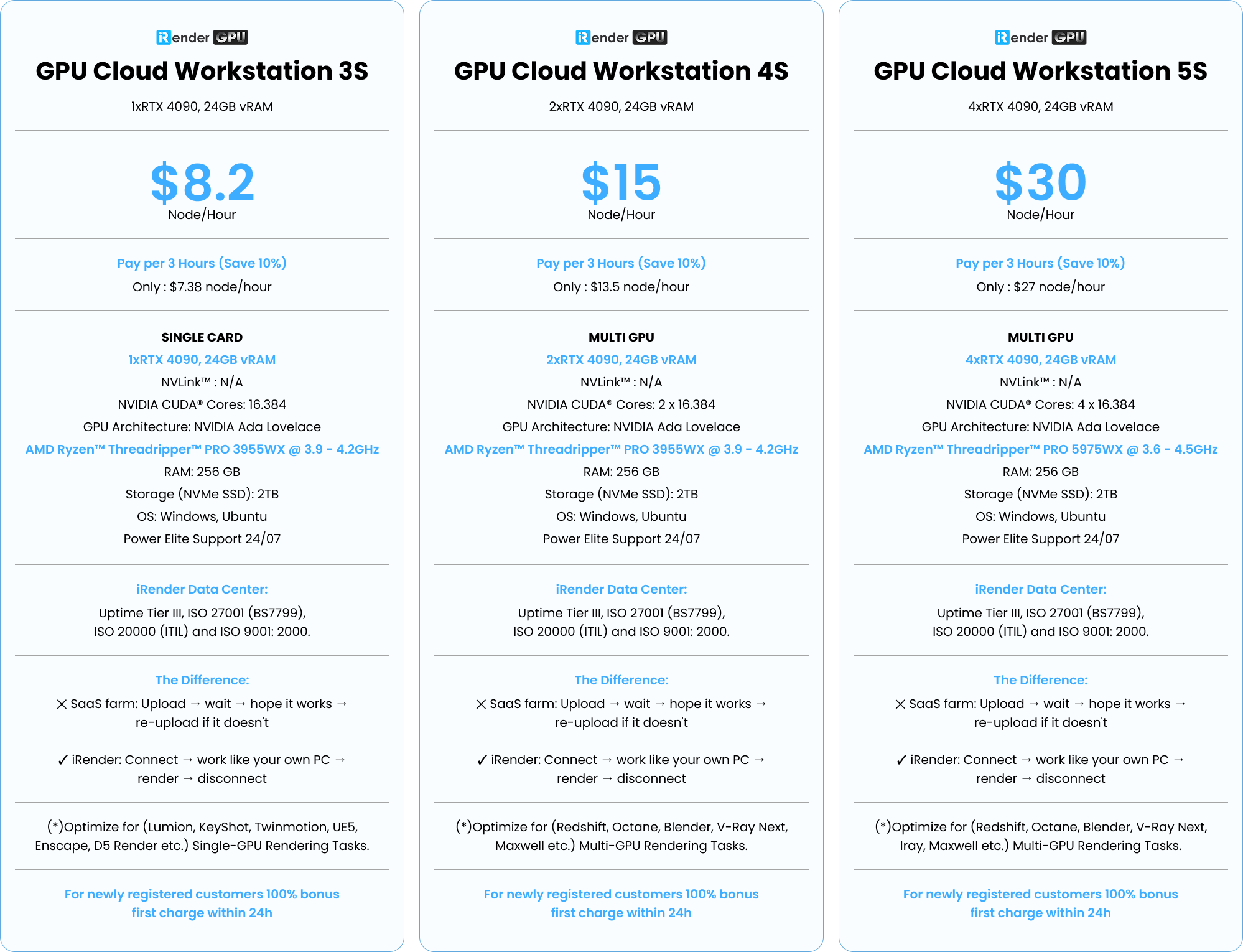
iRender supports all popular 3D software and render engines, including Redshift and all software or plugins needed. We give you access to high-performance GPUs, so you can render faster and more efficiently, no need to upgrade your own hardware. All servers are equipped with:
- AMD Ryzen™ Threadripper™ PRO 3955WX (3.9-4.2GHz) or
- AMD Ryzen™ Threadripper™ PRO 5975WX (3.6-4.5GHz)
- Single to multi – RTX 4090
- 256GB RAM
- 2TB NVMe SSDs
Render faster with C4D Redshift preinstalled
Our servers are equipped with the latest C4D and Redshift versions pre-installed. So all you need to do is transfer files to the remote machine, connect to the machine, and render as on your personal PC.

Why choose iRender?
Unlike other services, iRender lets you upload and download files without starting the server, saving you both time and money. We offer a Desktop app for Windows with a full feature set and a simple Drive app for macOS for easy file transfers. Here’s why iRender is a top choice for your rendering needs:
- 100% Software Support: We support all 3D software, their plugins, and render engines.
- Full Control: Our service will give you full control over the servers you rent. Therefore, you are free to create your own working environment.
- Go Green: We are committed to using 100% solar renewable energy towards environmental sustainability.
- Real-human Support: Our professional support agents and technicians guarantee to bring you the best rendering experience.
Let’s see how C4D Redshift performs on our server!

If you still wonder if this is the right place for your project, REGISTER NOW to get a trial and receive a 100% bonus promotion for your first transaction within 24 hours of registration with us.
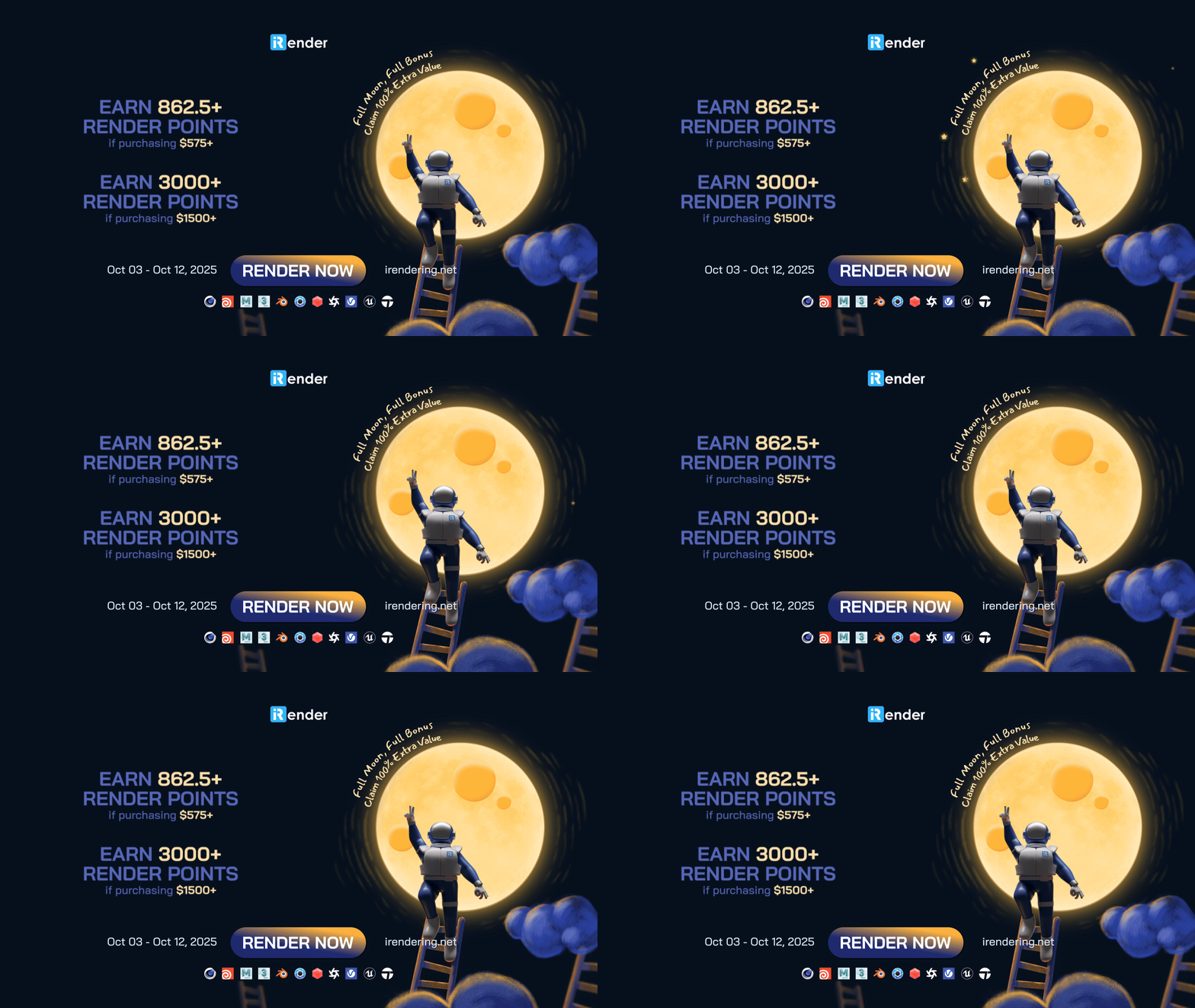
This October, let’s enjoy ‘Full Moon, Full Bonus – Claim 100% Extra Value’ with iRender!
For more detailed information, please contact us via Live chat or WhatsApp: +(84) 912-785-500 or Email: [email protected]
iRender – Your Renders, Your Rules!
Related Posts
The latest creative news from Cinema 4D Cloud Rendering , V-Ray Cloud Rendering , Redshift Cloud Rendering, Octane Cloud Rendering, 3D VFX Plugins & Cloud Rendering.





