
Houdini Licenses Explained for Render Farms: Apprentice, Indie, Core, FX and Engine
Houdini’s licensing system is more complicated than most other 3D software, and misunderstanding it can lead to a licensing violation without you realizing it. There are five main license types: Apprentice, Indie, Core, FX, and Houdini Engine. Each targets a different user and workflow. Apprentice is designed for non-commercial learning, while Indie targets individuals and small teams. Core and FX are intended for commercial production, and Houdini Engine is built around batch processing and integration workflows.
The license determines how Houdini can be used, not just how it is installed.
For anyone researching a Houdini license render farm setup, this article breaks down the main license categories so you can identify the relevant one and verify its current terms yourself. It is an informational guide, not legal advice.
Which Houdini license do you need for a render farm?
Houdini has several license tiers, including Apprentice for non-commercial learning, Indie for individuals and small teams, Core and FX for commercial work, and Houdini Engine for batch and integration workflows. They all use the same Houdini installation, so the software you install does not change with the license.
Whether you use the Launcher or the standalone Installer, you install Houdini first and then access the features allowed by your license. SideFX offers these products for different users and purposes, while licensing terms can change over time. So you should remember, always check the latest SideFX documentation before using a license on a render farm.

The license tiers at a glance
Here is a clearer breakdown of Houdini’s main license types and what each one is designed for.
1. Houdini Apprentice
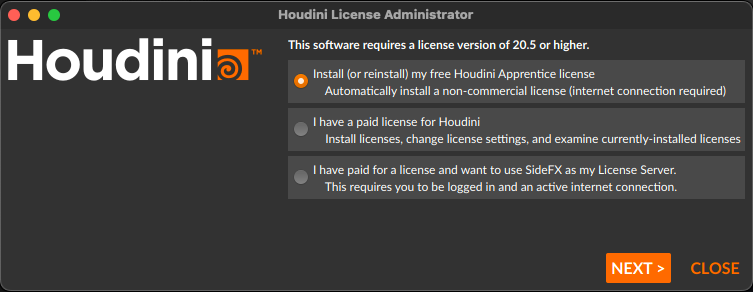
Houdini Apprentice is a free option for students, hobbyists, and anyone learning Houdini through non-commercial projects. It uses its own file formats, including .hipnc, .hdanc, and .usdnc, and comes with several restrictions compared with commercial versions.
Apprentice is designed to give users access to most of Houdini’s core tools while keeping the setup simple. However, it must only be used for non-commercial work, and Apprentice files cannot be used in the same production pipeline as Houdini Indie or commercial Houdini versions. Scenes and assets are saved in Apprentice-specific formats, which helps keep this license separate from commercial workflows.
There are also rendering limitations. Apprentice is restricted to a maximum output resolution of 1920 × 1080, while file formats other than .picnc receive a watermark. It does not support third-party renderers, and HDAs created with Apprentice cannot be used through Houdini Engine or Houdini Engine Indie.
The license renews automatically every 30 days, so the machine needs an internet connection at least once a month. This model is particularly useful for students working from home before moving into an educational environment. .hipnc files can move between Apprentice and Houdini Education, making that transition easier.
There is also a useful student workflow for rendering. You can render .picnc files at home with Apprentice and convert them through Houdini Education later, or open the scene directly in an educational lab and render at higher resolution without the Apprentice watermark.
2. Houdini Indie
Houdini Indie includes Houdini Indie and Houdini Engine Indie. It is aimed at independent artists and small teams that meet SideFX’s current eligibility requirements, including the stated revenue and funding limits. Indie uses formats such as .hiplc, .hdalc, and .usd.
Indie licenses can be managed through a SideFX account or installed on a local server. With SideFX Login, you can access the license from multiple computers, although only one user and one computer can use it at a time. This is convenient if you move between machines during your workflow.
A local server provides another option. The license can be installed locally and tied to the relevant computer, allowing you to continue working when that machine is offline.
For render farm planning, there is an important limitation to keep in mind. Network and cloud servers are not available for Houdini Indie. This means Indie is designed primarily around individual workstations rather than shared network or cloud rendering infrastructure.
3. Houdini Core and Houdini FX
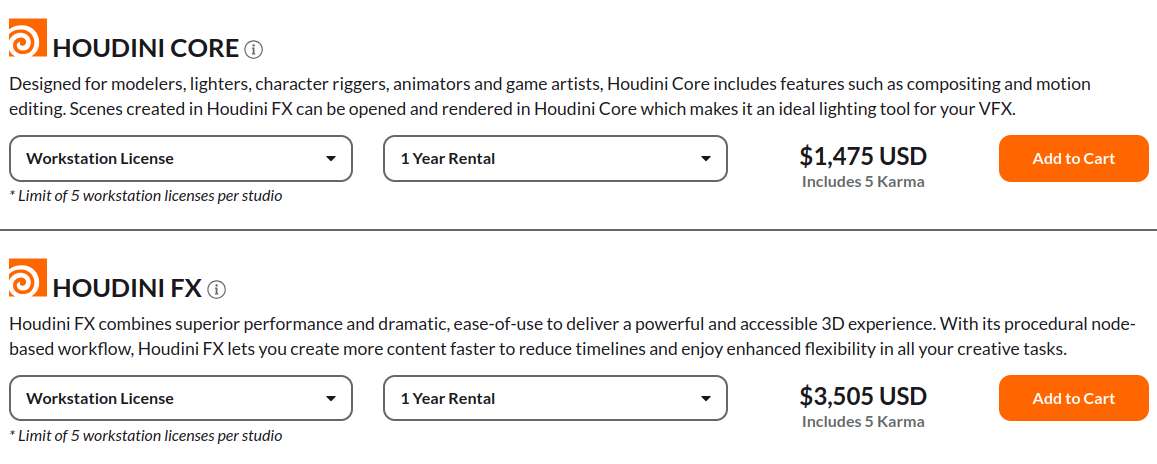
Houdini Core and Houdini FX are the main commercial products for artists and studios working on professional projects. The commercial range includes Houdini Core, Houdini FX, and Houdini Engine, with standard scene and asset formats such as .hip, .hda, and .usd.
These licenses offer several licensing models depending on how a studio operates. SideFX Login allows users to access licenses through SideFX servers. A single user can move between computers, but only one computer can use that license at a time, and a reliable internet connection is required.
A local server is another option. The license can be installed on a local machine and tied to a specific computer, which is useful when the same workstation handles most of the production work.
For larger studios, network licensing provides more flexibility. A network server can distribute floating licenses to artists within the supported geographic range, so users take a license when they need one and release it when finished. Studios can also configure a shared server for artists working across different locations, allowing licenses to be used around the clock.
Core and FX are not identical products. Houdini FX provides the broader feature set, while Core leaves out some specialised tools, including certain simulation features such as Pyro and FLIP-related solvers. The exact differences can change, so I recommend checking SideFX’s current product comparison before choosing between them.
4. Houdini Engine
Finally, there is Houdini Engine. In a Houdini pipeline, you do not always need the full graphical interface. Sometimes you only need Houdini to process scenes, run assets, or handle tasks in the background.
One common use is Houdini Batch. When sending simulations or other compute-heavy work to a render or compute farm, Engine licenses can run Houdini without the interactive interface. For example, Houdini Engine can process scene data and generate USD output, which can then be rendered through the appropriate Karma licensing setup.
Houdini Engine is also important for procedural workflows inside other applications. Engine plug-ins allow Houdini Digital Assets to work inside host applications such as Unreal Engine, Autodesk Maya, Unity, and 3ds Max. The artist creating the HDA can work with Houdini Interactive, while other artists can use Engine to access those procedural assets from the host application without launching the full Houdini interface.
There is also a free Houdini Engine option for Unreal Engine and Unity. Commercial studios can use it for studio-wide deployment of Engine plug-ins, which makes procedural Houdini assets available to artists working in those applications. However, workflows involving PDG or TOP networks may require paid Engine licenses.
The important distinction is that Houdini Engine is not an interactive Houdini license. It cannot launch the normal Houdini graphical interface. It is intended for non-graphical processing, batch workflows, and integration with supported host applications.
The detail that trips people up: Indie does not float
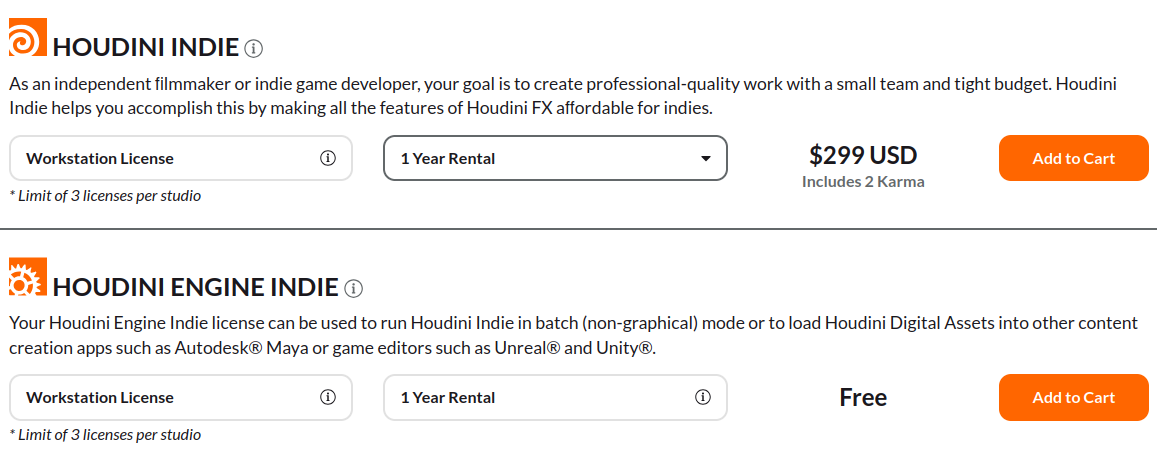
Houdini Indie and Houdini Engine Indie use workstation licenses, so they cannot float across a network. You can manage them through SideFX Login or a local server, but network and cloud servers are not supported for Indie. This matters when planning a Houdini license render farm because each license remains tied to the machine using it.
-
-
-
- For a small farm: Each Indie subscription includes a supplementary license for a second computer or dual-boot setup. If you add more than two farm computers, you can add free Engine Indie licenses through the SideFX online store.
- For render nodes: Engine Indie licenses are intended for the additional machines that process jobs without the interactive Houdini interface.
- License limit: SideFX currently allows up to three Houdini Engine Indie licenses per account.
- Machine locking: Indie and Engine Indie licenses are locked to each computer, so they cannot be shared as floating network licenses.
- Practical setup: Each render machine acts as its own license server and client. This is different from a commercial floating setup and is an important detail when expanding the farm.
-
-
Licenses for the render nodes themselves
Houdini Engine plays an important role when Houdini jobs need to run on a farm without the graphical interface. Engine licenses can handle batch tasks such as rendering, simulations, and geometry or motion caching, while the renderer licenses handle the final image generation.
For a typical Indie setup, think of the licensing in three parts. The main workstation uses 1 Indie, 1 Mantra Renderer, and 1 Karma license. Each additional render node uses 1 Engine Indie, 1 Mantra Renderer, and 1 Karma license. SideFX notes that each Engine Indie license also includes the corresponding non-commercial Renderer and Karma licenses.
Before building the farm, I recommend checking SideFX’s official Indie render farm setup FAQ. It covers the licensing layout and HQueue workflow in more detail.
Renderer licenses are a separate question
Karma licensing is separate from the Houdini interface license, although SideFX bundles Karma tokens with Houdini Core and FX. The current bundle provides 5 Karma licenses for workstation setups and 10 for Local Access or Global Access licensing. Additional Karma licenses are available at an annual rental price of $195 USD per license, with volume pricing available.
Karma is also included with Houdini Indie, Education, and Apprentice in different quantities. Indie includes 2 Karma licenses, Education includes 10, and Apprentice includes 1. These are non-commercial Karma licenses, so the number available depends on the Houdini product you are using.
If you use a third-party renderer such as OctaneRender or Redshift, its licensing is handled separately from SideFX. You need to account for those renderer costs when calculating the full farm budget.
As the number of render nodes grows, additional Houdini and third-party licenses can become a significant part of the total cost. Hardware is only one part of the expansion budget.
What changes when you rent a machine
When you rent a cloud machine, the hardware is provided by the service, but the software license remains your responsibility.
-
-
-
- The license is still yours: You remain responsible for using it according to the applicable SideFX terms.
- The provider does not supply your license: Renting a workstation or server does not automatically include a Houdini license.
- Check your license terms first: Different Houdini products have different rules. Commercial licenses can support network licensing, while Indie licenses do not support network or cloud servers and are limited to one person and one computer at a time.
-
-
When to contact SideFX directly
Some licensing situations may not be covered in this article, so you should check the official Houdini FAQ for the latest information.
I write this article to provide a general overview of Houdini licenses, not legal advice or licensing sales support. If you need to purchase a license or clarify a specific licensing situation, contact SideFX directly for guidance.
License tiers and their purpose
| License tier | Designed for | Key render farm considerations |
|---|---|---|
| Apprentice | Non-commercial learning | Limited usage and output, with watermarks and resolution restrictions |
| Indie | Individuals and small teams | Machine-locked, no floating network licenses; revenue limits apply |
| Core | Commercial work and general production | Free commercial Karma licenses included in the bundle |
| FX | Commercial work with the full simulation toolset | Free commercial Karma licenses included in the bundle |
| Engine | Batch processing and pipeline integration | Three licenses are required per render node. See the Indie render farm setup guide |
iRender: The RTX 5090 cloud workstation for Houdini
When you rent a machine from iRender, you get a clean workstation and install Houdini using your own license. iRender does not provide, lend, or sell Houdini licenses. You remain responsible for compliance, so check the terms for your license tier before using it on a rented machine. If anything is unclear, contact SideFX directly.
One advantage of iRender is the freedom to configure the environment yourself. You can install the Houdini version and license setup that your project requires, rather than being restricted to a preset configuration. This gives you more control over your workflow, including rendering and editing projects with RTX 5090 or RTX 4090 GPUs, up to 256GB RAM, AMD Ryzen Threadripper Pro 3955WX or 5975WX CPUs, and 2TB storage.
There are a few practical points to remember. You will need to activate your license again when accessing the machine and release it before shutting it down. The rental clock also starts when the machine boots, even if you are still configuring Houdini. For a Houdini license render farm workflow, prepare your license details before starting the machine.
Right now, iRender is launching the 100% bonus for new user’s first deposit, check it out.
Check out Houdini Karma XPU workflow on iRender’s RTX 5090 server:






