
How to fix the ‘unauthorized version of Cinema 4D” error?
Cinema 4D is one of the most popular 3D modeling, animation, and rendering tools used by artists and motion designers worldwide. However, you will got the error when opening Cinema 4D file: ‘This document may have been created with an unauthorized version of Cinema 4D’.
This error doesn’t always mean you did something wrong. In this article, iRender will explain what this error means, why it happens, and how to fix it.
Describe the Cinema 4D error
This error appears when Cinema 4D detects that a project file Cinema 4d was made or saved using a pirated or cracked version.
Cinema 4D checks every file to see if it came from an official source or not. If the signature is missing or invalid, the software blocks the file and shows this error.
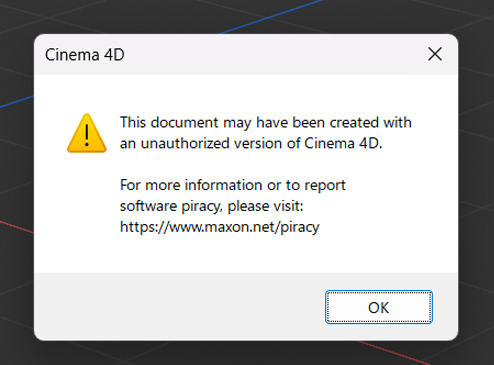
This message is part of Maxon’s anti-piracy protection system.
It helps to:
- Prevent illegal copies of Cinema 4D from being used.
- Stop corrupted or unsafe files from being opened in licensed versions.
- Protect the company’s software and user data integrity.
Why does it happen?
This message can appear in several common situations:
- File from a pirated copy – Someone created or modified the project in an unlicensed Cinema 4D version.
- Software conflict or version Cinema 4D is not supported
- File shared from the internet – Downloads from online sources or forums sometimes include files saved in cracked versions.
How to fix the ‘unauthorized version of Cinema 4D” error?
Confirm you are using a licensed version
First, you should check to see if your Cinema 4D installation is genuine or not.
-
Open Help → About Cinema 4D and check your license details.
-
If you’re unsure, reinstall Cinema 4D directly from the official Maxon site: https://www.maxon.net/en/downloads
Install Cinema 4D version 2023
Sometimes, the error appears because of software conflict or unsupported Cinema 4D version. Normally, 3D artists will update the latest Cinema 4D version for their rendering, but this might cause software conflict.
One of our client used to encounter this error, then we suggest him to use Cinema 4D version 2023. As a result, the error disappeared and he managed to open the files.
If you got the error on iRender servers, you can go to x drive on our machine and copy the installer of Cinema 4d version 2023 to desktop and run it.

Use your own or iRender license
You can open your Maxon app and enter your Credentials to use your own license.
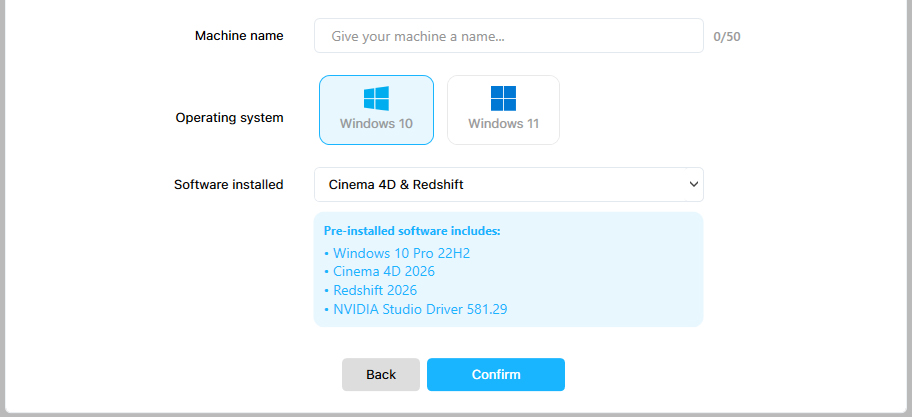
As Maxon’s partner, iRender now provides customers with Cinema 4D and Redshift pre-installed and licenses with specific conditions. This means that customers can use one combo Cinema 4D and Redshift for free.
To use C4D and Redshift on iRender server, you should follow these instructions:
Step 1: Create a machine with pre-installed software
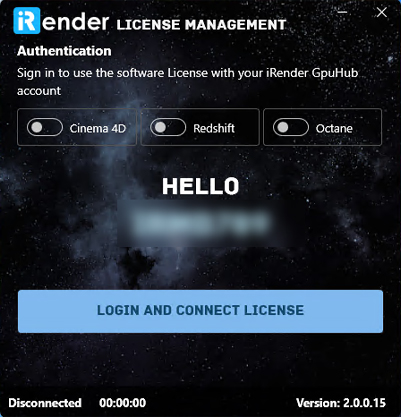
Step 2: Activate the Software License on iRender machine and license management. You will tick the licenses you need to use.
Conclusion
The error “This document may have been created with an unauthorized version of Cinema 4D” appears when a project file was made using a pirated copy of Cinema 4D or unsupported Cinema 4D version.
The real solutions are to install Cinema 4D version 2023 and use its license to render. I believe that the solution will help this error not appear again.
iRender - The best render farm for Cinema 4D
iRender is the most powerful render farm for Cinema 4D users. We are a PaaS rendering service, providing you remote machine from single to multiple RTX4090. Our computers come with high-end specifications like AMD Ryzen™ Threadripper™ PRO 3955WX @ 3.9 – 4.2GHz or AMD Ryzen™ Threadripper™ PRO 5975WX @ 3.6 – 4.5GHz, RAM 256GB, Storage NVMe SSD 2TB. You can check all the servers’ configuration following:
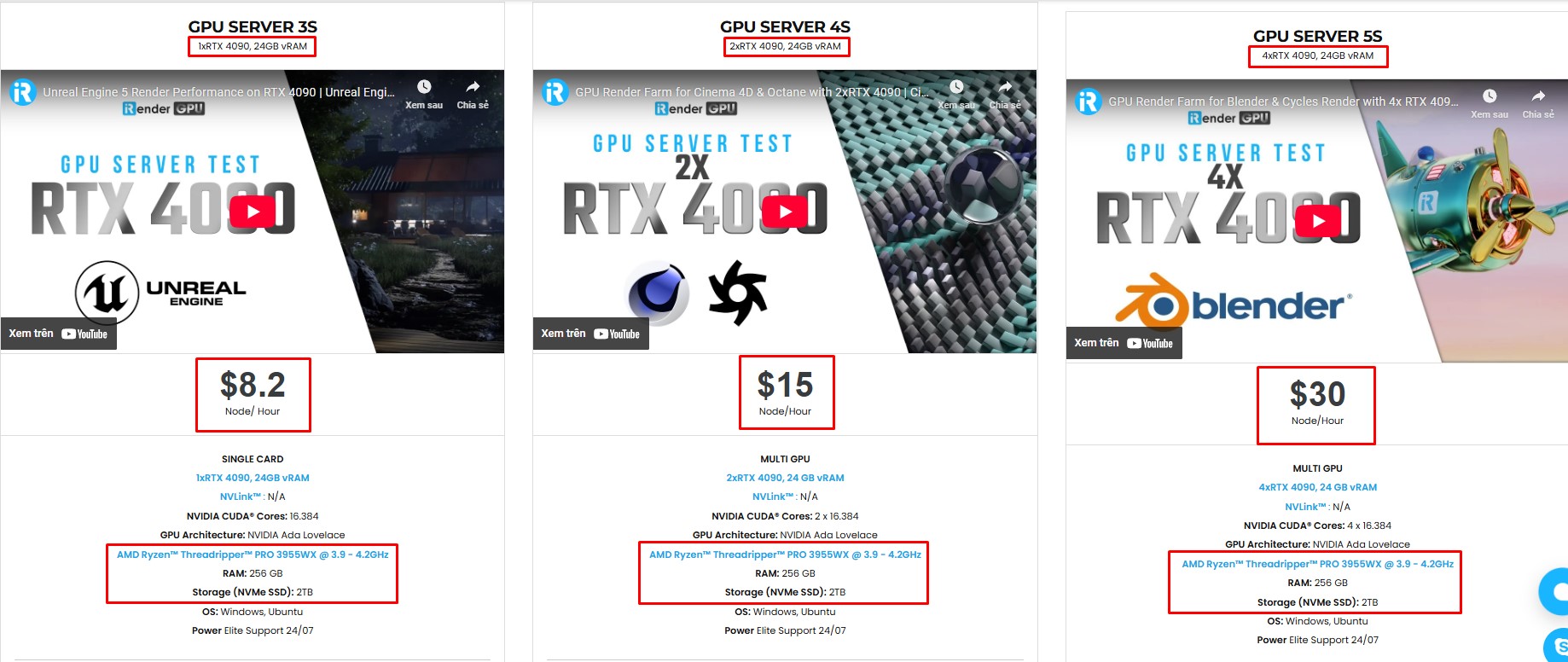
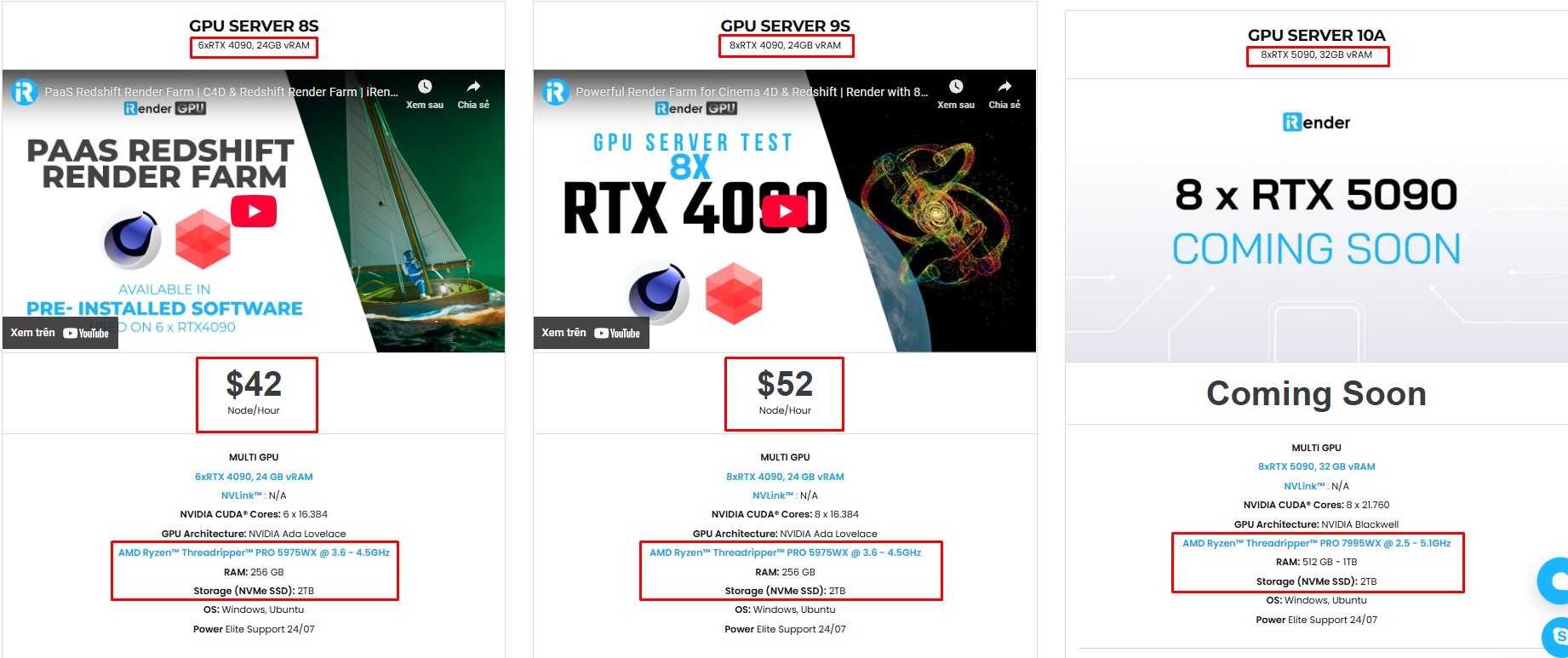
iRender machine with Cinema 4D preinstalled
Our servers have Cinema 4D preinstalled. As an official partner of Maxon, each user can also use our Cinema 4D license for free from us. You just need to transfer your files, connect to the remote machine. Then you can render yourself like the way you do on your local PC. Setting up ONCE and your working environment will be saved and ready to use at any time.

Let’s see our performance test for Cinema 4D on our servers multi cards, you’ll definitely see the speed difference.


We suggest Windows users work with our all-in-one application, iRender GPU instead of coming our website. For Linux or macOS users, we provide a helpful and free transferring program called iRender drive. You can take a look at this video For Windows or For Mac OS to understand our workflow.
Get a 100% Welcome Bonus!
We’re excited to welcome new users with an exclusive 100% Bonus Program. You should deposit within 24 hours of registration, and we’ll double your credits instantly — giving you twice the value to explore and enjoy! Don’t miss out — recharge today and make the most of your first deposit!

In case you have any problems or questions, don’t hesitate to contact the support team. We will be happy to help you with your questions and problems at all times.
Happy Rendering!






