
Top 7 Free “Must-Have” Plugins (Scripts) for Autodesk Maya 2026
Autodesk Maya is the industry standard for character animation and rigging in games and VFX, but relying on default tools alone can seriously slow you down. The right free plugins and scripts can automate complex rigging tasks, speed up animation workflows, and help you achieve studio-quality results without extra cost. In this article, iRender introduces the 7 most powerful free tools, focusing on the Character Pipeline, helping you bring your character ideas to life quickly and efficiently.
I. What and why are Plugins and Scripts crucial in Maya?
In Autodesk Maya, plugins and scripts are both tools used to extend Maya’s functionality and speed up workflows:
- Scripts (Python or MEL) are lightweight and commonly used for animation and automation tasks.
- Plugins work at a deeper system level and are typically used for rigging, skinning, and complex operations.
In modern character pipelines, scripts are no longer optional, they are critical for both speed and quality:
- Consistency: Automated rigging systems, such as mGear, create standardized rig structures that are easier to maintain and reuse across projects.
- Animation Speed: Tools such as Tween Machine and Studio Library allow animators to achieve clean timing and strong poses up to 50% faster.
- Asset Management: Easily store, reuse, and reapply approved poses and animation data across multiple scenes.
II. The 7 Game-Changing Free Plugins/Scripts for Maya in 2026
A. Rigging & Setup Optimization Tools
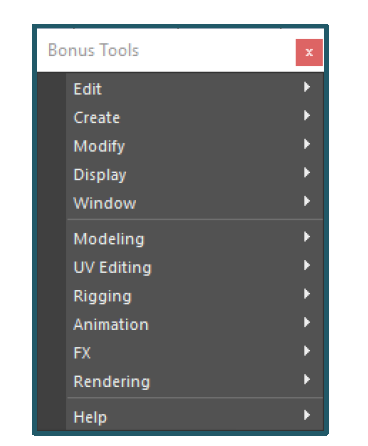
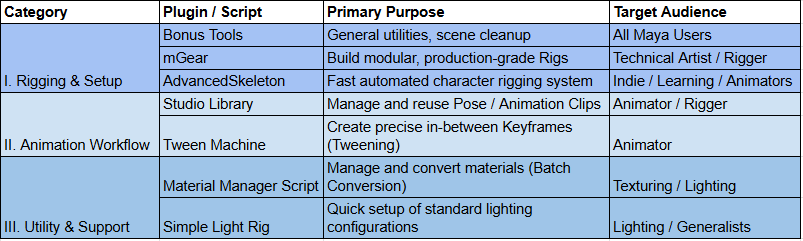
1. Autodesk Bonus Tools
Bonus Tools is a collection of free utilities officially provided by Autodesk. It serves as the foundation for keeping Maya scenes clean and optimized before rigging begins.
Essential Rigging Features:
- Cleanup Scene: Quickly removes unused nodes, history, and junk data. This is a mandatory step before rigging to ensure a clean file.
- Modeling & Utility Tools: Helps standardize geometry and pivot placement.
Best for: All Maya users (especially artists preparing assets for rigging).
2. AdvancedSkeleton
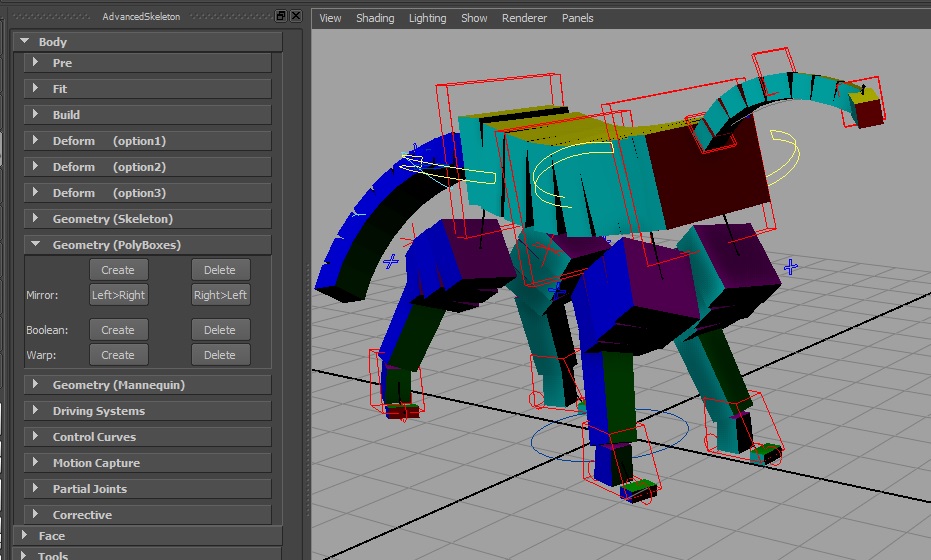
Advanced Skeleton (AS) is one of the most popular and user-friendly auto-rigging systems available for Maya. Allows users to assemble skeleton modules and automatically generate a complete character rig, including controllers and FK/IK systems
- Ideal for creating proxy rigs for fast animation tests
- Excellent for game-ready characters with standardized structures
Best for: Students, animators who need quick rigs, junior riggers.
3. mGear
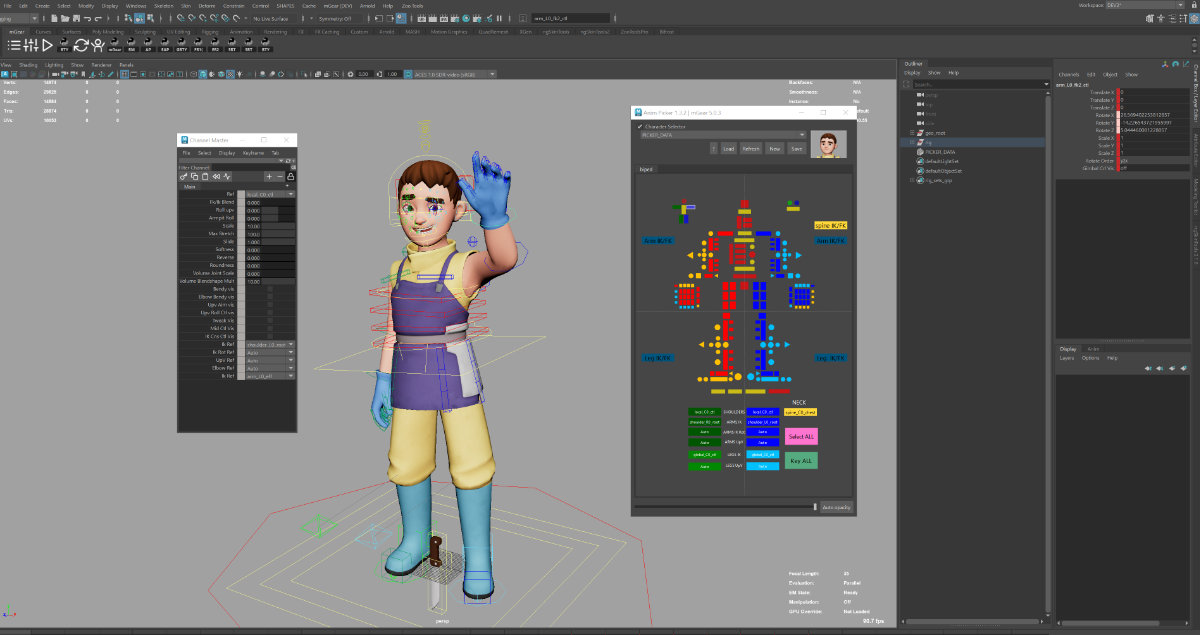
mGear is designed for professional riggers who need scalable, production-quality modular rigs.
How It Differs from AdvancedSkeleton:
mGear focuses on building a rigging framework that allows deep customization, producing stable, studio-standard rigs commonly used for main characters in large productions.
- Extensive library of rig components (arms, legs, spine, twist joints, head, etc.)
- Easy integration into studio pipelines
Best for: Professional riggers, Character TDs, and technical artists.
B. Animation & Posing Optimization Tools
4. Studio Library
Studio Library is a lifesaver for anyone working with keyframe animation. It functions as a powerful library for poses and animation clips.
- “Game-Changer” Feature: Allows you to import and export poses or animation clips between different Maya scenes.
- Animation Speed Boost: Animators can quickly build a library of the character’s key poses (e.g., happy, angry, running, jumping) and apply them instantly, saving hours of work and ensuring consistency.
Best for: Animators, Riggers (for pose testing).
5. Tween Machine
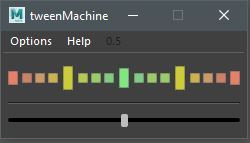
Tween Machine is one of the most fundamental and essential animation scripts for creating smooth, believable motion. It generates in-between and breakdown poses by sliding the current keyframe toward the previous or next key.
- Fast, intuitive control over timing and spacing
- Solves one of the biggest weaknesses of traditional keyframe animation
Best for: Animators.
C. Texture & Rendering Support Tools
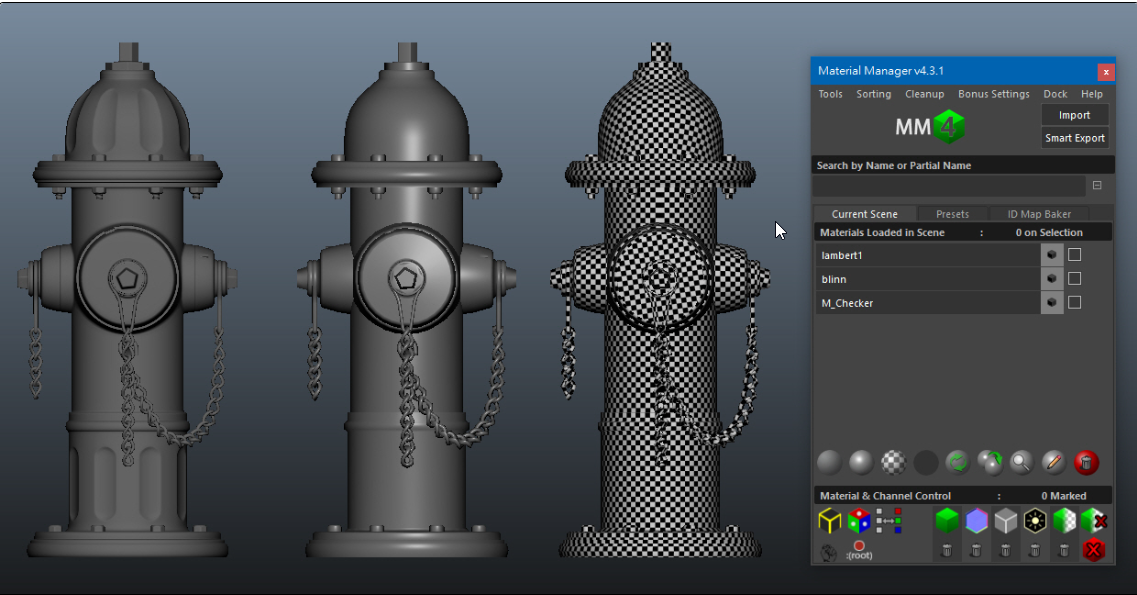
6. Material Manager Script
When a character has many Textures, and you need to check the Render across different Engines (Arnold, Redshift), the Material Manager helps maintain sanity.
- Batch Conversion: Convert materials from standard shaders to Arnold or Redshift shaders with a single click.
- Asset Browsing: Easily browse and apply standardized textures and materials without navigating complex Hypershade networks.
Best for: Texture artists, look-dev artists, lighting artists.
7. Simple Light Rig
If you’re just checking lighting on a character model or setting up a Final Render, these Light Manager Scripts optimize setup time.
- Quick Light Setup: Instantly create basic lighting presets (such as 3-point character lighting) for material or pose previews.
- Toggle Visibility: Quickly enable or disable light groups for shading and shadow debugging.
Best for: Lighting artists, generalists.
Conclusion
Integrating these free Maya Scripts is not just a clever trick—it’s a requirement for working efficiently in a professional studio. From automating your Rigging with mGear/AdvancedSkeleton to refining your animation with Tween Machine and Studio Library, you now possess the most powerful free toolset.
Final Recommendation: Start with Autodesk Bonus Tools and Tween Machine, then proceed to Studio Library to build your own pose library as your animation workflow evolves.
Elevate Your Maya Renders with iRender – Smart Workflow, Scalable Performance, Limitless Creativity.
To get the most out of these Maya plugins and scripts, especially when working with complex rigs, high-resolution characters, and heavy animation scenes, you also need sufficient computing power. This is where iRender becomes a practical solution. iRender provides high-performance GPU servers with multiple RTX GPUs, allowing Maya artists to render Arnold or Redshift scenes much faster without investing in expensive hardware. By combining an optimized Maya workflow with tools like mGear, ngSkinTools, and Studio Library, and scaling rendering power on demand with iRender, you can maintain studio-level productivity and quality, even under tight deadlines.
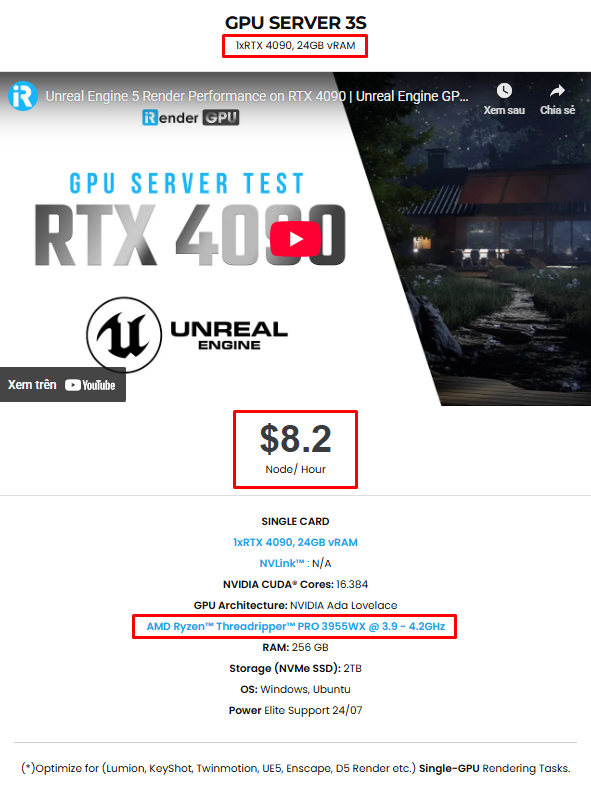
iRender provides high-configuration servers that increase CPU and GPU rendering speeds. We offer the most powerful RTX 4090 configuration packages on the market, all equipped with AMD RyzenTM ThreadripperTM PRO 3955WX @ 3.9 – 4.2GHz and AMD Ryzen™ Threadripper™ PRO 5975WX @ 3.6 – 4.5GHz processors, 256GB RAM and 2TB NVMe SSD hard drive capacity. With a wide range of GPU servers (1/2/4/6/8x) – RTX 4090, you can choose the server that suits your needs to start the rendering process. You just need to transfer your files, connect to the remote machine, and install Maya, then add your software license and render yourself. Setting up ONCE will save your working environment and make it ready to use anytime.
Below is information about iRender’s service packages. For Maya, the server 3S is the most suitable with the Single Card 4090:
Not only powerful configurations, iRender also provides you with many more services. Free and convenient transfer tool iRender drive for macOS and Linux users. For Windows users, we recommend the iRender GPU application, you will not need to access our website anymore. The price at iRender is also very flexible with hourly rental (pay as you use), and daily/weekly/monthly rental with a 10-20% discount.
We’re always happy to help you with any questions. If you have any problems or questions, don’t hesitate to contact our 24/7 support team. Or via WhatsApp: 0912 785 500 for free advice and support.
Right now iRender is offering a SPECIAL PROMOTION: enjoy a 100% bonus on your first top-up. This means your first deposit will be doubled, and your points never expire, allowing you to use them whenever you need.
Sign up for an account today to experience and enjoy our services.
Thank you & Happy Rendering!
Source and image:autodesk.com
Related Posts
The latest creative news from Maya Cloud Rendering






