
Is Mantra Dead? What to Do With Legacy Mantra Scenes in 2026
Mantra has not disappeared from Houdini, and your old scenes still render. However, Mantra is no longer where SideFX is investing.
SideFX’s documentation still describes Mantra as “the highly advanced renderer included with Houdini” and still recommends its physically based engine as the default choice inside Mantra. There is no deprecation banner on that page. At the same time, Karma documentation is direct about where things are heading: Karma is “a completely new renderer intended to replace Mantra for new projects.”
What to do with legacy Mantra scenes in 2026? Let’s explore now!
Is Mantra actually dead?
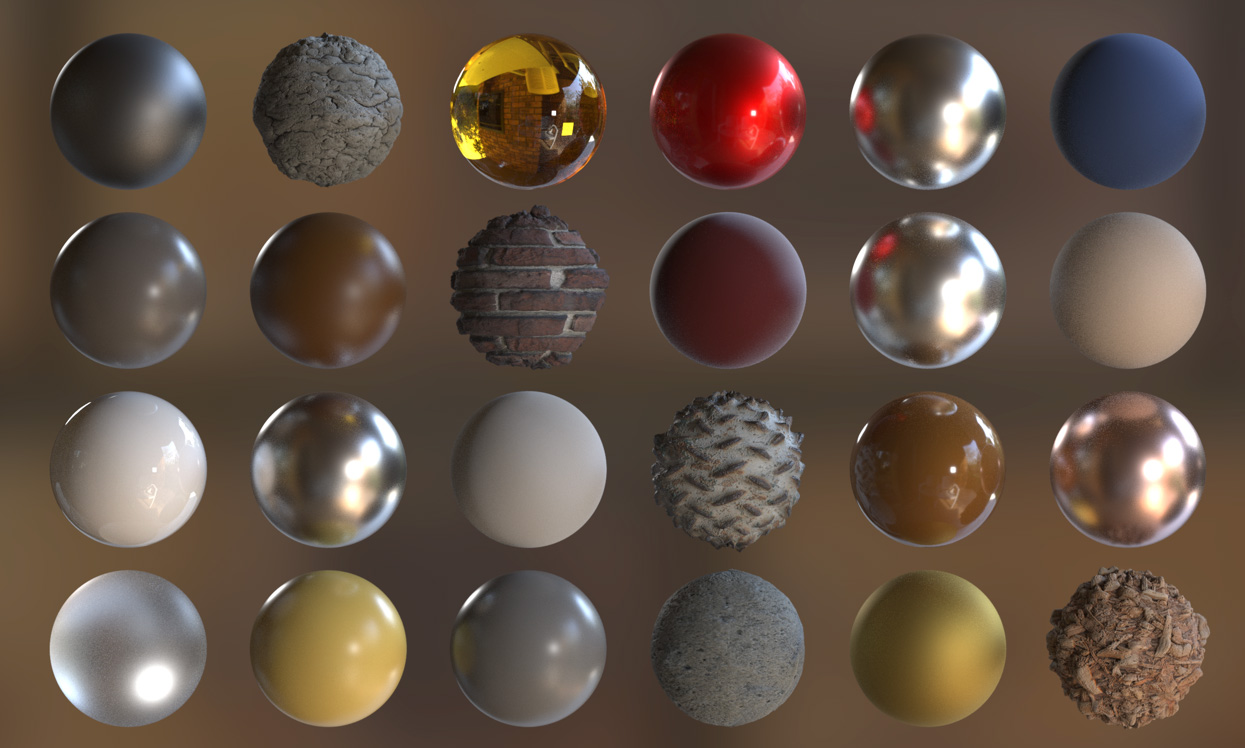
Image Source: SideFX
The answer is no.
The useful distinction is between a renderer you can still use and a renderer that still receives investment. Mantra is in the first category. It ships with Houdini, it opens your old scenes, it renders them, and there is nothing in the official documentation instructing you to stop. Karma is in the second category, developed alongside Solaris and USD as the modern path, and it is what new features are built around.
Then, with the question “Can I still render my Mantra scene next year?” is almost certainly yes. “Should I start a new project in Mantra in 2026?” is a much harder yes to defend.
Before working with any scenes, you should check the official Houdini documentation for the exact version you are running.
Why porting is not a button
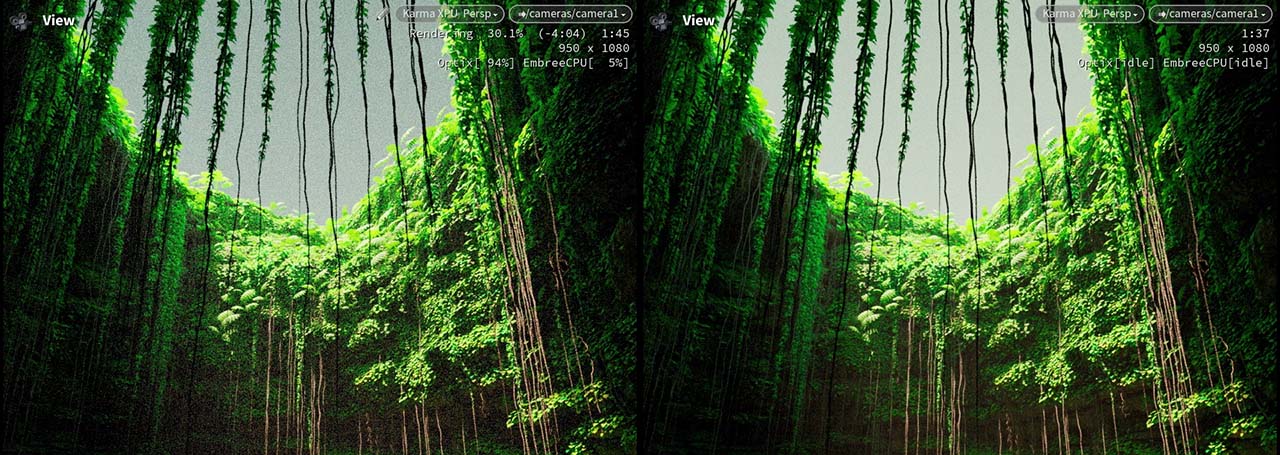
The single most important technical fact for anyone considering migration: Mantra is built on VEX, and Karma is not.
SideFX states clearly that Karma CPU “does not support most VEX shading functions,” with narrow exceptions such as the trace function. Karma XPU goes further and “will never support VEX-based shaders at all,” because it runs in the more limited environment on the GPU and drops support for even more legacy features than Karma CPU does.
Converting a Mantra scene to Karma XPU usually means rebuilding your materials in MaterialX rather than flipping a switch. Geometry, cameras, lights and animation carry over reasonably well. Shading is the part that does not.
Karma “does not support material style sheets which are now deprecated.” If your old setup leans on style sheets for per-primitive or crowd material variation, that mechanism has to be rebuilt with a different approach entirely.
Decisions based on project lifecycle
For projects that have finished and will not be used again: Leave them in Mantra. There is no benefit to converting a scene that is no longer being accessed.
For new projects requiring only minor edits: Keep them in Mantra and note the Houdini version used to create them. The cost of conversion would outweigh the short-term benefits, and a minor edit does not justify rebuilding the entire data library.
For projects with a long remaining lifespan or library assets that are frequently reused: Convert them as soon as possible. The cost of conversion will not decrease over time; the longer a library remains static, the more scenes will come to depend on it.
Two migration paths

Karma CPU is the closest one. It sits nearer to the CPU rendering model you already know from Mantra, and it needs less rebuilding than XPU. It still does not support most VEX shading functions, so materials are not free, but for many older projects it is the more reasonable intermediate step rather than jumping straight to XPU.
Karma XPU with MaterialX is further away and the right long-term direction. XPU takes advantage of the GPU and hardware acceleration, and MaterialX is probably the future of shading in Karma. If you are rebuilding materials anyway, rebuilding them in MaterialX means doing the work once.
There is also a way that many people miss. Karma can render traditional Houdini object-level scenes with the Principled Shader, either by rendering them directly through the Karma render node or by importing them into USD with the Scene Import LOP. That is a genuinely useful door for older projects, because it lets you test Karma against an existing scene without committing to a full Solaris rebuild first.
A practical migration checklist
Work through this before converting anything of value.
- Inventory your materials and identify what relies on VEX: This tells you the real size of the job, which is almost always bigger than the geometry side suggests.
- Convert one test shot first: Pick something representative rather than something easy.
- Compare against the old Mantra render: Side by side, same frame, same camera. Look at the differences before you scale up.
- Record the Houdini version of the original project: Write it into the project folder.
- Keep reference renders: Once the scene is converted, the old output is the only evidence of what the shot used to look like.
Keeping old versions runnable
A scene built on a Houdini build from a few years ago needs that build, with the plugin versions it was authored against, to come back looking the way it did. If you install a newer Houdini over the top on your only workstation and you get version conflicts, plugin mismatches.
This is the time you can consider using a render farm.
iRender - The Best Setup for Running Any Houdini Version
At iRender, you install software by yourself, which means you can build a machine running exactly the Houdini version the old project needs, and keep a separate machine on the new version for current work. No overlapping installs fighting each other on your personal workstation. For anyone maintaining a long-lived project or asset library, that separation is quietly one of the most useful things about renting hardware.
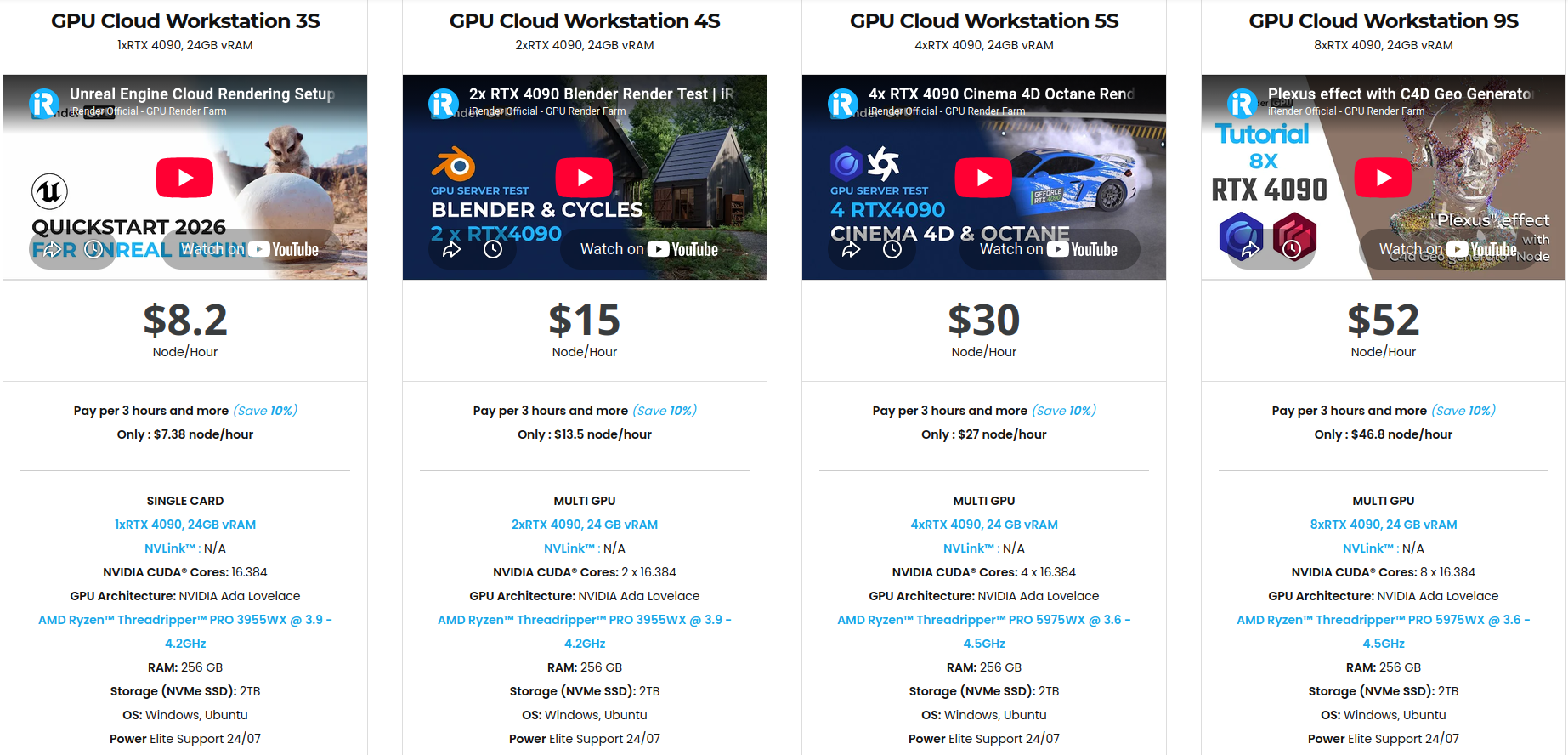
Render equips you with powerhouse specs: AMD Threadripper Pro, 256GB RAM, and configurations scaled from 1 to 8 top-tier NVIDIA RTX 4090 or next-gen RTX 5090 GPUs delivering unmatched rendering speed.
You can check all servers’ configuration below:
You also have full control over your files and software. Upload your project before starting the server, then connect when the machine is ready. Billing starts when the server is fully booted and the Connect button appears, so you only pay when the workstation is ready to use. For artists who want more control, predictable costs, and fewer surprises, iRender provides a straightforward alternative to traditional render farms.
Register today to take advantage of a 100% bonus on your very first deposit!
Let’s watch the tutorial video to see how our service works:

Maximum Speed – Absolute Freedom
Frequently Asked Questions
Is Mantra deprecated in Houdini in 2026?
Can I convert Mantra VEX shaders directly to Karma XPU?
Which legacy Mantra scenes should be migrated to Karma, and which can stay?






