Karma XPU on a Mac: Why Apple Silicon Renders on CPU Only
EXECUTIVE SUMMARY // key takeaways
On Apple Silicon Macs, Houdini 22’s Karma XPU renderer operates exclusively on the CPU via Embree and cannot utilize the Mac’s integrated GPU, as native GPU acceleration in Karma XPU remains restricted to NVIDIA hardware. Despite this platform constraint, Apple Silicon Macs remain highly effective workstations for Houdini tasks such as modeling, layout, complex FX simulations (FLIP, Pyro, Vellum, RBD), and Karma CPU rendering, leveraging strong CPU performance and high unified memory bandwidth. Additionally, Houdini 22’s viewport utilizes the Mac GPU through the Vulkan API.
To address the GPU rendering bottleneck for Karma XPU, Mac users have three primary strategic options:
- Utilize Karma CPU or Metal-Supported Third-Party Renderers: Stick with Karma CPU or leverage third-party engines like Redshift or Octane X that natively support Apple Silicon GPUs via Metal.
- Benchmark CPU Performance: Evaluate scene-specific performance between Karma CPU and Karma XPU running on CPU, as both rely on Embree.
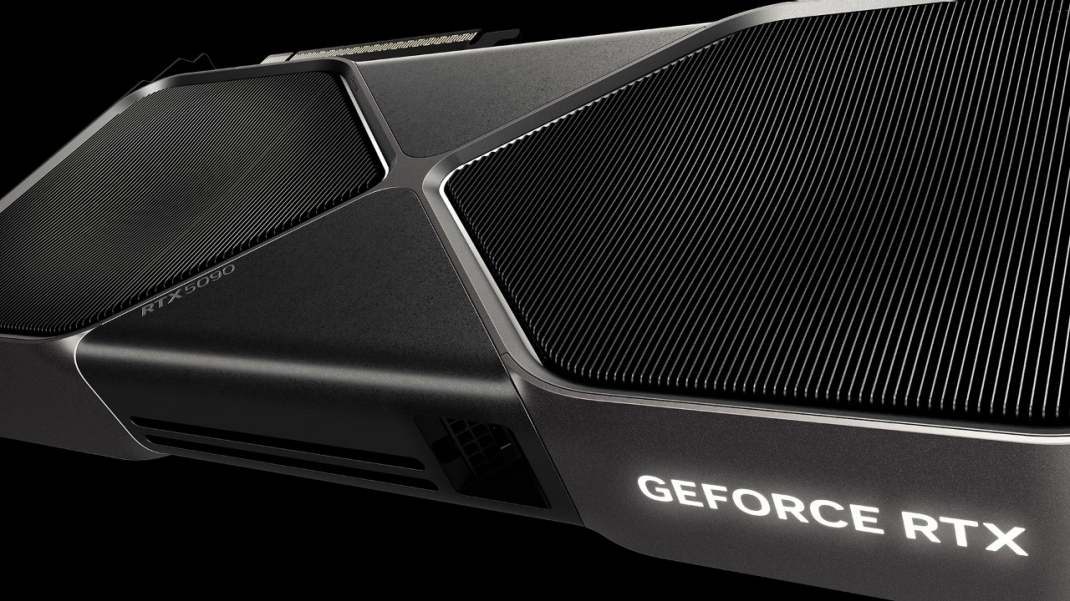
- Adopt a Hybrid Mac-Plus-Cloud Workflow: Prepare scene files, asset stages, and FX simulation caches locally on the Mac, then offload final multi-GPU Karma XPU renders to remote cloud workstations equipped with NVIDIA RTX 4090 or RTX 5090 GPUs (such as iRender).
This hybrid approach allows artists to maintain their preferred macOS environment for interactive look development while accessing high-throughput NVIDIA GPU power for production rendering.
Karma XPU Mac users often ask why their new MacBook Pro with an M4 Max GPU still renders through the CPU. The reason is a platform limitation. On Apple Silicon, Karma XPU uses the CPU for rendering and does not use the Mac’s GPU. This behavior is documented by SideFX. However, Macs remain capable machines for Houdini modeling, simulation, and look development. If you need GPU rendering, you can use Karma CPU, choose a third-party renderer that supports Mac GPUs, or send your XPU renders to a workstation with NVIDIA GPUs.
Does Karma XPU use the GPU on Apple Silicon?
No. On Apple Silicon Macs, Karma XPU renders through the CPU using Embree. NVIDIA GPUs are the only GPUs supported by Karma XPU’s GPU rendering path.
Houdini 22 on macOS requires Apple Silicon and no longer supports Intel-based Macs. You can still use Houdini effectively for modeling, simulation, and look development on a Mac, where CPU performance and system memory play important roles.
What actually runs where on a Mac
Houdini 22 on Apple Silicon: What Runs Where on a Mac
A practical overview of which Mac hardware powers Houdini’s viewport, simulations, Karma renderers, and third-party rendering engines.
| Task | Runs on Mac | Hardware Used | Notes |
|---|---|---|---|
| Viewport | Yes | Mac GPU | Houdini 22 uses a Vulkan-based viewport. Verify the current macOS compatibility and requirements for your Houdini build. |
| Simulation FLIP, Pyro, Vellum, RBD |
Yes | CPU and system RAM | Macs can handle Houdini simulations. Performance depends on the solver, scene complexity, CPU, and available memory. |
| Karma CPU | Yes | CPU (Embree) | Supports the Karma CPU rendering workflow, including VEX functionality supported by the renderer. |
| Karma XPU | Yes, CPU only | CPU (Embree) | Karma XPU does not use the Apple Silicon GPU for rendering. |
| Third-party renderer | Depends on the renderer | Depends on the renderer | Check Mac GPU support, compatible hardware, Houdini integration, and licensing on the renderer’s official website. |
KEY TAKEAWAYS // APPLE SILICON WORKFLOW
1. Simulation and Karma CPU work well:
CPU-intensive tasks such as FLIP, Pyro, Vellum, RBD, and Karma CPU can run effectively on a Mac. Apple Silicon combines strong CPU performance with high memory bandwidth, supporting demanding simulation and CPU-rendering workflows. Karma CPU supports the VEX features available in the renderer.
2. Karma XPU is the main limitation:
Karma XPU can run on a Mac, but its rendering path uses the CPU through Embree rather than the Apple Silicon GPU. As a result, Mac users cannot benefit from GPU acceleration through Karma XPU on this platform.
3. The viewport uses Vulkan:
Houdini’s viewport uses the Mac GPU through the Vulkan API. Check the viewport setup and compatibility requirements for the specific Houdini and macOS versions in use.
4. Third-party renderers vary:
GPU rendering on a Mac depends on whether the renderer supports Apple Silicon and the relevant GPU API, such as Metal. Check official compatibility information for tools such as Redshift, Octane, or Arnold before choosing a workflow.
Apple Silicon Macs are well suited to layout, simulation, and Karma CPU rendering. If your workflow depends on GPU rendering with Karma XPU, the lack of Apple Silicon GPU support is a key limitation to consider.
Karma CPU vs. XPU-on-CPU on a Mac
Karma CPU and Karma XPU running on the CPU both use Embree, but they are different renderers. According to SideFX staff, performance depends on the scene, so neither renderer is consistently faster. For your Karma XPU Mac workflow, benchmark both options using your actual production scene. XPU running on the CPU can also be useful when you need MaterialX compatibility.
Your Options If You Need GPU Rendering
If you use a Mac for Houdini, you have three practical options when you need GPU rendering.
-
-
-
- Stay with Karma CPU: It does not require a supported rendering GPU and provides broad feature support. However, it may be slower than GPU-accelerated Karma XPU on suitable hardware.
- Use a third-party renderer: Redshift and Octane X offer Mac GPU rendering options, depending on the version and hardware. Arnold and V-Ray also have Mac workflows, but GPU rendering support and compatibility vary, so check the official documentation.
- Render with NVIDIA GPUs remotely: Keep modeling, simulation, and look development on your Mac, then send your scene to an NVIDIA workstation for Karma XPU rendering.
-
-
For a Karma XPU Mac workflow, iRender offers cloud workstations with RTX 4090 and RTX 5090 GPUs. Other managed render farms may support Houdini and Karma XPU as well. Before sending a job, confirm the supported Houdini version, plugins, licensing requirements, and file-transfer process with the provider.
A Mac-Plus-Cloud Workflow That Works
For Houdini artists with specialized production pipelines, a Mac-plus-cloud workflow can keep familiar tools in place while providing access to NVIDIA GPU rendering. Build your scene, run simulations, and complete look development on your Mac. Then prepare the USD or HIP project, simulation caches, and textures for transfer to iRender. Open the project on an RTX 5090 workstation and render with Karma XPU, then download the finished EXR files to your local machine. This approach lets you keep your existing Mac workflow without relying on its GPU for XPU rendering.
With iRender’s cloud workstations, you do not need to replace your Mac or move your entire pipeline. Keep scene preparation and simulation local, then use a Windows or Ubuntu workstation with an RTX 5090 for the GPU rendering stage. Managed render farms may also support Houdini Karma XPU, although available Houdini versions and plugins can be more restricted. For many artists, this split workflow is a practical option when considering the best way to render Houdini on Mac.
iRender GPU Cloud Packages for Houdini & Karma XPU
Dedicated IaaS remote workstations providing full administrator access, 100% SideFX license compliance, and optimized performance for Karma XPU rendering.
NVIDIA RTX 4090 Tiers • 24GB GDDR6X VRAM per GPU
| Package | Hardware Specs & Pricing | Recommended Workflow |
|---|---|---|
| Server 3S 1x RTX 4090 (24GB VRAM) |
AMD Threadripper™ PRO 3955WX 256GB Host RAM 2TB NVMe SSD Rate: $8.20 / Node/Hour
|
Entry-level Karma XPU LookDev, material testing, and interactive GUI sessions fitting within 24GB VRAM. |
| Server 4S 2x RTX 4090 (24GB VRAM / GPU) |
AMD Threadripper™ PRO 3955WX 256GB Host RAM 2TB NVMe SSD Rate: $15.00 / Node/Hour
|
Dual-GPU accelerated Karma XPU rendering for medium .hiplc shot sequences. |
| Server 5S 4x RTX 4090 (24GB VRAM / GPU) |
AMD Threadripper™ PRO 5975WX 256GB Host RAM 2TB NVMe SSD Rate: $30.00 / Node/Hour
|
High-speed multi-GPU batch rendering for production passes at an optimized $0.30 cost-per-frame metric. |
NVIDIA RTX 5090 Series • Blackwell Architecture • 32GB GDDR7 per GPU
| Package | Hardware Specs & Pricing | Recommended Workflow |
|---|---|---|
| Server 3i 1x RTX 5090 (32GB GDDR7) |
AMD Threadripper™ PRO 3955WX 256GB Host RAM 2TB NVMe SSD Rate: $10.80 / Node/Hour
|
Next-Gen LookDev: ~21% faster single-card Karma XPU renders with 32GB GDDR7 headroom preventing OOM stalls on heavy assets. |
| Server 4i 2x RTX 5090 (32GB VRAM / GPU) |
AMD Threadripper™ PRO 3955WX 256GB Host RAM 2TB NVMe SSD Rate: $20.00 / Node/Hour
|
Next-Gen Dual-GPU rendering for massive Karma XPU scenes exceeding 24GB VRAM limits. |
| Server 5i 4x RTX 5090 (32GB VRAM / GPU) |
AMD Threadripper™ PRO 5975WX 256GB Host RAM 2TB NVMe SSD Rate: $38.00 / Node/Hour
|
Ultimate Production Rig: Peak multi-GPU performance for heavy Pyro volumes and Solaris USD stages with maximum time efficiency at $0.30/frame. |
Remember that cloud workstation billing usually starts when the machine is turned on. File uploads and downloads also take time, so organize your caches and textures before transferring the project. Check that your Houdini license permits use on the remote machine. For more details, see Houdini Licenses Explained for Render Farms: Apprentice, Indie, Core, FX and Engine.
Right now, iRender is launching the 100% bonus for new user’s first deposit, use it to try your actual job and calculate the cost before committing the whole sequence. Check it out.
Check out iRender test on Houdini:

FAQ
Q: Does Karma XPU work on Mac?
Yes, but there is an important limitation. On Apple Silicon, Karma XPU uses the CPU rather than the Mac’s GPU for rendering. Houdini 22 documentation lists CPU and NVIDIA GPUs as the supported rendering devices for Karma XPU. If your Karma XPU Mac workflow depends on GPU acceleration, you will need access to a compatible NVIDIA GPU.
Q: Is a MacBook Pro good for Houdini?
Yes. A MacBook Pro with Apple Silicon can be a capable machine for Houdini modeling, simulation, and look development. Karma CPU is also available for rendering directly on the Mac. However, if your workflow requires GPU-accelerated Karma XPU rendering, you will need a system with a supported NVIDIA GPU.
Q: How can I render Karma XPU on GPU if I use a Mac?
You can transfer your Houdini scene to a Windows or Linux workstation equipped with a compatible NVIDIA GPU, such as an RTX 5090. Open the project on that machine using a valid Houdini license, then render with Karma XPU. Once rendering is complete, download the finished frames to your Mac for review or compositing.
Register an account on iRender to claim your 100% bonus for the first deposit and render without limitations.
iRender – Maximum Speed – Absolute Freedom.