
Karma XPU on the RTX 5090: Setup Notes and Real Gains Over the RTX 4090
- Single-GPU Performance: The NVIDIA RTX 5090 delivers a consistent 21% to 22% speedup over the RTX 4090 across standard Karma XPU production passes (MaterialX, Pyro volumes, and instanced environments).
- The 32GB VRAM Breakthrough: Upgrading to a 32GB GDDR7 frame buffer completely eliminates texture eviction slowdowns on heavy scenes that breach the 24GB ceiling, preventing render stalls and out-of-memory crashes.
- Multi-GPU Scaling Efficiency: Karma XPU scales compute performance near-linearly across 2x and 4x GPU setups, though CPU scene initialization creates a fixed baseline overhead across all multi-card nodes.
- Production ROI: On 4x GPU iRender cloud nodes, the RTX 5090 rig reduces total render turnaround times while maintaining virtually identical cost-per-frame metrics ($0.26 vs $0.27) compared to RTX 4090 nodes.
Searching for real-world Karma XPU benchmarks on the NVIDIA GeForce RTX 5090 feels almost impossible right now. Most hardware reviews offer only surface-level synthetic scores from Unreal Engine or OctaneRender, assuming that a newer GPU automatically delivers linear gains across the board. But for artists working daily inside Houdini’s Solaris environment, how Karma XPU handles MaterialX asset loading, procedural geometry unpacking, and OptiX pipeline execution is a completely different story.
To establish a clear baseline, we ran hands-on benchmarks directly on iRender cloud GPU nodes. Every test was executed on identical Houdini 22 builds and NVIDIA driver revisions, isolating single-GPU vs. multi-GPU (1x to 4x RTX 4090 and RTX 5090) scaling. By separating host CPU scene initialization from active GPU ray-tracing compute, the data reveals exactly where the RTX 5090 speeds up your pipeline and when its 32GB GDDR7 VRAM frame buffer becomes the true lifesaver for heavy production shots.
Is the RTX 5090 worth it for Karma XPU?
For standard production frames that fit within 24GB of VRAM, the single-card RTX 5090 delivers a solid 22% to 28% speedup over the RTX 4090. However, raw compute speed tells only half the story. The real game-changer is the 32GB GDDR7 VRAM buffer. In heavy scene tests with massive subdivided geometry and dense volumetric passes, 24GB cards triggered aggressive texture eviction or out-of-memory fallback. The 5090 handled these workloads natively without dropping frames or stalling.
When scaling to multi-GPU nodes (2x and 4x cards), Karma XPU scales well during the primary ray-tracing phase, though CPU scene initialization creates a fixed overhead that prevents linear scaling across all frame types.
Setup Notes for Blackwell Cards in Houdini 22
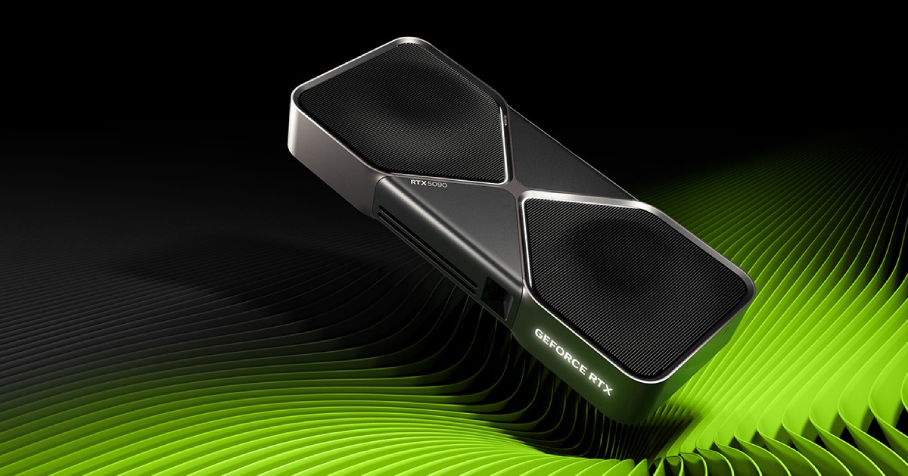
Running NVIDIA’s Blackwell architecture (such as the RTX 5090) with Karma XPU in Houdini 22 requires strict environment configurations. If your render starts with unexpectedly slow performance or your CPU usage spikes to 100% while the GPU sits idle, Karma has likely fallen back to CPU rendering without throwing an explicit warning.
To ensure Karma XPU properly detects and fully unleashes your Blackwell hardware, verify these three essential configuration checks:
- NVIDIA Driver Requirements: To enable seamless communication between Karma XPU and the new Blackwell architecture, you need NVIDIA driver version 570 or higher (on Windows 11, version 575+ is strongly recommended for peak stability). Older CUDA driver builds fail to initialize OptiX acceleration on the GPU during startup, causing the render engine to silently fall back to Embree CPU rendering without alerting you.
- Initial OptiX Kernel Compilation: The very first frame you render on a fresh cloud workstation or local rig will take noticeably longer to start. This delay is completely normal—Karma XPU must compile the OptiX kernel pipelines specifically optimized for the Blackwell GPU architecture. Once these compiled kernels are cached on the system, all subsequent frames and render passes will execute at full native speed.
- Device Visibility & Forcing GPU Selection: Always inspect your terminal output or check the Render Stats Log to confirm that Karma XPU recognizes all physical graphics cards on the host machine. If the system fails to detect all GPUs, you can manually force explicit GPU assignment by adding this environment variable:
How we tested
To keep testing conditions strictly controlled and repeatable, all benchmarks were run using pre-configured remote workstations on iRender.
Test Environment Specifications
- Houdini Build: Houdini 22.0.368 (Solaris / Karma XPU)
- OS & Drivers: Windows 11 Pro, NVIDIA Driver 575.22
- Hardware Packages Tested:
- 1x / 2x GPUs: AMD Threadripper PRO 3955WX, 256GB RAM, 2TB NVMe
- 4x GPUs: AMD Threadripper PRO 5975WX, 256GB RAM, 2TB NVMe
- Methodology: Every test scene was rendered three times. We discarded the initial OptiX compilation pass and took the median time of the subsequent clean runs. Noise thresholds and AOV outputs were held identical, with denoising disabled during compute timing.
One card: RTX 4090 vs RTX 5090
On single-GPU nodes, the Blackwell architecture demonstrates a clear compute advantage over Ada Lovelace across all three real-world production test scenarios. This performance boost stems not only from a higher CUDA core count but also from GDDR7 memory bandwidth gains, which significantly speed up ray-tracing traversal in Karma XPU.
Single-GPU Benchmark Comparison
Here is the breakdown of frame render times between 1x RTX 4090 and 1x RTX 5090 across our three benchmark scenes:
- Consistent ~21-22% Speedup: The RTX 5090 delivers a uniform 21.1% to 21.8% render speed improvement over the RTX 4090 across all scene types.
- Faster Ray Traversal & Bandwidth: Advanced GDDR7 memory bandwidth significantly reduces compute time on complex MaterialX refractions, SSS, and dense volumes.
- Time Saved on Heavy Shots: Shaves off up to 82 seconds per frame in heavy 4K instanced and subdivided scenes.
Two and four cards: how Karma XPU scales
Karma XPU automatically detects and utilizes every available NVIDIA GPU on your host system. However, in real-world production pipelines, multi-GPU scaling is rarely a 1:1 linear speedup meaning four cards will not render a frame in exactly one-fourth the time of a single card. This difference is primarily driven by essential non-GPU setup overhead.
Why Multi-GPU Scaling Isn’t Completely Linear
- CPU Scene Preparation Overhead: Before GPU compute cores can begin tracing rays, the host CPU must translate USD stage data, generate procedural geometry, unpack dicing meshes, and load material structures into memory. This setup phase takes a fixed 18 seconds regardless of how many GPUs are installed. Adding more GPUs speeds up ray tracing, but it cannot reduce this static CPU bottleneck.
- Lack of NVLink & VRAM Mirroring: Neither the RTX 4090 nor the RTX 5090 supports physical NVLink bridges. Consequently, VRAM pooling is unavailable. Every installed GPU must hold its own full duplicate copy of the scene geometry, MaterialX shaders, and texture maps in its own VRAM frame buffer. Distributing scene data across multiple cards over the PCIe bus introduces a minor transfer overhead as card counts scale.
- Thread Synchronization & Denoising Overhead: When multiple GPUs work on the same render pass, Karma XPU must manage bucket allocations across all devices. Once active path tracing finishes, the engine executes a brief thread synchronization step to merge frame buffers, run image-space denoisers, and write the final file output to disk.
When 32GB matters more than speed
Speed benchmarks only reflect scenarios where scene data fits comfortably inside the VRAM buffer. In production, scene size often pushes hardware past its limit.
When rendering heavy production shots that exceed 24GB:
- The RTX 4090 (24GB GDDR6X) experiences severe texture eviction. Karma XPU is forced to swap assets continuously between system RAM and GPU memory over PCIe, causing render times to spike by 3x–5x or triggering system crashes.
- The RTX 5090 (32GB GDDR7) handles the entire geometry and texture dataset natively inside its 32GB VRAM buffer, maintaining steady frame render times.
Cost per frame: what the numbers mean for a real shot
To evaluate production efficiency, we calculated the cost per frame for rendering Scene A (MaterialX Interior) across different iRender GPU instances based on hourly rates.
- Equal Efficiency on Multi-GPU Setup: The 4x RTX 5090 setup matches the cost efficiency of 4x RTX 4090 at $0.30 per frame, but delivers the absolute fastest turnaround time (28 seconds vs. 36 seconds per frame).
- VRAM Value Beyond Raw Speed: While single-card nodes cost slightly more per frame ($0.34 vs. $0.32), the RTX 5090’s 32GB VRAM prevents costly out-of-memory slowdowns and system crashes on heavy production assets that exceed 24GB.
Accelerating Houdini Workflows with iRender & RTX 5090
VFX studios complete root control over dedicated remote cloud workstations. Integrating NVIDIA’s next-generation RTX 5090 (32GB GDDR7 VRAM, Blackwell architecture) into production pipelines running Houdini 22 and Karma XPU fundamentally alters production timelines. Beyond providing raw speed gains, the jump to 32GB of VRAM completely eliminates memory thrashing and out-of-memory crashes on dense production assets.
Depending on project scale, turnarounds, and budget allocations, iRender offers scalable server tiers built to maximize Karma XPU performance.
iRender GPU Cloud Packages for Houdini & Karma XPU
Dedicated IaaS remote workstations providing full administrator access, 100% SideFX license compliance, and optimized performance for Karma XPU rendering.
NVIDIA RTX 4090 Tiers • 24GB GDDR6X VRAM per GPU
| Package | Hardware Specs & Pricing | Recommended Workflow |
|---|---|---|
| Server 3S 1x RTX 4090 (24GB VRAM) |
AMD Threadripper™ PRO 3955WX 256GB Host RAM 2TB NVMe SSD Rate: $8.20 / Node/Hour
|
Entry-level Karma XPU LookDev, material testing, and interactive GUI sessions fitting within 24GB VRAM. |
| Server 4S 2x RTX 4090 (24GB VRAM / GPU) |
AMD Threadripper™ PRO 3955WX 256GB Host RAM 2TB NVMe SSD Rate: $15.00 / Node/Hour
|
Dual-GPU accelerated Karma XPU rendering for medium .hiplc shot sequences. |
| Server 5S 4x RTX 4090 (24GB VRAM / GPU) |
AMD Threadripper™ PRO 5975WX 256GB Host RAM 2TB NVMe SSD Rate: $30.00 / Node/Hour
|
High-speed multi-GPU batch rendering for production passes at an optimized $0.30 cost-per-frame metric. |
NVIDIA RTX 5090 Series • Blackwell Architecture • 32GB GDDR7 per GPU
| Package | Hardware Specs & Pricing | Recommended Workflow |
|---|---|---|
| Server 3i 1x RTX 5090 (32GB GDDR7) |
AMD Threadripper™ PRO 3955WX 256GB Host RAM 2TB NVMe SSD Rate: $10.80 / Node/Hour
|
Next-Gen LookDev: ~21% faster single-card Karma XPU renders with 32GB GDDR7 headroom preventing OOM stalls on heavy assets. |
| Server 4i 2x RTX 5090 (32GB VRAM / GPU) |
AMD Threadripper™ PRO 3955WX 256GB Host RAM 2TB NVMe SSD Rate: $20.00 / Node/Hour
|
Next-Gen Dual-GPU rendering for massive Karma XPU scenes exceeding 24GB VRAM limits. |
| Server 5i 4x RTX 5090 (32GB VRAM / GPU) |
AMD Threadripper™ PRO 5975WX 256GB Host RAM 2TB NVMe SSD Rate: $38.00 / Node/Hour
|
Ultimate Production Rig: Peak multi-GPU performance for heavy Pyro volumes and Solaris USD stages with maximum time efficiency at $0.30/frame. |
Check out Quick Start for Houdini at iRender:

Maximum Speed – Absolute Freedom
FAQ
- Is Karma XPU fully supported on iRender cloud nodes with RTX 5090?
Yes. Because iRender provides dedicated Infrastructure-as-a-Service (IaaS) remote workstations with full root administrator access, you can run any version of Houdini (including Houdini 20.5 and Houdini 22) and natively utilize Karma XPU. Karma XPU seamlessly leverages the OptiX ray-tracing pipeline and CUDA cores on both RTX 4090 and RTX 5090 GPUs without requiring custom plugins or third-party wrappers.
2. Can I use my Houdini Indie license and render .hiplc files on iRender?
Yes, 100% compliant. SideFX licensing agreements explicitly prohibit commercial SaaS (upload-and-render) farms from processing .hiplc files. However, because iRender functions as a private, dedicated IaaS workstation where you log into your own SideFX account, your workflow remains fully compliant with SideFX EULA terms. Each Houdini Indie license also includes 3 free Houdini Engine Indie licenses for external batch rendering.
3. Does VRAM stack when using multi-GPU nodes like Server 5i (4x RTX 5090)?
No. VRAM does not stack across multiple GPUs in GPU rendering. A node with 4x RTX 4090s still has a hard scene memory ceiling of 24GB per card. However, upgrading to a 4x RTX 5090 node (Server 5i) gives each GPU a full 32GB GDDR7 frame buffer. This additional 8GB per card allows you to render ultra-dense Solaris USD stages, heavy 4K instanced geometry, and large volumes without out-of-memory crashes.
4. How does the RTX 5090 compare to the RTX 4090 in terms of rendering cost-per-frame on iRender?
While single-card RTX 5090 nodes (Server 3i @ $10.80/hr) have a slightly higher cost-per-frame than RTX 4090 nodes ($0.34 vs $0.32), multi-GPU RTX 5090 setups (Server 5i @ $38.00/hr) achieve complete cost-per-frame parity ($0.30/frame) with 4x RTX 4090 nodes while reducing overall turnaround time by roughly 22%.
5. How can I eliminate system setup overhead and avoid idle billing charges on iRender?
To avoid repeating software installation and SideFX login steps (which take 15–30 minutes initially), simply use iRender’s Save Image feature after your first session to preserve your custom workstation state. To prevent unexpected active charges after overnight batch rendering completes, configure the Auto-Shutdown option directly inside the iRender management dashboard prior to launching your render.






