
Houdini Hardware Guide 2026: CPU, RAM, GPU and Storage That Actually Matter
Setting up a workstation for Houdini is completely different from building a standard 3D design rig. If you ask ten artists what hardware you need, you will get ten different answers because different stages of the Houdini pipeline stress entirely different components. A setup that renders Karma XPU scenes at lightning speed might choke completely during a massive FLIP fluid simulation if you skimped on system memory.
What hardware does Houdini actually need?
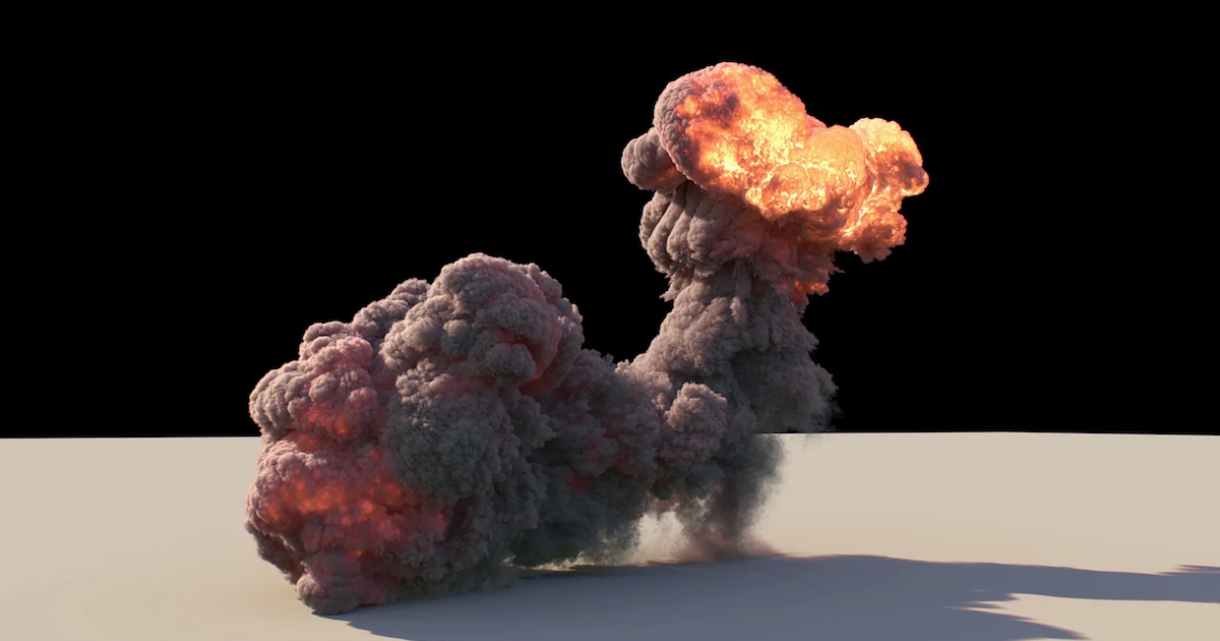
Image Source: 80lv
To avoid wasting budget, you must align your component spend with where your project time actually goes. Purchasing an expensive dual-GPU rig will not accelerate a CPU-bound Vellum simulation, nor will 256GB of system RAM speed up a VRAM-limited Karma render if your graphics card runs out of memory.
Stage by stage, what uses what
| Production Stage | Primary Component | Secondary Component | Notes & Technical Caveats |
| Simulation (SOPs/DOPs) | CPU & System RAM | GPU (VRAM) | System RAM sets the hard limit for particle/voxel counts. Exception: OpenCL acceleration in Pyro and Vellum offloads solve steps to the GPU. |
| Viewport Navigation | GPU | CPU (Single-Core) | High frame rates rely on strong GPU rasterization and fast single-thread viewport drawing. |
| GPU Rendering (Karma XPU / Redshift) | GPU & VRAM | CPU | VRAM dictates scene complexity limits. Note that VRAM does not pool across multiple GPUs, as NVLink is unavailable on current RTX 4090 / RTX 5090 cards. |
| CPU Rendering (Karma CPU) | CPU (Multi-Core) | System RAM | Scales near-linearly with CPU core count. Uses system RAM as a safety net when scenes exceed GPU VRAM limits. |
| Hybrid Rendering (Karma XPU) | CPU & GPU | System RAM | Utilizes both CPU threads and GPU hardware concurrently; balanced performance on both fronts is required. |
| Caching & File I/O | NVMe SSD Speed | System RAM | Reading/writing heavy .sc or Alembic cache files per frame creates severe disk I/O bottlenecks if using slower drives. |
RAM is the ceiling for simulation work
System memory acts as a strict boundary for procedural generation and physics simulations. When your simulation data exceeds your available physical RAM, your operating system begins paging memory to disk, causing processing times to plummet.
The reason memory requirements jump so aggressively comes down to geometry and volume maths:
- Voxel grid density scales cubically. Doubling the resolution of a Pyro or FLIP container along all three axes multiplies the total voxel count by eight.
- A simulation grid that fits comfortably within 32GB of RAM at draft resolution can quickly require 256GB or more once you increase grid density for final detail pass capturing.For serious simulation artists, 128GB of high-speed DDR5 or ECC RAM should be considered the practical baseline in 2026.
CPU: cores or clock speed
The age-old debate between clock speed (GHz) and core count depends entirely on your procedural workflow.
If your work revolves around heavy FX generation, high core counts (such as AMD Threadripper Pro processors with 24 to 64 cores) deliver massive reductions in cook times for solvers that split computations across threads. For general lookdev, procedural modeling, and light scene setups, higher single-core frequencies yield a smoother, more responsive viewport experience.
GPU and VRAM: how much is enough
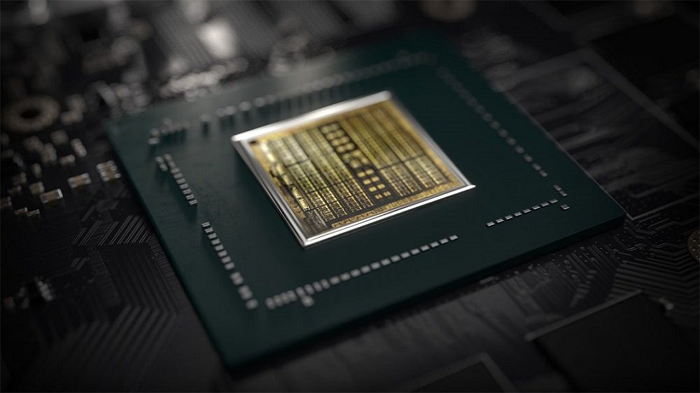
GPU acceleration plays a vital role across modern Houdini pipelines, especially with the industry-wide adoption of Karma XPU and third-party renderers like Redshift.
Unlike system RAM, which can page to disk when full (albeit slowly), running out of VRAM during a GPU render often results in out-of-memory (OOM) errors, severe performance throttling, or application crashes.
- 24GB VRAM (NVIDIA RTX 4090): Handles extensive environment assets, complex geometry, and moderate volume density. Outstanding price-to-performance ratio for daily studio production.
- 32GB VRAM (NVIDIA RTX 5090): The modern standard for massive volume renders, dense creature grooming, and uncompressed 8K texture workflows. Provides critical extra headroom for complex scenes.
- VRAM Does Not Pool: Installing two 24GB GPUs does not give you 48GB of usable VRAM. Each card must fit the entire scene description in its own local memory buffer.
- No NVLink Support: Neither the RTX 4090 nor the Blackwell-based RTX 5090 feature NVLink interconnects. Multi-GPU configurations scale processing speed, not available memory size.
- Karma XPU Requirements: Because Karma XPU operates as a hybrid engine, utilizing both CPU threads and GPU hardware simultaneousl, pairing a powerful graphics card with a weak processor creates immediate bottlenecks.
Storage: the component people underspend on
Caching procedural simulations generates massive file sizes. A single complex FX shot running across 240 frames can easily write hundreds of gigabytes of disk cache.
Investing in dedicated, high-speed PCIe 4.0 or PCIe 5.0 NVMe drives specifically allocated for Houdini temp folders and cache paths prevents your storage hardware from choking your CPU during simulation write passes.
Build advice by the work you do
| Artist Profile | Target CPU | Recommended System RAM | GPU Recommendation | Recommended Storage Setup |
| FX Specialist (Heavy Sims) | AMD Threadripper Pro (32+ Cores) | 128GB to 256GB+ DDR5 | 1x or 2x NVIDIA RTX 4090 / RTX 5090 | 2TB NVMe OS Drive + 4TB Dedicated Cache NVMe |
| Lookdev & Lighting Artist | High-Clock CPU (Intel i9 / AMD Ryzen 9) | 64GB to 128GB DDR5 | 1x or 2x NVIDIA RTX 5090 (32GB VRAM) | 2TB PCIe 4.0 NVMe SSD |
| Houdini Generalist / Student | Modern 8 to 16 Core CPU | 64GB DDR4 / DDR5 | 1x NVIDIA RTX 4090 (24GB VRAM) | 1TB NVMe SSD |
| Small Production Studio | AMD Threadripper Pro (64 Cores) | 256GB ECC RAM | Multi-GPU Setup (RTX 4090 / RTX 5090) | High-Speed NVMe Array + Dedicated NAS Storage |
Deciding whether to build a top-tier local workstation or leverage cloud hardware varies with your project load and operational style. Buying a dedicated local machine makes sense if you run heavy simulations and local renders continuously throughout the year. The initial capital outlay pays for itself over months of constant, uninterrupted daily use. However, if your hardware demands spike around specific project deadlines, or if you need to run massive 8x GPU render nodes or 256GB+ Threadripper rigs that exceed your current hardware budget, renting cloud compute offers an efficient alternative.
Scaling Workflows with iRender Infrastructure
iRender provides an enterprise-grade Bare-Metal Infrastructure-as-a-Service (IaaS) architecture:
You rent an entire remote machine by the hour, with RTX 4090/5090 cards (up to eight per machine), an AMD Threadripper PRO CPU, 256GB of RAM and fast NVMe storage, and install your own Houdini build on it. The free iRender GPU app uploads your files to a network drive that syncs to the machine, even while the machine is switched off, so your asset library and any caches you do need are waiting on the Z: drive when you boot. Better still, run the sim on the machine. The Threadripper and the 256GB of RAM are what a solver leans on, the cache is written where it will be rendered, and your upload shrinks to the .hip file and the assets it references.
Recommended RTX 5090 Bare-Metal Tiers for Houdini Karma XPU
Engineered around Solaris USD hybrid scheduling and respecting the optimal 4-GPU architectural ceiling.
| Server Tier | GPU Silicon & VRAM | Host Processor & Memory | Target Karma XPU Workload |
|---|---|---|---|
| Package 3i Single-GPU Node |
1x RTX 5090
32GB GDDR7 VRAM
|
Threadripper™ PRO 3955WX
256GB RAM | 2TB Enterprise NVMe
|
Interactive Solaris LOP lookdev, MaterialX / OpenPBR shader authoring, viewport lighting validation, and single-frame asset testing. |
| Package 4i Dual-GPU Node 1.9x EFFICIENCY SWEET SPOT
|
2x RTX 5090
64GB Combined VRAM
|
Threadripper™ PRO 3955WX
256GB RAM | 2TB Enterprise NVMe
|
Commercial sequence lighting turnarounds, Karma Hair and groom rendering, procedural foliage scatter, and mid-scale OpenVDB simulations. |
| Package 5i Quad-GPU Powerhouse OPTIMAL KARMA XPU CEILING
|
4x RTX 5090
128GB Combined VRAM
|
Threadripper™ PRO 5975WX
256GB RAM | 2TB Enterprise NVMe
|
Heavy feature-film finals, massive multi-gigabyte OpenVDB Pyro sequences, dense USD stage assemblies, and zero-hour commercial deliveries. |
Because Karma XPU’s hybrid architecture encounters severe scheduling bottlenecks past 4 GPUs, scaling to 8-card topologies results in wasted capital and idle silicon. iRender’s dedicated 4x RTX 5090 cluster (Package 5i) represents the absolute hardware sweet spot—combining 128GB of GDDR7 memory with a 32-core Threadripper PRO 5975WX to achieve peak ray-tracing velocity with zero PCIe contention.
Billing on iRender begins the moment Connect button appears, whatever your upload or your first frame is doing. Boot a machine and then start a long upload, and you pay for hours of a workstation doing nothing. Upload through the app with the machine off, confirm the sync has finished, then boot, and switch on auto shutdown before the job starts.
FAQ
Q1: How much RAM do I need for Houdini in 2026?
It varies with your production specialization. Lookdev and lighting artists can operate comfortably on 64GB of RAM. However, if you focus on heavy FLIP fluids, Pyro volumes, or complex Vellum cloth/soft body simulations, 128GB to 256GB of system RAM is recommended to avoid out-of-memory disk paging.
Q2: Is a better GPU or a better CPU more important for Houdini?
It depends on which phase of production dominates your daily workflow. Physics solvers and data processing primarily stress the CPU and system memory, viewport manipulation relies heavily on single-thread CPU performance and GPU rasterization, while Karma XPU and Redshift rendering demand powerful GPUs and high VRAM capacities.
Q3: Is 24GB of VRAM enough for Houdini?
A 24GB VRAM buffer (found on the NVIDIA RTX 4090) handles the vast majority of commercial production scenes. However, extremely dense volume grids, uncompressed production textures, and massive instanced environments can hit that memory ceiling, making 32GB cards (such as the NVIDIA RTX 5090) advantageous for enterprise-level rendering.
Maximum Speed – Absolute Freedom
Related Posts
The latest creative news from Houdini Cloud Rendering , 3D VFX Plugins & Cloud Rendering.





