
How Is AI Cutting 3D Render Times by Up to 70% in 2026?
In the professional 3D industry, time has a direct impact on creativity, budgets, and client satisfaction. Waiting hours or even days for a single high-quality frame can slow production pipelines and limit creative freedom.
As we move through 2025 and into 2026, Artificial Intelligence has become one of the most powerful performance accelerators in modern rendering workflows. From intelligent denoising to AI-powered upscaling and automated concept design, artists now have tools that dramatically reduce production time without compromising visual quality.
In this guide, we’ll explore how AI is transforming 3D rendering and how combining these tools with professional render farms, such as iRender, can unlock maximum performance, flexibility, and scalability.
1. AI Denoising: Clean Renders at a Fraction of the Time
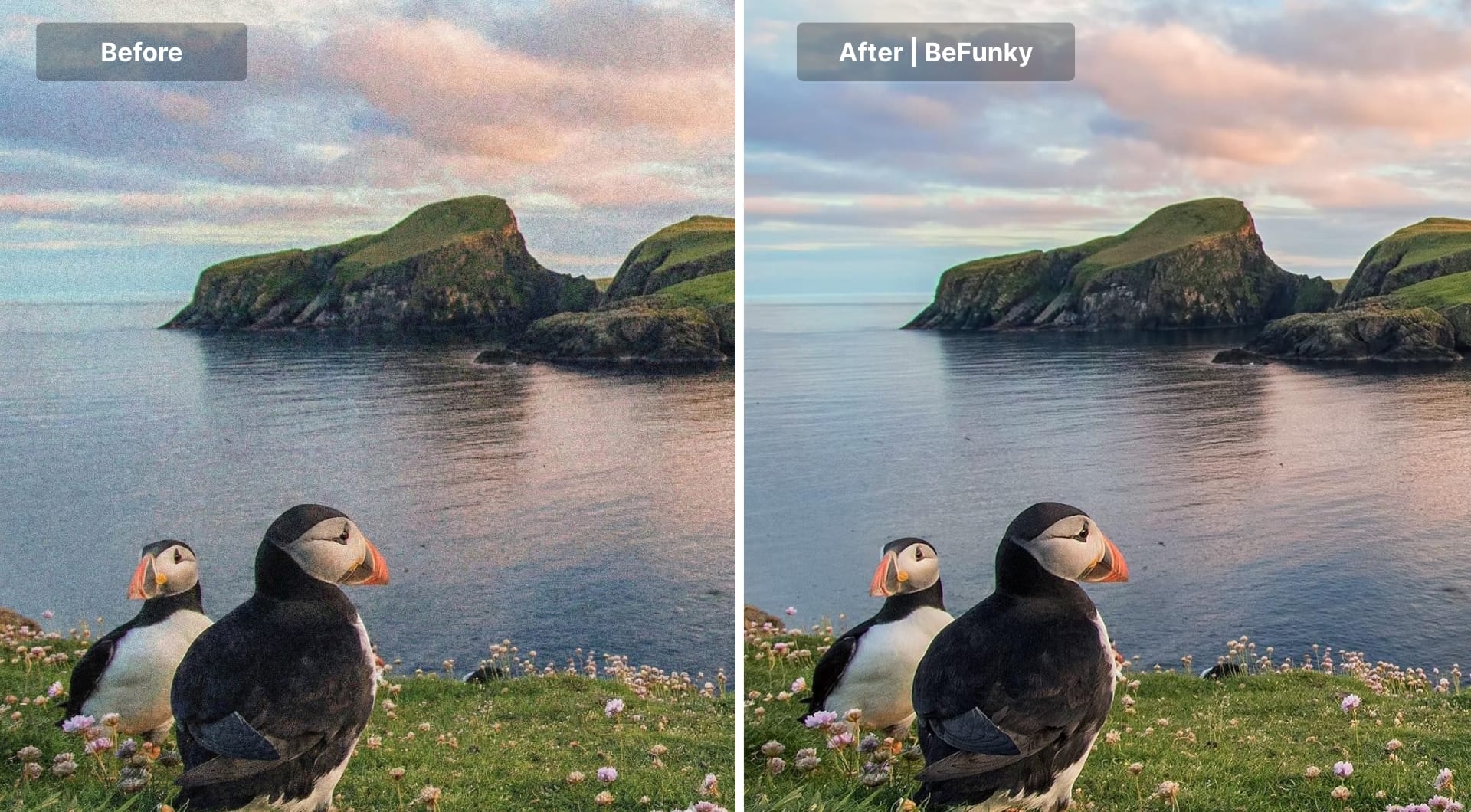
One of the biggest challenges in path-traced rendering is noise, especially when working with low sample counts. Traditionally, artists had only one solution: increase samples. The result? Longer render times and heavier GPU workloads.
The AI Advantage
Modern AI denoisers such as NVIDIA OptiX (designed for RTX GPUs) and Intel Open Image Denoise (OIDN) use deep learning to predict and reconstruct missing lighting and texture data. Instead of calculating every ray of light, AI intelligently fills in the gaps while preserving fine details.
Real-World Impact
- Render at 128–256 samples instead of 2,048
- Maintain nearly identical visual quality
- Cut final render time by 50%–80%
Industry leaders like Chaos (V-Ray) consistently highlight AI denoising as one of the most effective ways to accelerate production without sacrificing realism.
2. AI Upscaling: Render Smaller, Deliver Bigger
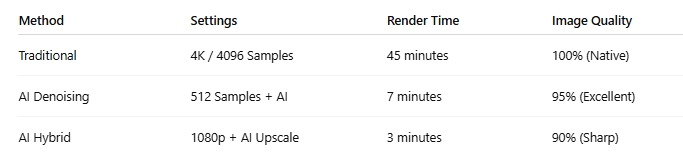
Rendering directly in 4K or higher resolutions consumes massive GPU resources because the renderer must solve lighting, shading, and texture sampling for four times more pixels than 1080p. This increase does not scale linearly; it multiplies memory usage, ray calculations, and cache bandwidth, especially in complex scenes with global illumination and high-resolution textures.
AI upscaling introduces a smarter workflow: render at a lower resolution and let AI reconstruct high-frequency detail as a post-process, shifting the computational burden from physically-based light simulation to neural network inference, which is significantly cheaper on modern GPUs with Tensor Cores.
The Smart Rendering Pipeline
Using tools such as Topaz AI or NVIDIA DLSS, artists can upscale Full HD or 2K renders to 4K while preserving sharp edges, textures, and lighting fidelity.
Why It Works
- Performance Boost: Reduces GPU load by up to 90%
- Visual Quality: AI reconstructs details more naturally than traditional scaling algorithms
- Faster Delivery: Final frames are ready in minutes instead of hours
3. Stable Diffusion & ControlNet: Faster Concept Development
AI isn’t only changing final rendering, it’s revolutionizing pre-production and client presentations.
The Modern Concept Workflow
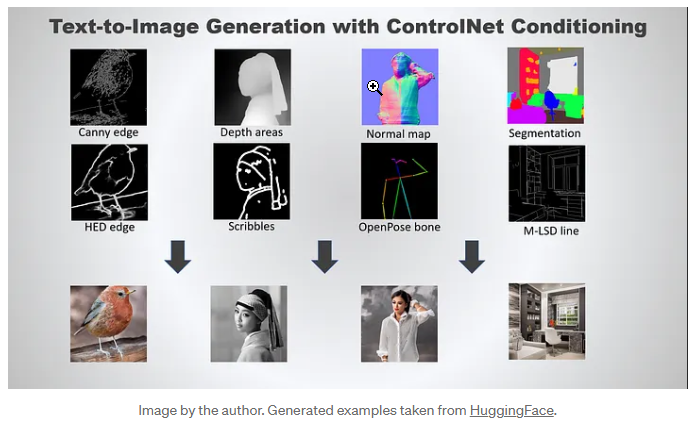
3D artists can export simple clay renders that focus purely on geometry and composition. These are then processed using tools like Stable Diffusion and ControlNet to instantly generate:
- Lighting variations
- Material styles
- Visual themes (Modern, Industrial, Cyberpunk, Minimalist)
Creative Advantage
Instead of spending days refining multiple looks, artists can present dozens of style options in minutes, allowing clients to approve direction before investing in high-resolution production renders.
4. Why Render Farms Are the Ideal Platform for AI Workflows
AI-powered rendering is incredibly demanding on hardware, particularly when it comes to VRAM capacity and Tensor Core performance. This is where professional render farms like iRender become essential.
Built for AI and High-End 3D
- RTX 4090 GPUs with 24GB+ VRAM handle complex AI models without memory errors
- Full Administrative Access allows you to install Python, Stable Diffusion, and custom AI libraries
- Unified Workflow:
Render frames → Apply AI denoising → Upscale to 4K all on the same high-performance remote system
This integrated environment eliminates bottlenecks and ensures consistent performance from concept to final delivery.
Conclusion
AI is not replacing 3D artists; it’s eliminating the slow, repetitive, and technical barriers that limit creative potential.
By combining human creativity, AI-powered tools, and the raw GPU performance of professional render farms like iRender, artists can achieve faster turnaround times, higher-quality results, and greater workflow flexibility than ever before.
In 2026, success in 3D isn’t just about rendering faster, it’s about creating smarter.
iRender - The Winning Formula for 3D Artists in 2026
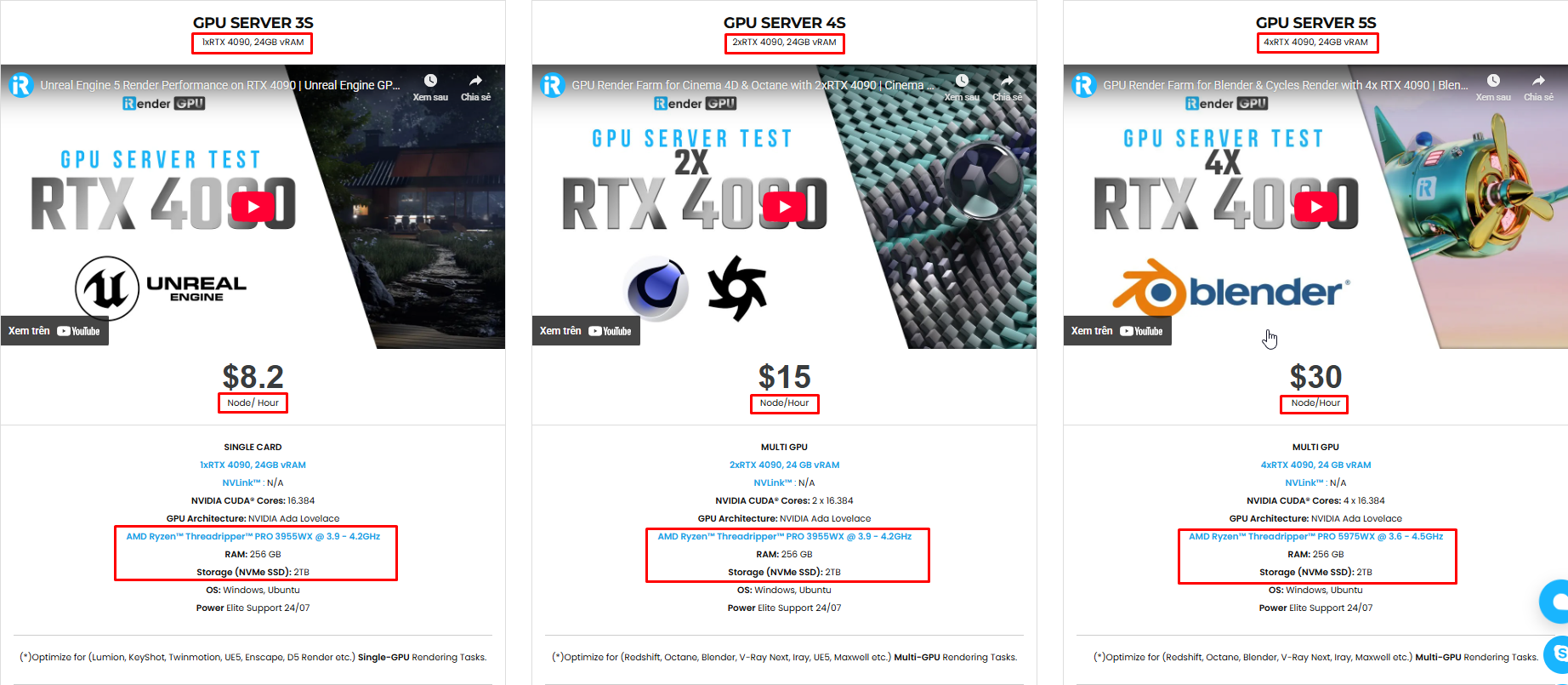
iRender provides high-configuration servers that increase CPU and GPU rendering speeds. We offer the most powerful RTX 4090 configuration packages on the market, all equipped with AMD RyzenTM ThreadripperTM PRO 3955WX @ 3.9 – 4.2GHz and AMD Ryzen™ Threadripper™ PRO 5975WX @ 3.6 – 4.5GHz processors, 256GB RAM and 2T NVMe SSD hard drive capacity. With a wide range of GPU servers (1/2/4/6/8x) – RTX 4090, you can choose the server that suits your needs to start the rendering process. You just need to transfer your files, connect to the remote machine, and install Maya, then add your software license and render yourself. Setting up ONCE will save your working environment and make it ready to use anytime.
Below is information about iRender’s service packages:
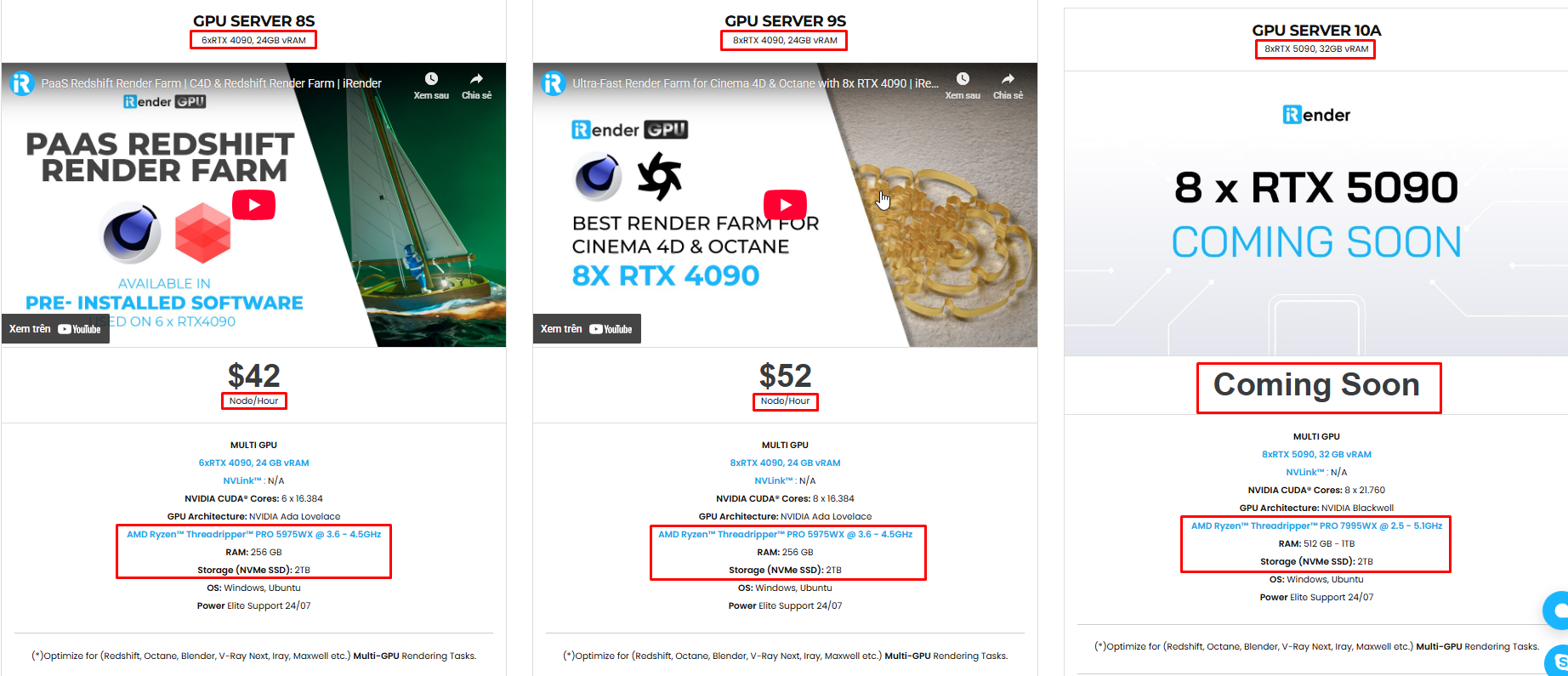
Not only powerful configurations, but iRender also provides you with many more services. Free and convenient transfer tool iRender drive for macOS and Linux users. For Windows users, we recommend the iRender GPU application; you will not need to access our website anymore. The price at iRender is also very flexible, with hourly rental (pay as you use), and daily/weekly/monthly rental with a 10-20% discount.
We’re always happy to help you with any questions. If you have any problems or questions, don’t hesitate to contact our 24/7 support team. Or via WhatsApp: 0912 785 500 for free advice and support.
iRender is currently offering a SPECIAL PROMOTION: enjoy a 100% bonus on your first top-up. This means your first deposit will be doubled, and your points never expire, allowing you to use them whenever you need.
Sign up for an account today to experience and enjoy our services.
Thank you & Happy Rendering!

Related Posts
The latest creative news from 3D VFX Plugin & Cloud Rendering





