
How to resolve Blender crashing issue during rendering?
If you are experiencing Blender crashing during rendering, especially while using iRender, don’t worry. Whether it’s a GPU memory error, a corrupted Blender file, or outdated drivers, there are several reasons Blender might crash. In this updated 2025 blog, we’ll walk you through the most common causes and how to resolve Blender crashing issue during rendering.
Describe some Blender crashing issues
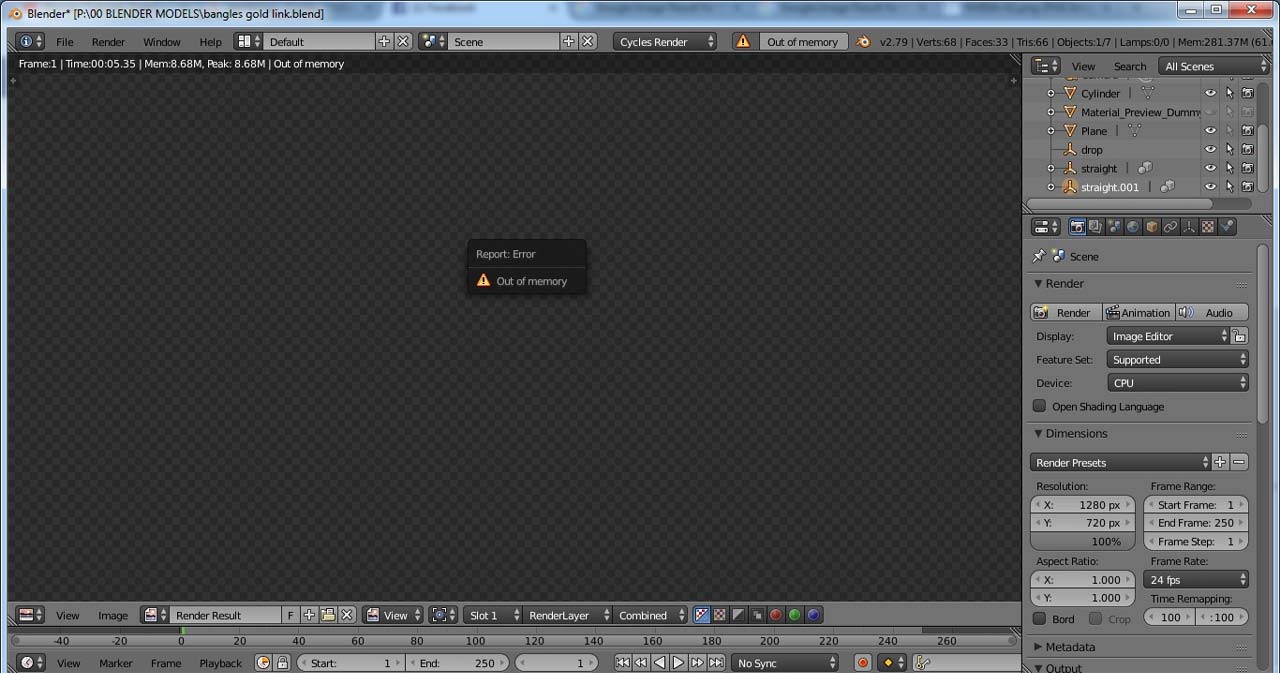
Blender out of Memory Errors
Blender may crash when the system runs out of RAM or GPU memory, indicating that your graphics card has exceeded its available VRAM (Video RAM). This often occurs in scenes with high-resolution textures, simulations, or detailed models. or complex shader nodes.
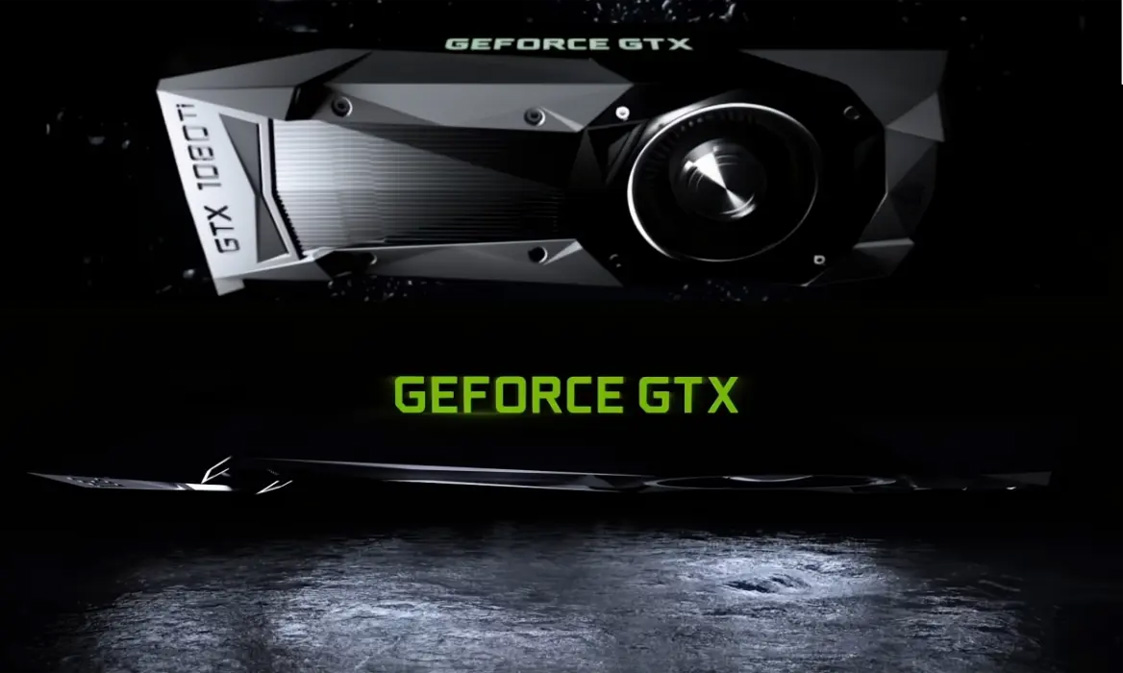
Outdated Graphics Card or GPU Driver
Using outdated Graphics card or GPU drivers can lead to instability. Blender relies heavily on the GPU for rendering and viewport performance. Therefore, older GPUs that do not meet Blender’s requirements can lead to crashing issue.
Incompatible or Outdated Blender Add-ons
Blender often crashes when outdated software versions or incompatible add-ons are used. If Blender’s add-ons are not updated for the latest version, it also causes crashing error.
Corrupted Blender File or Assets
A Blender file may become corrupted due to issues like abrupt shutdowns, disk write errors, or software bugs. This can disrupt data integrity, leading to crashes when trying to open the file.
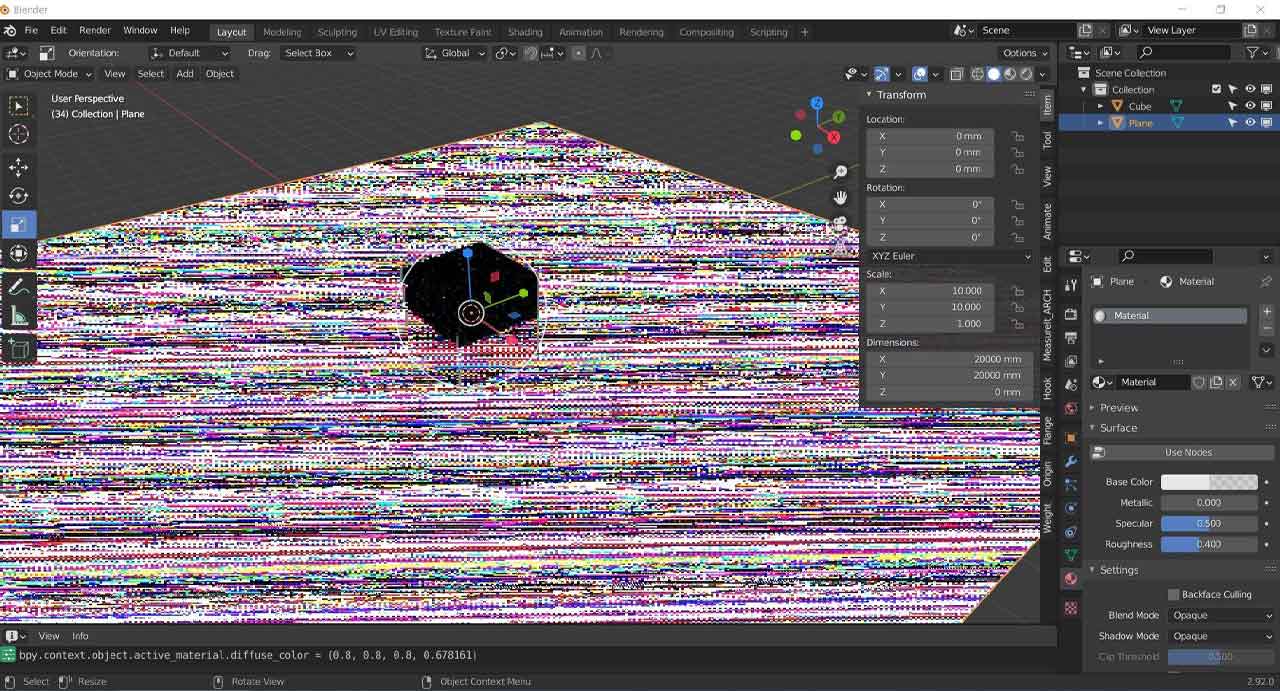
How to resolve Blender crashing issue during rendering?
Update NVIDIA Studio Driver
If you get a Blender crashing error when working on iRender server, you can update NVIDIA Studio Driver.
Please follow the following steps:
Step 1: Go to the X: Drive on the remote machine and open the folder: 11. NVIDIA RTX 4090 DRIVER > Studio
Step 2: Find the latest Studio Driver installer
Step 3: Copy it to the remote desktop and run it.
Step 4: After installation, restart the machine.

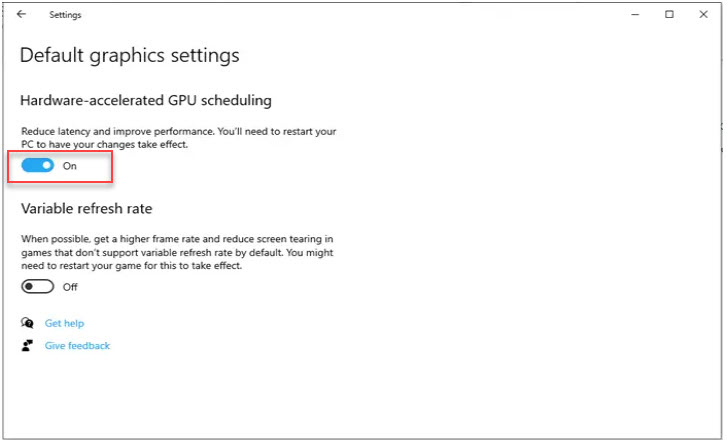
Enable Hardware-Accelerated GPU Scheduling
Crashes in Blender during rendering or viewport activity often start from GPU scheduling issues, especially on systems with high-performance NVIDIA GPUs (e.g., RTX 3090/4090). One highly effective solution is enabling Hardware-Accelerated GPU Scheduling.
Step 1: Open Windows Settings> Go to: System → Display
Step 2: Access Graphics Settings. Click on Graphics Settings under Multiple Displays
Step 3: Locate: Hardware-accelerated GPU scheduling then switch the toggle to ON
Step 4: Restart the server
Restart the machine
If you’re restarting after installing an NVIDIA Studio Driver or enabling Hardware-Accelerated GPU Scheduling, a full restart ensures all system-level changes are applied.
To restart the server, you can click Power icon and choose Restart.
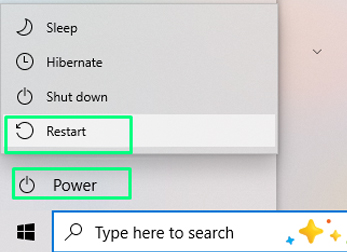
You can wait 2–5 minutes before reconnecting. Then ensure drivers and GPU settings are loaded before launching resource-heavy software. You should check if Blender can open normally or not.
iRender - The best Render Farm providing RTX 4090 for Blender
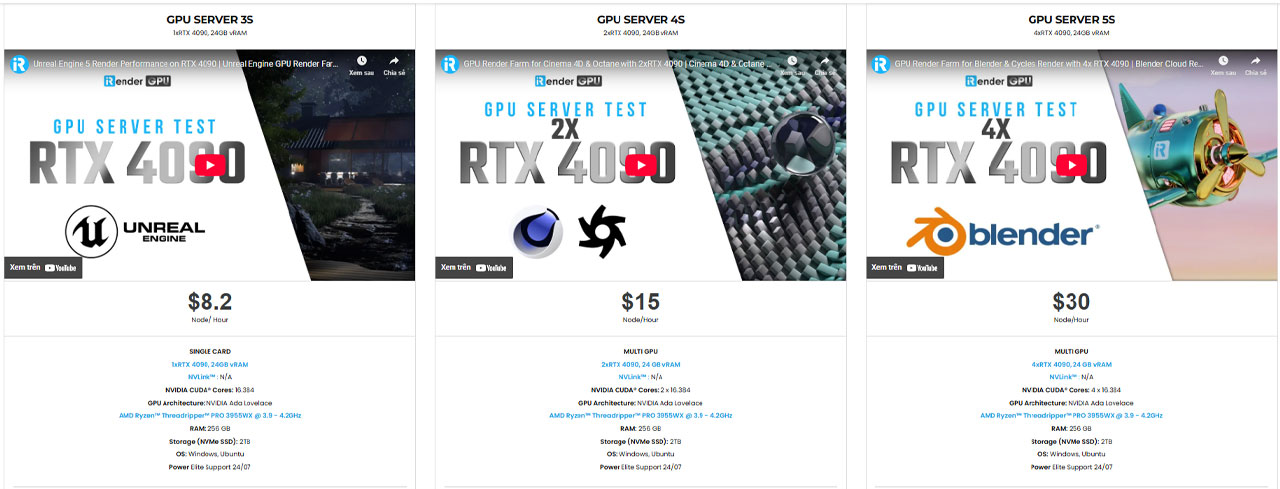
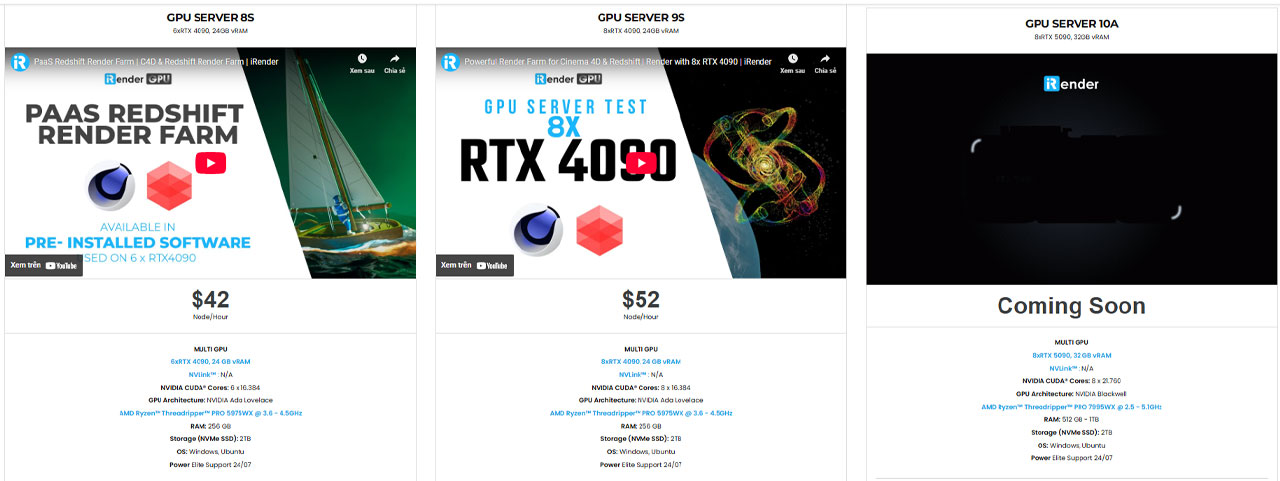
iRender is proud to be one of the best GPU service providers on the market. We are releasing new servers for iRender’s users, which have powerful processing capabilities of AMD Ryzen Threadripper Pro 3955WX @ 3.90GHz- 4.2GHz and AMD Ryzen™ Threadripper™ PRO 5975WX @ 3.6 – 4.5GHz. Besides, they have multi-GPUs:1/ 2/ 4/ 6/ 8 RTX 4090 24GB VRAM to boost performance in the rendering process. Right now, we have pre-installed Blender 4.5.1 option when you create a machine, so you won’t take time to install software.
Blender can use multi cards to render, you can refer any servers to speed up your rendering. Please have a look at all servers following:
iRender offers a powerful and free file transfer tool: iRender drive for macOS and Linux user. You can transfer all the necessary data into our iRender drive tool at any time without connecting to the server. The data will be automatically synchronized in the Z drive inside the server, ready for you to use.
The tool is also integrated into iRender GPU app, an all in one application where you can free your workflow from accessing iRender website, and just have to work on the iRender GPU app.
In case you have any problems or questions, don’t hesitate to contact the 24/7 support team. We will be happy to help you with your questions and problems at all times.
We are running a SPECIAL OFFER: 100% Additional Bonus for new clients who register an account and make a top-up within 24 hours after their registration.
Additionally, this month we also have Special Promotion ‘Purchase Less – Harvest More Value’
From 16 Sep – 30 Sep, 2025, unlock extra Render Points when you top up at iRender:
✨ Earn 1150+ Render Points when purchasing $575+
✨ Earn 345+ Render Points when purchasing $230+
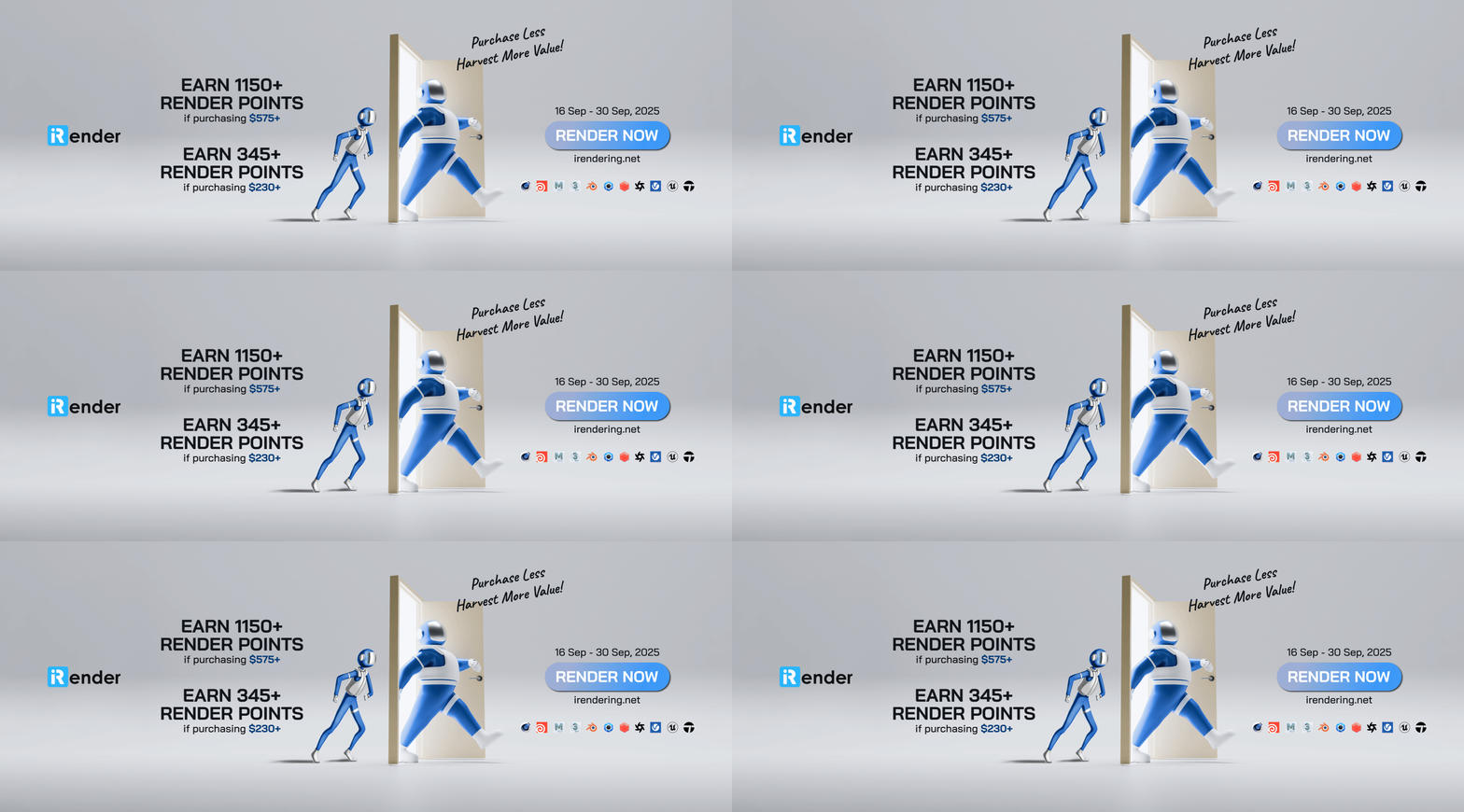
Take advantage of this limited-time offer to maximize your rendering power and boost your productivity. Don’t miss out—upgrade your projects with more value today!
Register an account today to experience our service or contact us via the email [email protected] or WhatsApp: (+84) 912075500 for advice and support.
Happy Rendering!
Related Posts
The latest creative news from Blender Cloud rendering.






