
iRender vs SaaS: Why Traditional Farms Fail Real-Time Software and How iRender solves it
If you’ve ever tried uploading a complex Unreal Engine scene or a Lumion arch-viz project to a traditional cloud render farm, you’ve likely met the same frustrating fate: an instant error code, a blank output, or a complete software crash. For years, automated SaaS (Software as a Service) render farms were the golden standard for offline, multi-frame CGI—yet they fall utterly flat when forced to handle modern, real-time engines. Why does this legacy system fail so miserably, and how does iRender’s IaaS (Infrastructure as a Service) model effortlessly bridge the gap? The answer lies in breaking free from rigid background scripts. By giving artists full remote desktop control over dedicated high-performance GPUs, iRender redefines how real-time, single-GPU applications thrive in the cloud.
Let’s look at the four main reasons why traditional farms fail real-time software and how iRender solves it.
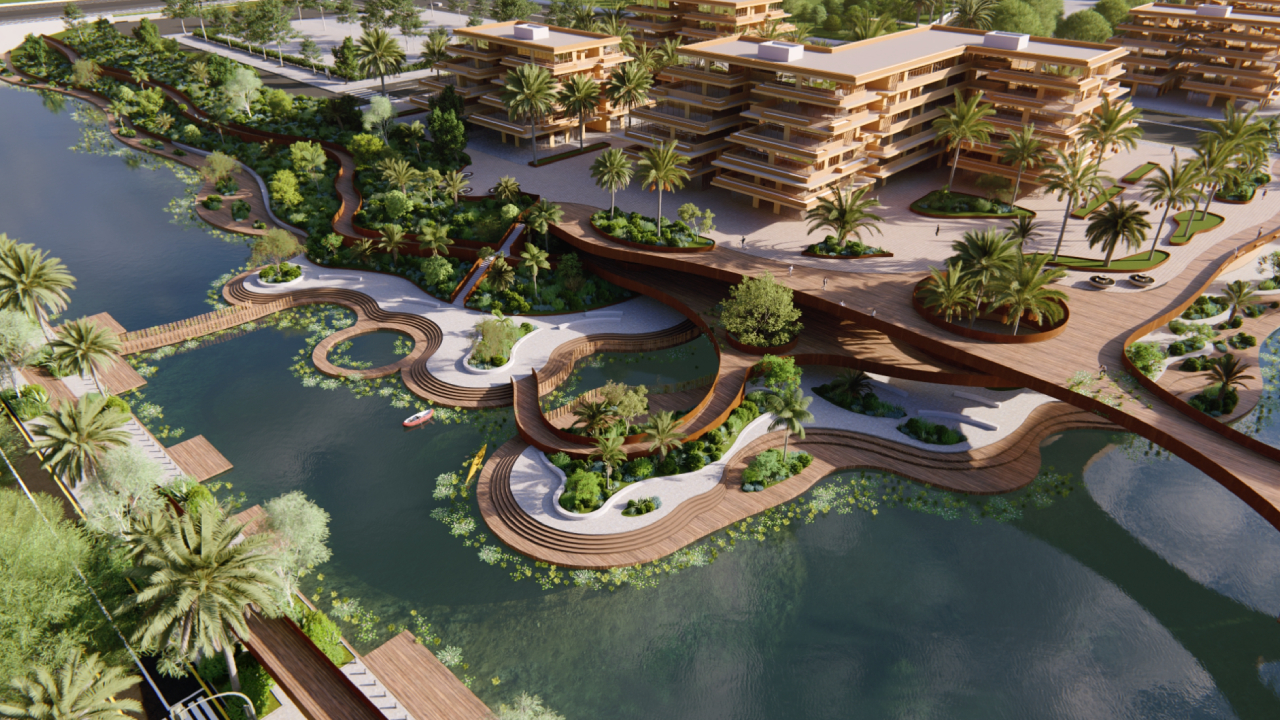
1. Mandatory GUI Dependency
Unlike traditional offline renderers—such as V-Ray or Corona, which can process 3D scenes silently in the background using lightweight text commands—real-time engines like Unreal Engine, Lumion, D5 Render, and Twinmotion operate on a fundamentally different architecture. These programs are inherently bound to a Graphical User Interface (GUI) because they are designed for immediate, interactive visual feedback. Every light bounce, material tweak, and camera movement in the viewport is calculated live and rendered instantaneously on the screen.
Because of this direct link between the software interface and the rendering engine, all visual processing is tightly coupled to the primary GPU that drives the active display. Modern real-time software cannot distribute a single viewport task across multiple secondary graphics cards in a parallel farm setup, nor can it launch in a “headless” environment where no visual desktop exists. If the engine cannot detect a primary monitor driver or establish an active graphic context, the entire rendering pipeline immediately collapses. Consequently, real-time software demands a dedicated, native single-GPU cloud environment such as a high-powered 1x RTX 4090 server to successfully initialize its interface, process real-time viewports, and render final outputs without triggering instant system crashes.
2. The Failure of Headless SaaS Farms
Traditional SaaS (Software as a Service) render farms were engineered specifically for offline, frame-by-frame CGI rendering. To maximize efficiency and reduce hardware overhead, these platforms operate on a “headless” server architecture meaning their remote machines run strictly without a visual desktop interface, active display drivers, or physical monitor outputs. Instead of launching a full application, an automated dispatcher simply sends background text commands (command-line scripts) directly to the rendering engine to process files silently.
While this headless workflow works seamlessly for traditional software like Maya, 3ds Max, or Cinema 4D, it completely breaks down when applied to real-time applications. When a user uploads a Lumion, D5 Render, or Unreal Engine scene to an automated SaaS platform, the system’s dispatcher attempts to run the project in the background without opening a visual window. However, because real-time engines rely on an active graphical viewport to build shaders, load textures, and initialize the DirectX/Vulkan graphics pipeline, the absence of a visual desktop environment leaves the software with nowhere to output its graphics. Unable to initialize its User Interface or interact with viewport settings, the engine encounters a fatal error such as a missing display context or driver initialization failure triggering an immediate software crash before a single frame can ever be rendered.
3. Full Interactive Remote Desktop Access
iRender completely bypasses the limitations of traditional SaaS farms by taking a fundamentally different approach: providing a dedicated Infrastructure as a Service (IaaS) model. Instead of forcing artists to upload files into a black-box automated pipeline, iRender provides a fully customizable Windows Server cloud computer for every user. By connecting directly via Remote Desktop (RDP) software—such as Microsoft Remote Desktop, Parsec, artists gain complete, uninterrupted visual access to a standard, familiar operating system environment.
This direct interactive access solves the core incompatibility of real-time software. Because you are controlling a complete cloud workstation, you can install, license, and configure any software version or custom plugin just as you would on your local rig. You can manually launch Unreal Engine, Lumion, D5 Render, or Twinmotion, open project files directly, navigate the viewport in real time, adjust camera angles, and inspect lighting setups on the fly. When it comes time to render, you simply click the application’s native export or render buttons within the actual GUI. By preserving the complete user interface and desktop pipeline, iRender eliminates automated dispatch errors entirely and gives artists full creative control over their final output.
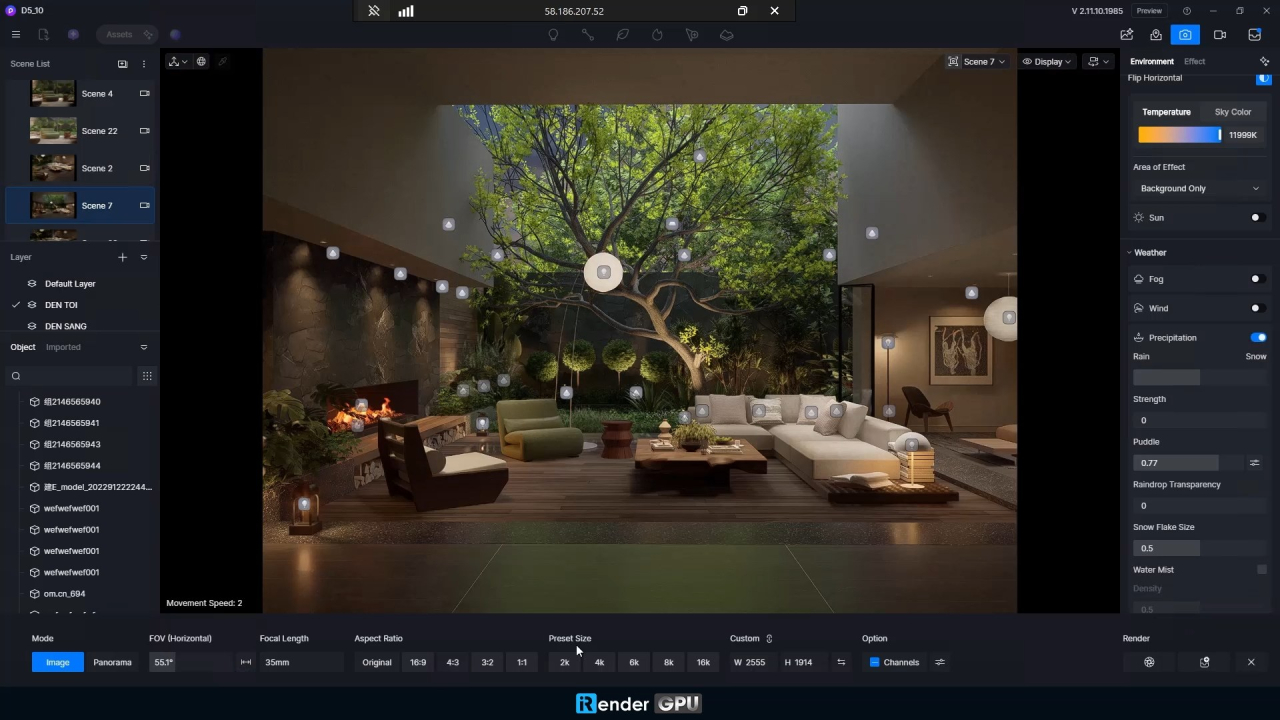
4. Hardware Acceleration via Virtual Displays
Even with full remote access to a cloud computer, real-time software presents one final hardware hurdle: display detection. Modern graphics engines and the display drivers from manufacturers like NVIDIA are designed with built-in fail-safes. If a GPU detects that no physical monitor is plugged into its display output (a common scenario in headless server racks), it will automatically throttle its performance to a minimal state, disable hardware acceleration, or refuse to launch real-time viewports altogether.
iRender solves this hardware limitation by deploying proprietary virtual display drivers across their cloud infrastructure. These drivers trick the operating system and the GPU (such as a high-powered RTX 4090) into recognizing an active, high-resolution monitor connected directly to the primary graphics card. By establishing this fake “active display context,” the GPU immediately bypasses software throttling and unlocks 100% of its processing power, VRAM bandwidth, and hardware acceleration capabilities. As a result, artists experience silky-smooth viewport navigation, zero frame drops during interactive editing, and ultra-fast production exports without hardware-level bottlenecks.
Conclusion
When it comes to real-time rendering and single-GPU workflows, traditional automated SaaS farms simply aren’t built for the job. Their headless, background-scripted environments inevitably lead to crashes, missing display contexts, and wasted time when handling modern software like Unreal Engine, Lumion, D5 Render, Unity, or Twinmotion.
By contrast, iRender’s IaaS model completely redefines cloud rendering for 3D artists. By combining full remote desktop freedom, dedicated single-GPU power (like the RTX 4090), complete GUI compatibility, and proprietary virtual display technology, iRender gives you the exact feel of a local supercomputer in the cloud.
Ready to Elevate Your Real-Time Workflow?
Experience the raw power of a dedicated cloud workstation tailored specifically for real-time engines like Unreal Engine, D5 Render, Twinmotion, Unity, and Lumion.
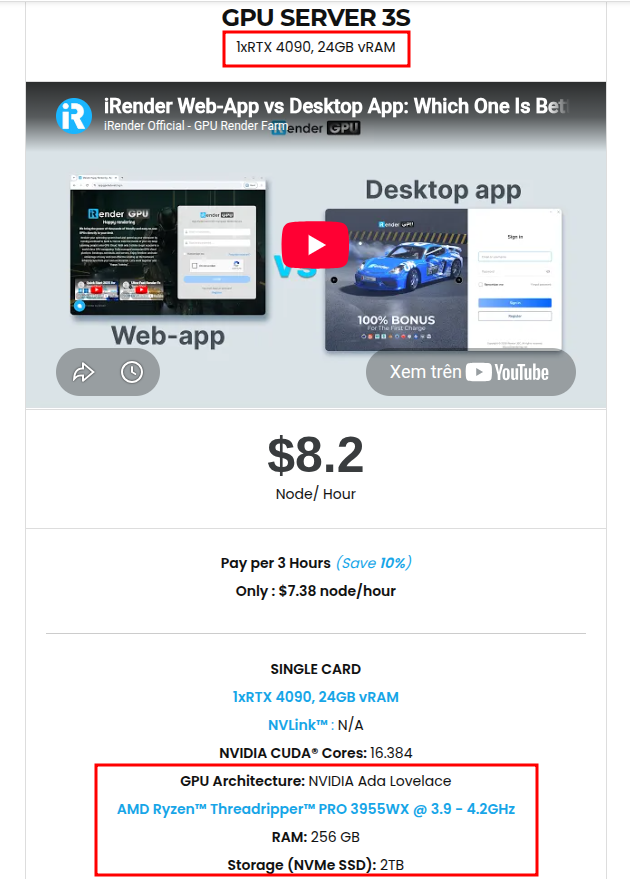
We recommend starting with 3S server (1x RTX 4090 24GB VRAM | AMD Threadripper Pro | 256GB RAM), the absolute sweet spot for real-time viewport performance, fast shader compilation, and crash-free cinematic exports.
👉 Register an iRender Account Today to claim your special bonus on your first top-up and test the ultimate cloud computing power for your projects!





