
Redshift vs. Octane: Which Will Be the “King” of Rendering for Cinema 4D in 2026?
In the Cinema 4D ecosystem, the render engine plays a decisive role in image quality, production speed, and overall workflow efficiency. As GPU rendering continues to mature, the question of “Should I use Redshift or Octane?” remains one of the most discussed topics in the 3D community, especially as we move into 2026.
This decision is no longer just about visual quality. Choosing the right renderer for Cinema 4D directly affects:
- Project turnaround time
- Stability when rendering animations
- The ability to handle complex scenes
- Compatibility with individual or studio workflows
This article iRender offers a clear and structured comparison of Redshift and OctaneRender, enabling you to understand their core differences and determine which solution best suits your Cinema 4D projects in 2026.
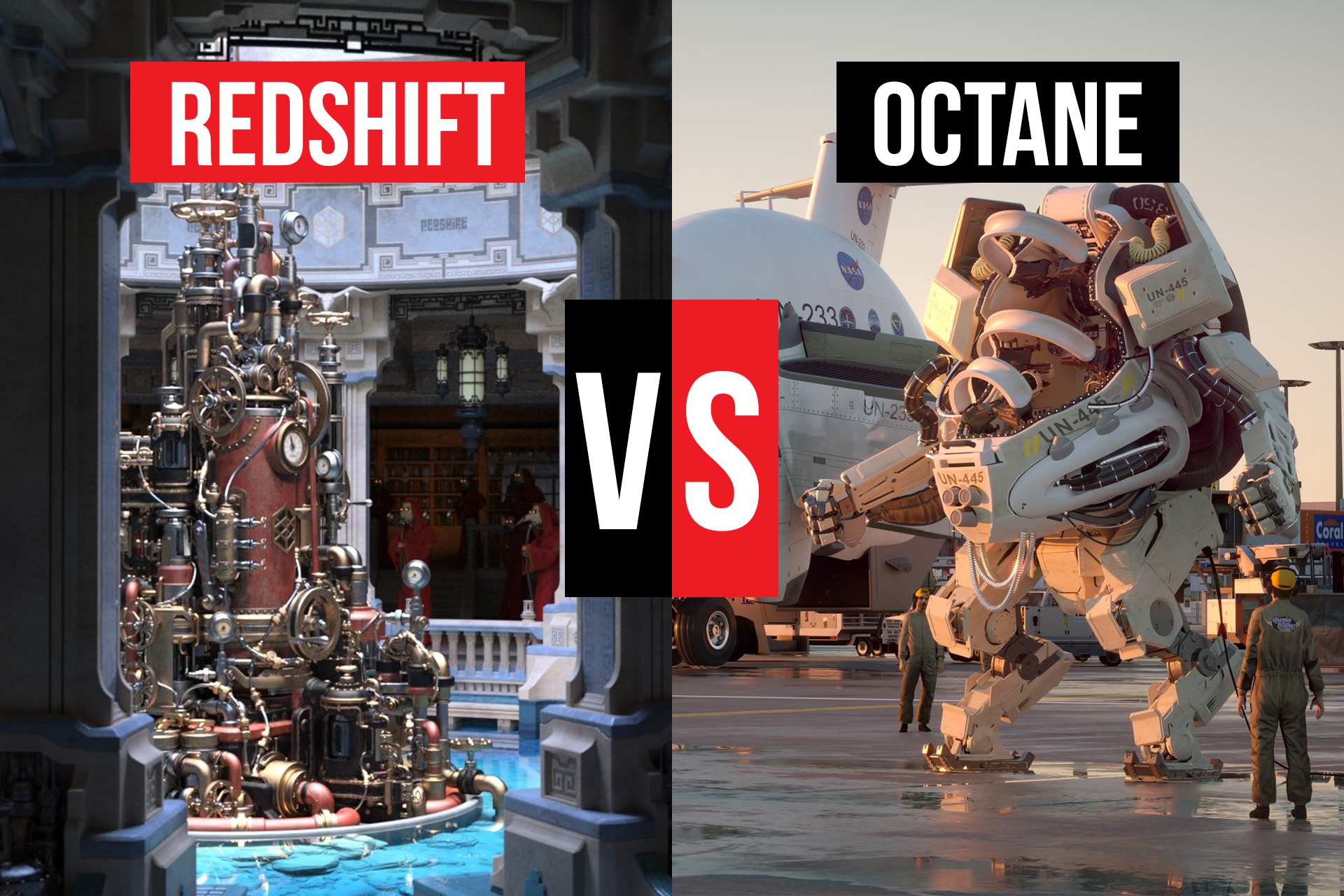
Overview of Redshift and Octane in Cinema 4D
Redshift – A Production-Oriented Render Engine
Redshift is a GPU render engine developed by Maxon and deeply integrated into Cinema 4D. It is based on a biased rendering approach, allowing artists to control how accuracy, speed, and noise are balanced during rendering.
Key characteristics of Redshift include:
- Strong optimization for animation and motion design
- Detailed control over sampling and lighting behavior
- High suitability for professional production pipelines
Redshift is designed with long-term production in mind, prioritizing stability, scalability, and predictable performance.
OctaneRender – A Renderer Focused on Visual Aesthetics
OctaneRender, commonly referred to as Octane, is developed by Otoy and follows an unbiased rendering philosophy. It aims to simulate light and materials as physically accurately as possible, often producing visually striking results with minimal setup.
Reasons Octane is popular among Cinema 4D artists:
- Beautiful results straight out of the box
- Natural lighting and a strong cinematic feel
- Fast and intuitive look development
Octane is especially favored by freelance artists, concept designers, and those focused on still images.
Rendering Speed Comparison in Cinema 4D
Rendering speed is a critical factor in any Cinema 4D workflow, influencing both creative iteration and production deadlines.
With Redshift:
- Artists can fine-tune ray depth, light bounces, and sampling
- AI denoising significantly reduces render times
- Performance scales well for long animations
Thanks to these controls, Redshift offers stable and predictable render times, particularly in complex or large-scale projects.
With Octane:
- Look development is extremely fast
- Viewport feedback is close to real-time
- Simple scenes render very efficiently
However, as scene complexity and frame count increase, Octane’s render times can rise quickly and become harder to optimize.
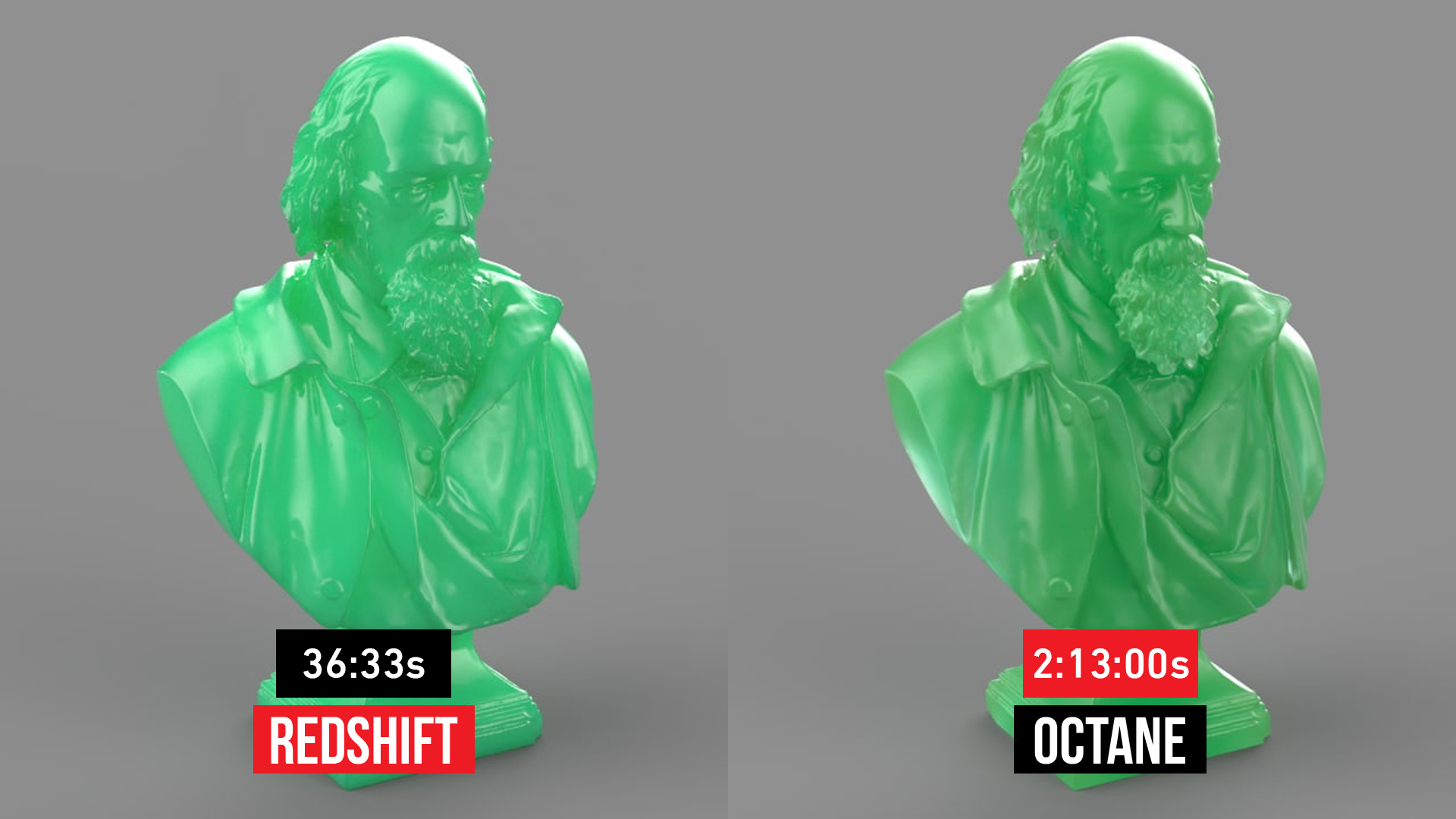
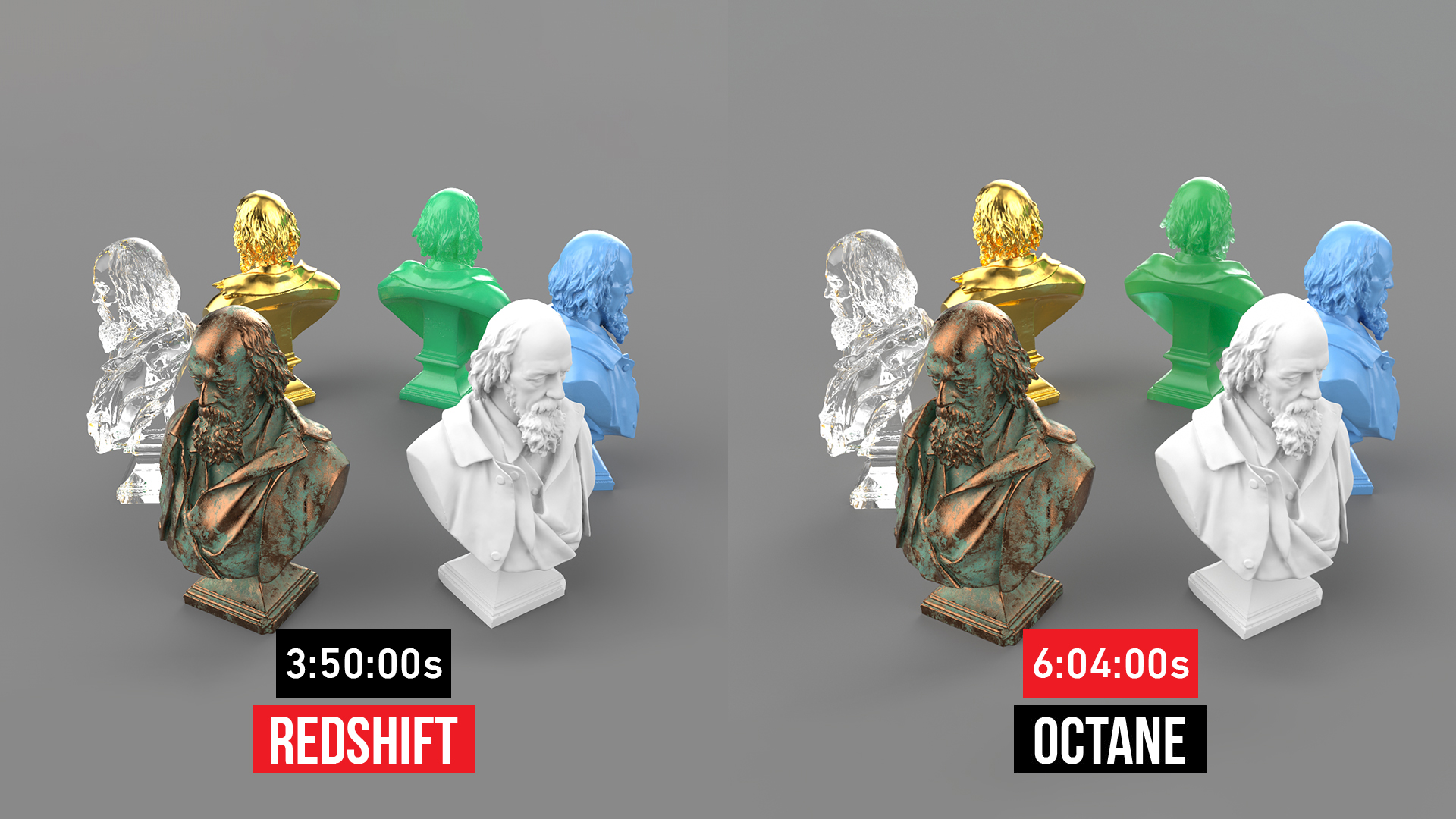
Image Quality and Rendering Style
From an artistic perspective, OctaneRender is widely praised for:
- Soft, natural lighting
- Rich color transitions
- A strong cinematic appearance
These qualities make Octane a popular choice for:
- Concept art
- Still-image advertising
- High-end visual exploration
Redshift, on the other hand, emphasizes production-grade image quality:
- Film and VFX-level results
- A powerful AOV system for post-production
- Excellent support for compositing workflows
Rather than aiming for instant beauty, Redshift focuses on consistency, control, and reliability throughout the entire project lifecycle.
Stability and Handling Complex Scenes
Stability is a crucial consideration for artists working long-term with Cinema 4D.
Redshift excels in:
- Handling large scenes with heavy geometry
- Managing high-resolution textures
- Minimizing crashes during long animation renders
OctaneRender performs very well with small to medium scenes. However:
- It relies heavily on GPU VRAM
- Scenes that exceed VRAM limits are more prone to errors
- Careful scene optimization is required for large projects
This difference is a key reason why Redshift is often preferred in studio environments.
Conclusion
Both Redshift and OctaneRender are top-tier render engines for Cinema 4D in 2026, each serving different creative and production needs. In reality, there is no universal “king.” The better choice depends on your goals and workflow.
Redshift is ideal if you:
- Work on animation, motion design, or VFX
- Collaborate in teams with structured pipelines
- Need stability and precise control
Octane is ideal if you:
- Work as a freelancer or concept artist
- Focus mainly on still images
- Prioritize visual quality and fast creative iteration
By understanding the strengths and limitations of each renderer, you can make smarter decisions for your Cinema 4D workflow, especially when scaling up with a professional render farm to save time and optimize production costs.
When Should You Combine Cinema 4D with a Render Farm?
Regardless of whether you use Redshift or Octane, scenes are becoming heavier and deadlines tighter. At a certain point, a personal workstation is no longer enough. This is where render farms become a natural extension of your workflow.
Using a render farm allows you to:
- Dramatically reduce render times
- Handle long animations or high-resolution output
- Relieve hardware limitations on your local machine
Understanding how your chosen render engine behaves will help you use render farm resources more efficiently and cost-effectively.
Render faster on OctaneRender and Redshift with iRender’s Cinema 4D servers
iRender stands out as one of the most powerful and flexible Bare-Metal platforms available for Cinema 4D artists. We provide instant access to high-performance dedicated GPU servers equipped with single to multi-RTX 4090 and RTX 5090 configurations, eliminating queue delays and out-of-core memory limits. Whether your pipeline relies on an elastic Octane render farm for interactive lookdev speed or a high-capacity Redshift render farm for heavy volumetric and multi-pass production deliveries, iRender delivers dedicated machines with Cinema 4D, Octane, and Redshift pre-installed to scale your studio output immediately.
Under the IaaS (Infrastructure as a Service) model, you will have full control over the machine via a remote desktop app, similar to TeamViewer but more stable. You will be able to proactively install the software and use it on the server just like using a personal computer. In addition, you can find many server packages with high-end configurations that are extremely suitable for complex projects.
Below is the quick start video. We’ll walk you through how to render your C4D Octane and Redshift project on our powerful server in just a few easy steps.
Let’s observe the results and determine which GPU configuration provides the optimal balance of speed and efficiency.


Why choose iRender?
- Rent machines with multiple GPUs (multiple RTX 4090)
- Flexible pricing based on your workflow
- Instant scaling – great for deadline crunches
- Perfect support for Redshift, Octane, Arnold, and more
- Access from Windows or macOS or Linux
Instead of spending thousands on hardware upgrades, you can scale your power only when you need it.
Below is information about iRender’s service packages:
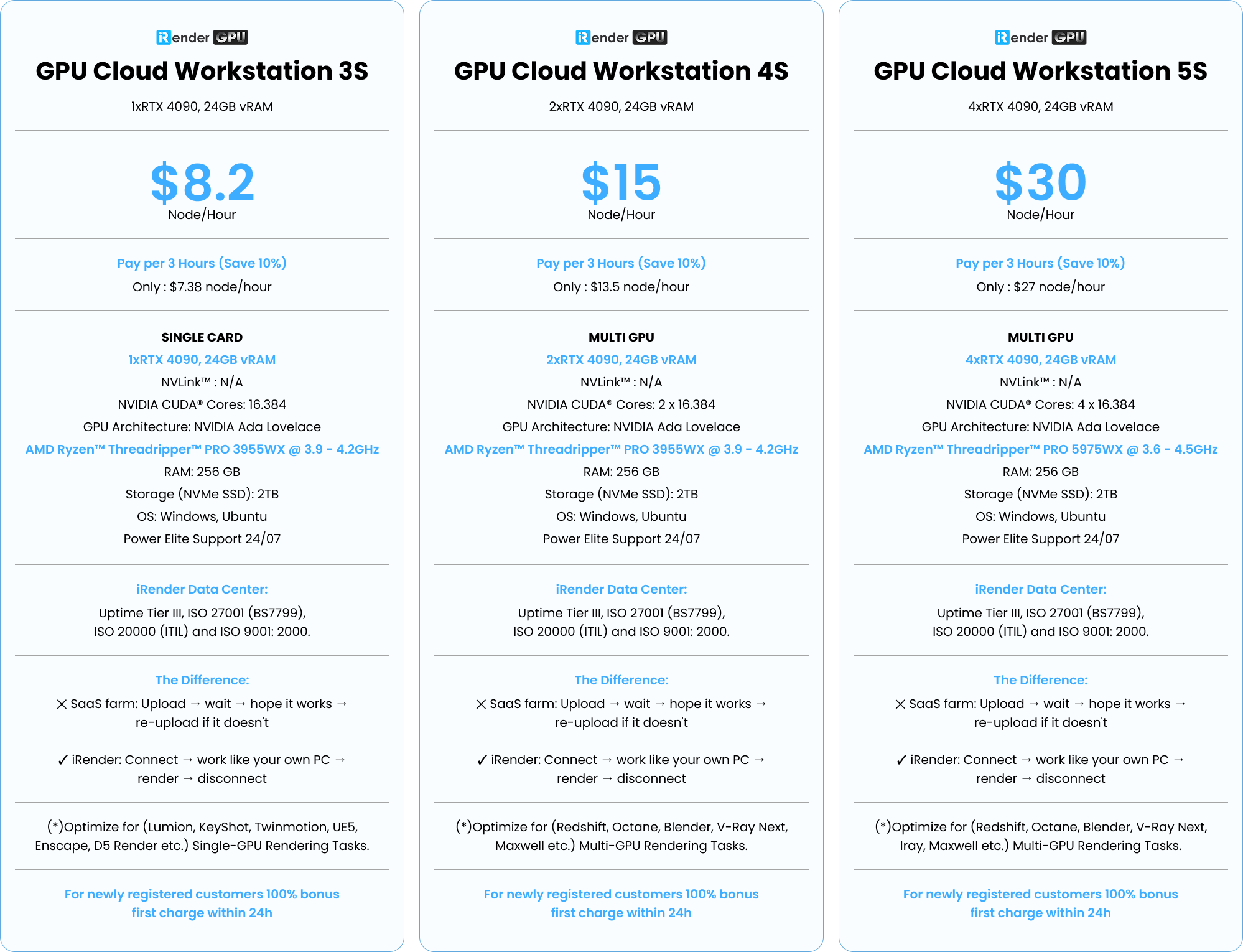
We’re always happy to help you with any questions. If you have any problems or questions, don’t hesitate to contact our support team. Or via Whatsapp: (+84) 916 806 116 for free advice and support.
Right now iRender is offering a SPECIAL PROMOTION: enjoy a 100% bonus on your first top-up if depositing within 24 hrs since registration. This means your first deposit will be doubled, and your points never expire, allowing you to use them whenever you need.
Sign up for an account today to experience and enjoy our services.
Thank you & Your Renders, Your Rules!

Related Posts
The latest creative news from Cinema 4D Cloud Rendering






