Top 5 rendering tools for interior design in 2025
Rendering has become an essential part of interior design, bridging the gap between imagination and reality. The right rendering software helps designers visualize lighting, textures, and materials with incredible accuracy allowing clients to truly experience a space before it’s built.
As technology continues to evolve, 2025 brings a new generation of rendering tools that combine real-time performance, advanced lighting algorithms, and photorealistic output. Whether you’re an architect, interior designer, or visualization artist, choosing the right software can significantly impact your creativity and workflow.
In this article, we’ll take a closer look at the top five rendering tools for interior design in 2025 and explore what makes each of them stand out, how they fit into different project needs, and why they’ve become favorites among professionals worldwide.
1. Enscape: fast, lightweight, and perfectly integrated
Interface and Ease of Use
Enscape integrates seamlessly with popular BIM and CAD platforms like SketchUp, Revit, Archicad, Rhino, and Vectorworks. There’s no need to export files or switch between programs. Everything happens directly within your modeling environment. Its lightweight and intuitive interface makes it incredibly accessible, even for newcomers to rendering.
Visual Quality
Among the five tools, Enscape stands out as the most lightweight. Even computers equipped with standard GTX GPUs (not necessarily RTX) can run it smoothly. Its rendering speed is impressive, making it an excellent choice for designers who need to test ideas quickly, iterate in real time, or present updates during client meetings without delay.
Speed and Performance
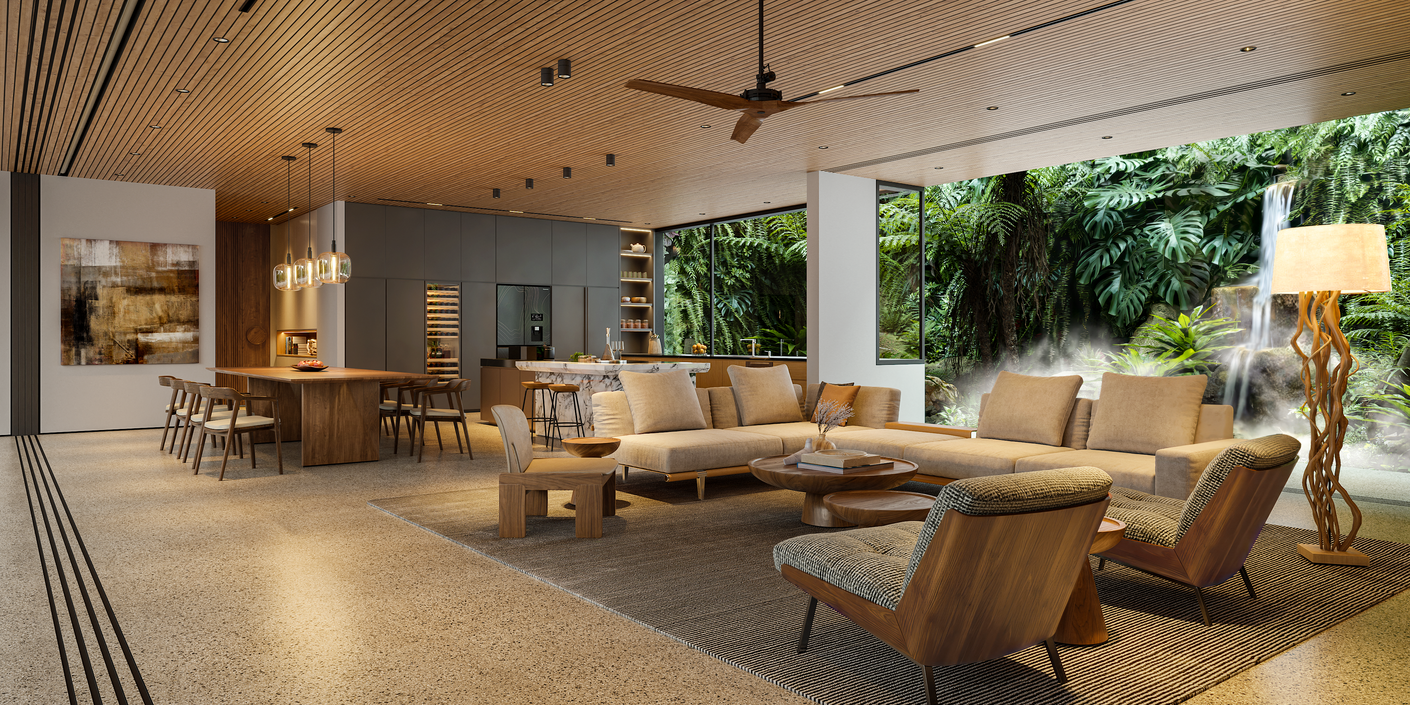
Although Enscape may not deliver the same cinematic depth as some other rendering engines, it provides realistic visuals with excellent lighting accuracy and control. The balance between quality and speed makes it an ideal choice for quick turnarounds, client presentations, and real-time project reviews where every minute counts.
Asset Library
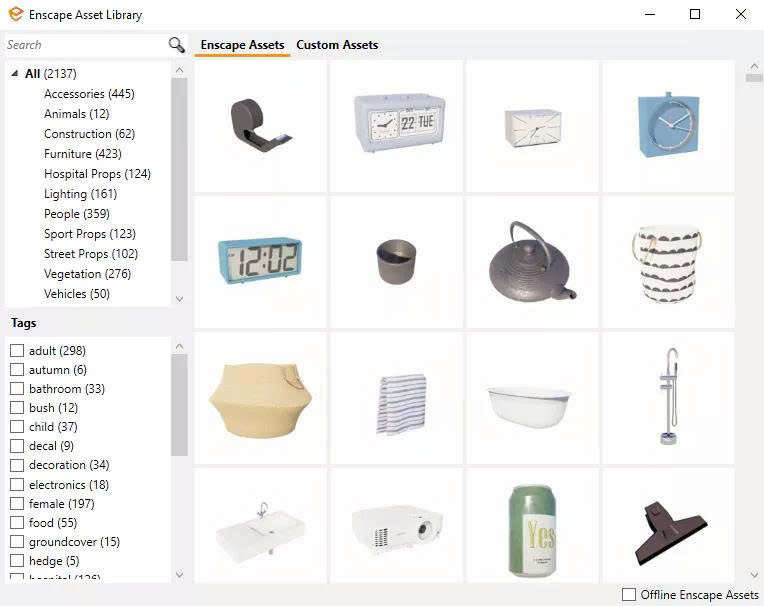
While Enscape’s built-in library may not be as extensive or cinematic as others, it provides exactly what most architectural workflows require: clean, optimized assets that maintain clarity and realism. Since version 4.1.1, Enscape has also integrated Chaos Cosmos, giving users access to a wide selection of Enscape-ready, lightweight models that are simple to import and use directly in projects.
Workflow Integration
This is where Enscape truly excels. As a real-time rendering plugin, it connects seamlessly with major modeling tools like SketchUp, Revit, Archicad, Rhino, and Vectorworks. This tight integration removes the need for tedious exporting or format conversions, allowing designers to visualize instantly as they model, helping create a smoother, more intuitive design-to-render workflow.
2. V-Ray: ultra-realism and full customization
Interface and Ease of Use
V-Ray is a professional-grade rendering engine recognized globally for its versatility and power. It provides deep customization and precise control over every visual aspect, from lighting and materials to reflections. However, this level of sophistication comes with a steeper learning curve which is better suited for experienced users who are willing to invest time mastering its many settings.
Visual Quality
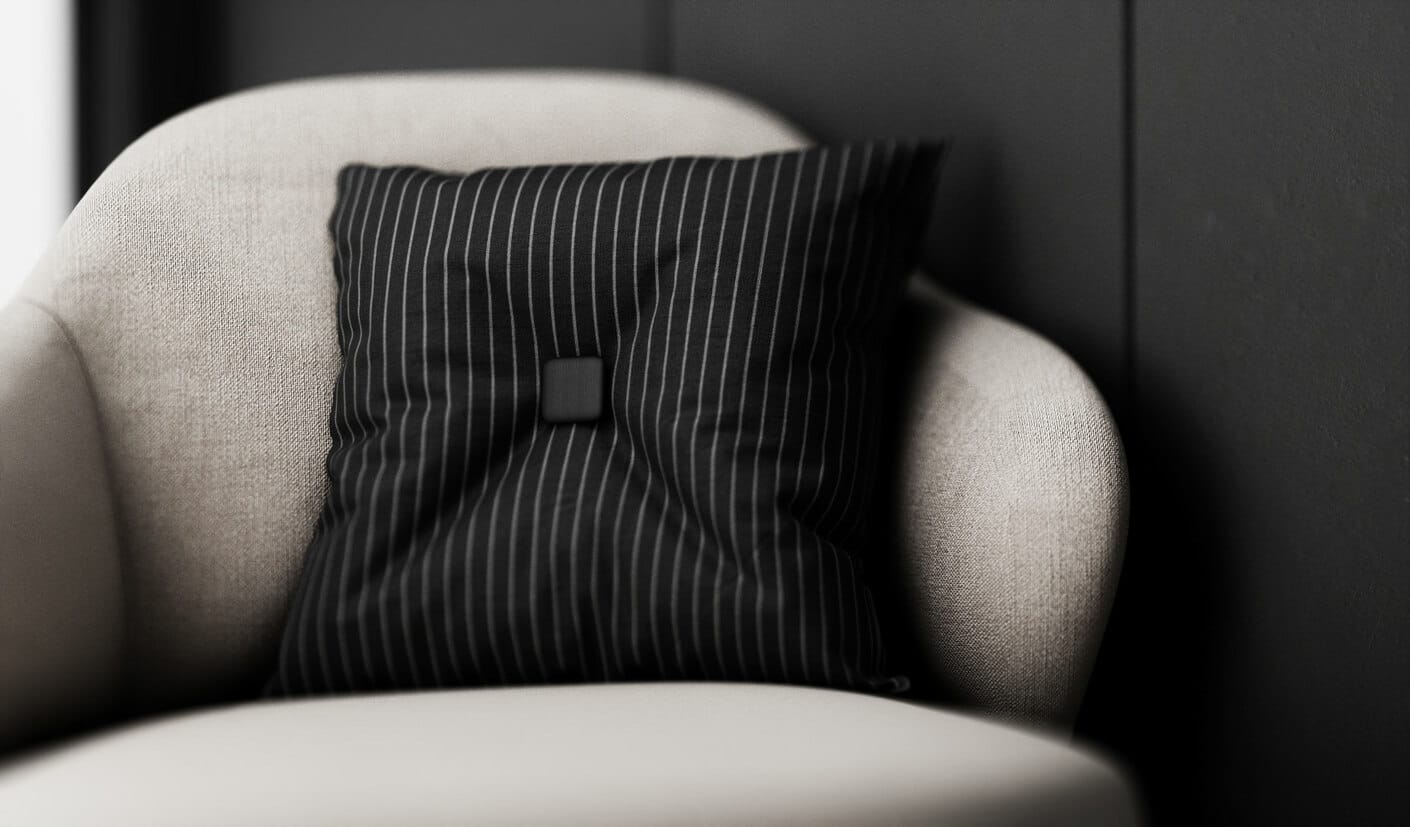
V-Ray is widely regarded as an industry benchmark for photorealistic rendering. It produces lifelike visuals with unmatched control over textures, shadows, and global illumination. Its ability to achieve cinematic realism makes it the preferred choice for projects where visual fidelity and fine-tuned lighting accuracy are top priorities.
Speed and Performance
When it comes to interior design rendering, performance plays a crucial role in determining workflow efficiency. V-Ray is known for its exceptional flexibility, supporting both CPU and GPU rendering to suit different hardware setups. While rendering times can be longer without powerful GPUs, the ability to balance between CPU and GPU resources allows interior designers to achieve optimal results on any system. For high-resolution scenes or complex lighting environments, this adaptability makes V-Ray one of the most reliable rendering tools for interior design in 2025.
Asset Library
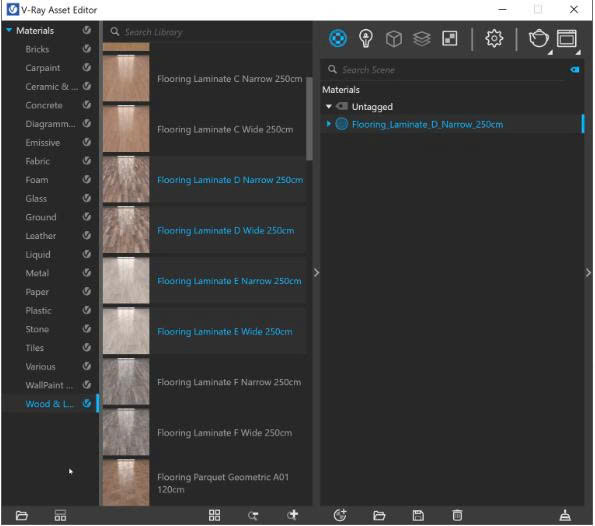
Another advantage that strengthens V-Ray’s position in interior design projects is its extensive asset ecosystem. The Chaos Cosmos library integrates directly with V-Ray, offering thousands of high-quality 3D assets optimized for real-time performance and photoreal rendering. From furniture models and decorative elements to lighting presets and materials, these ready-to-use assets enable interior designers to focus more on creativity rather than repetitive modeling tasks. This helps streamline every stage of the interior design visualization process.
Workflow Integration
Seamless integration is another reason why V-Ray remains a top choice for professionals in interior design. The software functions as a plugin for popular modeling tools such as SketchUp, 3ds Max, Rhino, and Revit, ensuring a smooth transition from design to visualization. Its compatibility with these platforms supports precise control over lighting, textures, and materials, allowing interior designers to deliver consistent, high-quality visuals that align perfectly with client expectations.
3. D5 Render: High Visual Quality with a Free Version
Interface and Ease of Use
D5 Render stands out as one of the most user-friendly rendering tools for interior design in 2025. Its interface is intuitive, visually modern, and designed for quick learning. The real-time rendering engine offers a smooth and polished workflow, allowing interior designers to preview changes instantly without complex setup. This makes D5 a great starting point for newcomers who want to bring their interior design concepts to life quickly and beautifully.
Visual Quality
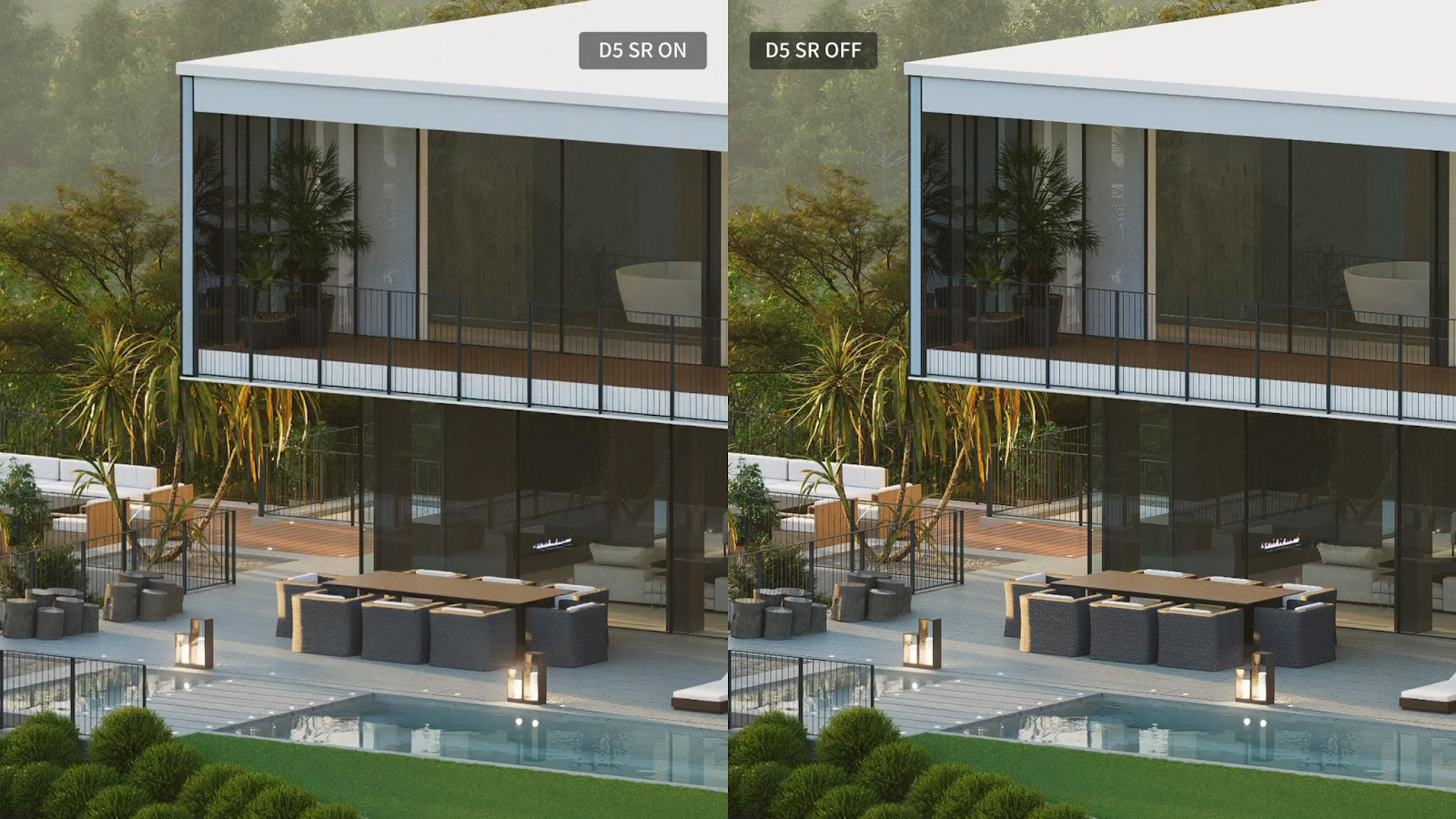
In terms of visual quality, D5 Render delivers impressive realism that elevates interior design visualization. The software provides excellent lighting, shadow depth, and atmospheric effects, resulting in visuals that feel refined and professional. Its clean output and accurate material rendering make it ideal for portfolios, client presentations, and realistic previews of interior spaces. For designers seeking a balance between accessibility and visual excellence, D5 Render remains one of the most practical rendering tools for interior design, especially considering it offers a powerful free version for beginners.
Speed and Performance
When it comes to interior design rendering, D5 Render offers impressive real-time performance. The software runs smoothly on mid to high-end GPUs (RTX recommended) and allows designers to visualize lighting, reflections, and textures in real time. For interior designers working with detailed furniture models or complex lighting setups, D5 provides the speed and responsiveness needed to iterate quickly and present polished results.
Asset Library
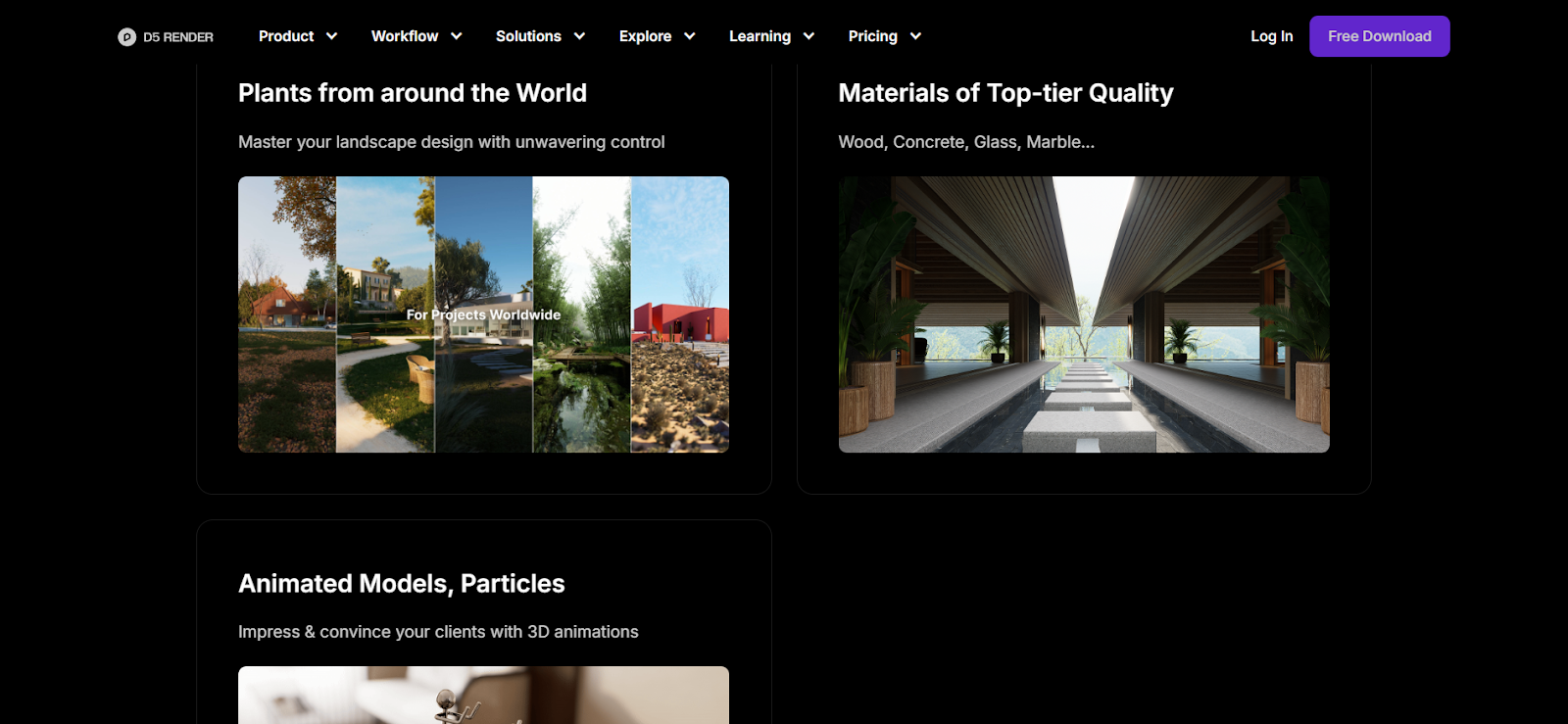
D5’s asset library is another strong feature that benefits interior design projects. It includes a growing collection of animated characters, vegetation, furniture, and scene elements that bring designs to life. Although the asset quantity still trails behind Lumion, the quality and realism of D5’s models make it a competitive choice for interior visualization. This constantly expanding library helps designers reduce preparation time while enhancing the depth and realism of every interior design scene.
Workflow Integration
D5 Render integrates seamlessly with major 3D modeling tools such as SketchUp, Revit, and 3ds Max, making it a convenient solution for professional interior design workflows. While users need to export their models before rendering (unlike Enscape’s live sync feature), D5 compensates with smooth performance and high-quality results. Its straightforward workflow allows interior designers to move efficiently from concept modeling to final visualization, maintaining both creativity and productivity.
4. Lumion: Dramatic Renders and Cinematic Effects
Interface and Ease of Use
Lumion has long been recognized as one of the most powerful rendering tools for interior design and architecture. Its interface is friendly yet unique, offering extensive customization once users get familiar with the layout. For beginners, the setup may require a short learning curve, but the reward lies in its robust creative control. Once mastered, Lumion empowers interior designers to craft immersive scenes and emotional visual stories that capture the essence of every design concept.
Visual Quality
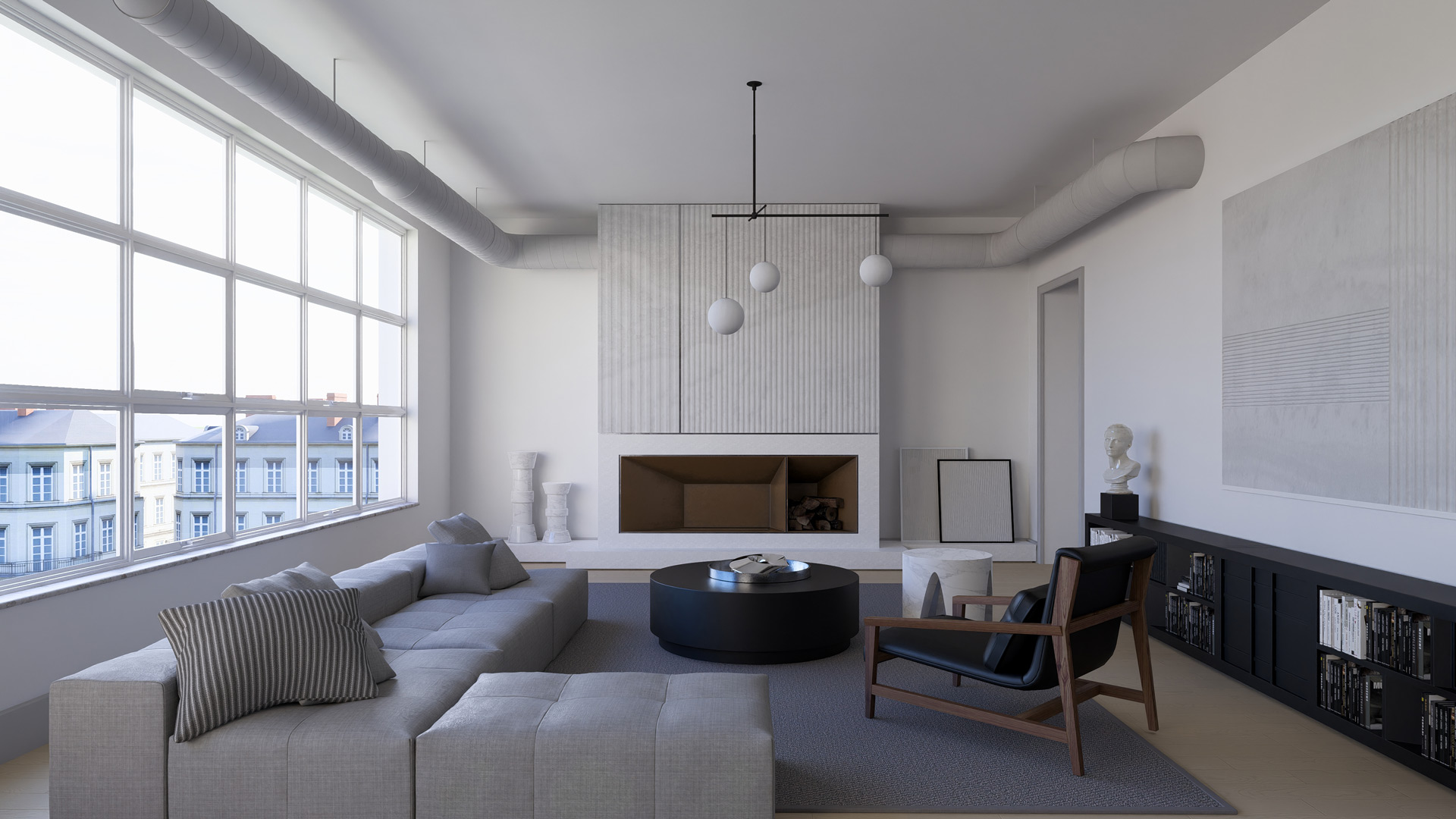
When it comes to interior design visualization, Lumion sets the standard for cinematic rendering. Its real-time engine delivers realistic lighting, shadow interplay, and atmospheric effects such as rain, fog, and sunlight diffusion. These dynamic elements make Lumion ideal for presenting large-scale interiors or exterior-to-interior transitions with dramatic impact. The ability to integrate movement and weather effects helps interior designers evoke emotion and realism, turning ordinary renders into visually compelling narratives.
Speed and Performance
Lumion is known for its powerful performance, especially on high-end machines. It runs exceptionally fast when paired with a solid GPU (RTX recommended), enabling designers to produce complex, high-quality visualizations with smooth playback. However, this power comes at a cost: Lumion is quite demanding on hardware, making it best suited for professional interior design studios equipped with strong computing resources.
Asset Library
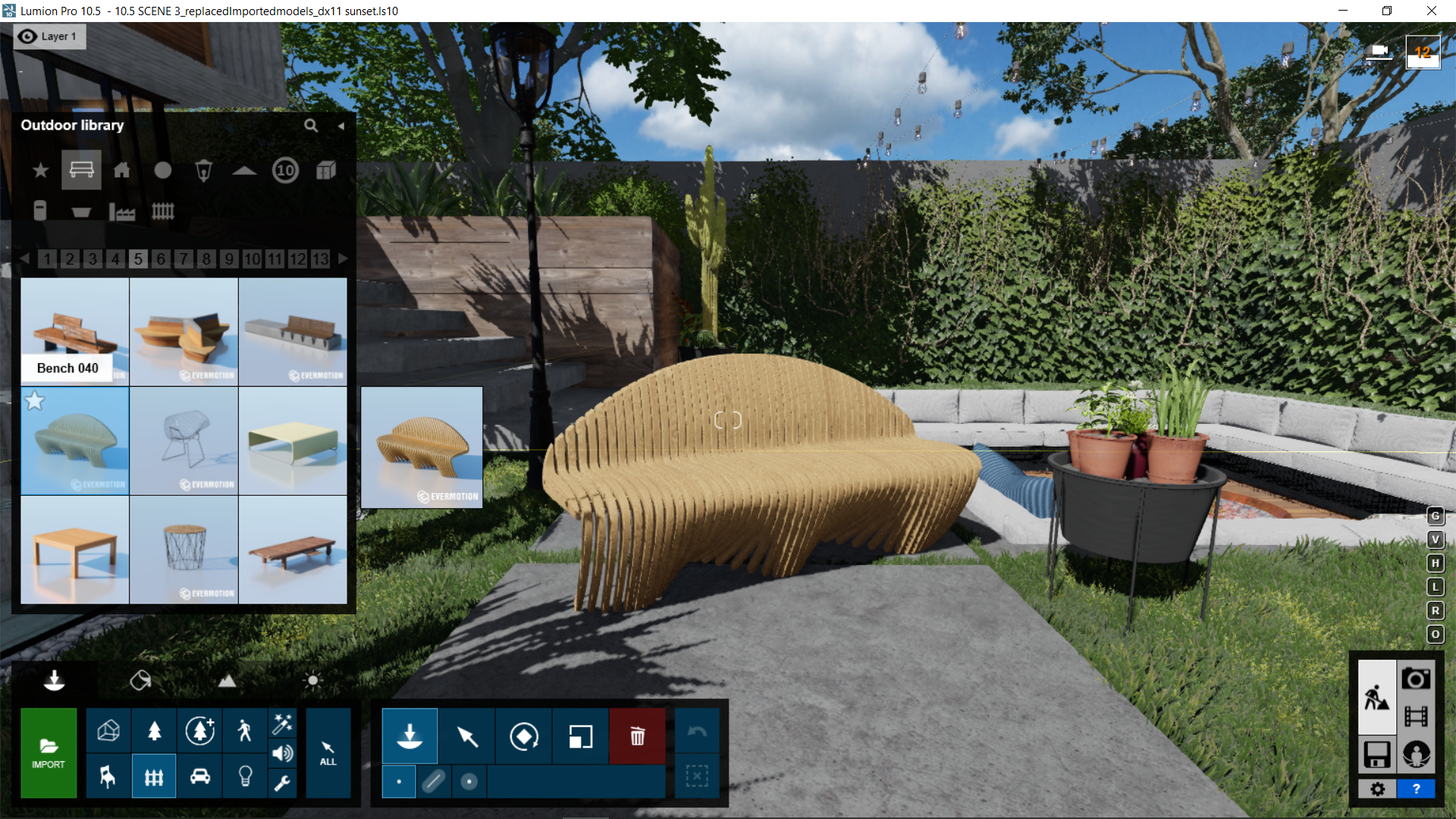
One of Lumion’s biggest strengths lies in its extensive and versatile asset library, which is invaluable for interior design projects. It offers the most comprehensive collection compared to Enscape and D5, featuring realistic vegetation, furniture, people, vehicles, and environmental effects like fire, water, and weather. These assets help interior designers create immersive, emotionally engaging spaces that feel alive and realistic. Whether designing a cozy apartment or a large commercial interior, Lumion’s ready-to-use assets significantly reduce setup time while maintaining stunning visual quality.
Workflow Integration
Similar to D5 Render, Lumion requires users to export models from their preferred 3D software. It supports seamless integration with SketchUp, Revit, and Archicad, allowing smooth coordination in professional interior design workflows. Although it doesn’t offer real-time sync like Enscape, Lumion compensates with powerful post-processing tools, giving interior designers greater control over lighting, color grading, and atmosphere, perfect for crafting cinematic, client-ready presentations.
5. Twinmotion: Real-Time Scenes and Landscapes
Interface and Ease of Use
Twinmotion stands out as one of the most accessible rendering tools for interior design thanks to its intuitive drag-and-drop interface and real-time rendering workflow. It’s specifically designed for designers who want to dive straight into visualization without facing a steep learning curve. The simplicity of its interface allows interior designers to build scenes, adjust lighting, and preview materials instantly, making it ideal for fast-paced design projects that require immediate visual feedback.
Visual Quality
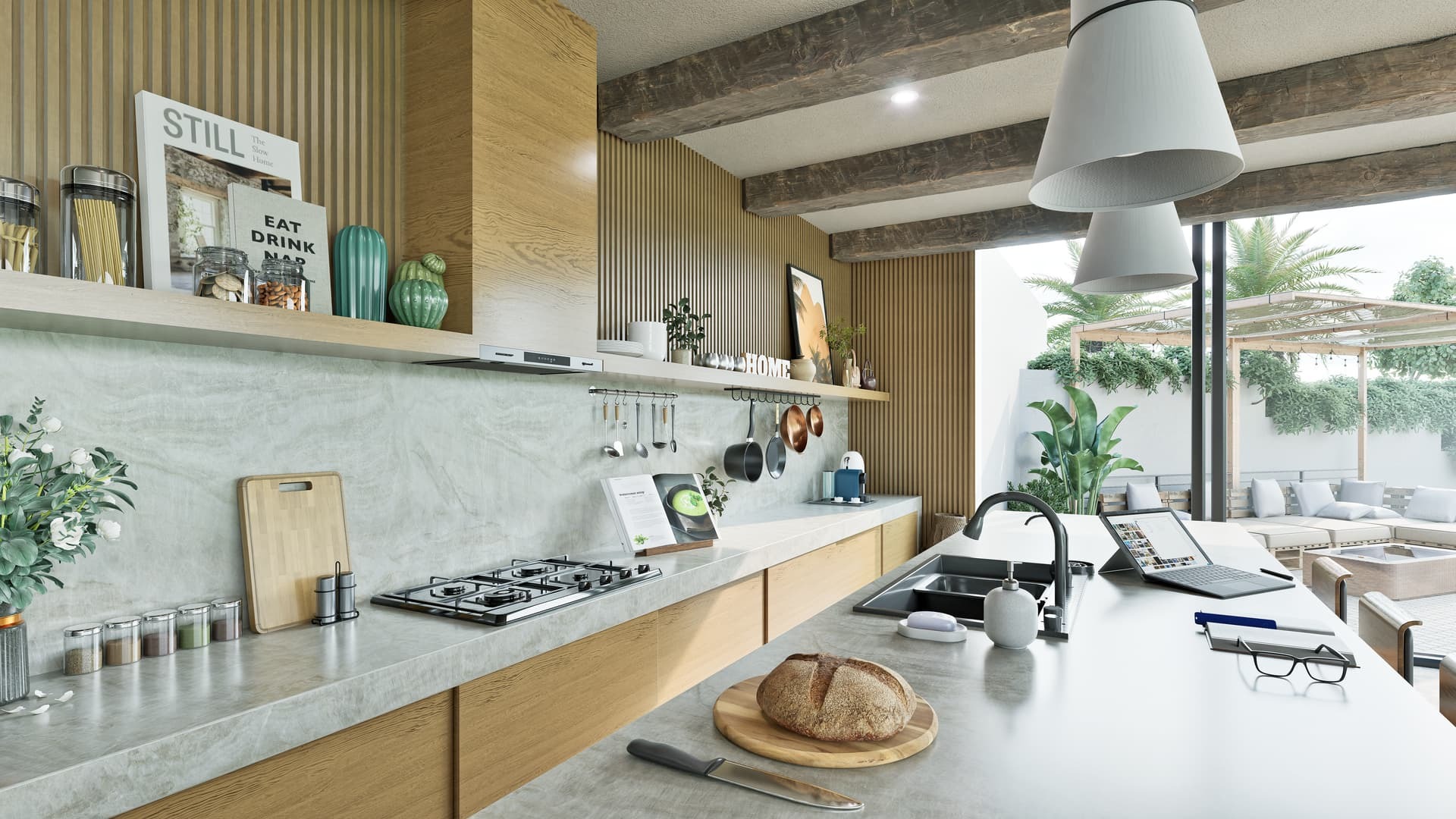
When it comes to visual quality, Twinmotion excels at delivering vivid, animated, and immersive experiences for interior design visualization. The software combines powerful lighting effects, weather systems, and cinematic camera movement to produce realistic walkthroughs and presentations. While it’s often praised for outdoor and architectural rendering, Twinmotion is equally effective for interior spaces, helping designers showcase mood, material interaction and spatial flow in real time. For those seeking a balance between speed and realism, Twinmotion remains one of the most practical rendering tools for interior design in 2025.
Speed and Performance
Twinmotion is highly optimized for real-time rendering, making it an efficient choice for interior design visualization. It performs smoothly even on mid-range hardware, allowing designers to work interactively without requiring expensive, high-end GPUs. This responsiveness enables interior designers to preview lighting, materials, and spatial arrangements instantly, making Twinmotion ideal for fast design iterations and client presentations that demand immediate feedback.
Asset Library
The built-in asset library of Twinmotion, though smaller than Lumion or D5 Render, provides everything essential for professional interior design projects. It includes high-quality models of furniture, lighting, vegetation, and human figures, offering enough flexibility to craft realistic interior spaces. For designers focusing on both interiors and urban environments, Twinmotion’s growing collection of assets ensures a practical balance between simplicity and realism in everyday interior design workflows.

Workflow Integration
Twinmotion integrates seamlessly with popular modeling tools such as SketchUp, Revit, and Archicad, supporting a smooth transition from design to visualization. Models need to be exported before rendering, which makes the process slightly less fluid than Enscape’s live-sync feature. However, once inside Twinmotion, interior designers can take advantage of intuitive scene setup, real-time lighting control, and cinematic camera paths to elevate their interior design presentations with minimal technical friction.
Conclusion
In 2025, designers have more options than ever when it comes to choosing the best rendering tools for interior design. Each software: Enscape, V-Ray, Twinmotion, D5 Render, and Lumion offers its own strengths in terms of usability, performance, and visual output. From real-time previews to photorealistic renders, these tools empower interior designers to turn creative visions into realistic, emotionally engaging experiences.
Selecting the right tool depends on the designer’s priorities and workflow. Those focusing on speed and simplicity may prefer Enscape or Twinmotion, while professionals seeking full artistic control and cinematic effects often lean toward V-Ray or Lumion. D5 Render bridges the gap between both ends, offering accessibility with impressive visual quality.
Ultimately, the evolution of interior design rendering reflects a broader trend toward creativity powered by technology. As these platforms continue to advance, they enable designers to explore new possibilities, refine details with precision, and communicate ideas more effectively which makes interior spaces not only functional but truly inspiring.
iRender - Powerful Render Farm for All 3D Software
At iRender, you can install and run any 3D software or render engine you need, including Enscape, V-Ray, D5 Render, Lumion and Twinmotion, etc. on our high-performance remote servers. Whether your workflow relies on CPU or GPU power (single or multi-card), iRender gives you the flexibility to choose the right configuration for your projects.
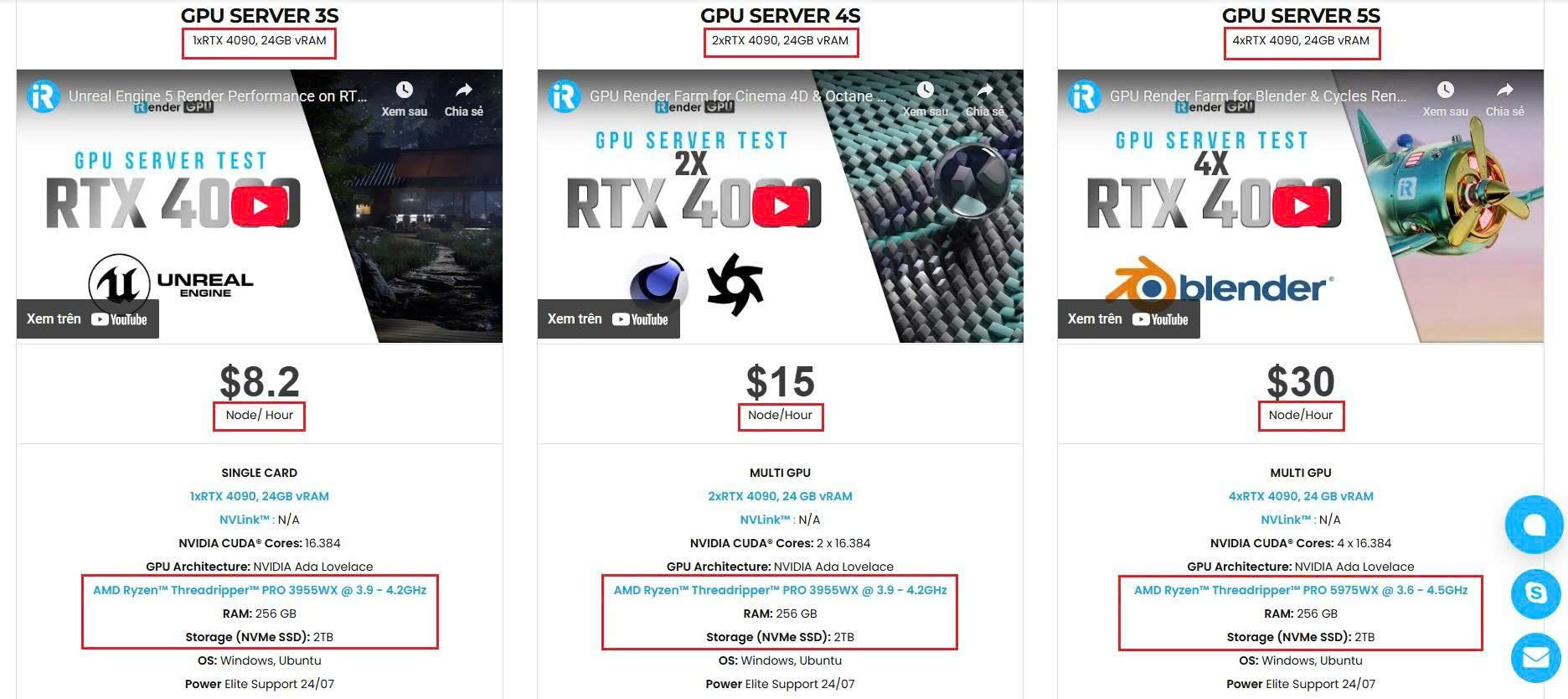
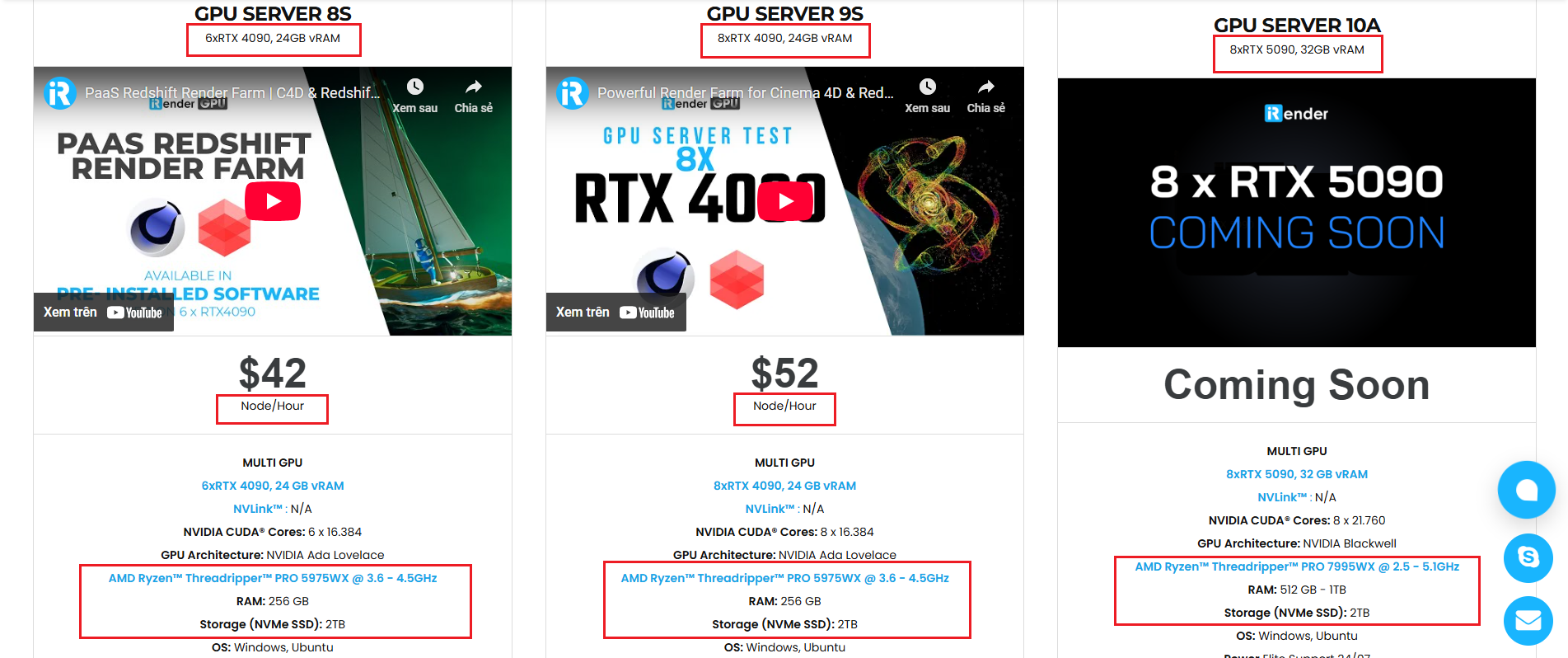
With access to powerful hardware such as the RTX 4090 GPUs and high-core CPUs (CPU AMD Ryzen Threadripper Pro 3955WX @ 3.90GHz – 4.2GHz and AMD Ryzen™ Threadripper™ PRO 5975WX @ 3.6 – 4.5GHz), you can:
- Render faster without being limited by your local workstation
- Scale your projects seamlessly, whether you’re working on small interiors or large architectural scenes
- Enjoy the freedom to set up your preferred tools, add your licenses and work as if it were your own computer only faster and more reliable
Watch a video testing V-Ray, D5 Render, Enscape on our remote servers:


Here is all our servers with detailed information:
Why choose iRender?
When projects become bigger and deadlines become tighter, finding a suitable and optimized renderer is no longer optional, it’s crucial. iRender’s mission is to help you make all your ideas become final products in a faster, stronger and more efficient way.
- Powerful performance: GPU RTX 4090 workstations, compatible with almost 3D/AI software. Moreover, iRender’s remote servers also provide CPU AMD Ryzen Threadripper Pro 3955WX @ 3.90GHz – 4.2GHz and AMD Ryzen™ Threadripper™ PRO 5975WX @ 3.6 – 4.5GHz, RAM 256GB and 2TB SSD NVMe Storage
- Flexible usage: Use the remote server anytime you want
- Secure & Privacy: Guarantee for your data safety and privacy
- Fast support: A customer support team ready to assist 24/7
- Cost-effective: Pay-as-you-go, pay for the time used
If you are still wondering, register now to get a free trial and receive a 100% bonus points (double your credits) for your first transaction within 24 hours of registration.

REGISTER now to experience and for more detailed information, please contact us via Live chat 24/7 or WhatsApp: +(84) 962 868 890 or Email: [email protected].
iRender – Happy Rendering!
Source: blog.chaos.com
Related Posts
The latest creative news from Enscape Cloud rendering, Lumion Cloud rendering, V-Ray Cloud Rendering , Twinmotion Cloud Rendering , 3D VFX Plugins & Cloud Rendering.