
Autodesk Maya vs. 3ds Max: Best Choice for Architects and Game Artists in 2026
In 2026, as OpenUSD and AI-assisted workflows become industry standards, choosing between Autodesk Maya and 3ds Max is no longer a matter of personal habit. The key question is no longer “Which software is better?” but “Which ecosystem fits your workflow best?” This article iRender offers a clear and practical analysis of both tools to help you make an informed decision for Architectural Visualization (ArchViz) or Game Development projects.
I. Core Differences in Software Architecture
1. Autodesk Maya: Node-Based (Dependency Graph) Philosophy
According to Autodesk’s official technical documentation, Maya is built on a Dependency Graph (DG) system. Every element in a scene, from a single vertex to a light source, is a Node with attributes that can be connected to other nodes.
Key advantages:
- High customization: Non-linear connections enable Technical Artists (TAs) to create complex animation and control systems that are challenging to achieve in 3ds Max.
- Open and scalable pipeline: With a powerful API and full support for Python 3.11+, large studios can develop custom tools tailored for blockbuster films or AAA games.
2. Autodesk 3ds Max: Modifier Stack Philosophy
3ds Max is built around the Modifier Stack, a parametric and layer-based modeling system where operations are applied from bottom to top.
Key advantages:
- Non-destructive workflow: You can modify early steps (such as the number of windows in a building) without breaking later modifiers like chamfer, smoothing, or materials.
- Fast and intuitive: For clear geometric and hard-surface objects, 3ds Max workflows are often faster and more stable than Maya.
II. The AI Revolution in 2026: Productivity Multiplied
According to Autodesk’s published AI roadmap, 2026 will mark the integration of deep AI in both Maya and 3ds Max. These tools are no longer just “creation software”; they are becoming intelligent assistants.
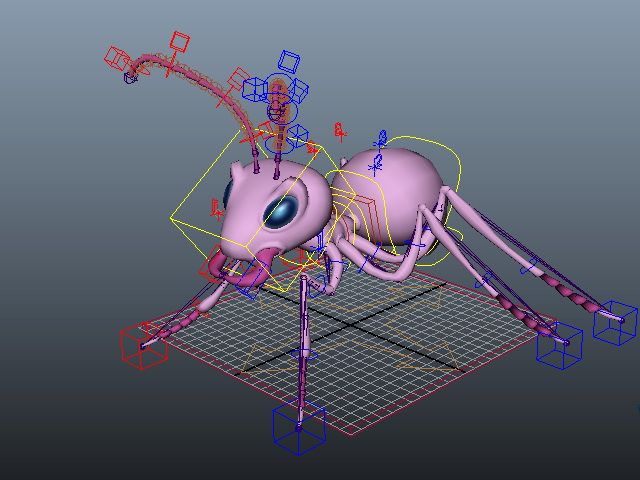
1. Maya 2026: AI for Rigging and Animation
- ML Deformer: Maya uses machine learning to train skin and muscle deformation systems. Instead of heavy physical calculations, AI predicts realistic deformation based on learned data, allowing real-time playback even on very high-resolution characters.
- AI Motion Assist: Helps animators automatically generate breakdown poses and smooth motion using real-world movement libraries.
2. 3ds Max 2026: AI for Modeling and Scene Layout
- Flow Retopology: Cleaning complex CAD meshes has always been a challenge for architects. AI-powered retopology in 3ds Max analyzes edge flow and creates render-ready geometry in seconds.
- Smart Content Placement: Automatically places furniture, vegetation, or props based on architectural rules and visual balance.
III. Architectural Visualization and Game Development: Which Tool Is the Ultimate Weapon?
1. For Architects and ArchViz Artists
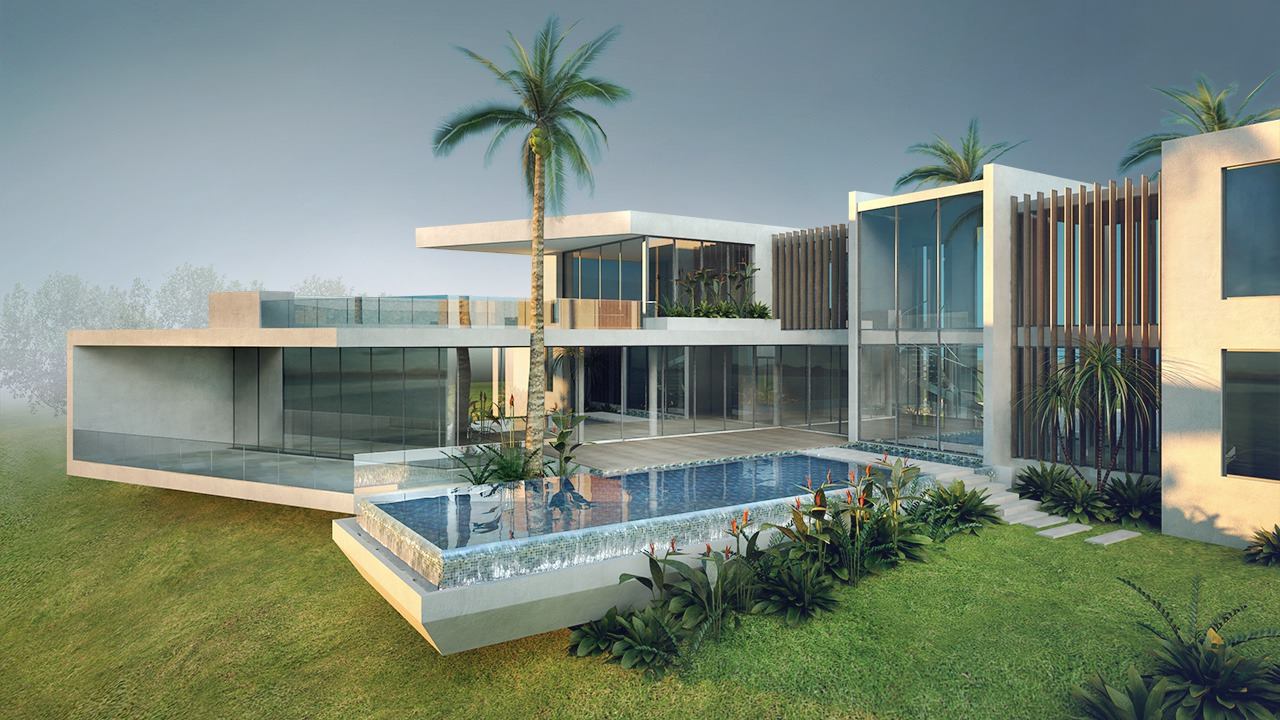
In 2026, 3ds Max remains the backbone of the architectural visualization industry.
Why 3ds Max dominates ArchViz:
- Strong BIM compatibility:
Tight integration with Revit and AutoCAD enables seamless updates to design changes via live linking.
- Powerful plugin ecosystem:
According to market reports from Chaos Group, over 70% of professional ArchViz artists choose 3ds Max because of industry-leading tools like V-Ray, Corona, Forest Pack, and RailClone — the difference between a “nice render” and a “photorealistic render.”
2. For Game Artists
The right choice depends heavily on your role:
- Character Artists & Animators:
Maya 2026 is the clear standard. Its organic deformation tools, XGen hair system, and advanced rigging remain the gold standard for major studios such as Ubisoft and Riot Games.
- Environment Artists:
3ds Max has the advantage thanks to its powerful hard-surface modeling tools, ideal for buildings, weapons, vehicles, and large city environments.
Conclusion
In summary, there is no single “better” software, only the right tool for the right technical goal:
- Choose Autodesk 3ds Max if your workflow focuses on architectural visualization, fast and accurate hard-surface modeling, and a rich plugin ecosystem.
- Choose Autodesk Maya if your projects require advanced character animation, deep pipeline customization through scripting, and large-scale film or game production.
Regardless of which tool you choose, final performance still depends heavily on the hardware’s power. At iRender, we provide professional Cloud Rendering solutions designed to meet the demanding requirements of 3D workflows in 2026, delivering smooth viewport performance and fast GPU rendering with top-tier hardware.
Elevate Your Maya and 3ds Max Renders with iRender – Smart Workflow, Scalable Performance, Limitless Creativity.
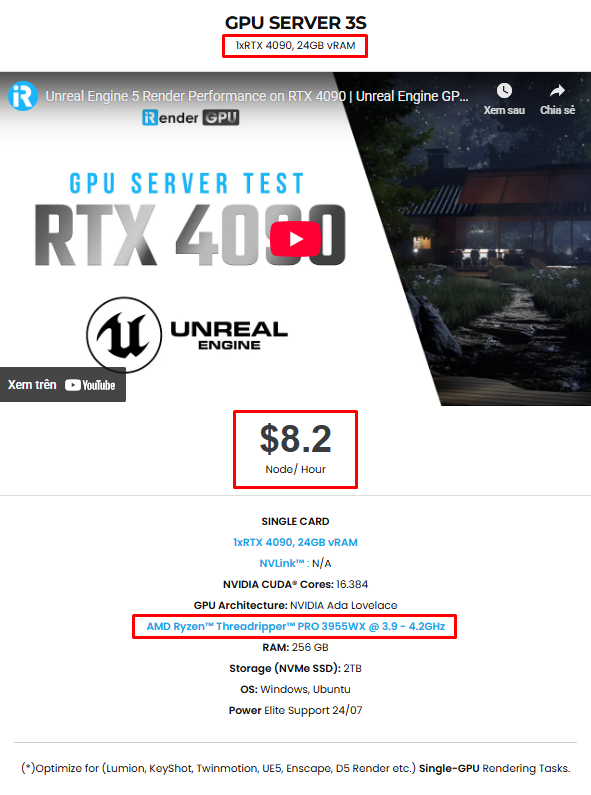
iRender provides high-configuration servers that increase CPU and GPU rendering speeds, optimized for Maya, 3ds Max, V-Ray, Corona, Arnold, Redshift, and Octane. You can scale your hardware instantly, reduce render time, and focus fully on creativity — without investing in expensive local workstations. We offer the most powerful RTX 4090 configuration packages on the market, all equipped with AMD RyzenTM ThreadripperTM PRO 3955WX @ 3.9 – 4.2GHz and AMD Ryzen™ Threadripper™ PRO 5975WX @ 3.6 – 4.5GHz processors, 256GB RAM, and 2TB NVMe SSD hard drive capacity. With a wide range of GPU servers (1/2/4/6/8x) – RTX 4090, you can choose the server that suits your needs to start the rendering process. You just need to transfer your files, connect to the remote machine, install Maya or 3ds Max, then add your software license and render yourself. Setting up ONCE will save your working environment and make it ready to use anytime.
Below is information about iRender’s service packages. For Maya and 3ds Max, you can choose the server 3S with the Single Card 4090 to start rendering:
Below are the video quick start to show you how to bring your Maya and 3ds Max projects using iRender’s cloud servers, step by step:

Not only powerful configurations, iRender also provides you with many more services. Free and convenient transfer tool iRender drive for macOS and Linux users. For Windows users, we recommend the iRender GPU application, you will not need to access our website anymore. The price at iRender is also very flexible with hourly rental (pay as you use), and daily/weekly/monthly rental with a 10-20% discount.
We’re always happy to help you with any questions. If you have any problems or questions, don’t hesitate to contact our 24/7 support team. Or via WhatsApp: 0912 785 500 for free advice and support.
Right now iRender is offering a SPECIAL PROMOTION: enjoy a 100% bonus on your first top-up. This means your first deposit will be doubled, and your points never expire, allowing you to use them whenever you need.
Sign up for an account today to experience and enjoy our services.
Thank you & Happy Rendering!
Source and image:autodesk.com; chaosgroup.blog; pugetsystems.com
Related Posts
The latest creative news from Maya Cloud Rendering






