
How to fix Octane render slow or black screen in Cinema 4D?
If you’ve ever opened Octane Render in Cinema 4D and found it painfully slow or stuck on a black screen, you’re not alone. Many artists run into this issue, especially when using high-end servers with multiple GPUs like the RTX 4090 series. Instead of boosting performance, Octane may freeze, fail to respond, or take minutes just to load the render viewport. In this post, we’ll look at why Octane render slow or black screen issues happen in Cinema 4D and how to fix them effectively.
Describe issue: Octane render slow or black screen
This issue often appears in one of the following ways:
- Octane opens, but the Live Viewer stays black.
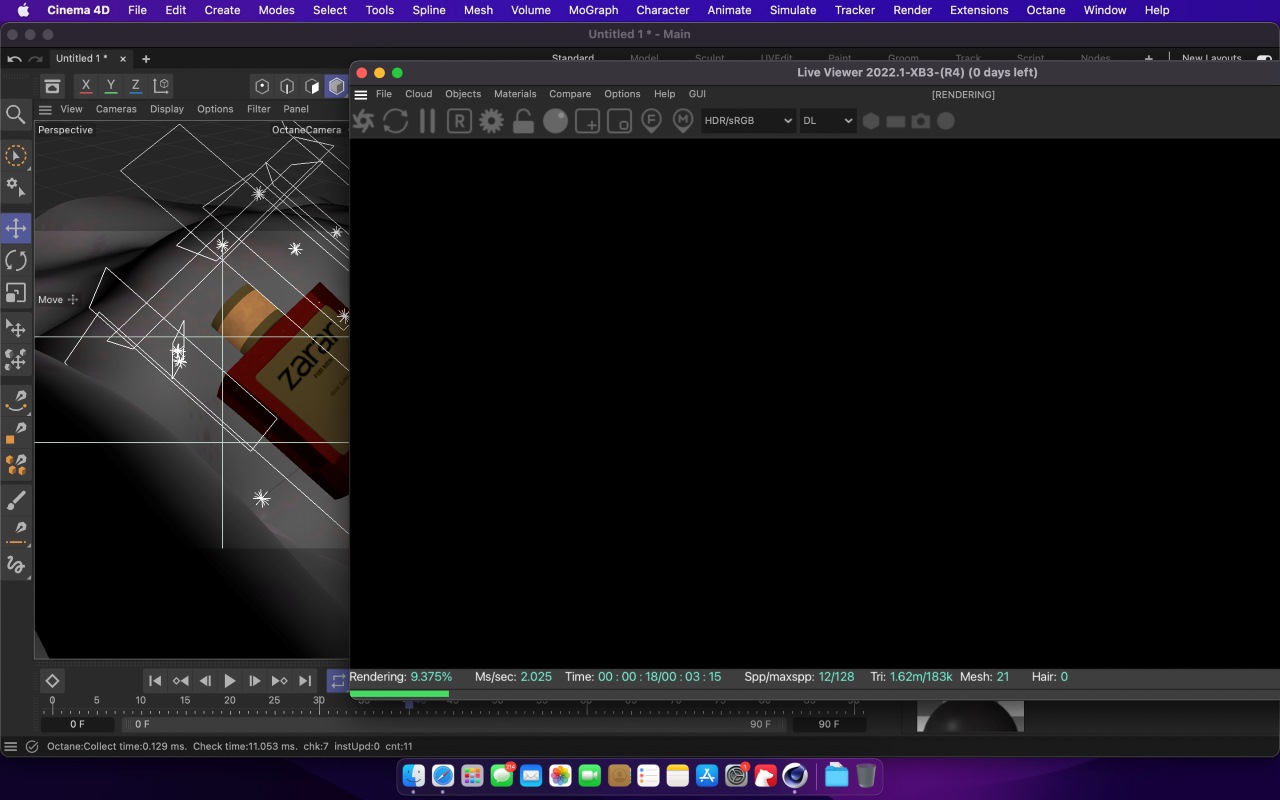
- Rendering starts but is extremely slow, even on powerful multi-GPU setups like 6x RTX 4090.
- The system stops responding or crashes when loading heavy scenes.
- CUDA errors such as CUDA error 2, 700, or 999 frequently appear.
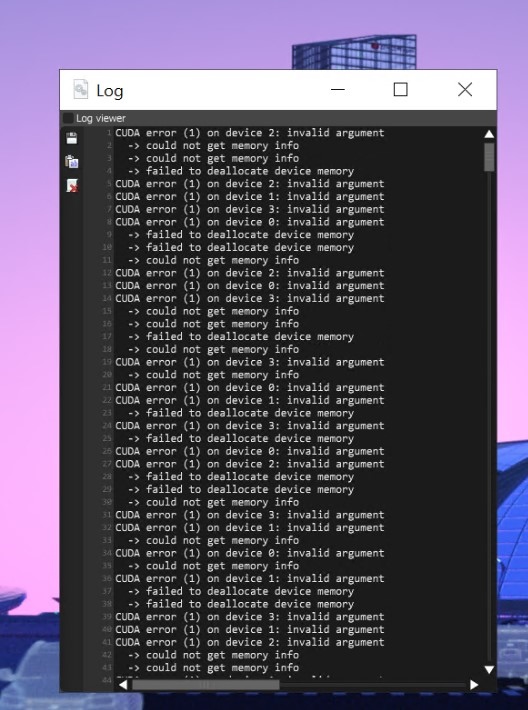
Why does it happen?
There are four common reasons why OctaneRender may become slow or unresponsive in Cinema 4D.
- GPU overload or allocation issues
- Outdated NVIDIA drivers
- Scene complexity and memory limits
- Unmatched software version
How to fix Octane render slow or black screen in Cinema 4D?
Update NVIDIA driver
If you experience crashes on Octane, including CUDA errors like CUDA 2, 700, 999. These errors are usually caused by NVIDIA drivers that are not compatible with your GPU, operating system, and Octane. The table below will provide some general guidance on the best drivers to use.
| GPU Model | Kepler (6xx/7xx)
Maxwell (9xx) |
Pascal (10xx)
Volta (Quadro or Titan) Turing (20xx) Ampere (30xx) |
| Recommended NVIDIA Driver | 419.67 | Most recent Studio Driver |
Since Kepler and Maxwell are old GPU lines, you should not use the latest driver because the new versions often do not support old hardware anymore. At this time, Octane will work most stably with driver 419.67.
But for Pascal lines and above (10xx, 20xx, 30xx…), you can use the latest NVIDIA Studio driver because these lines are still fully supported by NVIDIA.
Note: Do not update the newly released driver immediately if not necessary, because sometimes the new version can cause compatibility errors with Octane.
If you’re using an iRender server, you can update to the latest NVIDIA driver, as our workstation has RTX 4090 GPUs.
- Go to the X drive on your remote machine
- Open NVIDIA RTX 4090 DRIVER > Studio
- Choose the latest driver by Date Modified
- Install it, restart the machine, and reconnect
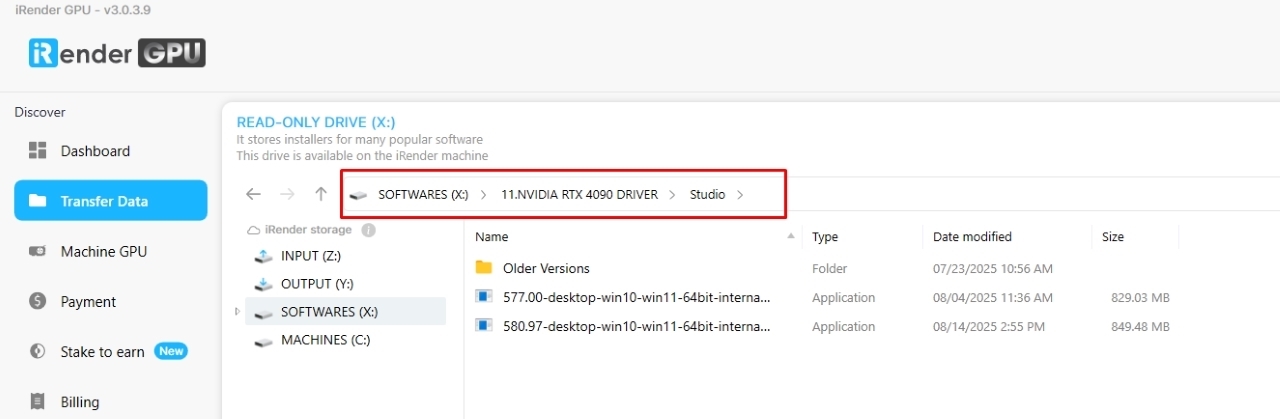
Note: New machines at iRender usually come with the latest drivers, but older ones may require manual updates. Many customers have fixed performance issues this way.
Change the server
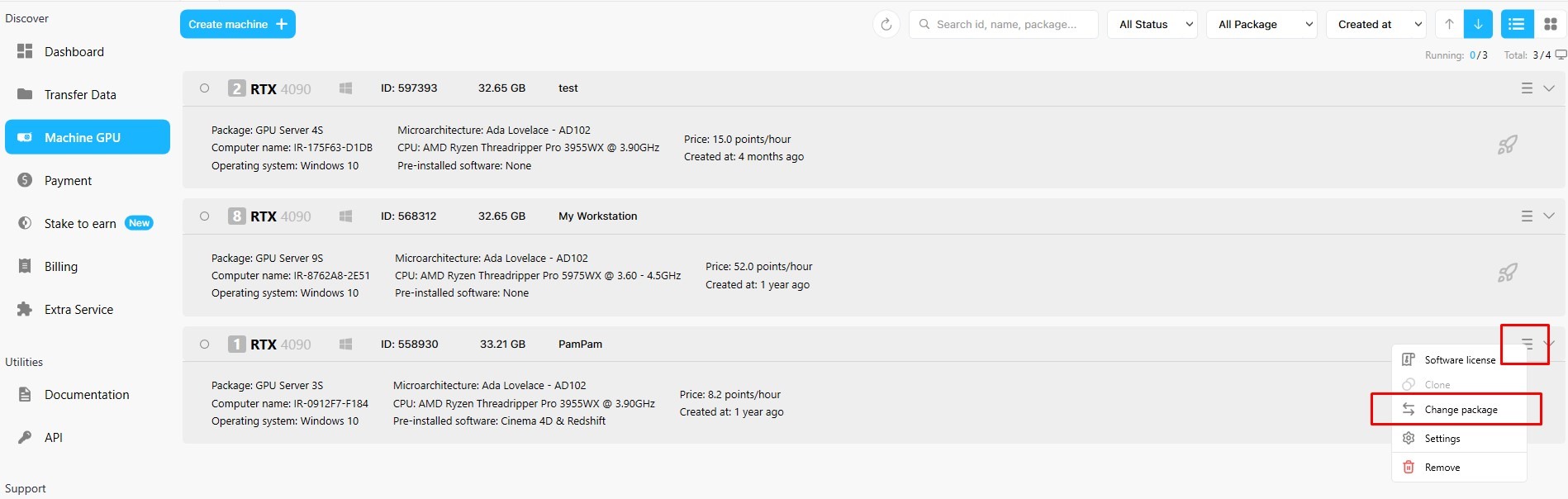
One of our customers encountered Octane render slow, unresponsive and black screen on 6x RTX 4090 server. He also tried switching to 4x RTX 4090 server and it worked.
On iRender, we have Change package feature so you can switch to another server while keeping the same working environment, no need to re-set up.
Optimize your scene and textures
Of course, you should absolutely optimize your scene and textures to reduce GPU load by
- Using lower resolution textures if possible
- Limiting the amount of segmentation and displacement
- Clearing unused resources and caches before rendering.
Use Out-of-Core textures
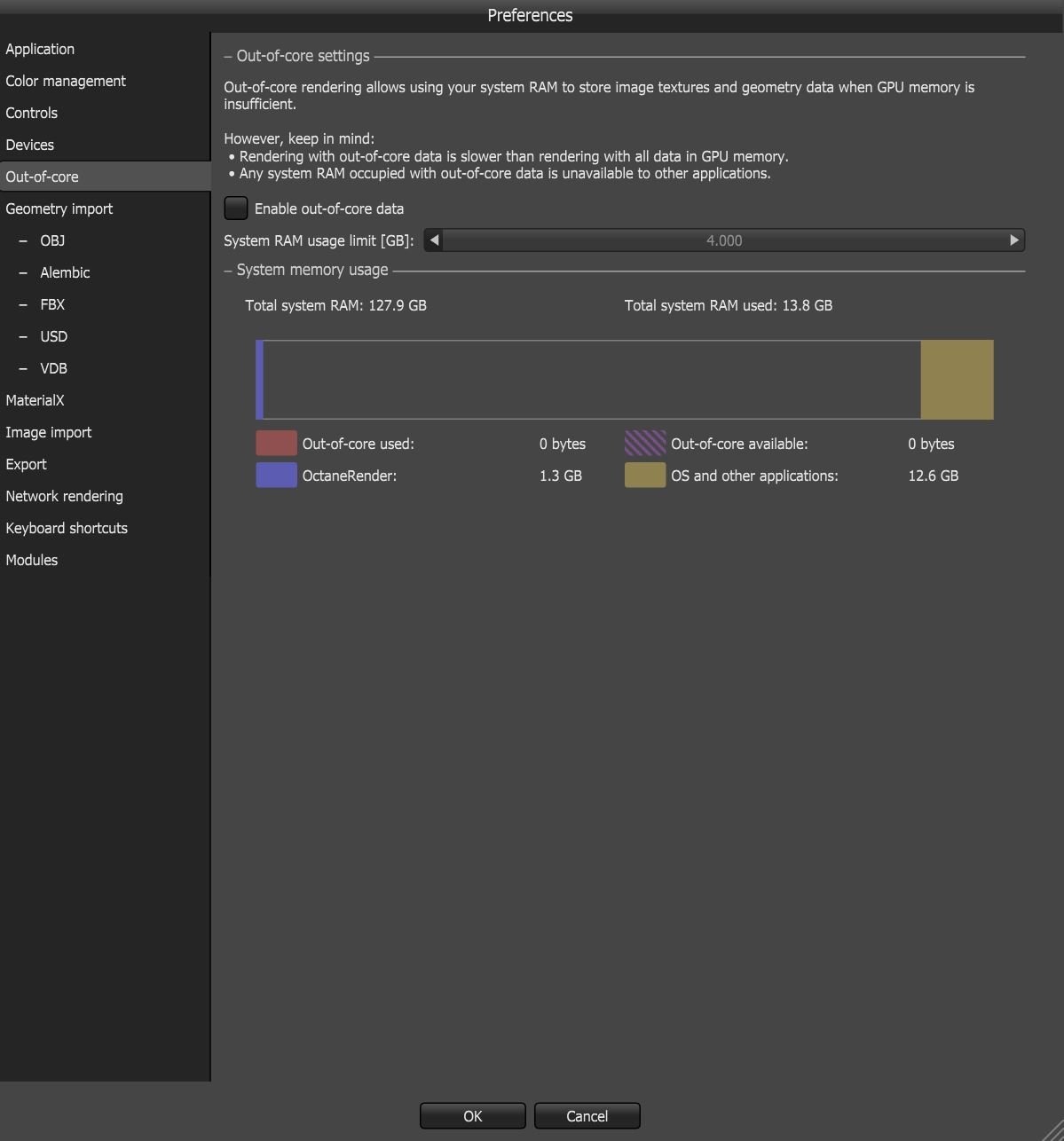
If your GPU’s VRAM is running out, enable Out-of-Core textures in Octane settings. This allows the renderer to offload textures to system RAM, preventing memory overload and improving stability.
Use the latest Octane version
Sometimes, performance issues are tied to older versions of OctaneRender. Try updating to the latest release to benefit from bug fixes and driver compatibility improvements.
Restart software
If the issue is temporary, restarting Octane Live Viewer or Cinema 4D can refresh GPU memory and fix small freezes or viewport blackouts.
Contact OTOY support
If all of the above doesn’t work, don’t hesitate to contact [email protected] for assistance with your computer problems. They’ll send you a utility that will help you gather information about your computer or look at the scene and make recommendations.
Use iRender render farm for your Octane projects
For heavy projects, using iRender render farm will help you scale up multiple GPUs without upgrading your PC.
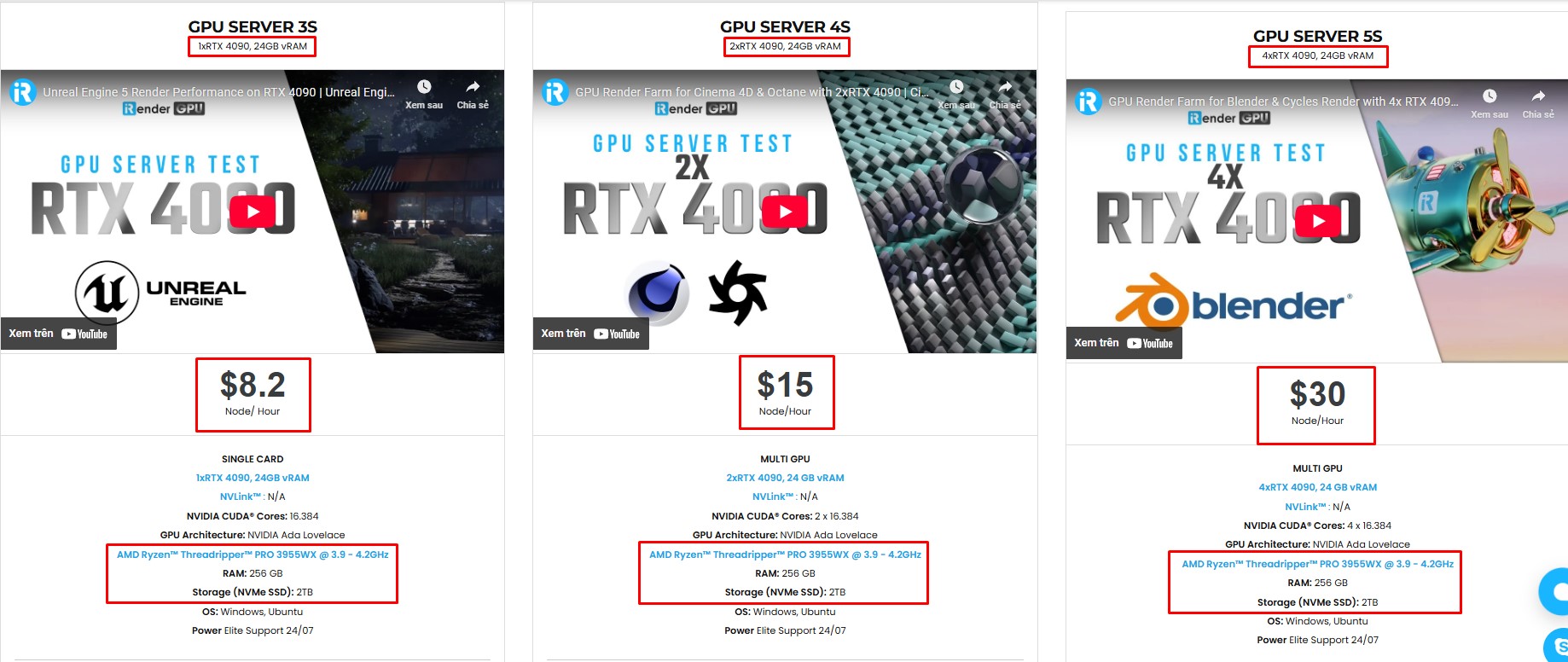
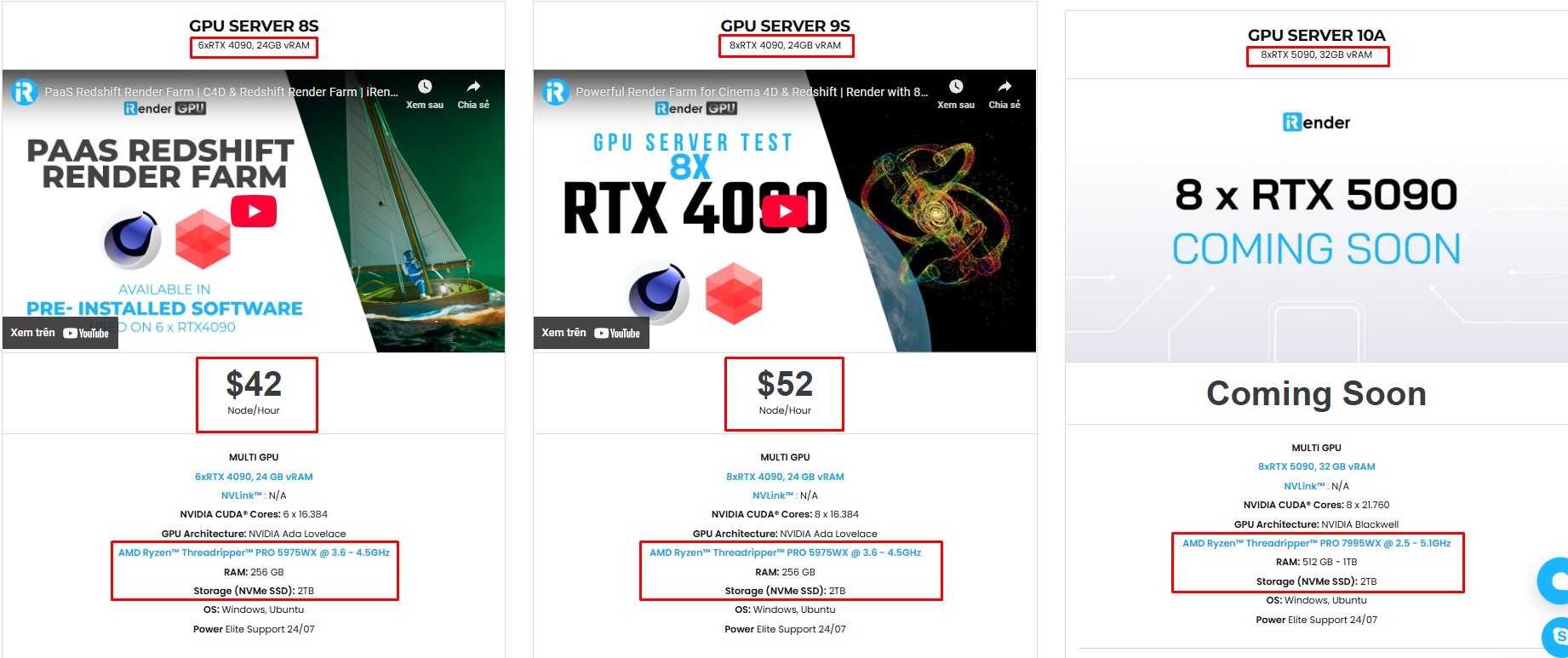
iRender supports all popular 3D software and render engines, including Octane. We give you access to high-performance GPUs, so you can render faster and more efficiently, no need to upgrade your own hardware. All servers are equipped with:
- AMD Ryzen™ Threadripper™ PRO 3955WX (3.9-4.2GHz) or
- AMD Ryzen™ Threadripper™ PRO 5975WX (3.6-4.5GHz)
- (1/2/4/6/8x) – RTX 3090/4090
- 256GB RAM
- 2TB NVMe SSDs
Why choose iRender?
Unlike other services, iRender lets you upload and download files without starting the server, saving you both time and money. We offer a Desktop app for Windows with a full feature set and a simple Drive app for macOS for easy file transfers. Here’s why iRender is a top choice for your rendering needs:
- 100% Software Support: We support all 3D software, their plugins, and render engines.
- Full Control: Our service will give you full control over the servers you rent. Therefore, you are free to create your own working environment.
- Go Green: We are committed to using 100% solar renewable energy towards environmental sustainability.
- Real-human 24/7 Support: Our professional support agents and technicians guarantee to bring you the best rendering experience.
Let’s see how C4D Octane performs on our server!

If you still wonder if this is the right place for your project, REGISTER NOW to get a trial and receive a 100% bonus promotion for your first transaction within 24 hours of registration with us.
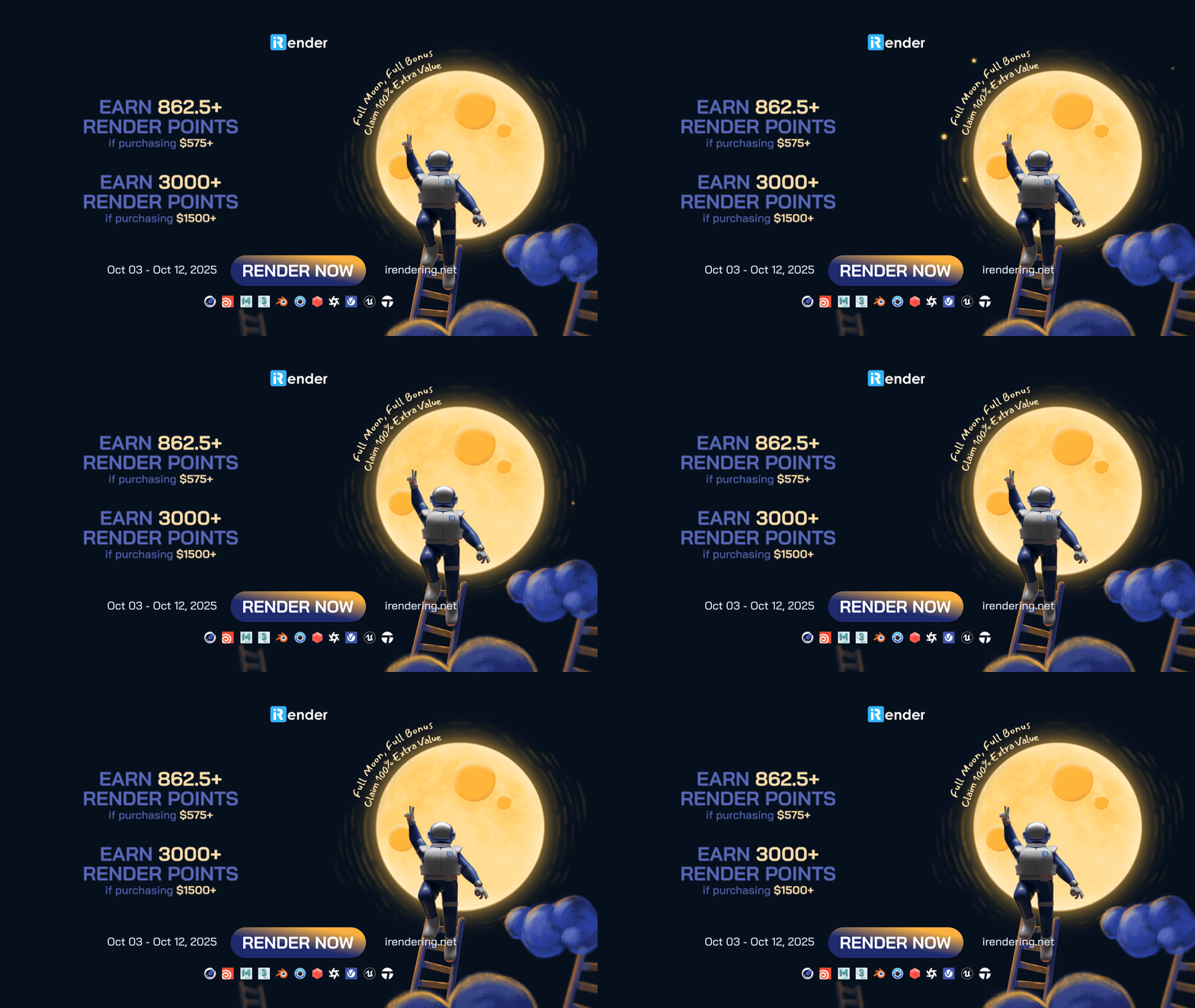
This October, let’s enjoy ‘Full Moon, Full Bonus – Claim 100% Extra Value’ with iRender!
For more detailed information, please contact us via Live chat 24/7 or WhatsApp: +(84) 912-785-500 or Email: [email protected]
iRender – Happy Rendering!
Related Posts
The latest creative news from Octane Cloud Rendering, Cinema 4D Cloud Rendering , Houdini Cloud Rendering , 3D VFX Plugins & Cloud Rendering.






