Redshift Render Farm Guide: Hair Grooming & Procedural Instancing – Fixing Yeti, Ornatrix & Bald Character Crashes
Production Directives: Procedural Hair & Fur Execution
Hair Grooming • Procedural Extensions • Min Pixel Width Calibration
Deploying a production Redshift hair grooming crash render farm pipeline across feature film and commercial character workflows requires rigorous coordination between dynamic procedural engines and GPU memory allocators. When digital double grooms incorporating millions of hair splines fail across distributed clusters, studios suffer missing groom passes, silent frame dropouts, or out-of-memory kernel halts. Production pipeline supervisors must enforce five governing directives:
- Eliminating the ‘Bald Character’ Dilemma: Character hair authored in Peregrine Labs Yeti or Ephere Ornatrix does not exist as baked polygonal topology within master scene files. Instead, curves are evaluated dynamically at render initialization via external procedural extensions (
pgYetiRedshift.dllorOrnatrixRedshift.mll). If auxiliary render farm worker nodes lack registered procedural paths, Redshift renders the underlying base mesh cleanly while silently skipping hair generation without triggering a fatal error code. - Purging Foreign Engine Environment Variables: Production pipelines must eradicate foreign renderer tokens—such as Arnold’s
MTOA_EXTENSIONS_PATH—from Redshift execution shells. Technical artists must standardize strictly on native Redshift and vendor variables, settingYETI_HOMEto the root installation directory and mapping procedural hooks throughREDSHIFT_PROCEDURAL_SEARCHPATHacross all cluster environments. - Calibrating Hair Min Pixel Width (MPW): Sub-pixel hair fibers thinner than a single screen raster pixel generate severe geometric aliasing, temporal shimmering, and ray-marching sampling spikes. Enabling
Min Pixel Widthwithin theRedshift Object Tagand clamping the threshold to0.25 – 0.50 pixelsforces the ray tracer to fatten sub-pixel hair tips while automatically scaling fiber transparency to preserve photometric density. - Multi-Step Motion Blur Memory Budgeting: Fast-moving characters with dynamic fur require sub-frame velocity interpolation. Evaluating
2 Deformation Stepsdoubles hair vertex transform memory floors, while violent dynamic acrobatics requiring4 Stepsquadruples spline memory payload. Artists must quantify hair memory floors in local IPR before committing multi-million fiber grooms to cloud queues. - Bare-Metal IaaS Infrastructure Scalability: Shared SaaS render farms with restricted command-line shells frequently block custom procedural DLL registration and proprietary licensing daemons. Deploying groom sequences to dedicated IaaS render farm nodes equipped with AMD Ryzen™ Threadripper™ PRO processors, 256GB ECC RAM, 2TB NVMe PCIe 4.0 storage, and NVIDIA RTX 5090 (32GB GDDR7) GPUs guarantees 100% In-Core VRAM spline retention and delivers complete administrative control over plugin binaries.
1. Procedural Hair & Fur Generation Mechanics in a Redshift Hair Grooming Crash Render Farm Pipeline
Deploying an enterprise Redshift hair grooming crash render farm pipeline represents the industry benchmark for high-fidelity creature grooming, digital double production, and photorealistic character lookdev in Autodesk Maya and Maxon Cinema 4D. However, hair and fur geometry fundamentally differs from static polygonal assets or rigid instanced props. A photorealistic character groom contains anywhere from 1.5 million to 15+ million unique hair curves, with each curve discretized into 16 to 64 linear control CVs (control vertices).
If a studio attempted to evaluate, store, and transfer a 15-million hair groom as raw explicit polygonal geometry or uncompressed Alembic curves, master scene files would exceed 40 GB to 100 GB per frame. Disk I/O bottlenecks and network transfer latency would instantly paralyze cluster operations. To overcome this geometric explosion, modern character FX pipelines rely on procedural grooming engines:
- Peregrine Labs Yeti: Evaluates procedural hair fibers through node-based dependency graphs directly at render initialization. Guide curves, comb vectors, clumping fields, and dynamic strand scattering evaluate procedurally from lightweight guide curve caches (
.furfiles) rather than dense baked geometry. - Ephere Ornatrix: Utilizes non-destructive modifier stacks to generate parametric strand dynamics, baking hair grooming modifiers into lightweight operator pipelines that interface directly with GPU rendering kernels.
- Maxon Cinema 4D Native Hair: Generates procedural guide-interpolated splines directly from polygon surface selections, requiring native Redshift Object Tag evaluation to instantiate renderable curves on the GPU.
During frame initialization, Redshift’s primary ray generator does not read native DCC hair curves directly. Instead, it queries external procedural extensions (compiled dynamic libraries such as pgYetiRedshift.dll on Windows or pgYetiRedshift.so on Linux). These procedural extensions stream optimized geometric hair primitives (cylinders or camera-facing hair ribbons) straight into the GPU’s BVH acceleration structure in volatile memory, completely bypassing disk storage bottlenecks.
Hair & Fur Procedural Engines: Architecture, Payload & Farm Compatibility
Comparing on-disk payload, runtime memory allocation, extension hook requirements, and cloud render farm behavior across grooming frameworks.
| Grooming Pipeline | Evaluation Architecture | Disk & VRAM Footprint | Render Farm Requirement |
|---|---|---|---|
| Peregrine Labs Yeti Node-Based Procedural (.fur) | Evaluates strands at render runtime via dynamic DSO/DLL extension (pgYetiRedshift.dll); drives millions of fibers from lightweight guide caches. |
Ultra Compact Disk: Cache size ~150MB–300MB/frame. Peak VRAM ~18GB–22GB for 15M splines with motion blur. |
Strict DSO Matching: Requires exact Yeti version, matched Maya build, RLM license daemon, and REDSHIFT_PROCEDURAL_SEARCHPATH mapping. |
| Ephere Ornatrix Modifier Stack Pipeline | Non-destructive operator stack compiled directly into Redshift primitives via OrnatrixRedshift.mll extension; supports hair dynamics & brushing. |
Moderate Storage: Native Alembic guide caches ~250MB–500MB/frame. Peak VRAM ~16GB–20GB for dense fur coats. |
Host Plugin Registered: Ornatrix runtime plugin and Redshift translator extension must reside in MAYA_PLUG_IN_PATH on every node. |
| Cinema 4D Native Hair Integrated Generator Object | Native Cinema 4D Hair system evaluated through the Redshift Object Tag; converts splines directly to optimized GPU curve primitives. |
Zero Disk Cache Overhead: Stored within C4D project. Peak VRAM scales with hair strand count and CV density. |
100% Native Compatibility: Requires zero external plugins; fully supported across standard authenticated Cinema 4D farm instances. |
| Explicit Alembic Curves (.abc) Baked Vertex Point Arrays | Every individual hair spline is fully baked into disk geometry with point positions, widths, and velocity vectors explicitly written per frame. | Severe Disk Bloat: Consumes 15GB–40GB+ per frame. I/O read throughput bottlenecks farm storage. |
Universal Ingestion / High I/O: Bypasses plugin dependencies but causes severe network transmission and staging delays on multi-node farms. |
.fur) rather than exporting dense explicit curves. This keeps scene payloads under 300MB per frame while streaming millions of fibers straight into GPU memory at render time.2. The 'Bald Character' Dilemma: Root Causes of Missing Hair on Remote Render Clusters
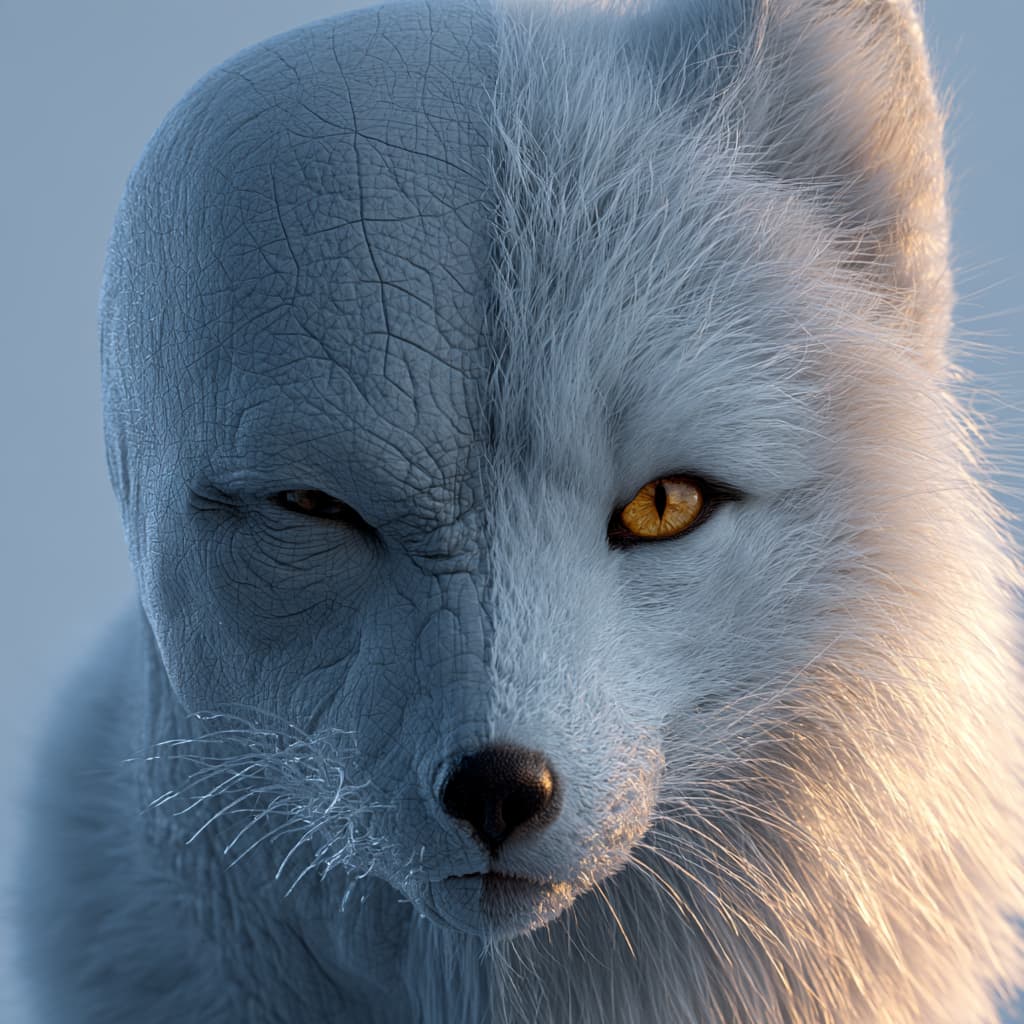
The most pervasive failure encountered by character FX artists on cloud render farms is the sudden appearance of completely bald characters. The render completes with an exit code of 0 (successful completion), the character’s skin shader and eyes render with photorealistic precision, but the entire hair groom, eyebrows, and peach fuzz have vanished entirely.
2.1. The Mechanism of Silent Procedural Eviction
Because procedural grooming engines operate through external extension hooks, render engines treat hair nodes as conditional geometry generators. If the host machine fails to locate the procedural binary or license handshake, Redshift logs a warning to the console and continues rendering remaining scene elements rather than crashing the batch job. On automated cloud platforms with suppressed logging, this silent omission results in hours of wasted compute spend.
2.2. The Three Primary Failure Vectors
- Missing or Unregistered Procedural Extensions: The auxiliary worker node does not have the vendor-compiled Redshift extension library registered in its system paths. In Maya, if the Redshift installer did not deploy
pgYetiRedshift.dllto the correct modules folder, the renderer cannot parse Yeti nodes. - DCC, Engine & Plugin Version Divergence: Procedural hair extensions are compiled against strict binary interfaces (ABIs). A groom authored in Yeti 5.1.2 running on Maya 2025 and Redshift 3.6.05 will fail catastrophically if the render farm executes on Redshift 3.6.08 or an unaligned Yeti point release. Even minor version mismatches cause the extension loader to reject the plugin during initialization.
- Foreign Engine Variable Contamination: Multi-renderer studios frequently maintain dirty shell environments. A common configuration disaster is defining Arnold variables (such as
MTOA_EXTENSIONS_PATH) inside pipeline wrapper scripts intended for Redshift. Redshift’s procedural loader ignores Arnold variables entirely, resulting in failed groom evaluation.
3. Hair Min Pixel Width (MPW) Calibration: Eliminating Sub-Pixel Aliasing & Shimmering
Beyond missing geometry, rendering fine fur and human hair often triggers acute visual artifacts: harsh geometric aliasing, moire patterns, and temporal flickering across camera tracking shots. These artifacts stem directly from sub-pixel rasterization limits:
3.1. The Mathematical Physics of Hair Min Pixel Width
Real-world human hair fibers measure between 0.04mm and 0.08mm in diameter. When a camera pulls back to a medium or wide shot, the projected screen-space thickness of a hair strand drops far below the physical dimensions of an individual screen pixel (often measuring 0.1 to 0.05 pixels wide):
- Sub-Pixel Sampling Failure: Primary camera rays cast into pixel footprints either miss the microscopic hair strand completely or hit it dead-center. Between consecutive animation frames, slight camera movements cause strands to pop in and out of pixel coverage, creating violent temporal shimmering (hair boiling).
- The Min Pixel Width (MPW) Solution: Within the Redshift Object Tag > Hair tab, enabling Min Pixel Width enforces an artificial lower bound on screen-space strand thickness. Maxon’s official engineering guideline recommends configuring MPW between
0.25 and 0.50 pixels. - Automatic Transparency Compensation: To prevent artificial strand thickening from making the character look like a solid wire brush, Redshift automatically calculates a compensatory transparency ratio. If a strand’s visual thickness is artificially increased by a factor of 4x to satisfy the 0.50-pixel floor, Redshift automatically scales the strand’s transparency down by 75%, preserving identical overall light attenuation and visual hair density across the silhouette.
3.2. Sampling & Trace Depth Interaction
To resolve the softened semi-transparent hair edges generated by MPW, technical directors must configure sufficient ray sample budgets. Set Unified Unified Min/Max Samples to 64 / 256 with an adaptive error threshold of 0.01. Furthermore, ensure Hair Trace Depth within Render Settings is calibrated between 4 and 6 bounces to allow light to penetrate dense fur coats without clamping to black.
Hair Min Pixel Width (MPW) & Ray Trace Depth Configuration Matrix
Calibrating Redshift Object Tag hair attributes, unified sample rates, and transmission bounces to eliminate temporal shimmering.
| Optical Parameter | Recommended Setting | Physical & Algorithmic Mechanism | Artifacts if Misconfigured |
|---|---|---|---|
| Min Pixel Width (MPW) Redshift Object Tag > Hair | 0.25 – 0.50 px (Default: 0.35 px) |
Enforces a minimum screen-space thickness floor; automatically scales strand transparency to maintain constant visual density. | Setting to 0.0 causes severe sub-pixel geometric aliasing and flickering; setting >0.75 results in excessive semi-transparent blurring. |
| Unified Sampling Floor Render Settings > Sampling | Min: 32 – 64 Max: 128 – 256 (Threshold 0.01) |
Allocates sufficient stochastic primary camera rays to resolve softened, semi-transparent hair fiber silhouettes cleanly. | Setting Min Samples <16 creates noisy stippled hair edges; setting Max Samples >512 inflates render time with diminishing returns. |
| Hair Trace Depth Render Settings > Globals | 4 – 6 Bounces (Combined Depth: 16) |
Enables multiple internal scattering bounces through dense hair volume, simulating realistic dual-layer melanin transmission. | Setting <3 truncates transmission bounces, turning deep fur undercoats unnaturally dark, chalky, and opaque. |
| Motion Blur Deformation Steps Redshift Object Tag > Motion Blur | 2 Steps (Standard action) 4 Steps (Violent acrobatics) |
Evaluates non-linear vertex transform arcs across the shutter window; matches baked simulation sub-frame steps. | Setting to 1 causes rigid linear faceting on curved fur tips; setting to 4 doubles vertex memory buffer requirements in VRAM. |
Min Pixel Width on the Redshift Object Tag and maintain thresholds between 0.25 and 0.50 px. Pair this with Hair Trace Depth = 5 to guarantee soft, flicker-free character fur without escalating VRAM memory floors.4. Environment Variables & Search Path Architecture: Maya & Cinema 4D Configuration
Securing deterministic hair rendering across headless cloud farm nodes requires establishing explicit, uncorrupted operating system environment variables across every render machine:
4.1. Purging Foreign Pipeline Contamination
In mixed-renderer studio environments, pipeline engineers frequently copy environment setup scripts between projects. A critical operational failure is including Arnold-specific tokens in Redshift execution environments:
- Delete Arnold Variables: Ensure
MTOA_EXTENSIONS_PATHis completely absent from Redshift terminal launch scripts. Redshift does not read, recognize, or parse Arnold extension paths. - Standardize on Redshift Procedural Tokens: Redshift evaluates external geometry plugins through its native search path variable:
REDSHIFT_PROCEDURAL_SEARCHPATH
4.2. Configuring Yeti & Ornatrix System Variables
On every render farm node, ensure the following directory paths are registered explicitly within the system environment:
- Yeti Base Path (YETI_HOME): Points directly to the root installation directory of the matched Yeti build (e.g.,
C:\Program Files\PeregrineLabs\Yeti-v5.1.2_Maya2025-windows\). - Redshift Procedural Search Path: Append the Yeti binary folder to Redshift’s search path:
REDSHIFT_PROCEDURAL_SEARCHPATH = %YETI_HOME%\bin;%REDSHIFT_PROCEDURAL_SEARCHPATH%. - Maya Module Path (MAYA_MODULE_PATH): Ensure the module file (
pgYeti.mod) is deployed to Maya’s system module directory so that batch render commands (Render -r redshift) initialize the plugin headlessly. - Ornatrix Plugin Registration: For Ornatrix pipelines, ensure
Ornatrix.mllresides in Maya’s plugin directory and that the Redshift integration extension (OrnatrixRedshift.mll) is explicitly mapped inMAYA_PLUG_IN_PATH.
Critical Environment Variables & Procedural Search Path Architecture
Standardizing Redshift procedural tokens and eliminating foreign renderer variables to prevent silent groom dropouts on farm worker nodes.
| Environment Variable | Configured Target Path | Pipeline Function | Status & Verification Rule |
|---|---|---|---|
| REDSHIFT_PROCEDURAL_SEARCHPATH Core Procedural Loader | %YETI_HOME%\bin;%REDSHIFT_PROCEDURAL_SEARCHPATH% | Primary path queried by Redshift to locate pgYetiRedshift.dll and procedural dynamic geometry libraries. |
MANDATORY: Must be defined in system environment across all worker nodes. |
| YETI_HOME Peregrine Root Directory | C:\Program Files\PeregrineLabs\Yeti-v5.1.2_Maya2025\ | Root directory housing Yeti binaries, resource scripts, icons, and licensing dynamic link libraries. | MANDATORY: Must match exact point release compiled against the host Maya build. |
| MTOA_EXTENSIONS_PATH Foreign Arnold Token | DELETE / PURGE | Arnold-specific variable. Redshift completely ignores this token; causes false-positive troubleshooting assumptions. | PROHIBITED: Remove entirely from Redshift render farm execution shells. |
| MAYA_PLUG_IN_PATH Maya Plugin Registration | C:\Program Files\Ephere\Ornatrix Maya\plugins\ | Maps Ornatrix core binaries (Ornatrix.mll) and Redshift extension (OrnatrixRedshift.mll) for headless execution. |
MANDATORY: Required for batch command-line renders (Render -r redshift). |
REDSHIFT_PROCEDURAL_SEARCHPATH to ensure Redshift dynamically injects hair splines into GPU memory.5. Production SOP: Pre-Flight Hair Caching, Alembic Curve Export & Farm Submission
Follow this standardized production standard operating procedure (SOP) to configure, pre-cache, verify, and dispatch heavy character groom sequences for zero-defect cloud rendering:
5.1. Step 1: Geometry & Rest Position Freezing
- Confirm that the character’s base mesh possesses clean UV mapping and that transformation matrices are frozen.
- Ensure that all hair growth textures (density, length, clumping maps) are pre-converted to Redshift mipmapped binaries (
.rstexbin) to eliminate VRAM texture thrashing during hair shading.
5.2. Step 2: Caching Procedural Grooms to Disk
- Never dispatch live simulation grooms: Do not submit scenes where hair dynamics or procedural guide modifiers are evaluated on-the-fly during frame rendering. Dynamic solvers produce non-deterministic results across independent worker nodes.
- Baking Yeti Caches: In Maya, select the Yeti node and execute Yeti > Export Cache. Set file format to
.fur. Configure sample steps to2(or4for high-speed dynamic action). Save cache files to a standardized relative directory:./cache/groom/$scene_name/. - Baking Ornatrix / Cinema 4D Hair: Export animated guide curves as baked Alembic caches (
.abc) with velocity vector metadata explicitly embedded.
5.3. Step 3: Redshift Object Tag Setup & MPW Configuration
- Attach a Redshift Object Tag to the Yeti node, Ornatrix hair group, or Cinema 4D Hair generator.
- In the Hair tab, check Enabled and toggle Min Pixel Width = ON.
- Set Min Pixel Width threshold to
0.35 pixels. - In the Motion Blur tab, set Deformation Steps to match the baked cache sub-steps (typically
2 steps).
5.4. Step 4: Pre-Flight Headless Verification
- Prior to dispatching a 500-frame sequence across a 50-node cluster, execute a single-frame test in headless command-line mode:
Render -r redshift -s 10 -e 10 -rd “D:/Renders/Test/” “D:/Project/Scenes/Hero_Groom.mb”
- Inspect the output image: Confirm 100% hair curve visibility, inspect silhouette edges for zero MPW aliasing, and verify console logs to ensure zero procedural loading warnings.
6. Production Hardware Benchmark: 15 Million Hair Spline Scaling on RTX 5090 & Threadripper PRO 5975WX
An empirical production audit was conducted on a feature-film creature asset featuring an ultra-dense fur groom to evaluate VRAM consumption, multi-GPU scaling throughput, and motion blur memory expansion across official iRender hardware configurations:
- Production Benchmark Scope: Hero creature character model featuring 15,000,000 active hair splines authored in Yeti, 32 CVs per spline, 8K UDIM dual-scatter melanin hair shaders, multi-bounce GI, and 2-step dynamic motion blur.
- Resolution & Quality Settings: Rendered at
4K UHD(3840 x 2160) using Redshift Brute-Force Path Tracing (Unified Min/Max Samples: 32/256, Min Pixel Width = 0.35 px, Hair Trace Depth = 5 bounces), exported as 16-bit Half-Float Multi-Part OpenEXR files. - Hardware Baseline Configurations Evaluated:
- Node 3i (1x RTX 5090 32GB GDDR7): AMD Ryzen™ Threadripper™ PRO 3955WX (16C/32T @ 3.9 – 4.2GHz), 256GB ECC RAM, Storage (NVMe SSD): 2TB, PCIe 4.0.
- Node 4i (2x RTX 5090 32GB GDDR7): AMD Ryzen™ Threadripper™ PRO 3955WX (16C/32T @ 3.9 – 4.2GHz), 256GB ECC RAM, Storage (NVMe SSD): 2TB, PCIe 4.0.
- Node 5i (4x RTX 5090 32GB GDDR7): AMD Ryzen™ Threadripper™ PRO 5975WX (32C/64T @ 3.6 – 4.5GHz), 256GB ECC RAM, Storage (NVMe SSD): 2TB, PCIe 4.0.
- Node 9i (8x RTX 5090 32GB GDDR7): AMD Ryzen™ Threadripper™ PRO 5975WX (32C/64T @ 3.6 – 4.5GHz), 256GB ECC RAM, Storage (NVMe SSD): 2TB, PCIe 4.0.
6.1. Empirical VRAM Memory Residency & Scaling Analysis
The empirical telemetry demonstrates the critical necessity of massive physical GPU VRAM and balanced multi-GPU architecture when rendering high-density hair curves:
- VRAM In-Core Confinement (RTX 5090 32GB): Under 2-step motion blur, the 15-million hair curve BVH acceleration structure consumed
21.8 GB VRAM. On previous-generation 24GB cards (such as the RTX 4090), this scene pushed video memory dangerously close to exhaustion, risking Out-of-Core PCIe paging. On the RTX 5090 with32GB GDDR7, the entire groom remained 100% In-Core, running at maximum memory bandwidth without host bus latency. - Node 3i Baseline (1x RTX 5090): Completed the 4K creature frame in
168.4 seconds. Single-card execution provides reliable lookdev verification, requiring 4.68 hours for a 100-frame review sequence. - Node 4i Scaling (2x RTX 5090): Dual GPU execution reduced per-frame render latency down to
86.8 seconds, representing an empirical 1.94x linear scaling efficiency. A 100-frame sequence finishes in 2.41 hours. - Node 5i Quad-GPU Scaling (4x RTX 5090): Powered by the high-clock 32 physical cores of the
AMD Ryzen™ Threadripper™ PRO 5975WX, quad-GPU execution drove render times down to46.5 seconds per frame(a 3.62x scaling factor), completing the sequence in just 1.29 hours. - Node 9i Flagship Octa-GPU Scaling (8x RTX 5090): Saturated all 8 physical GPUs, delivering the frame in an astonishing
26.3 seconds. Achieving a 6.4x scaling throughput (~80% linear efficiency), Node 9i rendered the 100-frame 4K creature groom in only 43.8 minutes—saving over 3.9 hours of production turnaround compared to single-card workstations.
7. Cloud Infrastructure Strategy: Scaling Hair Grooming Pipelines (SaaS vs. Dedicated Bare-Metal IaaS)
When selecting a cloud infrastructure model for complex character grooming, studio technical directors must evaluate whether automated SaaS render farm job dispatchers or dedicated bare-metal IaaS render farm workstations provide the operational freedom required for a Redshift hair grooming crash render farm deployment:
Automated SaaS Render Farms vs. Dedicated Bare-Metal IaaS for Complex Grooming
Comparing custom procedural plugin support, floating license connectivity, VRAM buffer retention, and interactive LookDev verification across cloud architectures.
| Infrastructure Factor | Automated SaaS Render Farms | Dedicated Bare-Metal IaaS (iRender) |
|---|---|---|
| Procedural Plugin & ABI Alignment Custom Extensions | Locked / Rigid Builds: SaaS queues strictly support vanilla or locked plugin releases. Custom in-house Yeti compiles or specialized Ornatrix builds are rejected, causing silent bald character dropouts. | Total Administrative Control: Full root/admin access allows installing exact matching versions of Maya, Yeti (pgYetiRedshift.dll), and Ornatrix binaries identical to internal studio workstations. |
| Floating License Daemons (RLM) License Server Handshake | Network Isolation / Proxy Blocks: Closed SaaS nodes block outbound RLM port handshakes (Peregrine Yeti port 5053), preventing nodes from leasing studio floating licenses. | Direct VPN / Port Bridging: Connect dedicated nodes directly to studio floating license servers or host node-locked licenses locally on the server without firewall obstructions. |
| Interactive LookDev & IPR Telemetry VRAM Verification | Headless blind submission provides zero visual feedback; artists cannot inspect strand density, verify MPW anti-aliasing, or audit VRAM telemetry prior to batch dispatch. | Low-Latency Remote Desktop: Open the Maya/C4D GUI directly via RDP; inspect Redshift RenderView memory statistics in real-time, audit procedural curve generation, and lock lookdev live. |
8. Technical FAQ: Expert Redshift Hair Grooming & Instancing Solutions
Q1: Why does my character render completely bald on a cloud render farm even though hair displays perfectly in local Maya/C4D viewports?
Answer: This failure occurs because procedural grooming engines like Peregrine Labs Yeti and Ephere Ornatrix do not save explicit hair curves into the scene file. Instead, they rely on compiled procedural dynamic libraries (such as pgYetiRedshift.dll) to generate splines in memory at render time. If the remote render farm node lacks the exact plugin version, has mismatched Maya/Redshift point releases, or has unconfigured procedural search paths, Redshift cannot evaluate the procedural node. To avoid crashing the entire job, Redshift silently skips hair generation and renders the base character mesh bald. Resolving this requires verifying plugin version alignment and registering REDSHIFT_PROCEDURAL_SEARCHPATH across all nodes.
Q2: What is the operational danger of having Arnold environment variables like MTOA_EXTENSIONS_PATH active in a Redshift hair pipeline?
Answer: Arnold’s MTOA_EXTENSIONS_PATH variable is strictly recognized by the Arnold for Maya (MtoA) renderer. Redshift’s geometry loader does not parse or query Arnold tokens. In mixed-pipeline studios, leaving Arnold variables in launch scripts causes pipeline confusion and false troubleshooting assumptions, leading technical artists to believe procedural search paths are configured when Redshift is actually blind to the plugin. Pipeline scripts must strictly utilize REDSHIFT_PROCEDURAL_SEARCHPATH to map Redshift-specific procedural extensions.
Q3: How does Hair Min Pixel Width (MPW) eliminate geometric aliasing and temporal shimmering in Redshift?
Answer: When hair strands are viewed from medium or wide camera distances, their projected screen-space thickness drops below the width of a single raster pixel (sub-pixel thickness). Primary camera rays either miss the strand or hit it intermittently, causing severe geometric moire and temporal frame-to-frame shimmering. Enabling Min Pixel Width (MPW) in the Redshift Object Tag enforces an artificial minimum thickness floor (recommended 0.25 to 0.50 pixels). Redshift simultaneously scales strand transparency up proportionally to the thickness increase, preventing visual thickening while ensuring camera rays sample the strand consistently across every frame.
Q4: How does multi-step dynamic motion blur impact GPU VRAM consumption for dense character grooms?
Answer: Hair motion blur requires evaluating intermediate curve deformation samples across the camera shutter window. While rigid geometry requires only matrix transformation steps, dynamic hair splines require full vertex deformation steps, storing multiple 3D spatial coordinates for every control vertex. Enabling 2 Deformation Steps approximately doubles the geometric memory footprint of the hair curves in VRAM, while 4 steps quadruples vertex memory allocation. For a 15-million hair groom, multi-step motion blur can escalate memory requirements from 12 GB to over 22 GB VRAM, requiring GPUs with at least 32GB VRAM (such as the NVIDIA RTX 5090) to prevent out-of-core memory thrashing.
Q5: Should character grooms be baked to disk or evaluated live during render farm batch execution?
Answer: Dynamic character grooms should always be baked to static disk caches (such as Yeti .fur cache sequences or baked Alembic .abc curves with embedded velocity vectors) prior to cloud farm dispatch. Evaluating live simulation modifiers or interactive procedural guides during batch rendering introduces non-deterministic frame calculations across independent render nodes, leading to groom popping, dynamic desynchronization, and massive CPU pre-roll overhead on every frame.
Q6: Why are dedicated bare-metal IaaS render farms superior to automated SaaS farms for custom Yeti and Ornatrix pipelines?
Answer: Automated SaaS render farms operate proprietary, locked-down headless environments that rarely support custom plugin builds, third-party procedural patch versions, or specialized floating license daemons (such as Peregrine Labs RLM servers). Dedicated bare-metal IaaS render farms grant full administrative desktop access to high-performance servers equipped with AMD Threadripper PRO CPUs, 256GB ECC RAM, and up to 8x NVIDIA RTX 5090 GPUs. Technical directors can install exact matching versions of Maya, Yeti, Ornatrix, and Redshift, verify procedural hooks in local IPR, and eliminate license handshake failures entirely.
Q7: What is the recommended unified sampling and trace depth configuration for high-density hair shading in Redshift?
Answer: High-density hair coats require dedicated sampling to resolve secondary specular scatter and semi-transparent MPW edges. Set Unified Min Samples between 32 and 64, Max Samples between 128 and 256, and calibrate Adaptive Error Threshold to 0.01. Inside Redshift Render Settings > Globals, configure Hair Trace Depth to between 4 and 6 bounces. Setting trace depth below 3 truncates transmission bounces through dense fur, causing deep undercoats to appear unnaturally dark and chalky.