
Top 5 best biased render engines in 2025
In our previous article, we explored the concept of biased vs unbiased rendering and analyzed the Top 6 best unbiased render engines in 2025. This week, let’s continue our journey by taking a closer look at the other side of the rendering spectrum: Top 5 biased render engines in 2025.
In brief, biased rendering employs approximations and shortcuts to expedite the rendering process. Unlike unbiased render engines that aim for physical accuracy, biased engines prioritize efficiency. They are ideal for quick turnarounds, client previews, and large-scale production workflows where time is of the essence. Now, let’s explore the top 5 biased render engines that are leading the way this year!
Top 5 best biased render engines in 2025
V-Ray

Image source: chaos.com
- Supported platforms: Windows, macOS, Linux
- Price:
-
- V-Ray Solo: €37.9/month; Billed annually €454.8
- V-Ray Premium: €54.9/month; Billed annually €658.8
- V-Ray Education: €11.17/month; Billed annually €134
V-Ray by Chaos is one of the most widely used biased render engines in the industry. It can deliver high-quality results at impressive speeds. V-Ray is a hybrid renderer, but many of its most-used settings are biased by default, providing a smart balance between speed and realism. 3D artists love V-Ray for its powerful toolset, flexibility, and integration with industry-standard software like 3ds Max, Maya, SketchUp, and Rhino.
V-Ray is especially powerful in the architectural field, where lighting and material realism are critical, as well as efficiency. With features like Light Cache, Adaptive Dome Light, and powerful denoising options, V-Ray makes it easy to meet deadlines without compromising image quality. With the price of €37.9/month, this isn’t a cheap price, but still worth the investment.
However, V-Ray can be daunting for beginners due to its complex setup and technical depth. It also requires significant computer resources to run efficiently, especially on large scenes or when using GPU rendering.
Redshift

Image source: maxon.net
- Supported platforms: Windows, macOS, Linux
- Price: €25.52/month or €306.27 Billed Annually
If speed is your top priority, Redshift should be high on your list. As a fully GPU-accelerated biased renderer, Redshift delivers blazing-fast results without sacrificing flexibility. It is widely used in motion graphics, VFX, and animation. Developed by Maxon, its compatibility with Cinema 4D and other software in the ecosystem is a big plus. Redshift also works well with Houdini, ensuring a smooth workflow.
Redshift’s intelligent sampling, out-of-the-box memory management, and highly customizable shader network are perfect for studios that need fast turnaround times and intense creativity. However, the steep learning curve can overwhelm beginners, but the performance is well worth it.
FStorm

Image source: fstormrender.com
- Supported platforms: Windows (3ds Max only)
- Price:
-
- FStormRender for 3ds Max: $30/month
- FStormRender Network: $10/month
FStorm is a biased render engine that has built a loyal community in the market, especially in architectural visualization. Built exclusively for 3ds Max, FStorm delivers superior photorealistic effects without much effort. Its biased path tracing engine is optimized for both speed and aesthetics. 3D artists can easily achieve natural lighting and materials without being hindered by technical complexity.
One of FStorm’s main strengths is its intuitive user interface. Many users praise the ease of getting stunning results right out of the box, with little tweaking required compared to more complex tools. The render engine also excels at creating soft, realistic lighting, smooth color transitions, and rich reflections, which are a must for high-end interior and exterior renders. The cost of around $30/month is also reasonable, even for freelancers and small studios. However, being available only for 3ds Max on Windows is also a drawback that hinders its popularity.
Iray
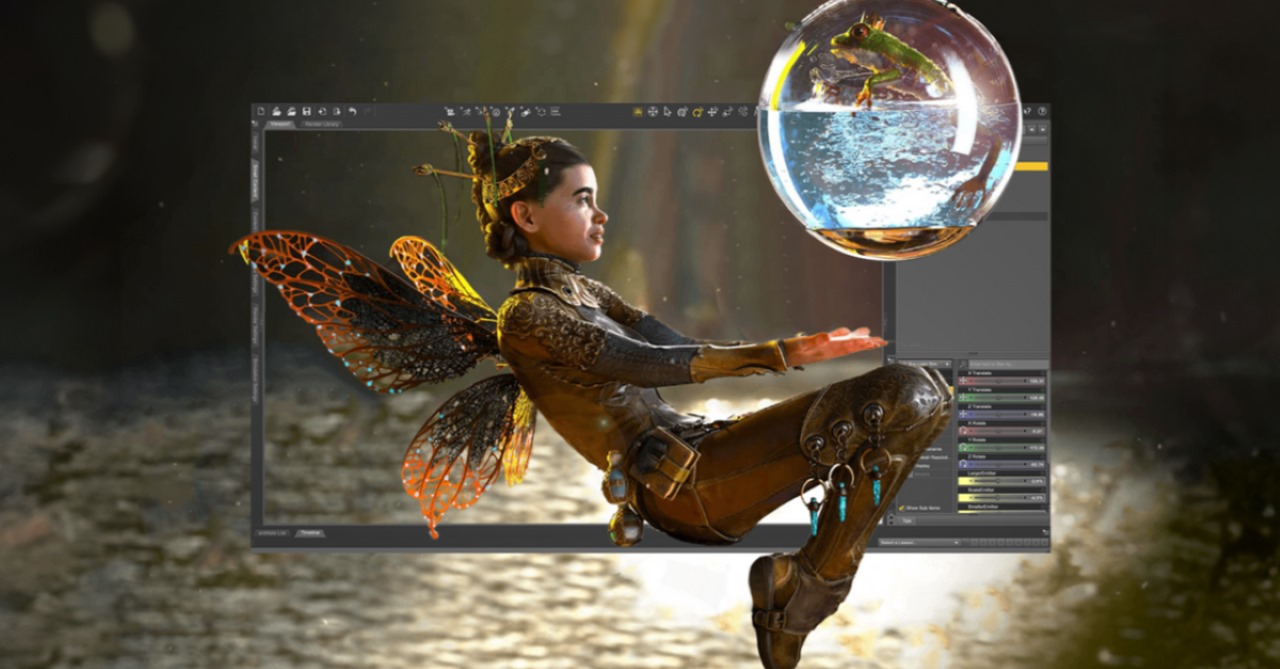
Image source: ArtStation
- Supported platforms: Windows, Linux
- Price: Free in bundle with compatible software (e.g., Omniverse, 3ds Max, Dassault tools)
NVIDIA Iray is a GPU-accelerated, biased rendering engine that delivers fast, realistic results with minimal setup. It integrates seamlessly with a number of professional platforms such as Dassault CATIA, Substance 3D, and NVIDIA Omniverse, making it a popular engine for industrial design, product visualization, and engineering workflows.
Iray stands out for its real-time feedback and intuitive rendering experience. 3D artists can interactively adjust lighting, materials, and cameras while getting near-real-time quality renders with CUDA and RTX boosts. However, Iray does have some limitations. It offers less control over render settings and fewer advanced customization options. Iray is also more specialized, primarily designed for use within specific software ecosystems.
KeyShot

Image source: Yanko Design
- Supported platforms: Windows, macOS
- Price:
-
- KeyShot Studio Professional: $99/month or $1,188/ year (billed yearly)
- KeyShot Studio VR: $99/month
- KeyShot Studio Web: $39/month
- Network Rendering: From $32/month
- NX Plugin: $29/month
KeyShot is the go-to biased render engine for anyone who wants fast, beautiful results without the technical complexity. It is a fully automated render engine that relies on pre-computed global lighting and simple lighting models to produce high-quality images quickly. KeyShot is popular in industries such as product design, packaging, jewelry, and marketing.
One of KeyShot’s greatest strengths is its user-friendly interface. Simply drag and drop materials, adjust lighting with simple sliders, and see the results instantly in a real-time preview window. KeyShot also supports a wide range of CAD file formats (SolidWorks, Rhino, Creo, etc.). However, KeyShot’s downside is that it is not suitable for complex animation or VFX workflows, and does not offer the same level of control and scalability as Redshift or V-Ray.
Which biased render engine should you use in 2025?
The best biased render engine for you depends largely on your workflow, hardware, and the type of projects you tackle.
If you work in architecture or interior design, V-Ray and FStorm are top choices, as they are optimized for photorealistic rendering and deliver efficient rendering without sacrificing quality. For motion graphics or animation, speed is key, and Redshift’s fast GPU rendering capabilities provide excellent quality control and performance.
In product or industrial design, KeyShot and Iray stand out. They offer simple, streamlined workflows with high-quality images and minimal technical setup. If you’re sticking with 3ds Max and need fast, realistic rendering without too much editing, FStorm is a powerful tool, especially for freelancers and small teams.
Also, don’t forget to consider hardware as GPU-intensive engines like Redshift or Iray work well on powerful GPU cards, while engines like KeyShot are easier to use and can still work well on modest systems.
Can I use all these render engines with iRender’s powerful servers?
The answer is definitely YES.
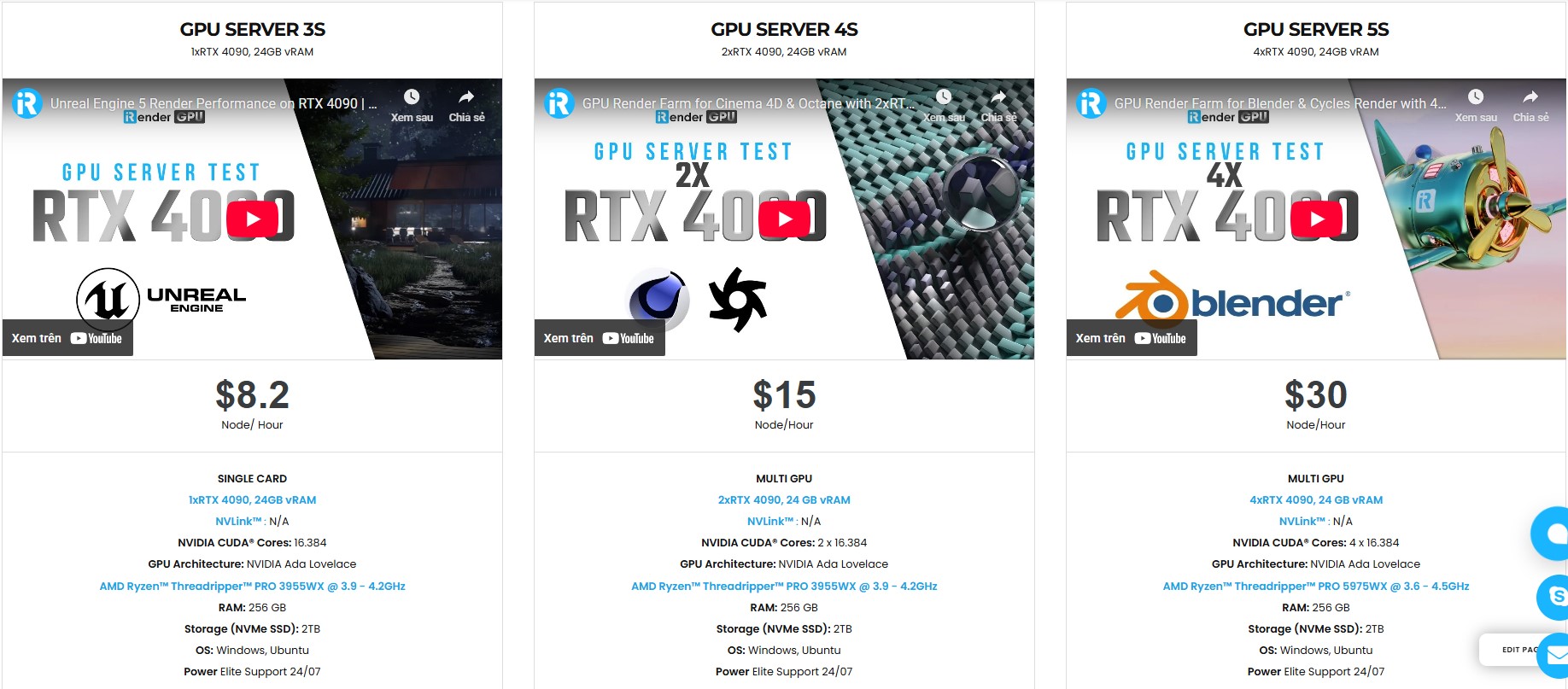
iRender fully supports all software and render engines like V-Ray, Redshift, FStorm, Iray, KeyShot, and more. With over 1000+ powerful GPU nodes (single to multi RTX 4090), iRender is built to handle everything from personal projects to high-volume studio workloads. From freelancers to small teams and large production studios, we give you the scalability, speed, and freedom to bring your creative vision to life without compromise.
All servers are equipped with:
- AMD Ryzen™ Threadripper™ PRO 3955WX (3.9-4.2GHz) or
- AMD Ryzen™ Threadripper™ PRO 5975WX (3.6-4.5GHz)
- Single to multi – RTX 4090
- 256GB RAM
- 2TB NVMe SSDs
Why choose iRender?
Unlike other services, iRender lets you upload and download files without starting the server, saving you both time and money. We offer a Desktop app for Windows with a full feature set and a simple Drive app for macOS for easy file transfers. Here’s why iRender is a top choice for your rendering needs:
- 100% Software Support: We support all 3D software, their plugins, and render engines.
- Full Control: Our service will give you full control over the servers you rent. Therefore, you are free to create your own working environment.
- Go Green: We are committed to using 100% solar renewable energy towards environmental sustainability.
- Real-human Live Support: Our professional support agents and technicians guarantee to bring you the best rendering experience.
Let’s see our latest performance test on our servers, you’ll definitely see the difference!


If you still wonder if this is the right place for your project, REGISTER NOW to get a trial and receive a 100% bonus promotion for your first transaction within 24 hours of registration with us.

For more detailed information, please contact us via Live chat 24/7 or WhatsApp: +(84) 912-785-500 or Email: [email protected]
iRender – Your Renders, Your Rules!
Related Posts
The latest creative news from Cinema 4D Cloud Rendering , V-Ray Cloud Rendering , Redshift Cloud Rendering, Octane Cloud Rendering, 3D VFX Plugins & Cloud Rendering.






