
How to Fix the ‘msvcp140_1.dll Was Not Found’ Error When Installing D5 Render?
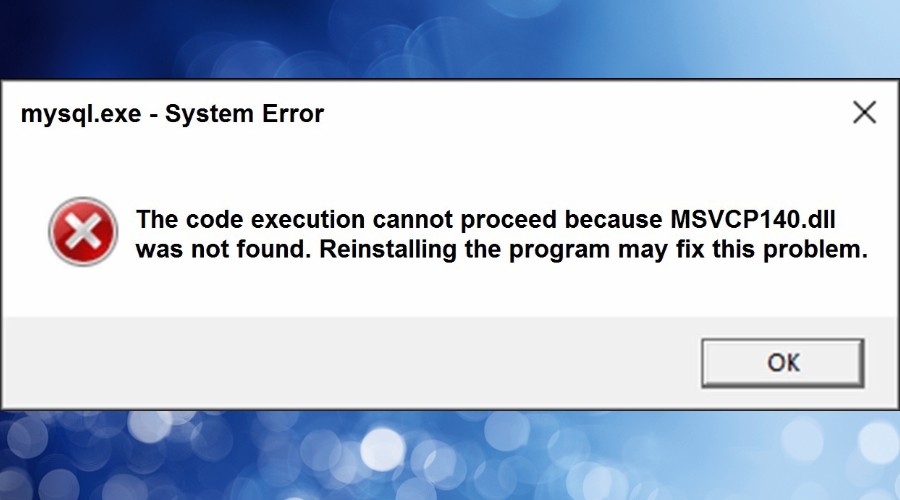
If you’ve tried installing D5 Render and encountered an error stating “msvcp140_1.dll was not found”, don’t worry – this is one of the most common Windows system errors for 3D artists and renderers. The issue doesn’t come from D5 itself, but from a missing or outdated Microsoft Visual C++ Redistributable package that D5 Render depends on. Let’s break down with iRender what this error means and how to fix it quickly so you can get back to rendering your scenes.
What Does “msvcp140_1.dll Was Not Found” Mean?
D5 Render, like most modern 3D and rendering software (such as Lumion, Unreal Engine, or Blender), relies on Microsoft’s Visual C++ runtime libraries to run properly.
The file msvcp140_1.dll is part of the Microsoft Visual C++ Redistributable for Visual Studio 2015–2022. If this file is missing, corrupted, or outdated, Windows can’t run programs that depend on it, which triggers the “DLL not found” error.
Why does the Error Happen?
Here are the most common reasons behind it:
- Visual C++ Redistributable is not installed
You may not have the required C++ runtime libraries on your system yet.
- Corrupted system files
A damaged DLL or incomplete Windows update can cause the error.
- 64-bit vs 32-bit mismatch
Installing only one version (x64 or x86) while D5 Render needs both can lead to missing dependencies.
- Third-party cleaners or antivirus removal
Sometimes, aggressive cleanup tools or antivirus programs mistakenly delete shared system files, such as DLLs.
Step-by-step solution
-
Download the Visual C++ Redistributable:
- Go to the Microsoft download page for the latest supported Visual C++ Redistributables.
- Download both the x86 (32-bit) and x64 (64-bit) versions of the package for the Microsoft Visual C++ 2015-2022 Redistributable.
-
Install the packages:
- Run the downloaded installers.
- Follow the on-screen prompts to install both versions.
-
Restart your computer:
- After the installation is complete, restart your PC to ensure the changes are applied.
-
Retry D5 Render installation:
- Once your computer has restarted, try reinstalling D5 Render again.
Conclusion
The “msvcp140_1.dll was not found” error may stop your D5 Render installation, but it’s usually an easy fix once you reinstall the correct Microsoft Visual C++ Redistributable packages. After following the steps above, your system should be ready to launch D5 Render smoothly and handle real-time rendering tasks without issues.
If your workstation still struggles with performance or compatibility, you can skip the hardware limitations altogether by rendering on the iRender servers. iRender provides powerful RTX GPU servers optimized for D5 Render, allowing you to start rendering instantly without worrying about local setup errors, missing DLLs, or driver conflicts.
Render Faster and Smarter with D5 Render on iRender
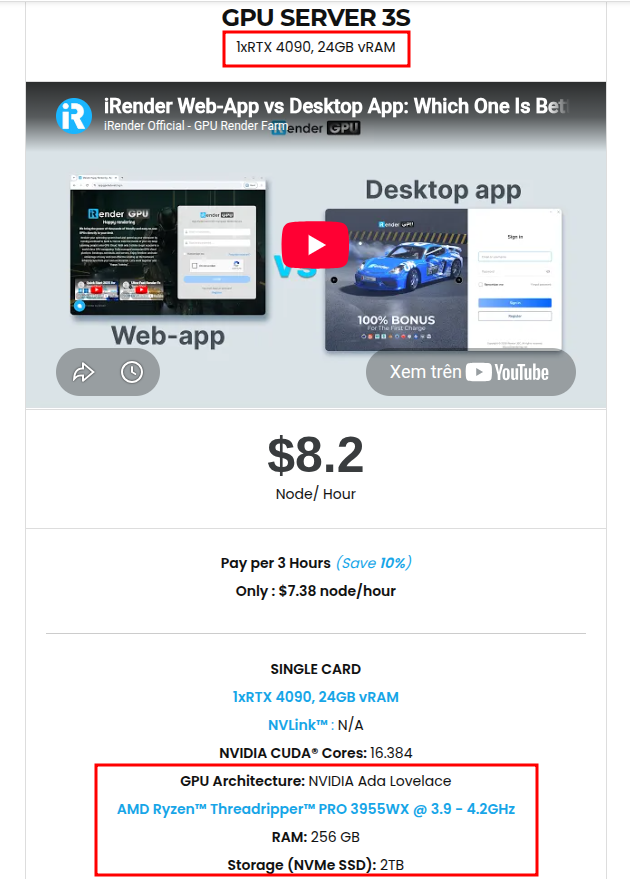
iRender is proud to be one of the best GPU service providers on the market. We provide you with high-configuration models with advanced specifications such as AMD Ryzen™ Threadripper™ PRO 3955WX @ 3.9 – 4.2GHz or AMD Ryzen™ Threadripper™ PRO 5975WX @ 3.6 – 4, 5GHz, 256GB RAM, 2TB NVMe SSD storage.
Under the IaaS (Infrastructure as a Service) model you will have full control over the machine via a remote desktop app, similar to Teamviewer but more stable. You will be able to proactively install the software and use it on the server just like using a personal computer. You can find many server packages with high-end configurations that are extremely suitable for complex projects.
With D5 render, our famous single RTX4090 package is one of the most powerful and reasonable packages
We’re always happy to help you with any questions. If you have any problems or questions, don’t hesitate to contact our support team. Or via Whatsapp: 0912 785 500 for free advice and support.
Right now iRender has a SPECIAL PROMOTION program with a 100% bonus for the first transaction within 24 hours of your registration. It means that you can get an extra 100% of the money you recharged the first time. And points never expire, so you can use them at any time.
Sign up for an account today to experience and enjoy our services.
Thank you & Happy Rendering!
Source and image: d5render.com

Related Posts
The latest creative news from D5 Render Cloud Rendering





