
iRender Video Collection 2025: Must-Watch Tutorials for 3D Artists
Want to level up your Cinema 4D animation? We’ve rounded up some of our favorite tutorials to show you how to create eye-catching effects. Each video in the iRender Video Collection 2025 takes you step-by-step and helps you make the most out of C4D. All in one place, so you can jump in and learn anytime.
Abstract Ribbons with Cloth Simulation
Kicking off this collection, we’ll start with a C4D Octane tutorial on how to create smooth abstract ribbons using cloth simulation. This step-by-step guide to help you bring fluid, lifelike motion to your projects with a clean, eye-catching look.

Painting in Motion with Particles System
Next is a Cinema 4D tutorial inspired by Van Gogh’s Starry Night. This guide shows you how to turn a classic masterpiece into a dynamic animation using Cinema 4D’s powerful new Particles system.

Cymatics Simulation with Formula Field
In this tutorial, we’ll explore how to create mesmerizing cymatics-inspired patterns using the Formula Field in Cinema 4D and render them beautifully with Octane.

Mutual Pursuit Curves with Scene Nodes
Explore the fascinating concept of pursuit curves. A mutual pursuit curve represents the trajectories of points as they chase each other at a constant speed. Let’s recreate these mutual pursuit curves in 2D and 3D using the Scene Nodes in Cinema 4D.

Quilling Art Style with Scene Nodes
Learn how to simulate the beautiful and intricate Quilling Art Style using the Scene Nodes in Cinema 4D. Using these Quilling spirangles to form a wide variety of subjects, such as this colorful bird.

Differential Mesh Growth with Scene Nodes
In this tutorial, let’s explore Differential Mesh Growth, an exciting way to simulate staged surface development using Scene Nodes in Cinema 4D.

Fibonacci Lattices with Scene Node
The Fibonacci sequence is not only a fundamental concept in mathematics but also appears extensively in life and, especially, in nature. We’ll recreate this beautiful natural pattern by building a Fibonacci grid simulation using the Scene Nodes system in C4D.

Abstract Knot Patterns with Scene Node
In daily life, knots are everywhere. Whether you’re tying a necktie or lacing up your shoes, knots are something we’ve all encountered. In this tutorial, we’ll show you how to create a torus knot using Scene Nodes in Cinema 4D and how to add custom patterns to make it visually striking.

Rhombic Spirallohedron with Scene Node
Russell Towle, a Canadian computer specialist and geometry enthusiast, described an interesting surface which he called the spirallohedron. Towle proved that among the n-armed spirallohedra generated this way, those with n = 3 and n = 4 can tile space without gaps or overlaps. We’ll recreate a version of the spirallohedron right inside Cinema 4D, using the Scene Nodes system.

How to Make Painting in Motion with Particle Node Modifier?
Do you know Edvard Munch, a Norwegian Symbolist painter and one of the pioneers of Expressionism? His 1893 work “Skrik”, better known as The Scream, is really popular. In this tutorial, we will feel the “Scream” from Munch’s heart in a whole new way through C4D and Particle node modifier.

iRender - The best render farm for your projects
The best part? Every Cinema 4D tutorial here is tested and rendered on iRender, so you can see the workflow in action.
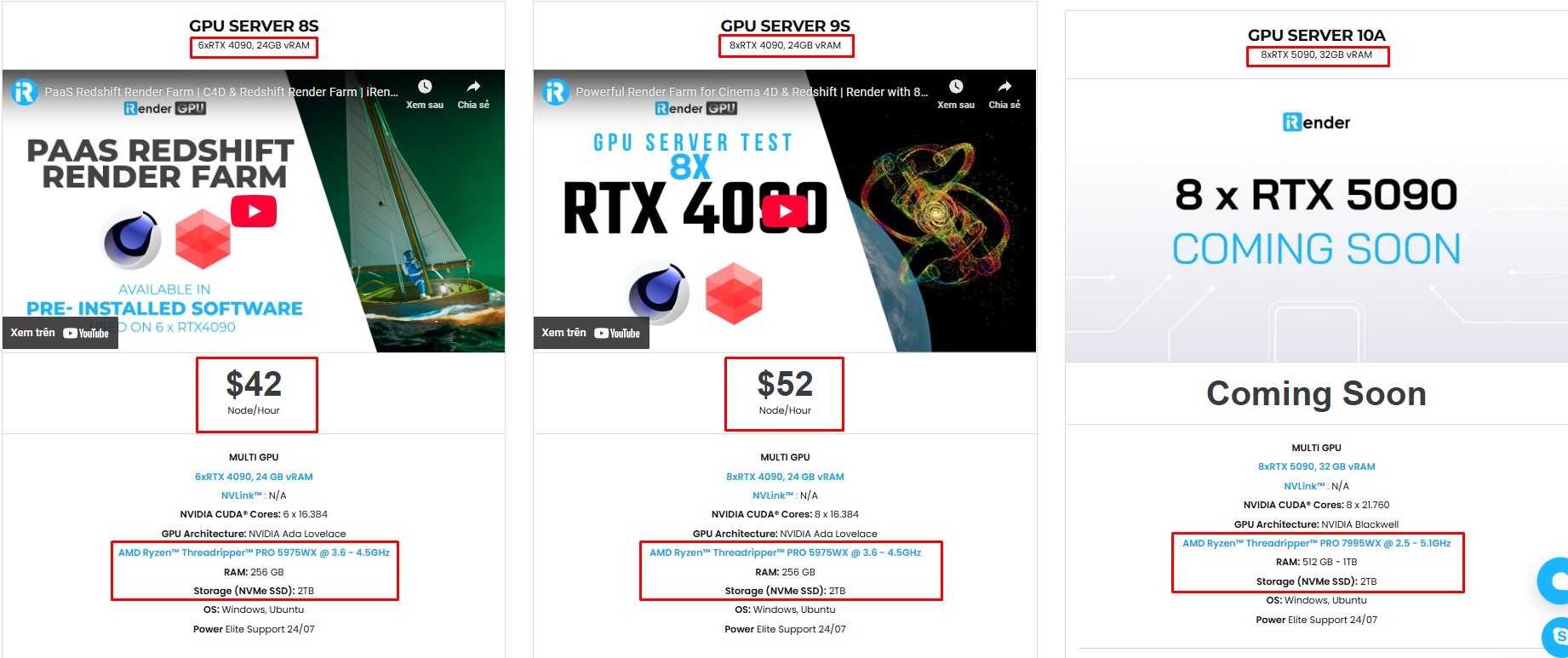
iRender isn’t just for Cinema 4D, we also support all popular 3D software and render engines. We give you access to high-performance GPUs, so you can render faster and more efficiently, no need to upgrade your own hardware. All servers are equipped with:
- AMD Ryzen™ Threadripper™ PRO 3955WX (3.9-4.2GHz) or
- AMD Ryzen™ Threadripper™ PRO 5975WX (3.6-4.5GHz)
- (1/2/4/6/8x) – RTX 3090/4090
- 256GB RAM
- 2TB NVMe SSDs

Why choose iRender?
Unlike other services, iRender lets you upload and download files without starting the server, saving you both time and money. We offer a Desktop app for Windows with a full feature set and a simple Drive app for macOS for easy file transfers. Here’s why iRender is a top choice for your rendering needs:
- 100% Software Support: We support all 3D software, their plugins, and render engines.
- Full Control: Our service will give you full control over the servers you rent. Therefore, you are free to create your own working environment.
- Go Green: We are committed to using 100% solar renewable energy towards environmental sustainability.
- Real-human 24/7 Support: Our professional support agents and technicians guarantee to bring you the best rendering experience.

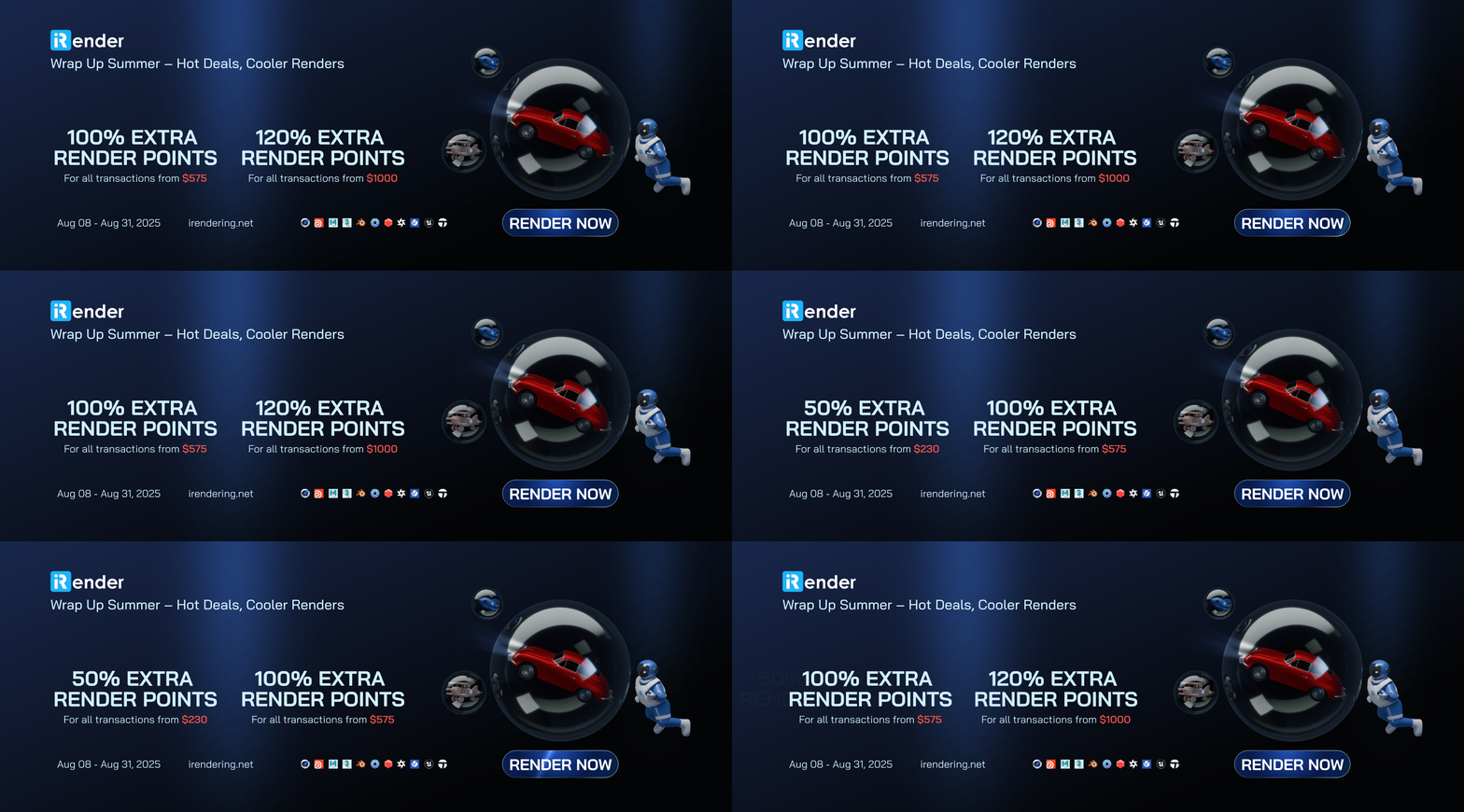
If you still wonder if this is the right place for your project, REGISTER NOW to get a trial and receive a 100% bonus promotion for your first transaction within 24 hours of registration with us.
This August, let’s wrap up summer and enjoy exclusive up to 120% bonus points!
For more detailed information, please contact us via Live chat 24/7 or WhatsApp: +(84) 912-785-500 or Email: [email protected]
iRender – Happy Rendering!
Related Posts
The latest creative news from Cinema 4D Cloud Rendering , 3D VFX Plugins & Cloud Rendering.





