
Karma XPU on a Cloud Render Farm: Why Driver and CUDA Setup Decides Everything
Karma XPU is not a difficult renderer. It is a hybrid renderer. XPU wants a working CPU, a working NVIDIA GPU, and a driver and CUDA environment that match the Houdini build it lives in. Services that hand you a preconfigured node give you no way to control that last part, which is why the same scene runs on one service and fails on another.
Let’s explore more details in this blog today!
Why is Karma XPU so particular about the machine it runs on?

Image Source: Side FX
Because it runs on two kinds of hardware at once, and the GPU half only works if the software stack underneath it lines up.
SideFX describes XPU as an engine “that makes use of both CPU and GPU resources simultaneously.” That is the whole design. It is not a GPU renderer with CPU fallback bolted on, and it is not a CPU renderer that offloads some work. Both carry load on the same frame. There is even a documented failover: if one fails, for example a GPU running out of memory, the other including the CPU pick up the load and finish the frame.
A pure CPU renderer needs cores and memory, and the operating system provides both. XPU adds a second requirement layer. Its GPU side runs through NVIDIA’s OptiX, which sits directly on top of the NVIDIA driver and CUDA stack. When it is the wrong version, it is slow.
What XPU needs from the environment
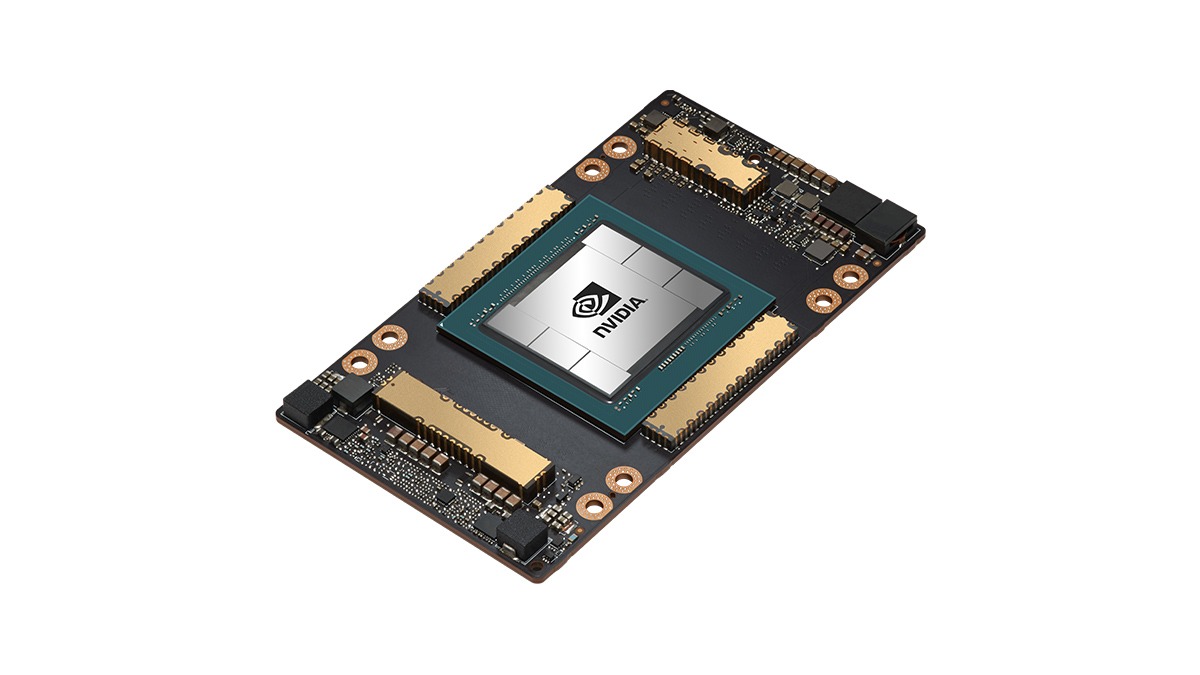
An NVIDIA GPU with sufficient compute capability: The documentation asks for Compute Capability 5.0 (Maxwell) or higher. Machines without an NVIDIA GPU, Apple Silicon included, fall back to the Embree CPU device only, which means no GPU acceleration at all.
A driver version the build supports: XPU asks for driver version 570 or later, with 575 or later strongly recommended on Windows and 580 or later strongly recommended on Maxwell, Pascal and Volta GPUs.
A capable CPU: Since XPU renders on both devices at once, a machine with a strong GPU and a weak CPU is unbalanced for this renderer specifically. You are paying for one half of a hybrid.
Enough VRAM on a single card: Each GPU is addressed separately and memory is not pooled across cards. Adding a second GPU does not give you a larger memory space for a heavy scene.
Where managed render farms hit a wall
Under the job submission model, you upload a scene and a cluster of preconfigured machines renders frames and sends them back. The cluster is standardised on purpose, because standardisation is what makes it cheap and reliable at scale. You do not install a driver. You do not select a CUDA version. Those choices belong to the operator, and for most CPU rendering work that is a great feature.
Two consequences follow for XPU. First, if the cluster’s driver stack does not match what your Houdini build wants, there is no action available to you. You cannot fix from the outside a problem that lives in the machine image. Second, many managed farms are built and tuned primarily around CPU rendering, so a GPU partition suited to XPU may simply not exist on the service, or may exist in a configuration nobody validated against Houdini.
Under the whole machine rental model, you rent the machine itself, you install Houdini and the driver you need, and the environment becomes yours to control and yours to get right.
| Karma XPU requires | Why it matters | Whole machine rental (IaaS) | Job submission (SaaS) |
| NVIDIA GPU for OptiX | XPU’s GPU device runs through OptiX | You choose a configuration with the GPU you want | Depends on the cluster; many are optimised for CPU |
| Matching driver and CUDA version | The wrong version means the device never initialises | You install and verify it yourself | Not under your control |
| A capable CPU | XPU is hybrid and loads the CPU too | Yes | Usually yes |
| Enough VRAM on one card | Memory is not pooled between cards | Choose the card by scene requirement | Fixed by the cluster configuration |
| Kernel compile time at startup | Compiled per system and GPU, not shareable | Save a machine image to avoid repeating it | Hard to optimize |
Setting up XPU on a machine you control
There are fours steps you should notice:
- Check the driver version against the requirements for your Houdini build. Do this before anything else, because everything downstream fails silently if it is wrong.
- Render a single test frame and confirm the device is recognised. One frame, not a sequence. This is the cheapest possible verification.
- Read the render log and confirm XPU is using the GPU. A misconfigured setup often keeps rendering on CPU alone without any obvious error. The log is where that shows up.
- Save a machine image once everything works. This is what turns a working setup into a repeatable one, and it is what stops you paying for the same installation and the same kernel compile on every future session.
Use iRender when you actually need both CPU and GPU for Karma XPU
At iRender you rent the whole machine. You can take an RTX 4090 24GB configuration, install the exact Houdini build and driver your pipeline uses, render one test frame to confirm the device is recognised, and save the machine as an image so later sessions start from a working state with the kernel cache already warm.
A remote RTX 4090 with 24GB VRAM and 256GB RAM provides more headroom for memory-heavy renders, while full machine access lets you install the same software, plugins, and versions used in your project.
Available configurations include:
- CPU: AMD Ryzen™ Threadripper™ PRO 3955WX (3.9-4.2GHz) and AMD Ryzen™ Threadripper™ PRO 5975WX (3.6-4.5GHz)
- GPU: 1/2/4/6/8 RTX 4090/5090
For new users, iRender currently offers a 100% bonus on the first deposit within 24 hrs of registration, giving you additional rendering credits to get started with larger projects.
Let’s watch the tutorial video to see how our service works:

FAQ
- Can I render Karma XPU on a render farm?
Yes, provided the service can give you the environment XPU needs. Karma XPU is a hybrid renderer that uses CPU and GPU at the same time, and its GPU side requires an NVIDIA card with a driver and CUDA version compatible with your Houdini build.
- What driver does Karma XPU need?
Current SideFX documentation asks for driver 570 or later, with 575 or later strongly recommended on Windows and 580 or later strongly recommended on Maxwell, Pascal and Volta GPUs, on a GPU with Compute Capability 5.0 or higher.
- Why is Karma XPU slow to start on a new machine?
Because the renderer compiles programs for execution on the GPU when it starts, and those kernels are compiled to very specific system and GPU specifications, so they cannot simply be copied between machines. Initial compilation can take one to two minutes, and a complete pre-compile of all render kernels can run for hours.
Maximum Speed – Absolute Freedom
Related Posts
The latest creative news from Houdini Cloud Rendering , 3D VFX Plugins & Cloud Rendering.





