
NVLink vs SLI: Understanding the Differences in NVIDIA multi-GPU configurations
In the quest for more GPU power, NVIDIA has offered two major technologies: NVLink vs SLI. At first glance, both seem like tools to simply “add more GPUs,”. However, they operate in very different ways. SLI is the veteran of gaming rigs, while NVLink is the modern architecture built for data-heavy, AI-driven workloads.
This blog will discuss the differences, showing how NVIDIA’s approach to multi-GPU systems has evolved. For more details, please check out the blog with iRender!
What is SLI?
SLI (Scalable Link Interface) is NVIDIA’s older multi-GPU technology designed to link two or more graphics cards together to work in parallel—mainly for gaming and 3D rendering. Introduced in 2004, SLI allowed GPUs to share the workload and render frames more efficiently, often using techniques like Alternate Frame Rendering (AFR) or Split Frame Rendering (SFR). The goal was to boost performance by combining the power of multiple cards.
How SLI Works
SLI enables the simultaneous use of two or more NVIDIA graphics cards in a compatible motherboard. These GPUs share the rendering workload for 3D graphics, improving overall performance, especially in graphically demanding applications like video games. To enable SLI, the graphics cards must be physically connected using an SLI bridge, a small connector that facilitates communication between the GPUs.
Rendering Modes:
- Alternate Frame Rendering (AFR): In this mode, each GPU takes turns rendering frames. For example, one GPU renders frame one, and the other GPU renders frame two, which helps achieve higher frame rates.
- Split Frame Rendering (SFR): In this mode, each frame is divided into sections, with each GPU rendering a portion of the frame. This can lead to smoother performance, particularly in scenarios with complex graphics.

What is NVLink? How does it work?
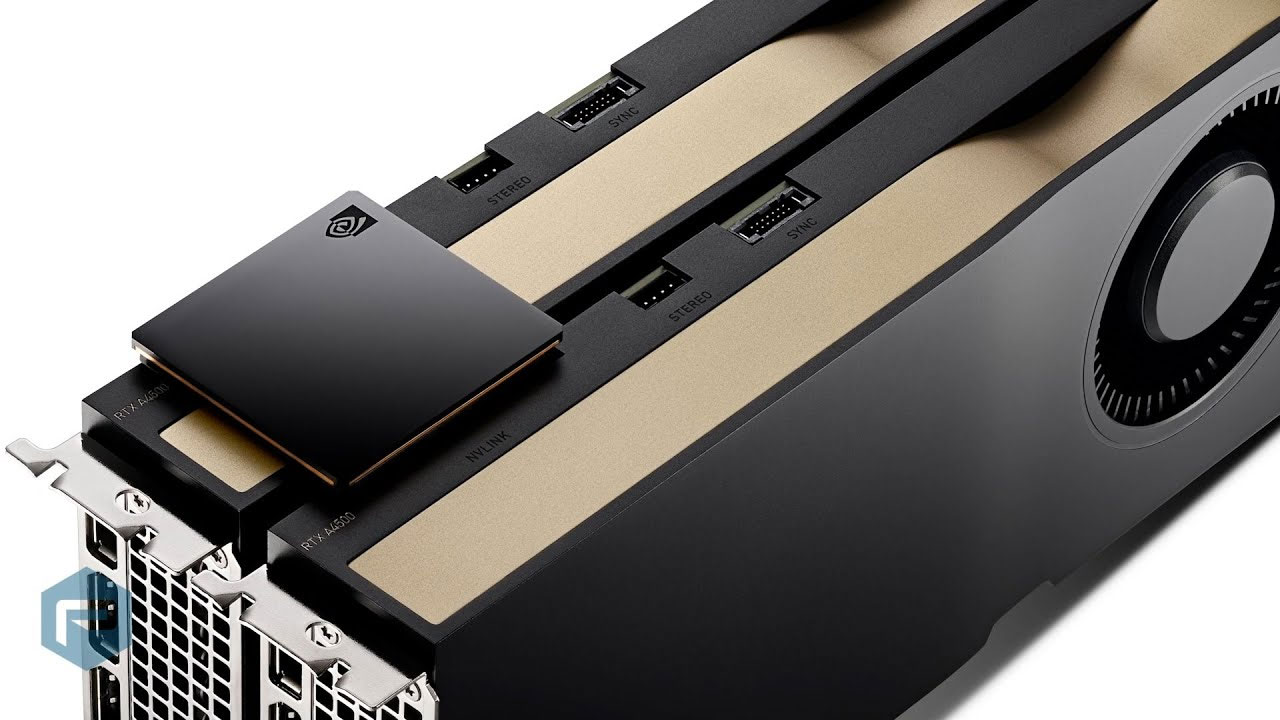
NVLink is a high-speed interconnect technology developed by NVIDIA that allows multiple GPUs—and even CPUs and GPUs—to communicate with each other much faster than through traditional PCIe (Peripheral Component Interconnect Express) connections. It was first introduced in 2016 with the Pascal architecture, starting with the Tesla P100 GPU.
Unlike SLI, which was built for gaming and consumer graphics, NVLink is designed for data-intensive workloads such as:
- Artificial intelligence (AI)
- Deep learning
- Scientific simulations
- High-end 3D rendering
- Large-scale visualization and computational tasks
How It Works
NVLink works by creating a mesh of high-bandwidth, bidirectional links between GPUs (and in some systems, CPUs like IBM’s POWER9). Each NVLink channel supports far more bandwidth than a PCIe lane.
For example:
- PCIe Gen 3 offers about 16 GB/s of total bandwidth (x16)
- NVLink 2.0 can deliver up to 50 GB/s per GPU, and newer versions (like in the Ampere and Hopper architectures) support up to 600 GB/s aggregate bandwidth across multiple links.
Differences in Speed and Bandwidth
SLI offers limited bandwidth, with traditional SLI bridges providing up to 2 GB/s using high-bandwidth solutions. The bandwidth of SLI was limited—usually around 1 to 2 GB/s via the SLI bridge, and up to 16 GB/s if relying solely on the PCIe Gen 3 x16 bus. While sufficient for frame-level synchronization, this level of throughput quickly became a bottleneck for more data-heavy or compute-intensive workloads.
In contrast, NVLink was introduced in 2016 as part of NVIDIA’s push into high-performance computing (HPC), AI, and data science. It is a high-speed, bidirectional interconnect that significantly outpaces SLI in both speed and efficiency. With NVLink 2.0, each link offers up to 25 GB/s of bandwidth per direction, or 50 GB/s total per connection.
Systems can utilize multiple NVLink channels between GPUs, enabling total communication bandwidth to reach up to 600 GB/s in the latest enterprise GPUs like the NVIDIA A100 and H100.
Let’s look at the comparison table following:
| Feature | NVLink | SLI |
| Interconnect Type | High-speed, bidirectional mesh | SLI Bridge( Or PCle if no bridge) |
| Bandwidth |
25 GB/s to 50GB/s NVLink 2.0 |
1-2GB/s, 16GB/s( PCle Gen 3×16 max) |
| Total Bandwidth | Up to 600 GB/s | Limited to a single link per card |
| Latency | Very slow(optimized for memory sharing and computing | Higher latency compared to NVLink |
| PCle Dependency | work alongside or independent of PCle | Dependent on PCIe bandwidth for data fallback |
Let’s look at the comparison video of NVLink vs SLI:

Performance Comparison
SLI is a technology used to link multiple NVIDIA GPUs together to improve gaming and graphics performance by rendering frames in parallel. It allowed two (or more) identical GPUs to split rendering tasks or dividing frame regions. When well-supported by game engines and drivers, SLI could offer performance boosts of up to 50% to 90% in ideal conditions. However, these gains were often inconsistent and unreliable.
In many modern games, performance gains were minimal or even negative due to poor driver support and increased latency. Moreover, SLI lacked memory pooling. Each GPU operated with its own discrete VRAM, meaning data could not be shared across GPUs. This severely limited its usefulness for applications that demanded large memory resources, such as 3D rendering, simulation, or AI workloads.
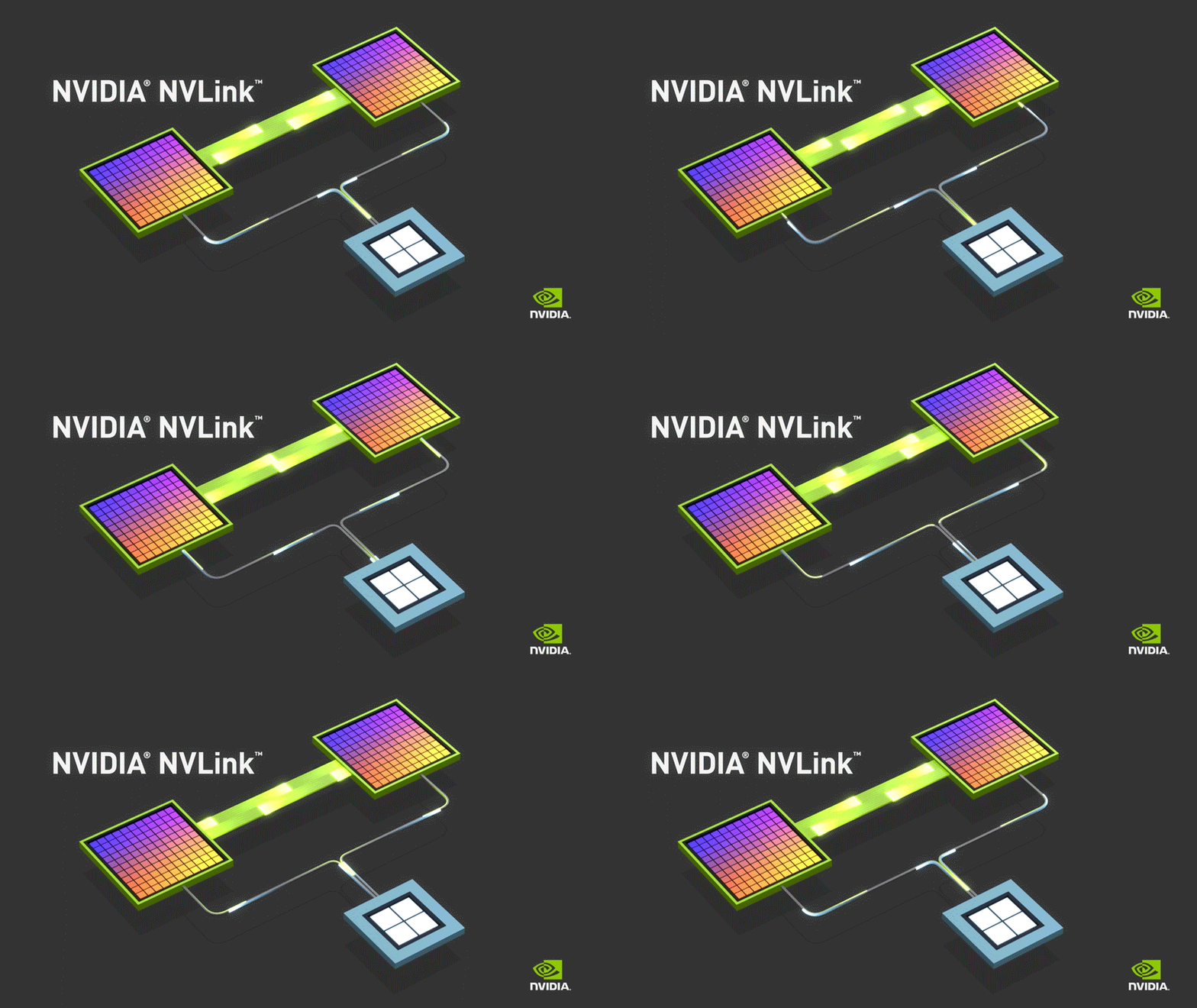
On the other hand, NVLINK is a high-speed interconnect developed by NVIDIA that allows multiple GPUs to communicate with each other more efficiently than traditional methods. It is primarily designed for high-performance computing (HPC) and deep learning applications.
Use cases: 3D Rendering
In 3D Rendering, SLI can provide enhanced rendering performance in certain 3D rendering applications, especially those optimized for SLI. It can also split rendering tasks between GPUs to improve render times for supported software. However, the effectiveness of SLI in 3D rendering is highly dependent on the rendering engine’s support for SLI configurations. Some rendering applications may only show marginal gains or even performance issues if not optimized correctly.
On the other hand, NVLink is highly effective for rendering in professional 3D applications (e.g., Blender, Maya, 3ds Max) that can leverage multiple GPUs for heavy computational tasks. It supports extensive data sharing and workload distribution, allowing large scenes and complex models to be rendered faster. Especially, applications utilizing CUDA or GPU rendering techniques can fully exploit NVLink’s bandwidth, resulting in significant performance gains. However, it requires specific professional-grade GPUs (like NVIDIA’s Quadro or RTX A-series) and may need adjustments in software settings for optimal use.
Should you use NVLink or SLI for 3D Rendering?
For 3D rendering, NVLink is the better option. It is specifically designed to handle the demands of high-performance computing and rendering tasks, providing the necessary bandwidth, memory access, and scalability to efficiently manage complex projects.
In contrast, SLI is primarily oriented toward gaming performance and is not optimized for the advanced requirements of professional 3D rendering applications. Therefore, if your focus is on 3D rendering, especially in professional or production environments, investing in NVLink-compatible GPUs would be the preferred choice.
Technical Specifics and Configuration Requirements
Setting up an NVLink or SLI system involves very different requirements. SLI, being older and focused on gaming, is generally easier to set up. It requires a compatible motherboard (SLI-certified), two identical NVIDIA GPUs, and an SLI bridge. It runs mainly on Windows and uses GeForce Game Ready drivers. Users must also rely on software/game-specific support, as not all modern games benefit from SLI. Power and cooling needs are moderate, depending on the GPU models.
NVLink setup, however, is more complex and targeted toward professionals and enterprise environments. It demands NVLink-capable GPUs (such as the RTX 3090, A100, or Tesla V100) and a compatible high-end motherboard or workstation platform. The bridge used is specific to each GPU model, and systems often require more power and advanced thermal management. NVLink works across both Windows and Linux and is typically used in environments with CUDA, PyTorch, or TensorFlow. There’s no need for SLI profiles; the software directly utilizes the NVLink interconnect for memory access and processing.
iRender- The best cloud rendering for 3D Rendering
As you all know, iRender provides high performance and configurable server system to customers who need to utilize the power of CPUs & GPUs such as 3D rendering, AI training, VR&AR, simulation, etc. With iRender IaaS and PaaS services, you can access our servers through the Remote Desktop Application and do whatever you want and install any software you need on it. It is like you are using your own computer but with a powerful configuration and much higher performance.
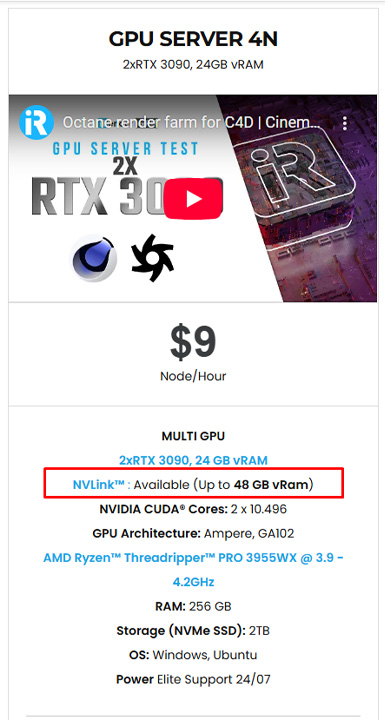
Currently, NVLink is available on our server 4N( dual cards RTX 3090). VRAM is now gonna be up to 48GB (RTX3090), helping you to store and solve the large and complex scenes or datasets. Your rendering will be faster, and your calculation you get to make in AI/DL jobs will be higher. Memory bandwidth of 2 servers will be 25 GB/s to 35 GB/s, fast enough for drawing your data. You can check the 4N’s configuration:
To use NVLink on our server, you can check the instruction How to use NVLink.
In case you have any problems or questions, don’t hesitate to contact the 24/7 support team. We will be happy to help you with your questions and problems at all times.
Happy Rendering!
Related Posts
The latest creative news from Houdini Cloud Rendering , Cinema 4D Cloud Rendering , Redshift Cloud Rendering, Octane Cloud Rendering, 3D VFX Plugins & Cloud Rendering.






