
Twinmotion on RTX 5090: Lumen, Path Tracer and DLSS 4 Explained
- Three Rendering Modes, Three Different GPU Workloads:
Twinmotion’s Standard mode prioritizes responsive real-time visualization, Lumen adds more demanding global illumination and reflections, while Path Tracer uses hardware ray tracing for high-quality final renders. An RTX 5090 offers the greatest practical value in demanding Lumen and Path Tracer workflows. - The Path Tracer Compatibility Barrier:
Twinmotion Path Tracer requires Windows, DirectX 12 with hardware ray tracing support, a compatible NVIDIA RTX or AMD Radeon RX 6000 series or newer GPU, and at least 8GB of VRAM. Path Tracer is not supported on macOS, regardless of GPU performance. - 32GB VRAM and DLSS 4 Advantages:
The RTX 5090 provides 32GB of GDDR7 memory, offering additional capacity for complex Twinmotion scenes. DLSS 4 can improve real-time viewport smoothness through supported upscaling and frame generation features, but it does not replace Path Tracer for final rendering. - Remote RTX 5090 Rendering with iRender:
Mac users and laptop users with limited GPU resources can access a Windows RTX 5090 workstation through iRender. This allows them to run compatible Twinmotion workflows remotely without purchasing a high-end desktop GPU, while retaining responsibility for software setup, licensing, and machine usage costs.
Twinmotion offers three rendering modes: Standard, Lumen, and Path Tracer, each with different demands on your GPU. The RTX 5090, with 32GB of VRAM, provides more memory headroom for complex scenes, but its benefits depend on the mode you use. Standard is designed for responsive real-time work, Lumen adds more demanding lighting calculations, while Path Tracer focuses on high-quality final renders. So, how much does Twinmotion on RTX 5090 actually benefit from each mode? This article explores their GPU requirements, Path Tracer limitations, multi-GPU support, and what to consider before upgrading.
What is the best GPU for Twinmotion right now?
For demanding Twinmotion projects, a powerful NVIDIA RTX GPU with plenty of VRAM is a strong choice. The GeForce RTX 5090, with 32GB of GDDR7 memory, is a high-end consumer option for complex scenes. Twinmotion Path Tracer requires at least 8GB of VRAM, but Epic recommends 12GB or more for high-end workloads. Actual VRAM needs depend on scene complexity.
Standard, Lumen and Path Tracer: three different loads on your GPU
Twinmotion offers three rendering approaches with different GPU demands. Understanding how each works helps you choose the right mode for your project and determine where an RTX 5090 can make a difference.
Standard: Lightweight real-time rendering
Standard mode is the least demanding of the three. It is suitable for quick scene navigation, design reviews, and projects where fast viewport interaction matters more than advanced lighting accuracy. It is also a practical choice for less powerful GPUs.
Lumen: More demanding real-time lighting
Lumen adds dynamic global illumination and reflections, increasing GPU workload and memory requirements compared with Standard mode. The RTX 5090’s 32GB VRAM provides additional memory capacity for complex scenes, while its processing power can help with demanding real-time workflows, particularly at 4K. Actual performance still depends on scene complexity and settings.
Path Tracer: GPU-intensive final rendering
Path Tracer uses hardware-accelerated ray tracing to simulate light transport, producing physically based lighting, reflections, and shadows. It is generally the most demanding mode and is better suited to high-quality final images and videos than interactive design work. Rendering time depends on scene complexity, resolution, and sampling settings, making GPU performance particularly important.
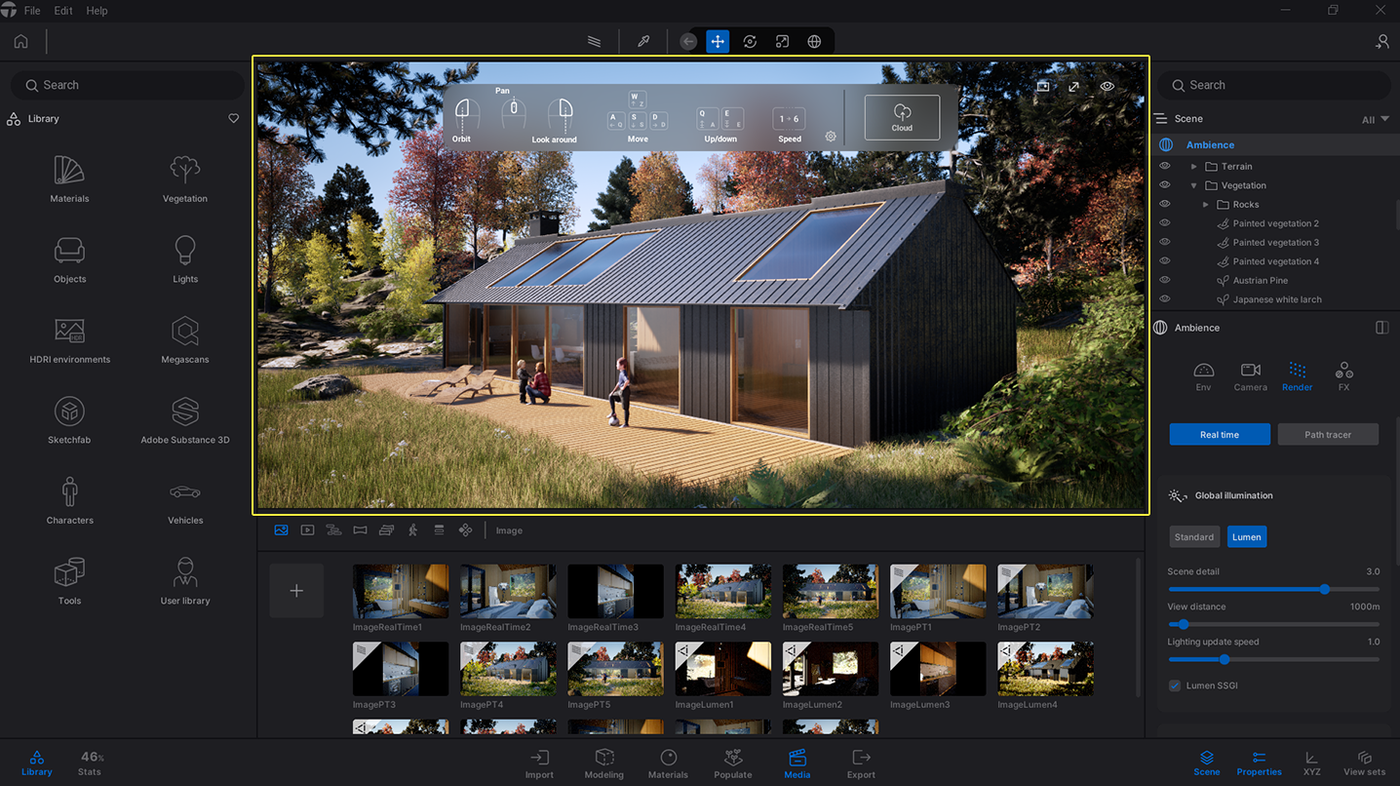
Why Path Tracer is greyed out
If Path Tracer is greyed out in Twinmotion, check whether your system meets its hardware and software requirements:
- Operating system: Windows with DirectX 12 and DXR support.
- GPU: NVIDIA RTX or AMD Radeon RX 6000 series or newer, with hardware ray tracing support.
- VRAM: At least 8GB of dedicated GPU memory.
- Drivers: Install a compatible, up-to-date GPU driver.
- Remote Desktop: Some remote desktop configurations may prevent Twinmotion from accessing the GPU features required for Path Tracer. Check GPU acceleration and DXR availability in your remote session.
Some users have also reported the warning “Your system does not meet the recommended requirements to use the Path tracer” on the Unreal Engine forums. If your GPU meets the requirements but Path Tracer remains unavailable, check driver compatibility and whether Twinmotion detects the correct GPU.
Path Tracer is not supported on macOS in Twinmotion. Mac users who need this feature must use a compatible Windows system.
Does Twinmotion use multiple GPUs?
Twinmotion uses a single GPU for real-time rendering in Standard and Lumen modes. However, Path Tracer supports multi-GPU rendering on compatible NVIDIA GPUs through SLI, as documented by Epic Games.
Multi-GPU rendering does not combine VRAM into one shared memory pool, and performance gains depend on the hardware configuration and scene. It also requires a compatible setup, so adding a second GPU does not automatically improve rendering speed.
For most Twinmotion users, one RTX 5090 is a more practical choice than two older GPUs, particularly for Standard and Lumen workflows. Its 32GB VRAM is also useful for memory-intensive scenes. However, Path Tracer multi-GPU compatibility must be verified for the specific GPU configuration before investing in additional cards.
DLSS in Twinmotion on an RTX 5090
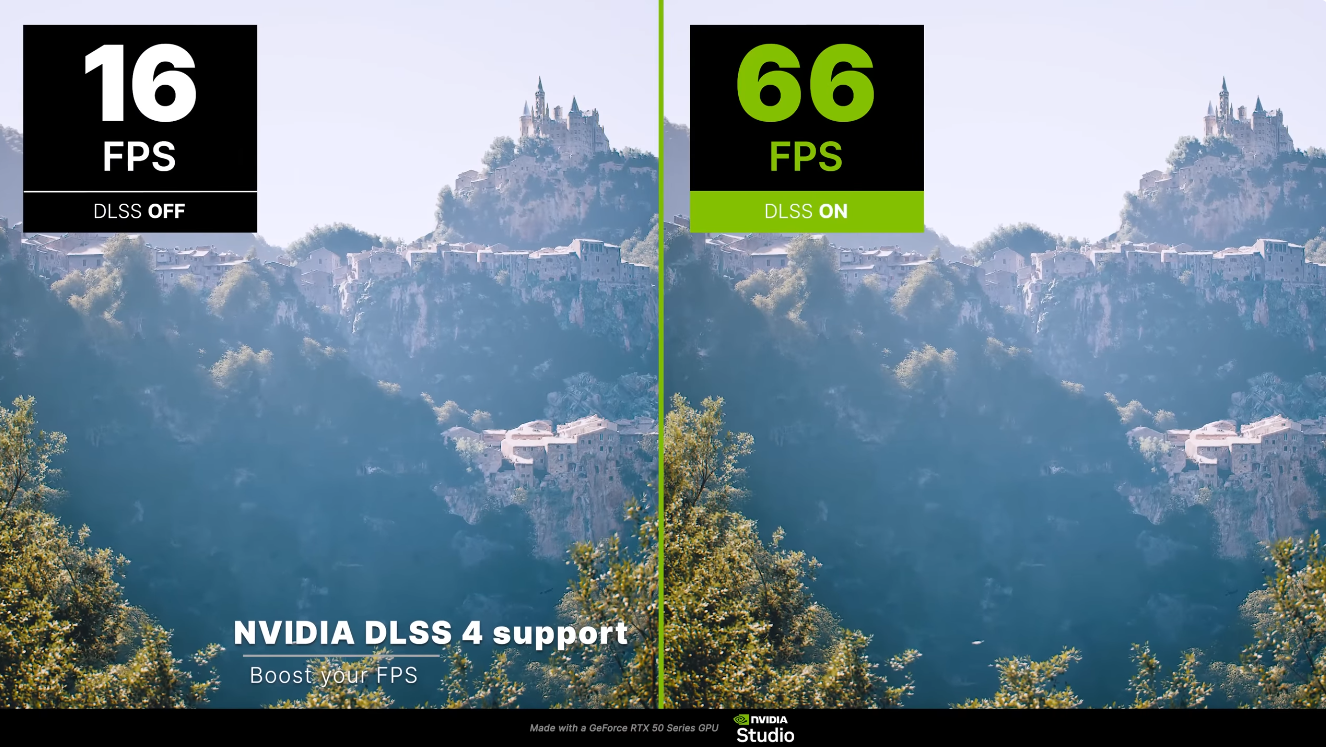
Twinmotion 2025.1.1 introduced NVIDIA DLSS 4 support, including Super Resolution, Frame Generation, and Multi Frame Generation. On an RTX 5090, users can enable up to 4X Multi Frame Generation in Desktop mode through the Super Resolution settings in Twinmotion Preferences. Frame Generation also requires Windows Hardware-accelerated GPU scheduling.
DLSS can improve real-time viewport performance when working with demanding Lumen scenes, including at 4K, although results depend on the scene and settings. Frame Generation adds AI-generated frames for smoother interaction but does not replace Path Tracer rendering quality in final image or video exports.
Twinmotion on a Mac or laptop? Use a remote RTX 5090
If your Mac or laptop cannot handle demanding Twinmotion scenes, a remote Windows GPU workstation can provide access to more powerful hardware without upgrading your local computer. This is particularly useful for Path Tracer, which requires a compatible Windows system and GPU.
iRender - Run Twinmotion Path Tracer on a remote RTX 5090
For Mac users without Path Tracer support or laptop users with insufficient GPU memory, iRender offers remote Windows GPU workstations equipped with an NVIDIA RTX 5090 and 32GB VRAM. This provides access to compatible hardware without replacing your local computer.
A practical workflow is to prepare and edit your Twinmotion scene locally, transfer the project files to the remote workstation, and use the RTX 5090 for Path Tracer rendering and video exports. However, Twinmotion still needs to run on the remote machine, and remote interaction depends on network performance.
iRender charges for machine usage, so leaving a workstation running while idle can increase costs. Initial setup also takes time, and users remain responsible for their Twinmotion licenses. Shut down the machine when rendering is complete to avoid unnecessary usage charges.
For Twinmotion, our single gpu 5090 is the most suitable choice for you:
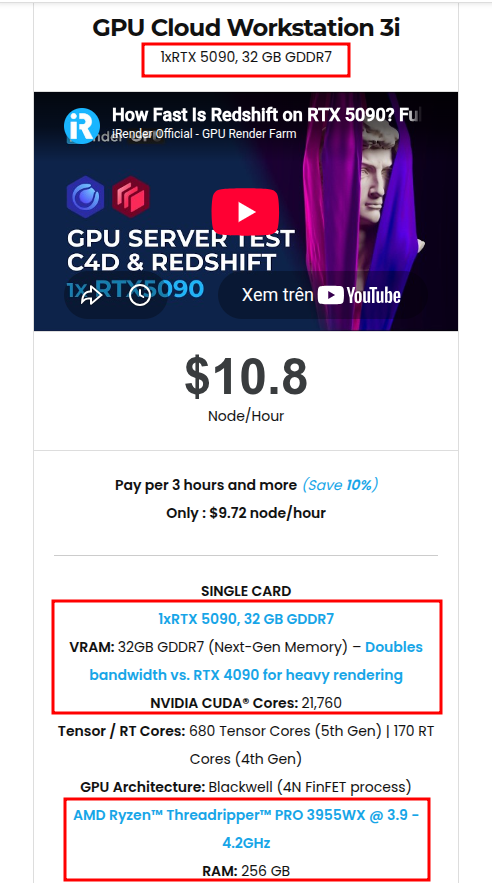
Available configurations include:
- CPU: AMD Ryzen™ Threadripper™ PRO 3955WX (3.9-4.2GHz) and AMD Ryzen™ Threadripper™ PRO 5975WX (3.6-4.5GHz)
- GPU: 2/4/8 RTX 4090 with 24GB vRAM and 1/2/4/8 RTX 5090 with 32GB vRAM
For new users, iRender currently offers a 100% bonus on the first deposit within 24 hrs of registration, giving you additional rendering credits to get started with larger projects.
Maximum Speed – Absolute Freedom
Source: dev.epicgames.com/documentation, forums.unrealengine.com, twinmotion.com/news, NVIDIA
Let’s see how our service works:


FAQ
1. Why is Twinmotion Path Tracer not available on my computer?
Twinmotion Path Tracer requires Windows, DirectX 12 with hardware ray tracing support, and a compatible NVIDIA RTX or AMD Radeon RX 6000 series or newer GPU with at least 8GB of VRAM. Outdated graphics drivers or unsupported hardware can also prevent it from working. Path Tracer is not supported on macOS.
2. Does Twinmotion support multiple GPUs?
Twinmotion uses a single GPU for real-time rendering in Standard and Lumen modes. Path Tracer supports multi-GPU rendering through NVIDIA SLI on compatible hardware, but VRAM is not combined into a single memory pool. Multi-GPU support depends on the specific GPU configuration.
3. Is RTX 5090 overkill for Twinmotion?
For small scenes and basic Standard mode workflows, an RTX 5090 may be more powerful than necessary. However, its 32GB of VRAM and high-end GPU performance can benefit complex Lumen scenes and demanding Path Tracer projects. The actual performance improvement depends on scene complexity, resolution, and rendering settings.
Real-Time Rendring & Archviz
Master real-time rendering on RTX 5090 (32 GB) & AMD Ryzen™ Threadripper™ PRO. Technical benchmarks & guides for Unreal Engine 5, D5 Render, Lumion, Keyshot, Twinmotion, and Archviz.






