
Why Artists Choose iRender's IaaS Cloud Workstation for Multi-GPU Render Engines Workflow
Modern GPU render engines such as Redshift, Octane, V-Ray, and Blender Cycles are built to take advantage of multiple graphics cards, making cloud rendering an attractive option for artists and studios. However, performance is only one aspect of the problem. Many creators also need the freedom to install their preferred software, customize workflows, and access dedicated hardware without unnecessary restrictions. That is where iRender stands out. Its cloud workstation for multi-GPU render engines workflow combines enterprise-grade hardware with the flexibility of Infrastructure as a Service. In this article, we’ll explore why more artists are choosing this approach for demanding rendering projects.
A powerful cloud platform should do more than provide multiple GPUs. The cloud workstation for multi-GPU render engines workflow offered by iRender gives artists dedicated hardware, complete software freedom, and a familiar desktop environment, creating an efficient solution for modern GPU rendering applications.
1. Linear Multi-GPU Performance
Modern GPU render engines such as Redshift, Octane, Blender Cycles, and V-Ray GPU are designed to make full use of multiple graphics cards. As more GPUs are added, rendering performance can improve significantly, allowing artists to complete large projects in much less time than with a single GPU workstation.
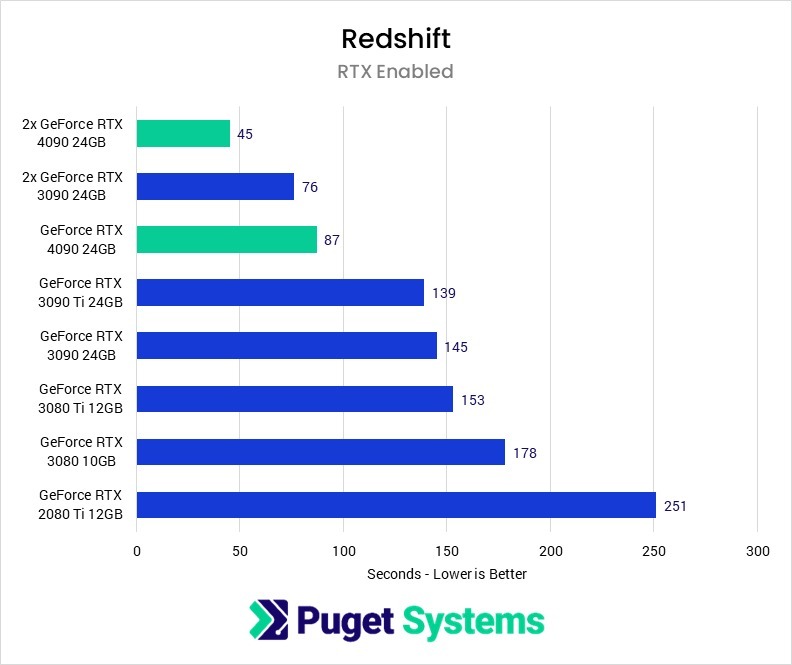
To support these demanding workflows, iRender offers dedicated servers equipped with multiple RTX 4090 GPUs on a single machine. Users can choose the GPU configuration that best matches their project requirements, from two GPUs for medium-sized productions to larger setups for complex animations and high-resolution renders. Since every server is dedicated to a single user, the available GPU resources are fully allocated to your project, delivering consistent performance from start to finish.
2. Overcoming VRAM Limits and Memory Bottlenecks
Large production scenes often include high-resolution textures, detailed geometry, and complex assets that quickly consume GPU memory. When a project exceeds the 24 GB VRAM available on a single graphics card, rendering software may switch to out-of-core memory, which can reduce performance or even interrupt the rendering process. This is one reason why a cloud workstation for multi-GPU render engines workflow is valuable for professional productions.
To help maintain smooth performance, iRender combines multi-GPU servers with 256 GB of system RAM and powerful AMD Ryzen Threadripper Pro processors running between 3.6 GHz and 3.9 GHz. The large memory capacity allows the system to handle demanding scenes more efficiently, while the high-performance CPU keeps data flowing smoothly between storage, memory, and GPUs. Together, this balanced hardware configuration enables iRender to process complex rendering tasks with greater stability and efficiency.
3. Complete Freedom for Custom Pipelines and Plugins
Professional rendering workflows often depend on specific software versions, proprietary scripts, and specialized plugins such as X-Particles, Phoenix FD, or custom shaders. A cloud workstation for multi-GPU render engines workflow should give artists the flexibility to build the environment they need, rather than forcing them to adapt to a predefined setup.
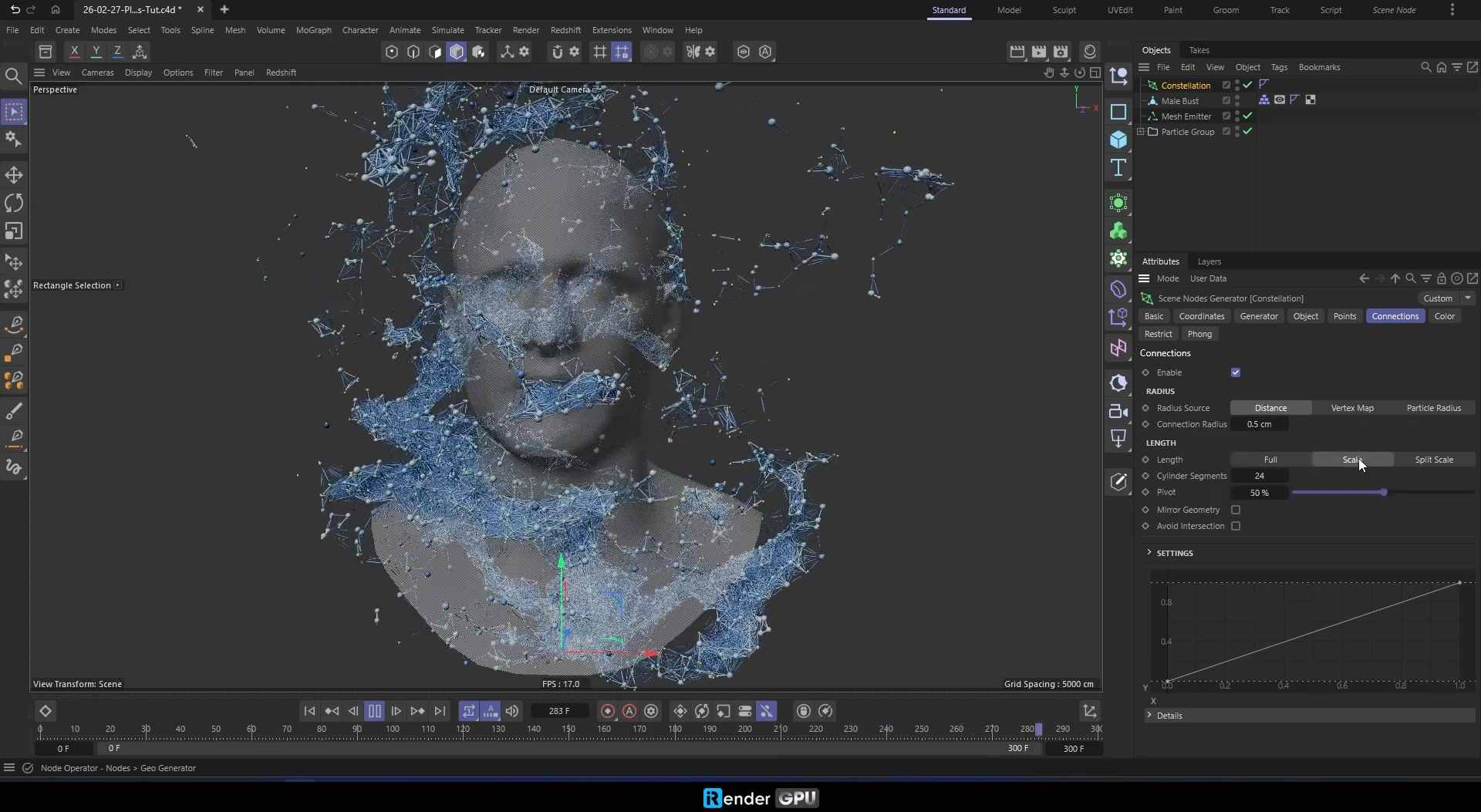
With iRender, you receive full administrator access through Remote Desktop, allowing you to install applications, configure plugins, and customize your workstation just as you would on a local machine. Beyond rendering, you can also run simulations, execute Python scripts, bake caches, compile assets, or perform other compute-intensive tasks required by your production. This flexibility enables studios and individual artists to move existing pipelines to the cloud with minimal changes while maintaining full control over every stage of the project.
4. Real-Time Troubleshooting and Interactive Preview
Finding rendering issues after a job has finished can lead to unnecessary delays and repeated rendering. Instead of waiting for the final output to identify problems, iRender allows you to work directly on the cloud workstation while your project is running.
You can launch your preferred DCC application and use interactive rendering tools such as Redshift RenderView or Octane Live Viewer to preview changes in real time. If you notice missing textures, incorrect lighting, or scene errors, you can fix them immediately and continue rendering without restarting your entire workflow. This interactive approach helps reduce downtime, improves productivity, and makes it easier to meet demanding production schedules.
Additional Benefits of Using iRender
Beyond powerful hardware, flexible software support and freedom of custom pipelines, iRender cloud workstation for multi-GPU render engines workflow offers several practical advantages that help artists and studios work more efficiently throughout their projects.
Consistent Hardware for Predictable Results
Consistency is essential when working on commercial projects or collaborating with a team. iRender clearly specifies the hardware configuration of every server, so you always know which GPU and CPU you are using. Since the hardware remains consistent, render performance and output are easier to reproduce across multiple sessions. This also simplifies testing, project management, and quality control throughout production.
Instant Access with No Render Queue
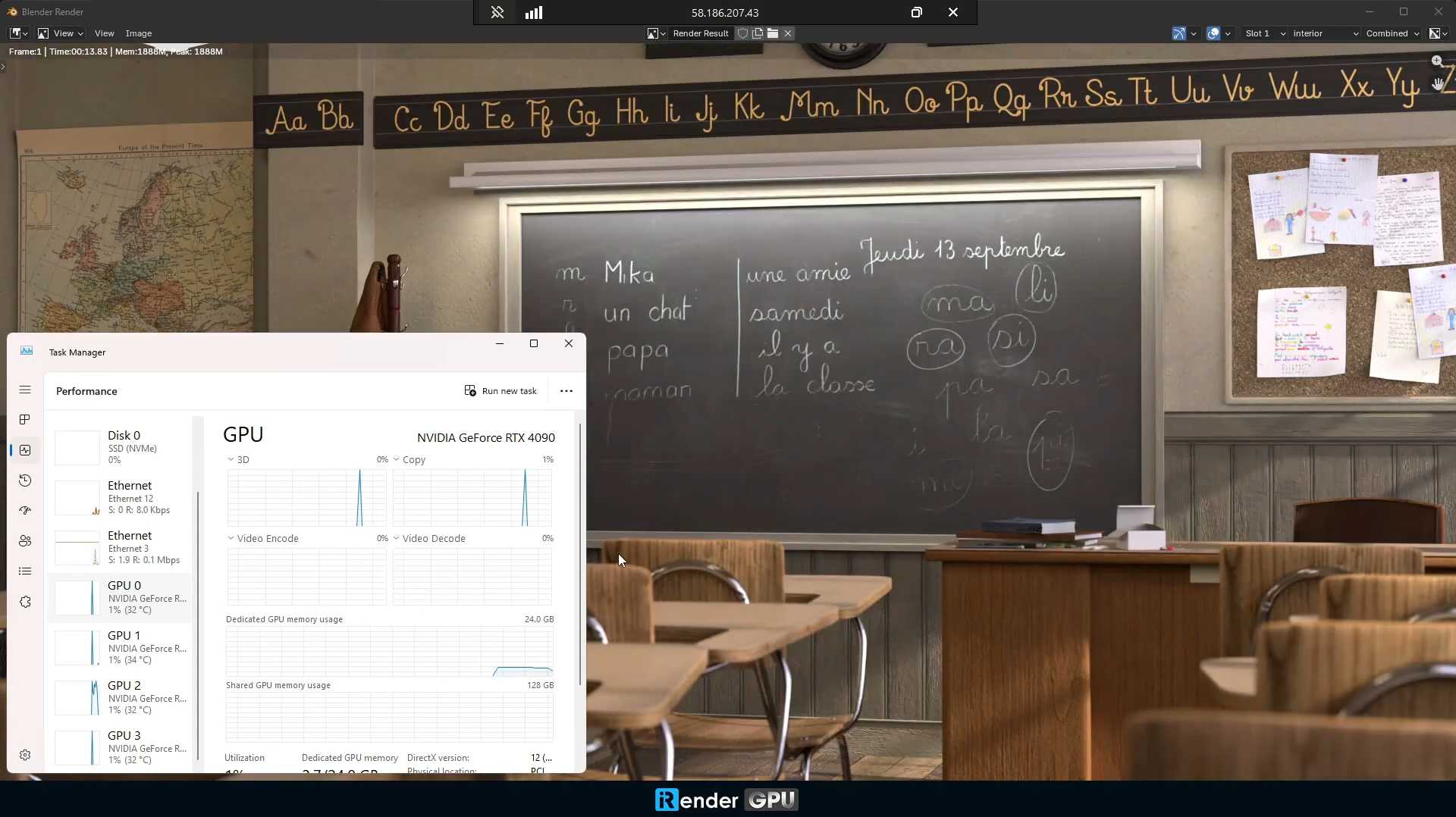
Waiting in a render queue can slow down production, especially when deadlines are approaching. With iRender, you can rent the workstation that fits your project, whether you need a single RTX 4090 server or a multi-GPU configuration. Once your server is available, you can start working immediately instead of waiting for jobs ahead of yours to finish. This on-demand approach gives artists greater flexibility and helps keep production schedules on track.
Conclusion
For artists using modern GPU render engines like Redshift, Octane, V-Ray or Blender Cycles, flexibility is just as important as performance. iRender combines dedicated multi-GPU hardware, complete software freedom, and a familiar desktop experience into one powerful cloud workstation for multi-GPU render engines workflow. Whether you’re rendering animations, running simulations, or managing complex production pipelines, iRender gives you the tools to work efficiently and without limitations.
👉 Check out some of iRender’s tests on RTX 4090:


Register an account on iRender to claim your 100% bonus for the first deposit and render without limitations.
Your Renders, Your Rules.
Frequently Asked Questions
Which render engines benefit most from iRender’s multi-GPU cloud workstation?
What happens when a scene exceeds the VRAM of a single GPU?
Can I install my own software and plugins on an iRender workstation?
Related Posts
The latest creative news from Redshift Cloud Rendering, Cinema 4D Cloud Rendering, Octane Cloud Rendering





