Blender Cycles vs. Eevee Next (2026): When to Use Real-Time, When to Use Ray Tracing?
For many years, Blender has been praised by the global 3D community for offering two powerful render engines within a single software: Cycles and Eevee. As we move into 2026, the release of Eevee Next – a major upgrade to Blender’s real-time lighting, shadowing, and rendering pipeline- has sparked an important question among artists and studios:
Do we still need the heavyweight Cycles engine, or is Eevee Next now capable of handling most professional workflows?
The answer doesn’t lie in which engine is “better,” but in what your project actually needs. In this guide, iRender breaks down the differences between real-time rendering and ray tracing to help you choose the right tool for maximum efficiency, lower costs, and the highest possible visual quality.
1. Overview: Real-Time vs Ray Tracing in Blender
Before diving into each engine, it’s important to understand the two core rendering philosophies:
- Ray Tracing (Cycles): Simulates the physical behavior of light by calculating how rays bounce, refract, and scatter through a 3D environment. The result is highly realistic, physically accurate imagery.
- Real-Time Rendering (Eevee Next): Uses rasterization combined with advanced lighting techniques to generate images almost instantly, prioritizing speed, interactivity, and fast iteration.
This fundamental difference is what determines whether Cycles or Eevee Next is the better choice for your project.
2. Cycles: The Gold Standard of Physical Accuracy (Ray Tracing)
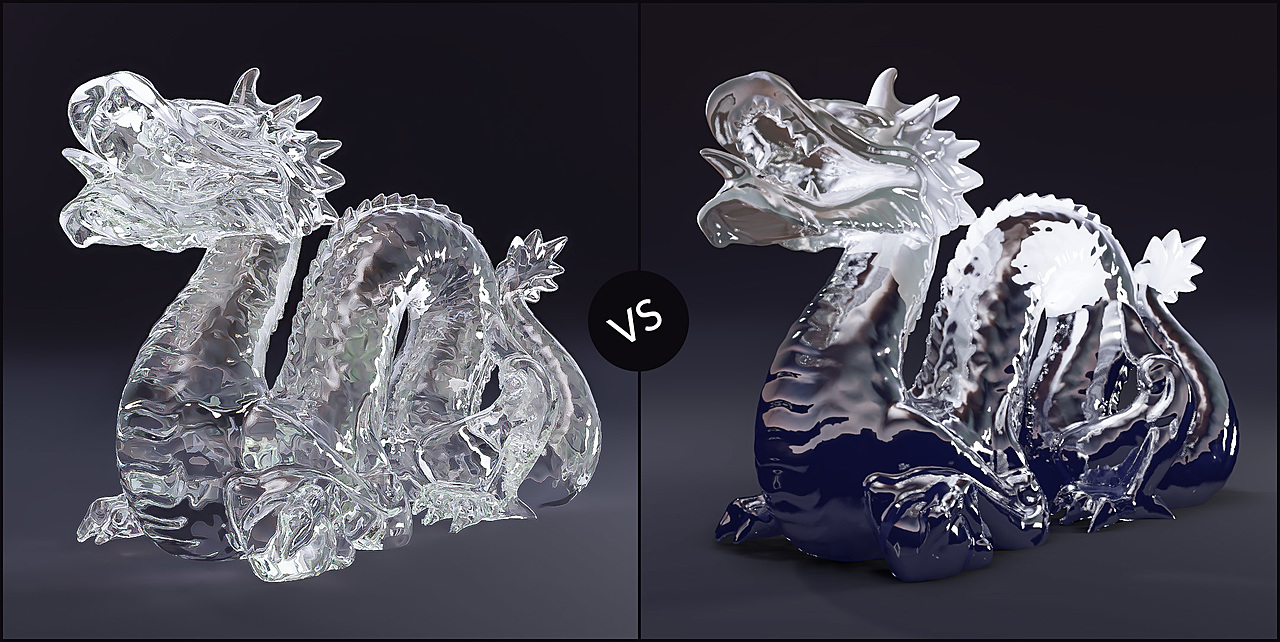
Cycles remains Blender’s go-to engine for photorealism. Built on Path Tracing, it simulates how light behaves in the real world to deliver highly accurate, reliable results.
Key Advantages
- Physically accurate lighting: Cycles delivers true Global Illumination (GI), soft shadows, and natural light bounce.
- Complex materials: Effects such as refraction, subsurface scattering, and advanced glass and metal shaders look consistently realistic.
- High reliability: What you see in the render closely matches real-world physical behavior — critical for architecture, product visualization, and VFX.
Limitations
- Slow render times: Performance depends heavily on sample count and scene complexity.
- High hardware requirements: Powerful GPUs and large amounts of VRAM are essential, especially for large scenes or 4K–8K output.
3. Eevee Next: The Real-Time Revolution in Blender 2026
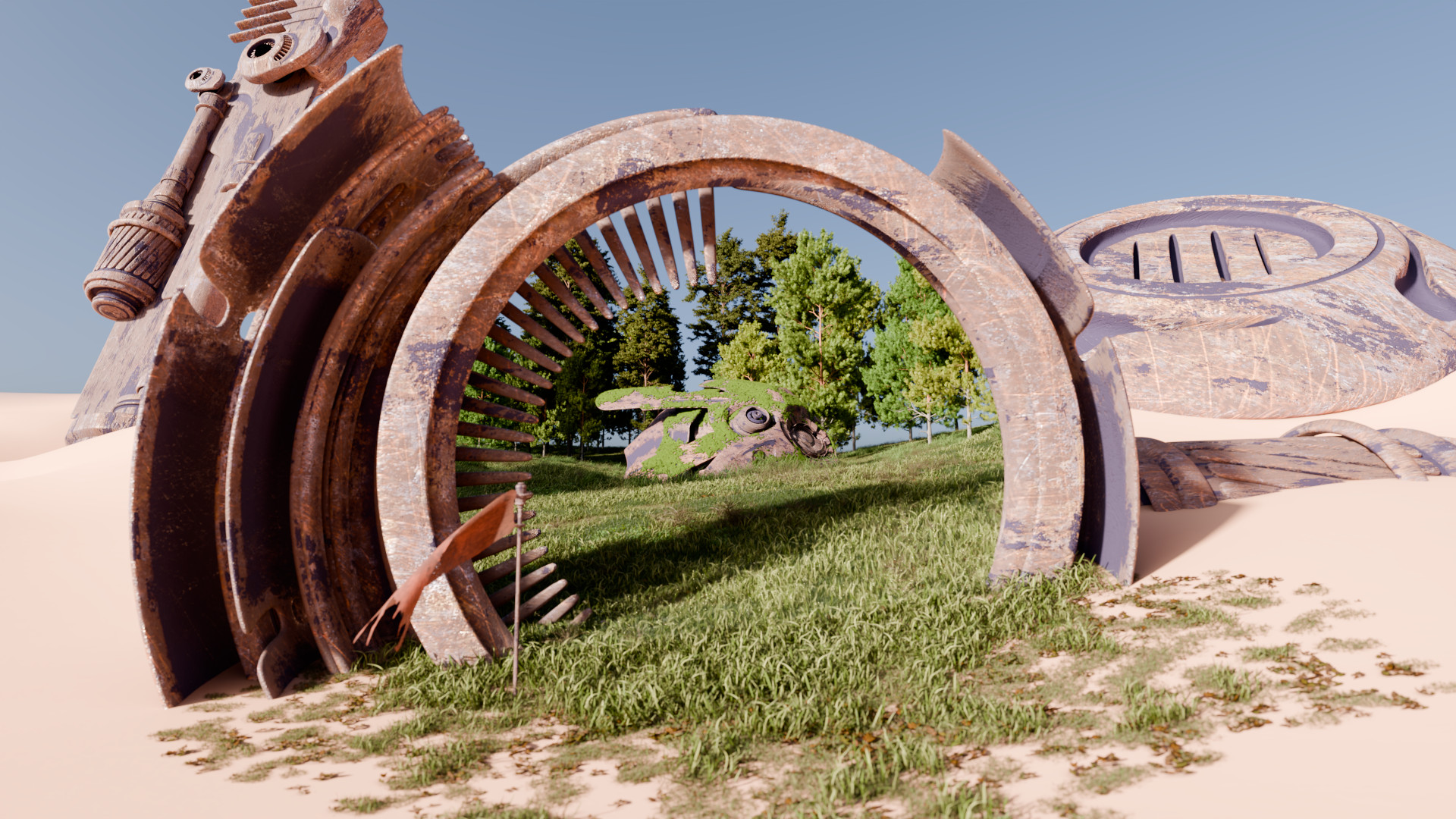
Eevee Next is no longer the “approximation engine” it once was. In 2026, Blender has significantly enhanced Eevee Next with:
- Ray-traced shadows
- Improved indirect lighting systems
- Reduced reliance on traditional light baking
Key Advantages
- Blazing-fast performance: Renders in milliseconds to seconds per frame.
- Smooth viewport experience: Artists can adjust lighting, materials, and composition in real time.
- Perfect for stylized workflows: Ideal for animation, motion graphics, and game assets.
Limitations
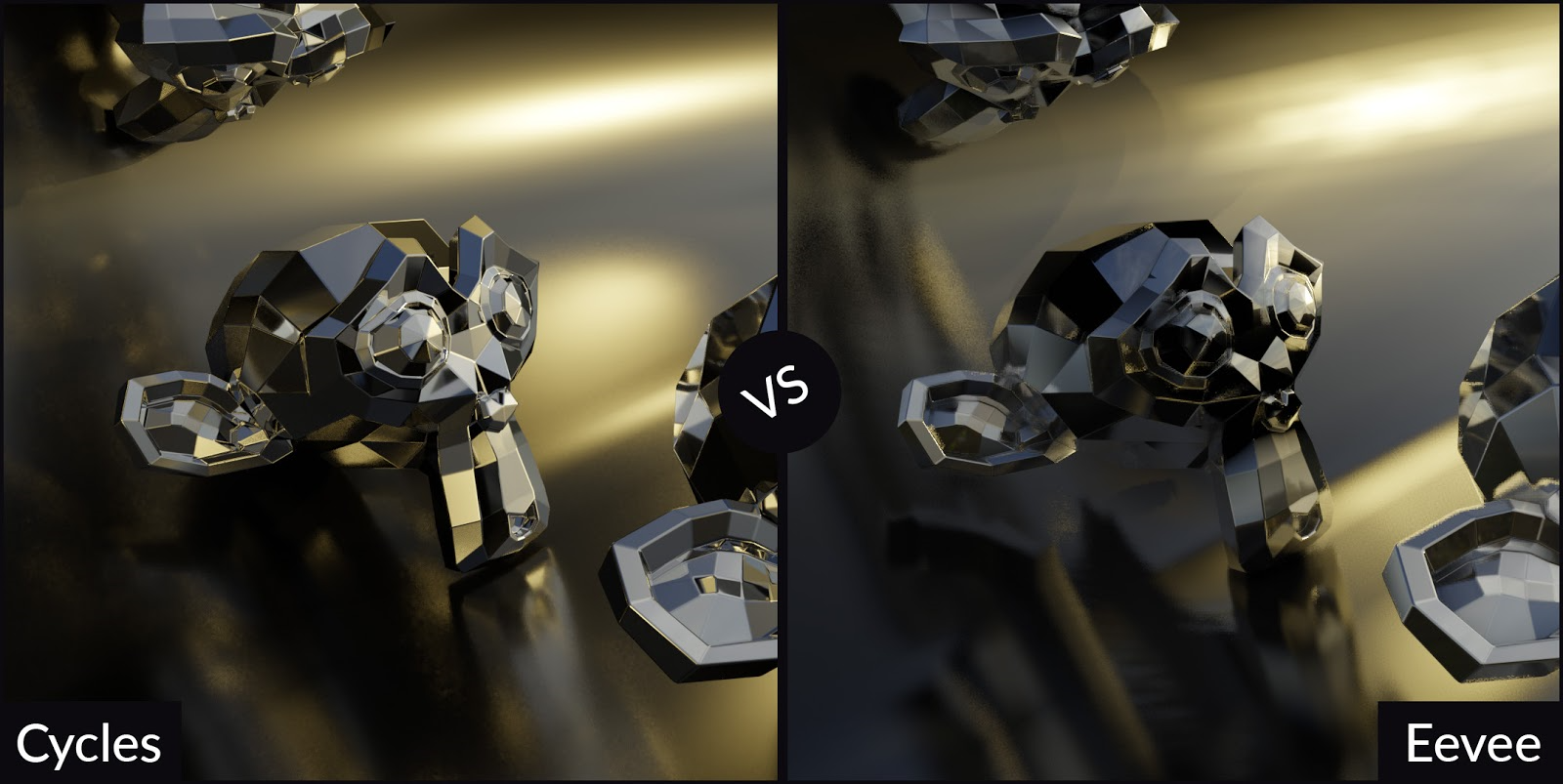
- Less physically accurate: Complex effects such as deep global illumination, multi-layer glass refraction, and advanced light scattering are still better handled by Cycles.
4. When Should You Use Each Engine?
Choose Cycles If You Need:
- Architectural Visualization (ArchViz): Clients need to see every detail — reflections on glass, light interaction with marble floors, and realistic metal surfaces.
- Product Rendering: Jewelry, cosmetics, vehicles, and liquids require physically accurate lighting and materials.
- Final Renders for VFX: When integrating 3D elements seamlessly into live-action footage.
Choose Eevee Next If You Need:
- Concept Art & Pre-Visualization: Quickly build layouts, lighting, and mood for fast approvals.
- Long-Form Animation: Save massive amounts of time when rendering thousands of frames.
- Motion Graphics & Social Content: Speed matters more than perfect physical accuracy.
5. Render Farm Optimization: The Professional Artist’s Advantage
Whether you choose Cycles or Eevee Next, hardware performance remains a critical factor.
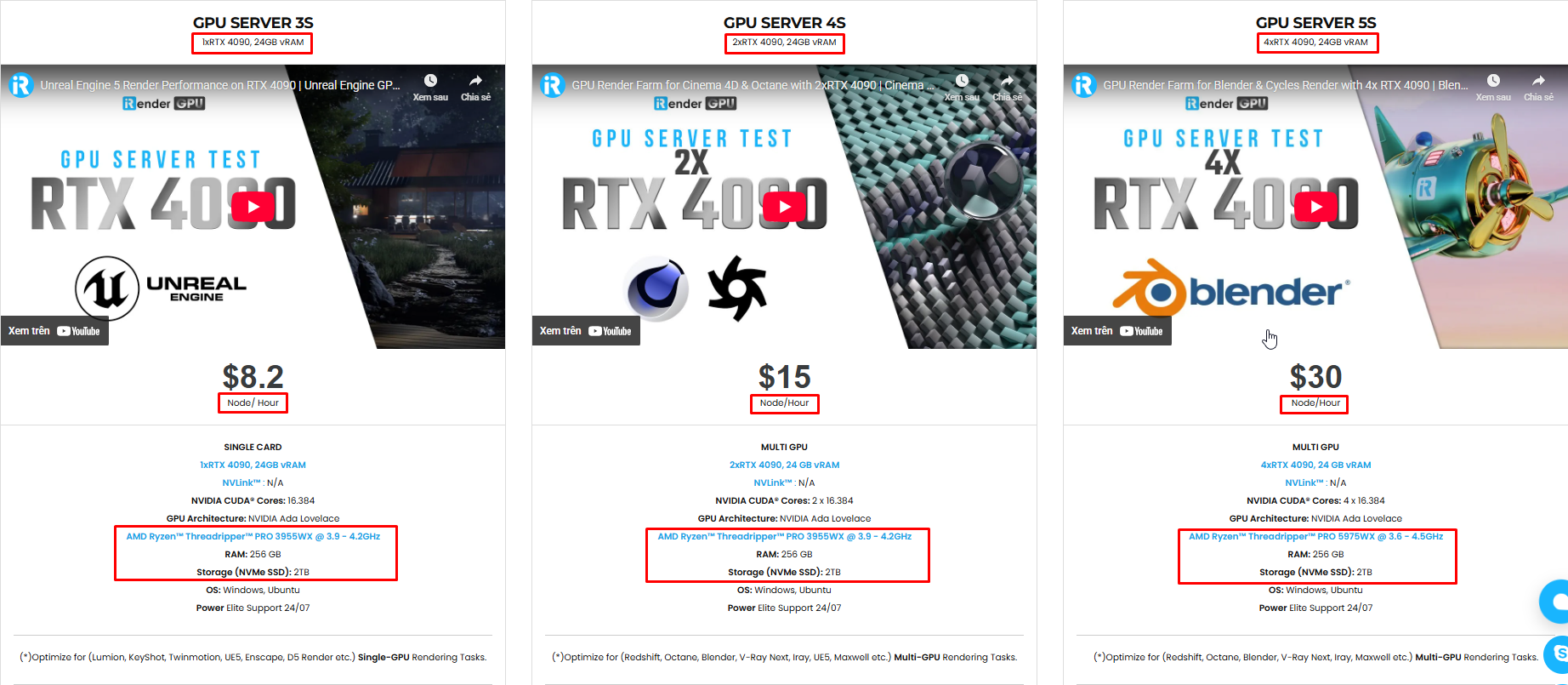
- With Cycles, multi-GPU systems (2x, 4x, or 8x RTX 4090) at iRender can reduce render times from hours to just minutes for complex, high-resolution scenes.
- With Eevee Next, even though it’s fast, rendering a 5-minute animation (around 7,200 frames) on a personal workstation can still take an entire day or more. A render farm allows parallel batch rendering, delivering your final output overnight.
Conclusion: Ultimate Quality or Maximum Speed?
In 2026, the difference between these two engines can be summarized in one line: Cycles is for ultimate visual quality. Eevee Next is for maximum speed.
Professional artists don’t choose one over the other; they build a hybrid workflow. Use Eevee Next for real-time layout, lighting tests, and motion previews, then switch to Cycles for high-end final renders that demand the highest level of realism.
iRender – Maximize Your Blender Rendering Performance
Why iRender is a great solution:
If you’re working with Cycles or Eevee Next on large-scale projects, let iRender help you accelerate rendering, reduce hardware costs, and focus on creativity instead of waiting.
iRender proudly offers high-performance workstation configurations optimized for Blender, giving you an incredible rendering experience without the limitations of traditional render farms. With iRender, you can enjoy full control over your remote workstation, just like using your personal computer, but on the cloud. Blender comes pre-installed and ready to go so that you can start immediately.
Fully Compatible with Blender
iRender allows you the freedom and flexibility to work the way you want, without restrictions.
- Install any version of Blender you need.
- Add your favorite plugins or specialized render tools.
- Whether you use OctaneRender, Redshift via Houdini Bridge, or export USD for Arnold, you can set up your environment exactly like your local machine.
Powerful Multi-GPU Workstations
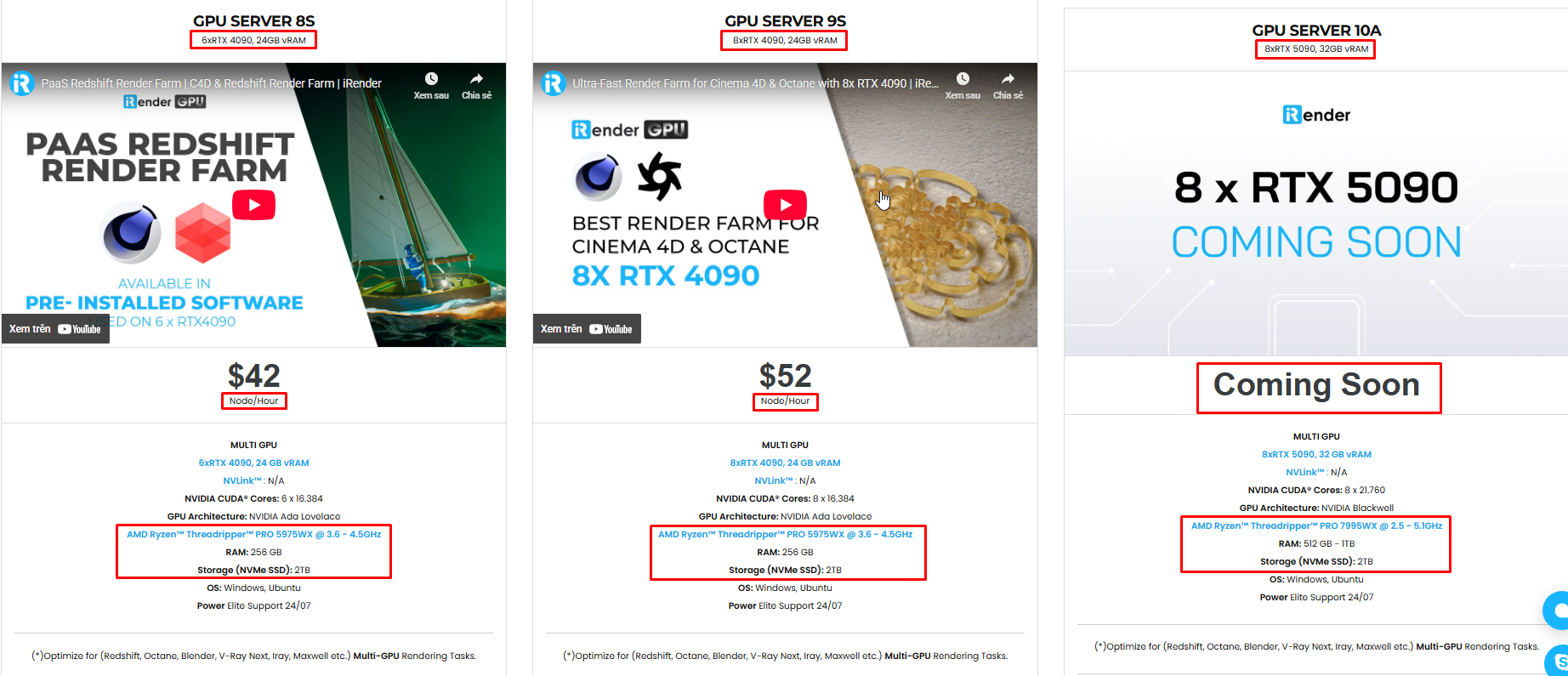
iRender offers virtual machines with up to 8x RTX 4090, or high-VRAM GPUs for large scenes. These configurations are perfect for:
- OctaneRender: Linear scaling across multiple GPUs, ultra-fast path tracing.
- Redshift: Biased rendering optimized for animation, saving you time.
- Arnold GPU: Smooth OptiX multi-GPU support.
- V-Ray GPU: Trusted by archviz professionals for both stills and animations.
Scalable & Affordable Pricing
One of the biggest barriers to multi-GPU rendering is the upfront cost of hardware. With iRender, you pay only for the time you use, making it highly cost-effective whether you’re a freelancer rendering a single scene or a studio handling large projects with tight deadlines.
You can see the information about iRender’s service packages here.
iRender is currently offering a SPECIAL PROMOTION: enjoy a 100% bonus on your first top-up. This means your first deposit will be doubled, and your points never expire, allowing you to use them whenever you need.
We’re always happy to help you with any questions. If you have any problems or questions, don’t hesitate to contact our 24/7 support team. Or via WhatsApp: 0912 785 500 for free advice and support.
Sign up for an account today to experience and enjoy our services.
Thank you & Happy Rendering!
Source and image:docs.blender.org, blenderartists.org