
How does the RTX 5090 perform in Blender?
Blender has become one of the most popular 3D creation tools for artists, designers, and studios around the world. From modeling and animation to realistic rendering with Cycles, GPU performance plays a significant role in determining the smoothness and efficiency of the workflow. That’s why every new high-end GPU release quickly grabs the attention of the Blender community.
NVIDIA RTX 5090 is positioned as a next-generation powerhouse, promising major improvements in raw performance, ray tracing, and AI acceleration. But how does it actually perform in real Blender tasks?
In this article, we take a closer look at how RTX 5090 performs in Blender!
What is the NVIDIA GeForce RTX 5090?
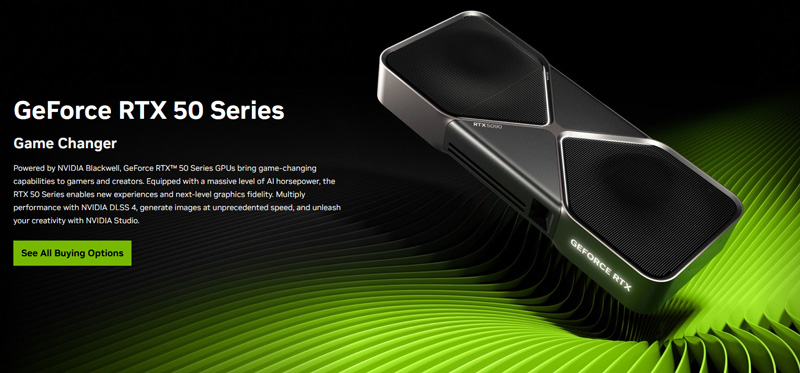
Image Source: NVIDIA
NVIDIA GeForce RTX 5090 is a next-generation flagship graphics card designed for extreme performance in gaming, 3D rendering, AI workloads, and professional creative applications. As the successor to the RTX 4090, it represents a major step forward in GPU architecture, offering significantly higher computing power, improved ray tracing, and more advanced AI acceleration.
Built on NVIDIA’s latest GPU architecture, the RTX 5090 introduces new-generation RT Cores and Tensor Cores, allowing it to handle complex lighting, reflections, and AI-driven features more efficiently. Technologies such as real-time ray tracing, DLSS, and AI denoising benefit directly from these improvements, making the RTX 5090 especially attractive for content creators using software like Blender, Unreal Engine, and other GPU-accelerated tools.
Another key highlight of the RTX 5090 is its expanded memory capacity and bandwidth. With more VRAM and faster memory speeds, the card is better suited for heavy scenes, high-resolution textures, and large datasets. This is particularly important for professional 3D workflows, where memory limitations can quickly become a bottleneck.
Highlights of the RTX 5090
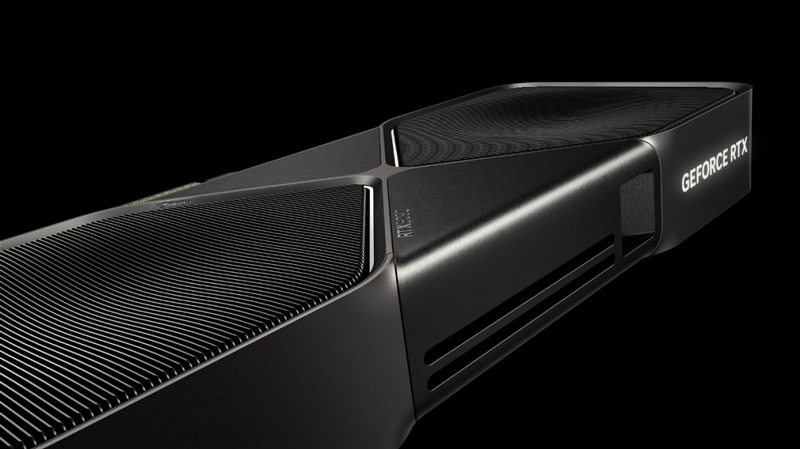
Image Source: NVIDIA
The RTX 5090 represents a clear generational leap, delivering major improvements in performance, AI acceleration, and rendering efficiency:
- Next-Gen Blackwell Architecture: Built on NVIDIA’s Blackwell (GB202) architecture with a 5nm process, delivering major gains in performance and power efficiency for advanced rendering workloads.
- Massive CUDA Core Count: With 21,760 CUDA cores, the RTX 5090 offers a significant jump in parallel processing, greatly improving Blender rendering and simulation performance.
- Powerful AI Acceleration: 680 5th-generation Tensor Cores enable faster AI-driven features, including OptiX denoising, making AI-assisted rendering more efficient.
- Advanced Ray Tracing Performance: 170 4th-generation RT Cores provide extremely high ray-tracing throughput, accelerating Cycles renders with complex lighting and reflections.
- High Clock Speeds: Base and boost clocks of around 2.01 GHz / 2.41 GHz ensure smooth performance in demanding Blender scenes and real-time viewports.
- Large, High-Speed GDDR7 Memory: Equipped with 32 GB GDDR7 on a 512-bit bus, allowing seamless handling of large scenes, high-resolution textures, and heavy assets.
- Unmatched Memory Bandwidth: Nearly 1.8 TB/s of bandwidth, dramatically reducing data bottlenecks compared to previous generations.
- PCIe Gen 5.0 Support: PCIe 5.0 x16 delivers maximum system bandwidth while remaining backward-compatible with older platforms.
- Display and Media Capabilities: Supports 4K at 480 Hz and 8K at 165 Hz via DisplayPort 2.1 and HDMI 2.1, ideal for high-resolution workflows.
- Creator-Focused Features: Includes DLSS 4, NVIDIA Studio drivers, AV1 encode/decode, and RTX technologies that enhance professional Blender workflows.
How does the RTX 5090 perform in Blender benchmarks?
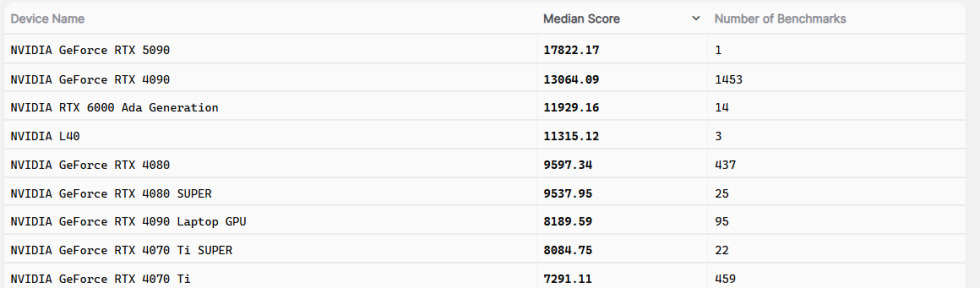
Beyond Blender benchmarks, the RTX 5090 was also evaluated using Geekbench OpenCL and Vulkan tests, where it delivered performance gains of up to 37% over the RTX 4090. These results reinforce the overall trend of a 30–40% average performance improvement, though actual gains may vary depending on the specific workload and use case.
Also, RTX 5090’s 5th-generation Tensor cores, delivering around 3,352 AI-TOPs, provide a major boost to Blender’s AI-based features. Blender’s OptiX AI denoiser runs noticeably faster, delivering cleaner results in both final renders and viewport previews with greater efficiency. Looking ahead, upcoming AI-driven tools such as texture generation and procedural modeling are expected to take full advantage of the 5090’s strong AI performance for rapid execution. NVIDIA’s AI acceleration also improves creator tools like Broadcast, helping Blender content creators achieve better streaming and video quality.
Thanks to its advanced AI hardware, the RTX 5090 handles interactive AI workloads such as sculpting assistance and texture synthesis smoothly, without performance bottlenecks. As Blender continues to expand its AI capabilities, the 5090’s Tensor cores offer ample performance headroom for future features. Overall, its AI power simplifies denoising and supports next-generation workflows, reinforcing NVIDIA’s claim of delivering world-leading AI technology for evolving creative applications.
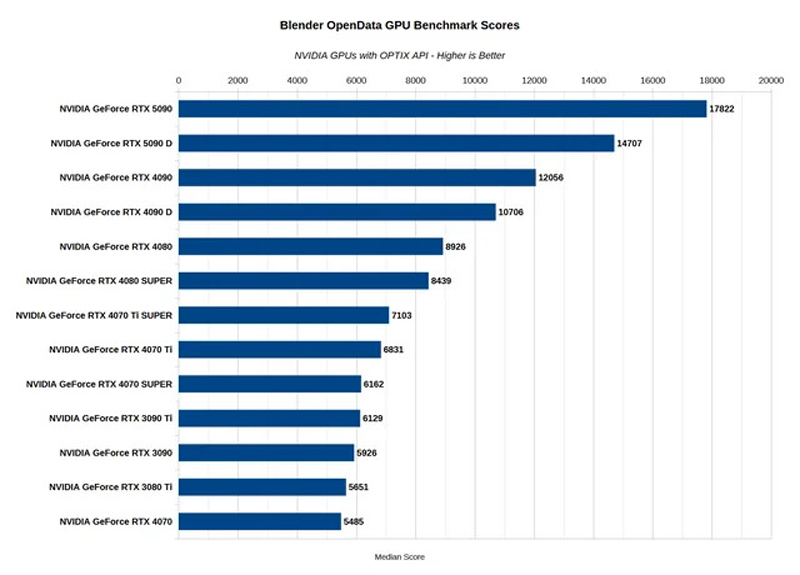
Comparison: RTX 5090 vs. RTX 4090 in Blender
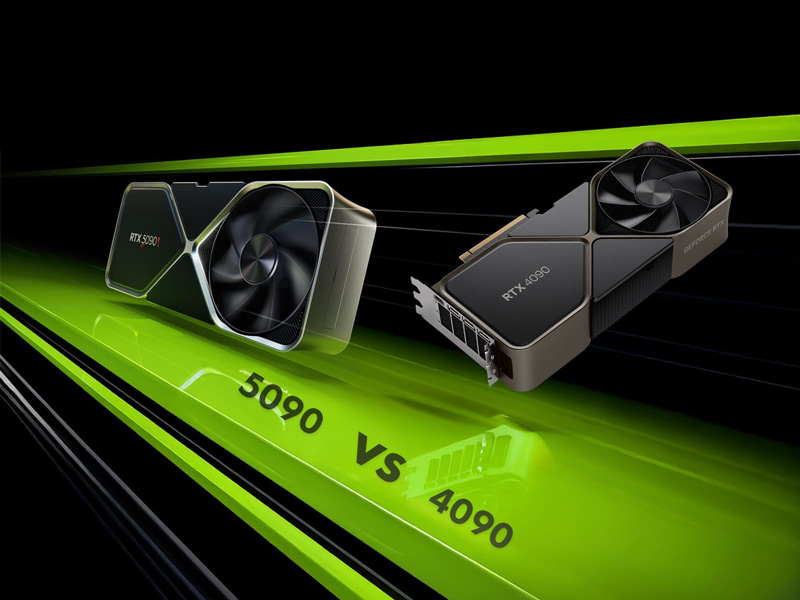
Image Source: Hostbor
When comparing the RTX 5090 to the RTX 4090 in Blender rendering performance, the difference is clear. In official and community benchmark results, the RTX 5090 consistently outperforms the 4090 by a substantial margin in GPU-accelerated rendering tasks. According to Blender Open Data scores, the RTX 5090 achieves around 17,800 points, which is roughly 35–37% higher than the RTX 4090’s score of about 13,000–13,500 in similar tests.
This performance uplift is primarily due to the RTX 5090’s significantly higher core count, larger VRAM capacity, and vastly improved memory bandwidth, all of which help accelerate complex rendering workloads common in Blender projects. The additional GPU resources allow the RTX 5090 to process lighting, shading, and ray-traced effects more quickly than its predecessor, translating directly to faster render times and higher benchmark scores.
However, real-world performance can vary depending on the scene complexity and the specific Blender features being used. In some real-world render tests, the gap narrows slightly when factors like driver optimization and scene setup come into play, though the RTX 5090 still holds a strong overall lead.
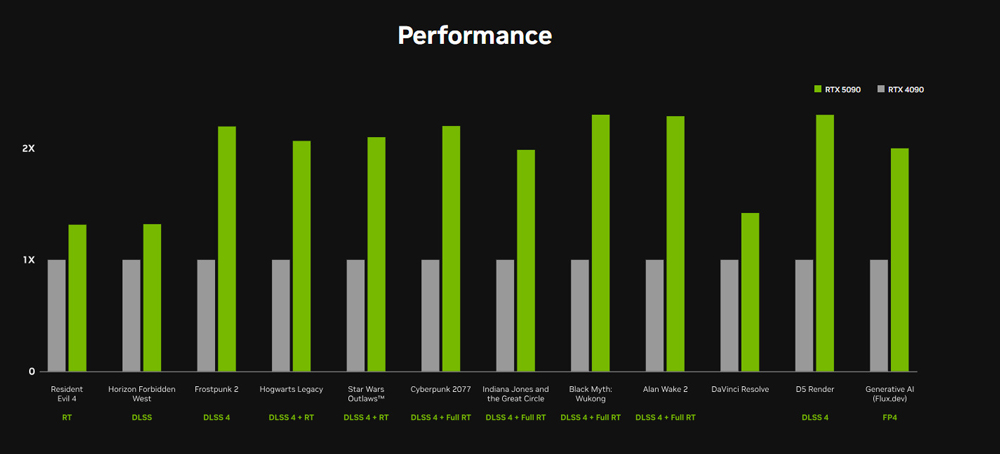
The performance chart clearly shows that the RTX 5090 delivers a substantial uplift over the RTX 4090 across a wide range of workloads. In ray tracing–heavy and DLSS 4–enabled scenarios, the RTX 5090 consistently achieves around 1.5× to over 2× performance, highlighting the impact of its new architecture, RT cores, and AI acceleration.
Titles using DLSS 4 combined with Ray Tracing or Full Ray Tracing benefit the most, where the RTX 5090 maintains a strong lead and demonstrates improved efficiency in handling complex lighting and rendering pipelines. This advantage is also evident in professional applications like D5 Render and DaVinci Resolve, where GPU acceleration plays a critical role.
Advantages of Using the RTX 5090 for 3D Rendering in Blender
As a top-tier GPU, the RTX 5090 delivers several key advantages for Blender artists, especially those working with complex scenes and tight production timelines. Its combination of raw power, large memory capacity, and advanced AI acceleration makes it well-suited for demanding 3D workflows.
- Faster GPU Rendering: The massive increase in CUDA cores, along with next-generation RT cores, significantly accelerates Cycles GPU rendering. Complex lighting, reflections, and ray-traced effects are processed more quickly, reducing render times and allowing artists to iterate faster and work more efficiently.
- Ample VRAM for Large Scenes: With 32 GB of high-speed VRAM, the RTX 5090 can handle large scenes, high-poly models, and ultra-high-resolution textures directly on the GPU. This minimizes memory bottlenecks and ensures that complex assets and simulations fit comfortably without compromising performance.
- AI-Accelerated Denoising: The 5th-generation Tensor cores greatly enhance Blender’s OptiX denoiser, delivering faster and cleaner noise reduction. This improves both viewport previews and final renders, enabling higher-quality results with fewer samples and shorter render times.
- NVIDIA Studio Ecosystem Support: The RTX 5090 is fully supported by NVIDIA Studio drivers, providing optimized stability and performance for Blender and other creative applications. Features like NVENC, AI tools, and Omniverse integration further enhance professional production pipelines.
- Future-Proof for Upcoming Blender Features: As Blender continues to expand its use of AI-driven tools—such as texture generation, animation assistance, and advanced rendering features—the RTX 5090’s latest Tensor and RT hardware ensures compatibility and peak performance for future updates.
Overall
RTX 5090 brings a clear and substantial performance upgrade in Blender, especially for GPU-accelerated workflows. With significantly faster Cycles rendering, smoother real-time viewport performance, and powerful AI acceleration for features like OptiX denoising, it enables artists to work more efficiently and iterate faster on complex scenes. The large 32 GB of high-speed VRAM further removes common memory limitations, allowing heavy assets and high-resolution textures to run comfortably on the GPU.
Beyond raw performance, RTX 5090 is well-positioned for the future of Blender. Its next-generation Tensor and RT cores provide strong support for upcoming AI-driven tools and advanced rendering features, making it a solid long-term investment for professionals.
Looking ahead, iRender is also preparing to launch servers powered by the RTX 5090, bringing this next-generation GPU to creators who want the very best Blender performance. Right now, you can already boost your Blender projects with the RTX 4090 at iRender—a powerful GPU that sits just one step below the RTX 5090. With excellent Cycles rendering speed, strong ray tracing performance, and ample VRAM, the RTX 4090 remains a top-tier choice for demanding Blender workloads.
Scale Up Your Blender Projects with iRender Farm
iRender provides a remote machine rental service by offering flexible configurations of 1, 2, 4, 6, and 8 GPU machines using the top-tier RTX 4090. Built with powerful CPUs (AMD Ryzen™ Threadripper™ PRO 3955WX @ 3.9 – 4.2GHz and AMD Ryzen™ Threadripper™ PRO 5975WX @ 3.6 – 4.5GHz), 256GB RAM, and 2TB NVMe SSD storage, our machines can handle even the most demanding scenes in your 3D projects.
Our server has pre-installed Blender. We treat your rented machines like your personal workstations – no restrictions apply. This freedom enables you, 3D artists, to realize creative visions without limitations. Moreover, iRender offers an iRender GPU app. In this all-in-one application, you can free your workflow from accessing iRender website, and just have to work on the iRender GPU app. This app is only for Windows users.

Let’s check out some of our test videos on Blender!


Enjoy our FREE TRIAL to try our RTX 4090 machines and boost your rendering now!
For more detailed information, please contact us via Live chat 24/7 or WhatsApp: +(84) 912-785-500 or Email: [email protected].
iRender – Happy Rendering!
Related Posts
The latest creative news from Blender Cloud Rendering.





