Houdini & Massive Data: The Secret to Handling Billions of Particles Smoothly
In the world of VFX, Houdini is often considered a true powerhouse. It allows artists to build simulation systems at an enormous scale, from explosive destruction scenes to vast oceans and complex particle effects.
However, the real challenge isn’t generating billions of particles. The true difficulty lies in managing that massive amount of data efficiently without crashing the system.
At iRender, we regularly work with Houdini projects that demand extreme computational power. In this article, we’ll explore practical data optimization strategies and explain when you truly need a Multi-GPU setup.
1. Data Grooming Strategy: Optimize Before Simulation
Before hitting the Save to Disk button, you must ensure that your data has been refined to be as streamlined as possible. A heavy cache file not only consumes storage space but also creates bandwidth bottlenecks between RAM and the GPU.
Attribute Management
Every particle in Houdini carries many attributes by default (v, force, p scale, id, age…). When scaled up to 1 billion particles, every unnecessary byte quickly turns into gigabytes of wasted data.
- Attribute Delete: Be extremely strict. Only keep P (position) and the attributes necessary for rendering (such as id for Motion Blur or Cd for color).
- Use Lower Precision: If absolute precision is not required, convert attributes from float (32-bit) to half-float (16-bit) to reduce memory usage by 50%.
The Power of Packed Primitives
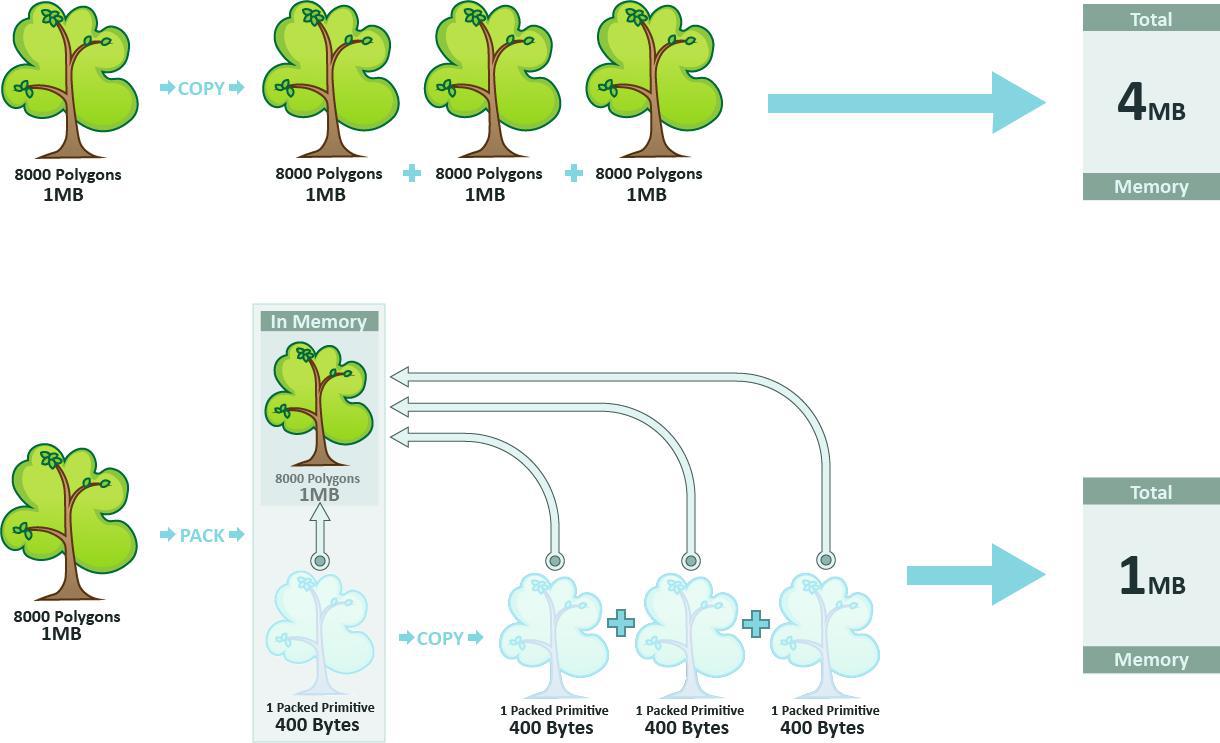
This is the key to handling Massive Data. Instead of letting Houdini treat each particle as an independent geometry point, use Packed Primitives.
- This dramatically reduces memory usage for both the Viewport and RAM, because Houdini only stores a single instance of the geometry along with transformation matrices, rather than copying the entire geometry mesh for every point.
2. The Critical Point: When CPU Gives Way to GPU Simulation
Traditionally, Houdini relies heavily on the CPU. However, with the rise of OpenCL and various third-party solvers, GPUs have become a true game-changer.
Parallel Computing Architecture
Why are GPUs faster?
- CPU: Think of a CPU as a few extremely intelligent math professors working sequentially. This makes it well-suited for simulations with complex chained logic (such as advanced Flip Fluid simulations).
- GPU: A GPU is more like thousands of elementary school students performing simple addition at the same time. For particle systems or fire and smoke simulations (such as Sparse Pyro), many calculations are inherently parallel, allowing GPUs to run 10–50 times faster than CPUs.
VRAM: The “Fatal Weakness” of Large Projects
Although GPUs are extremely fast, they are limited by VRAM capacity. When working with Massive Data on the GPU, you will encounter a major constraint:
- If the dataset exceeds 24GB of VRAM (for example, on an NVIDIA GeForce RTX 4090), the simulation may stop.
- This is when you need GPUs with larger memory capacity or must rely on out-of-core techniques (utilizing a portion of system RAM), although performance will decrease significantly.
3. Multi-GPU: The Ultimate Solution for Rendering Massive Data
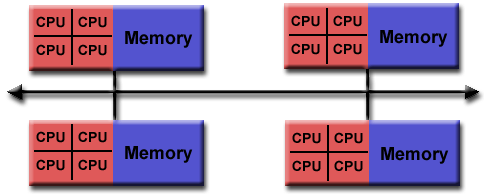
Many people assume that having 8 GPUs will make simulations run 8 times faster. In reality, most modern solvers still prioritize the power of a Single-GPU to avoid data latency between PCIe slots. So when do you actually need a Multi-GPU system at iRender?
Accelerating Render Engines (Redshift, Karma XPU, Octane)
The rendering stage is where Multi-GPU truly shines.
- Lighting & Ray-Tracing Calculations:
These algorithms are extremely resource-intensive when interacting with billions of particles. Multi-GPU systems (for example clusters with 4× or 8× NVIDIA GeForce RTX 4090 GPUs) allow ray-tracing workloads to be split and processed in parallel, reducing render times from several days to just a few hours.
- Scalability:
With render engines that support multi-GPU well such as Redshift, Karma XPU, and OctaneRender, render speed scales almost linearly with the number of GPUs.
Solving the “Deadline” Problem
In professional VFX production, time is money. When you have terabytes of cache data that need to be rendered into final images, relying on a single workstation becomes impossible.
A cloud rendering infrastructure with extremely high PCIe bandwidth, such as the system at iRender, allows data to be distributed instantly from Cache Disks to Multi-GPU clusters, ensuring that project deadlines are met.
Conclusion: The Mindset of a Technical Artist
Handling billions of particles without crashing your system requires two critical elements:
1. Extreme Data Optimization
Carefully manage attributes, precision, and geometry to keep datasets lightweight.
2. The Right Hardware Infrastructure
Leverage powerful GPU systems and Multi-GPU rendering environments when needed. Trying to force a personal workstation to handle massive simulations is rarely efficient. Instead:
- Focus your creative energy on art direction and motion refinement
- Let thousands of CUDA cores handle the heavy computational workload.
That’s the true workflow of a modern Technical Artist working with massive VFX data.
Smart Data Optimization Is the Key to Working Efficiently in Houdini with iRender
iRender is proud to provide suitable configuration packages for all software to bring you a great experience in the rendering process. With the benefits that iRender brings to you, as well as the configuration that is very suitable for all versions of Houdini, do not hesitate to use the service at iRender to have a great experience with your rendering time.
At iRender, we provide remote workstations where you can use them as your own computer. Under the IaaS (Infrastructure as a Service) model, you will have full control over the entire rendering process and use it as your personal machine. Therefore, you can install any software and plug-ins you want, add your license, and render or modify your project yourself.
Below is information about our packages, which are suitable for Houdini:
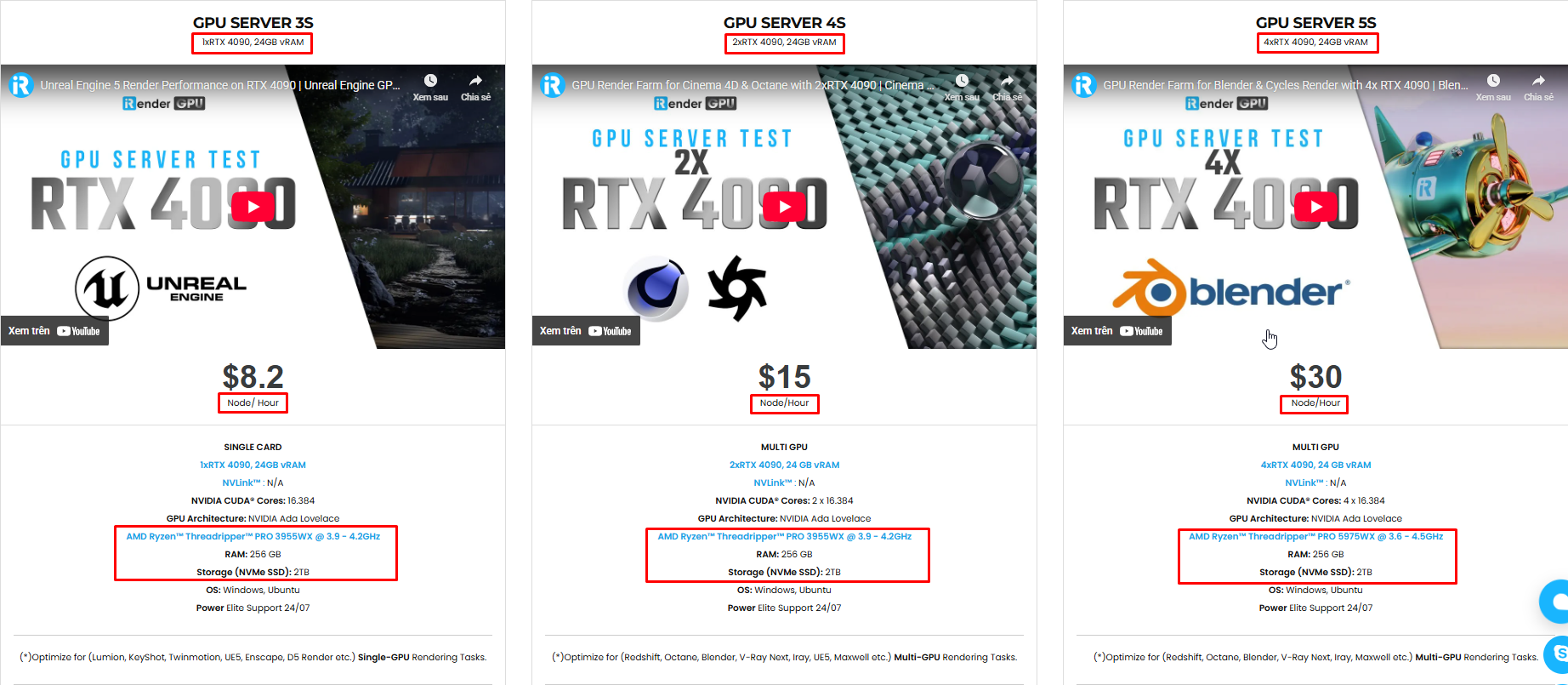
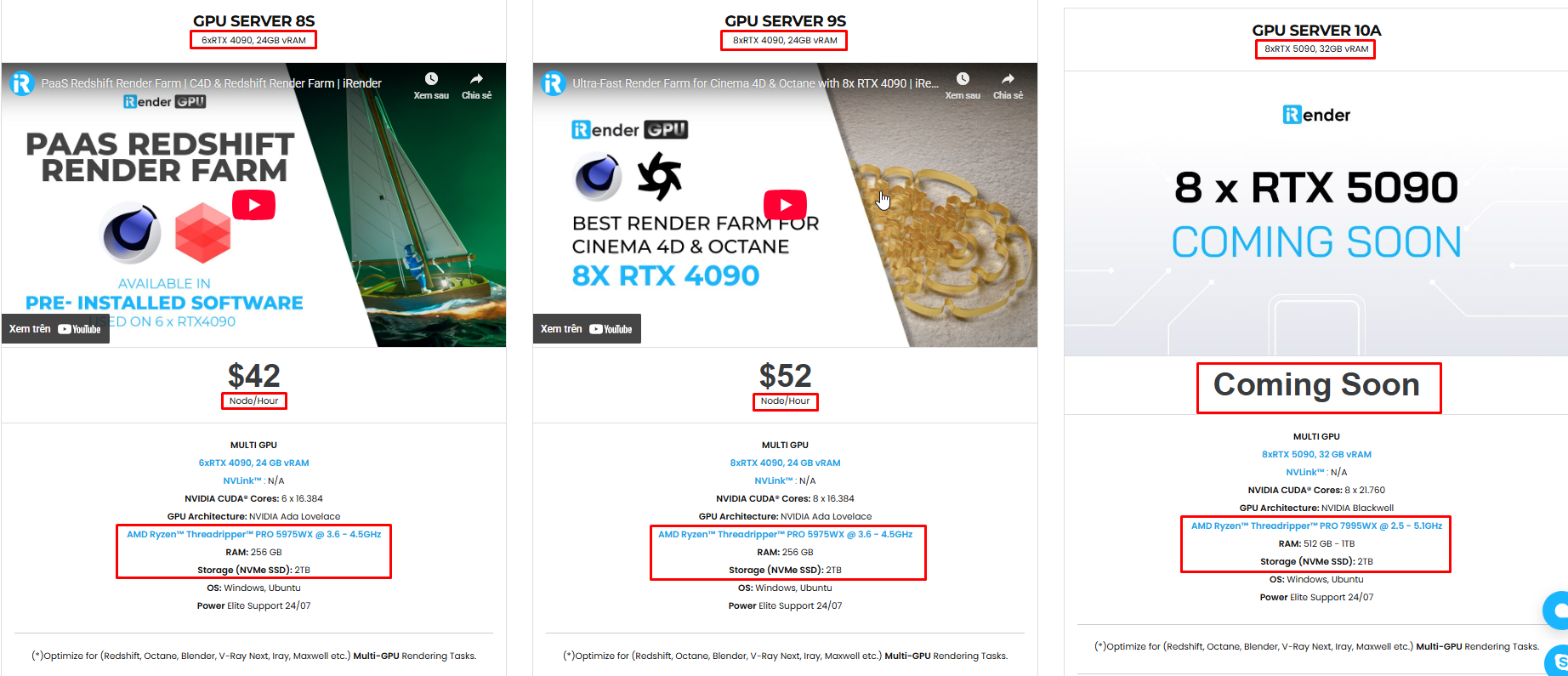
Not only does it have powerful configurations, but iRender also provides you with many more services. Free and convenient transfer tool iRender drive for macOS and Linux users. For Windows users, we recommend the iRender GPU application, you will not need to access our website anymore. The price at iRender is also very flexible with hourly rental (pay as you use), and daily/weekly/monthly rental with a 10-20% discount.
We’re always happy to help you with any questions. If you have any problems or questions, don’t hesitate to contact our 24/7 support team. Or via Whatsapp: 0912 785 500 for free advice and support.
iRender is currently offering a SPECIAL PROMOTION: enjoy a 100% bonus on your first top-up. This means your first deposit will be doubled, and your points never expire, allowing you to use them whenever you need.
Sign up for an account today to experience and enjoy our services.
Thank you & Happy Rendering!
Source and image:sidefx.com