
Can Unreal Engine 5.5 Replace V-Ray in Modern ArchViz?
For more than two decades, V-Ray has reigned as the “gold standard” in Architectural Visualization (ArchViz), known for its physically accurate lighting, photorealistic materials, and image quality trusted by high-end real estate, interior design, and marketing professionals. However, the arrival of Unreal Engine 5.5 (UE 5.5) is creating a true industry shift. The question is no longer: “Can real-time rendering be used professionally?” but instead: “Is V-Ray still the only serious option for architectural visualization?”
In this article, iRender breaks down this historic face-off between two industry giants and explains why more and more studios are embracing real-time workflows to gain speed, flexibility, and a competitive edge.
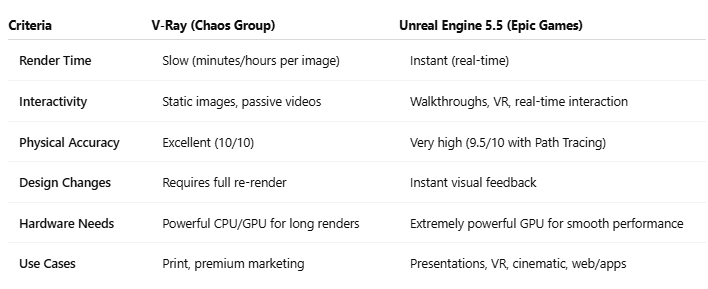
1. Unreal Engine 5.5 vs V-Ray: Real-Time ArchViz Workflow
Unreal Engine 5.5 is transforming modern ArchViz workflows by bringing real-time rendering and cinematic-quality visuals into professional architecture studios.
To understand why Unreal Engine 5.5 is making such a strong impact on the ArchViz community, it’s important to first examine the fundamental differences between these two rendering approaches and the philosophies behind them.
Unreal Engine 5.5 – Real-Time Rendering
Unreal Engine was originally developed as a game engine, built around the concept of real-time rendering (30–60 FPS). Thanks to major advancements in GPU performance and rendering algorithms, UE 5.5 now delivers visual quality that rivals that of traditional offline renderers.
According to Epic Games: “With Unreal Engine 5.5, the line between real-time and offline rendering has been blurred, thanks to major improvements in Path Tracing that enable cinematic-quality visuals without long wait times.”
Advantages:
- Instant visual feedback with no waiting for renders.
- Supports walkthroughs, VR, and fully interactive client experiences.
- One project can generate multiple types of output content.
Limitations:
- Requires very powerful GPUs to run smoothly at high quality.
- The initial workflow can be more complex for beginners.
V-Ray – Offline Rendering
V-Ray is built around traditional ray tracing, where the engine calculates every light ray, reflection, refraction, and bounce throughout the scene to produce images with near-perfect physical accuracy.
Advantages:
- Extremely high image quality suitable for print, advertising, and premium marketing.
- Highly realistic lighting, materials, and shadows.
- Trusted by top-tier architecture, real estate, and luxury interior design studios.
Limitations:
- Long render times, often minutes or even hours per frame.
- Any design change requires a full re-render.
- High hardware and operational costs.

2. Why Unreal Engine 5.5 Is a “Game Changer” for ArchViz
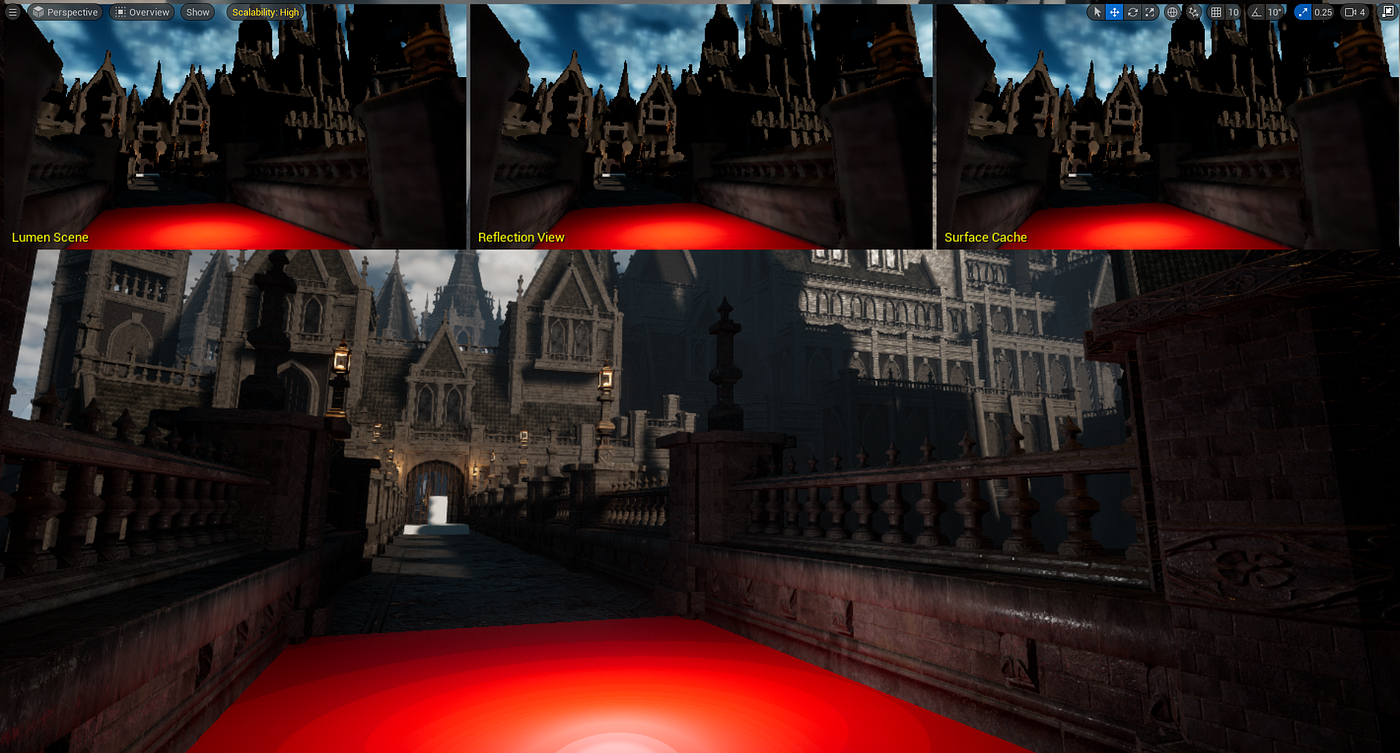
Lumen – Real-Time Global Illumination
UE 5.5 is not just a minor update; it represents a major technological leap that enables architectural visualization artists to work faster, more creatively, and more flexibly than ever before.
Lumen is Unreal Engine’s real-time Global Illumination (GI) system, allowing lighting to react instantly to any changes in the environment, sun position, or interior light sources.
Benefits for ArchViz:
- No need to bake lighting as in traditional workflows.
- Easily test multiple lighting scenarios during design reviews.
- Significantly speeds up iteration and approval cycles.
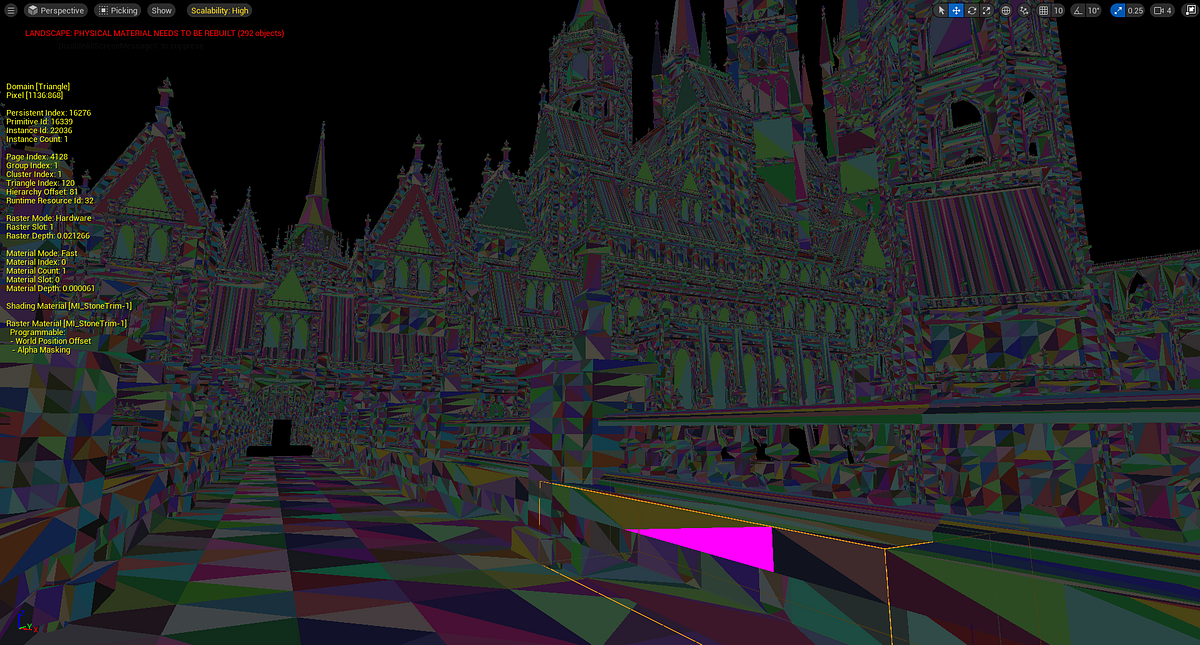
Nanite – Freedom with Ultra-High-Poly Models
Nanite allows Unreal Engine to handle models with millions—or even billions—of polygons while maintaining smooth performance, something that was previously impossible in real-time environments.
This is especially valuable when:
- Importing assets from 3ds Max, Blender, or SketchUp.
- Using high-quality resources from Quixel Megascans.
- Building large-scale urban scenes, resorts, or highly detailed interiors.
Path Tracing 5.5 – A Direct Challenge to V-Ray
In the past, Unreal Engine was often criticized for “looking like a game.” With Path Tracing in UE 5.5, that perception has changed dramatically.
This feature enables:
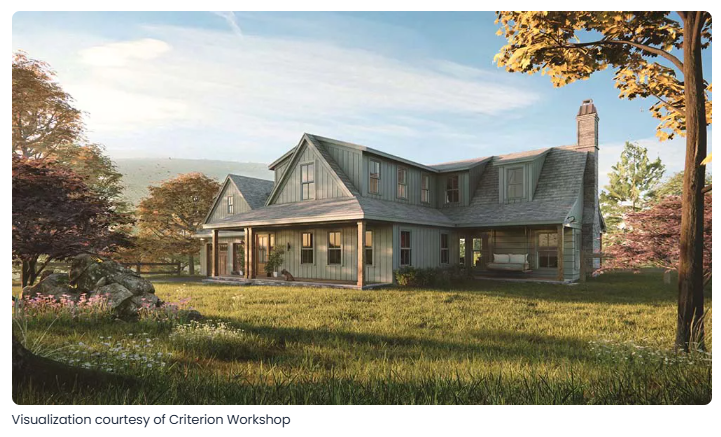
- Physically accurate still-image rendering.
- Correct handling of complex materials such as glass, water, metals, and light scattering.
- Output quality suitable for brochures, high-end marketing, and print production.
In other words, Unreal Engine is no longer just a visualization tool—it has become a serious contender in professional commercial pipelines.
3. Business Benefits: Why Architecture Firms Are Moving to Real-Time
According to insights from the CGArchitect community, the number of professionals using Unreal Engine in daily production workflows has grown by more than 40% over the past three years, signaling that real-time rendering is becoming a long-term strategic choice rather than a passing trend.
Faster Client Approvals
Instead of sending static images, architects can invite clients to wear a VR headset and walk through their future home or building, experiencing scale, lighting, and materials as if they were already there.
Want to:
- Change wooden flooring to marble?
- Adjust wall colors?
- Resize windows?
All of these changes can be done in seconds, with results visible immediately.
Multi-Platform Content Creation
From a single Unreal Engine project, you can export:
- 4K still images
- Cinematic videos
- 360° panoramas
- Interactive applications
without repeating the entire rendering process.
Optimized Teams and Lower Costs
3D artists can spend more time on creative design and refinement instead of waiting for progress bars to finish, increasing productivity and reducing operational costs for studios.
4. Is a Render Farm Still Necessary for Unreal Engine 5.5?
A common misconception is: “If it’s real-time, why would you still need a render farm?” In reality, the opposite is often true, especially for large-scale projects and high-end visual output.
Path Tracing and Large-Scale Scenes
When enabling high-quality Path Tracing or working on city-scale, resort, or mixed-use developments, Unreal Engine still requires massive GPU power to maintain smooth frame rates and render high-resolution stills and cinematic sequences.
The Power of Multi-GPU Systems
Multi-GPU setups (such as RTX 4090) on professional render farms significantly accelerate the processing of heavy scenes, reducing delivery times for tight marketing and presentation deadlines.
Packaging and Final Output
Exporting projects as apps, VR experiences, or presentation builds is still highly demanding on CPU, RAM, and fast storage, where dedicated server hardware can outperform personal workstations by a wide margin.
5. Final Verdict: Is V-Ray “Outdated” Yet?
The answer is: Not yet.
V-Ray remains the top choice for:
- Ultra-high-end still renderings.
- Projects requiring absolute physical accuracy.
- Luxury real estate and premium print marketing.
That said, Unreal Engine 5.5 has firmly established itself as a strategic tool for studios operating in the digital, interactive era.
The Future Trend: Hybrid Workflows
More and more studios are adopting a hybrid approach:
- Unreal Engine for design reviews, VR, walkthroughs, and interactive presentations.
- V-Ray for final catalog-quality and marketing stills.
This balance allows teams to maximize speed, quality, and business efficiency.
iRender - The best powerful rendering solution for Unreal Engine
Whether you choose V-Ray, Unreal Engine, or a hybrid pipeline, one thing remains essential: reliable, high-performance hardware.
iRender provides enterprise-grade Multi-GPU Render Farm solutions that help you:
- Run Unreal Engine smoothly with high-quality Path Tracing.
- Accelerate V-Ray rendering far beyond the limits of a single workstation.
- Optimize costs while achieving maximum performance for your studio.
iRender is proud to provide suitable configuration packages for all software to bring you a great experience in the rendering process. With the benefits that iRender brings to you as well as the configuration that is very suitable for all versions of Unreal Engine, do not hesitate to use the service at iRender to have a great experience with your rendering time. At iRender, we provide remote workstation(s) where you can use it as your own computer. Under the IaaS (Infrastructure as a Service) model, you will have full control over the entire rendering process and use it as your personal machine. Therefore, you can install any software and plug-ins you want, add your license, and render or modify your project yourself.
Below is information about our 3S package, which is the most suitable for Unreal Engine:
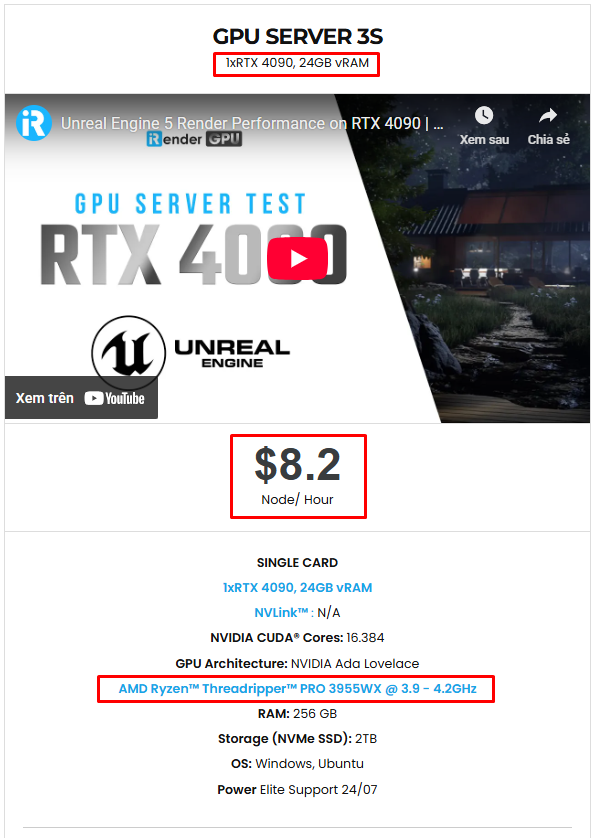
Not only does it have powerful configurations, but iRender also provides you with many more services. Free and convenient transfer tool iRender drive for macOS and Linux users. For Windows users, we recommend the iRender GPU application, you will not need to access our website anymore. The price at iRender is also very flexible with hourly rental (pay as you use), and daily/weekly/monthly rental with a 10-20% discount.
We’re always happy to help you with any questions. If you have any problems or questions, don’t hesitate to contact our 24/7 support team. Or via Whatsapp: 0912 785 500 for free advice and support.
iRender is currently offering a SPECIAL PROMOTION: enjoy a 100% bonus on your first top-up. This means your first deposit will be doubled, and your points never expire, allowing you to use them whenever you need.
Sign up for an account today to experience and enjoy our services.
Thank you & Happy Rendering!

Related Posts
The latest creative news from Unreal Engine Cloud Rendering






