
Animation Render Times Are Killing You: The Frame-Count Math Nobody Explains
Animation deadlines die on one calculation people skip: time per frame multiplied by total frames. A frame that renders in three minutes feels harmless, but a ten second shot at 24 fps is 240 frames, which is twelve hours on one machine doing nothing else. Two numbers decide your fate, the seconds per frame and the frame count, and your single workstation can only attack them one frame at a time. The way out is that frames are independent, so they can render on many machines at once. Spreading a sequence across more machines scales almost in step with how many you add, which is why animation is the clearest case for cloud rendering once the scene itself is already optimized.
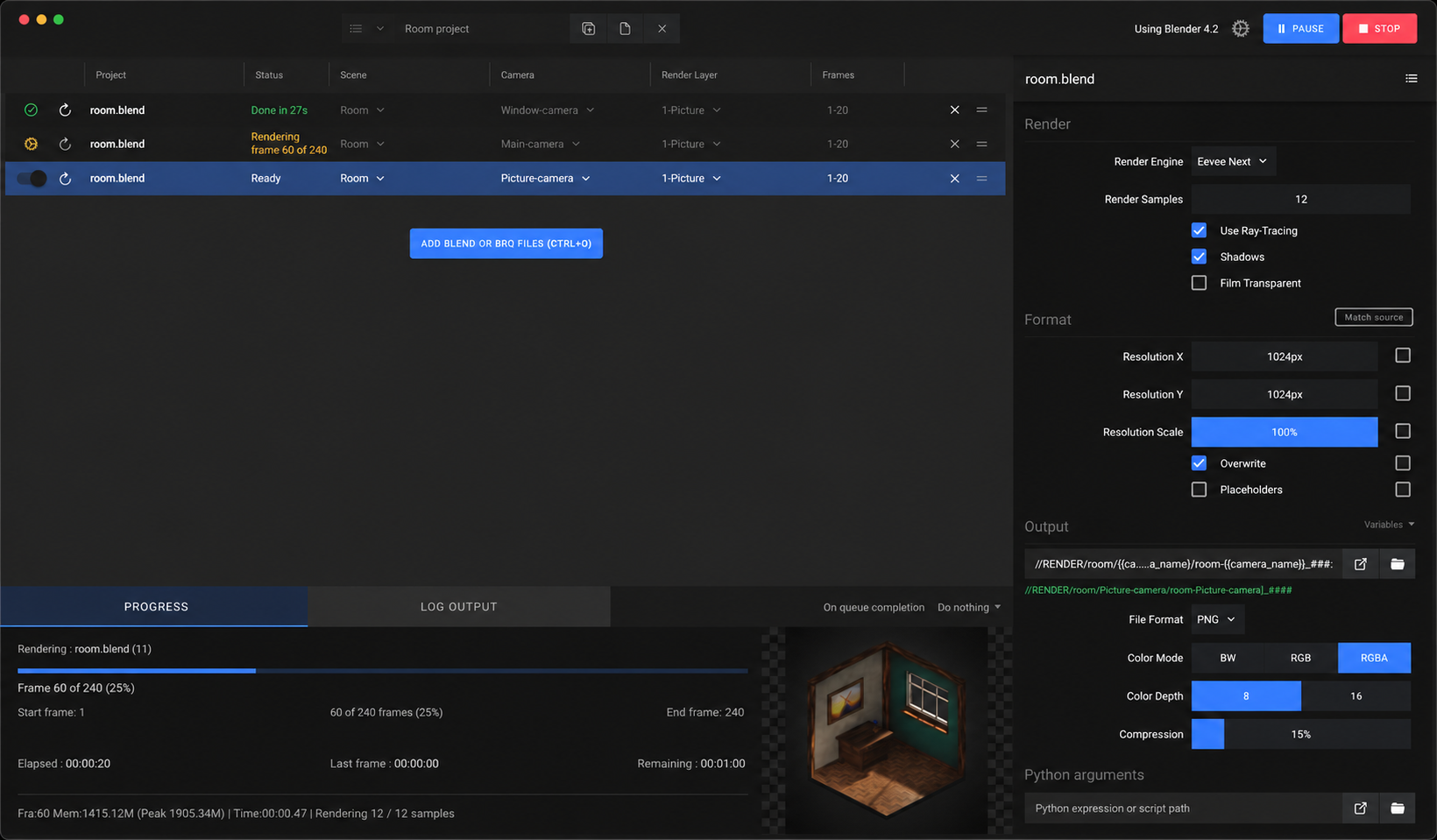
Every animator I know has learned this the painful way at least once. The single frame looks great, it took three minutes, you feel good about the day. Then you hit render on the full shot, walk away, and come back to a progress bar that says frame 60 of 240 and an estimated finish somewhere around tomorrow afternoon. The frame was never the problem. The count was.
I want to make that math impossible to ignore, because once you internalize it you plan differently. You stop thinking in frames and start thinking in machine hours.
| Shot | Frames (24 fps) | Time / frame | 1 machine | 8 machines (with overhead) |
|---|---|---|---|---|
| 5 seconds | 120 | 3 min | ~6 hours | ~50 min |
| 10 seconds | 240 | 4 min | ~16 hours | ~2.2 hours |
| 30 seconds | 720 | 5 min | ~2.5 days | ~8 hours |
| 60 seconds | 1,440 | 6 min | ~6 days | ~19 hours |
How do I work out my real render time before I commit?
Render a few representative frames, not just the easy one. Pick a busy frame, a simple frame, and something in between, and take the average seconds per frame. Multiply that by your total frame count and you have your machine time. Then divide by how many machines you can run in parallel to get the wall-clock time you actually care about, the time until the shot is done.
The reason this works cleanly is that each frame renders on its own. There is no dependency between frame 5 and frame 6, so a render manager can hand frame 5 to one machine and frame 6 to another at the same time. That independence is what makes animation scale across machines almost in step with how many you add. It is a different situation from putting more GPUs on a single heavy frame, where overhead eats into the gain.
Why my own machine is the bottleneck even when it is fast
A fast workstation still renders one frame at a time. While those 240 frames grind through, you cannot model, you cannot light the next shot, you cannot even scrub the timeline comfortably. The cost of a long animation render is not only the clock, it is everything you are not doing during it. And the failure mode is brutal: you set an overnight render, go to bed, and wake up to find it crashed at frame 130 because of one bad cache or a full disk, with nothing usable to show for the night.
Two habits soften this. Render in frame ranges rather than one giant job so a crash costs you a chunk, not the whole night. And monitor the job remotely so you catch a stall early. But neither changes the underlying arithmetic. If the sequence needs more machine hours than you have hours before the deadline, you need more machines.
Spreading frames across machines, and where iRender fits
This is the part that turns a four day render into an overnight one. Because frames are independent, you can split the sequence across many machines and collect the finished frames as they land. iRender suits this without forcing you into someone else’s pipeline. You get full RTX 4090 workstations with 256GB RAM, and you install your software, your render manager, your exact plugins, so the output matches what you see locally. You set the machines up the way your shot needs, which is the point of “your renders, your rules”. Run one 8 GPU server on a hero frame, or several servers in parallel to chew through a whole sequence at once.
A few things will cost you if you are not watching them. The meter starts when each machine boots, so package your scene and assets before you connect, and do not leave servers idling between tests. You close the machines yourself when the batch is done, and a forgotten running server overnight is the classic way to waste credit, so lean on auto-shutdown. First setup runs around 15 to 30 minutes, after which your saved image starts in a couple of minutes. If all you want is hands-off overnight batch frames with no live desktop, a SaaS render farm can be the simpler route. iRender is the better fit when you want full control of your animation pipeline and the freedom to scale machines up only when a sequence demands it.
iRender is having 100% bonus promotion for the first recharge (means you can render twice and the price is half). Plus, we have Credit Back feature to back from 10%-20% after each session from hours tiers. Scene optimized and the sequence still will not finish in time?: Render your animation across multiple GPU servers.
Got a big sequence due soon and want to test it first?: Try iRender now and get a 100% bonus on your first deposit





