
Cloud Render Farm Pricing Explained: How to Calculate Your Real Cost in 2026
Cloud render farm pricing in 2026 follows three main models: per-hour (iRender at ~$8.20/hr), per-GHz-hour (GarageFarm, RebusFarm — $0.015–0.035 per GHz-hour), and per-OctaneBench-hour (some GPU farms). The per-hour model is the simplest to understand: you pay for server time regardless of what you’re doing. GHz-hour pricing sounds cheaper but is hard to estimate upfront — your cost depends on how many CPU cores the farm assigns to your job. The average 3D project costs $15–80 on a render farm, depending on scene complexity, engine, and frame count. iRender’s Credit Back (10–20% returned per session) and 100% first-deposit bonus reduce effective costs by up to 50–60% compared to listed rates.
| Pricing Model | How It Works | Used By | Predictability | Typical Range |
|---|---|---|---|---|
| Per-hour (fixed) | Pay for server runtime | iRender, Xesktop | ⭐⭐⭐ Easy to estimate | $8–20/hr |
| Per-GHz-hour | Pay per CPU clock speed × time | GarageFarm, RebusFarm | ⭐⭐ Moderate — depends on node assignment | $0.015–0.035/GHz-hr |
| Per-OctaneBench | Pay per GPU benchmark score × time | Some GPU farms | ⭐ Hard to predict | Varies widely |
| Per-frame (flat) | Fixed price per rendered frame | Rare — some boutique farms | ⭐⭐⭐ Most predictable | $0.50–5.00/frame |
Why Is It So Hard to Compare Render Farm Prices?
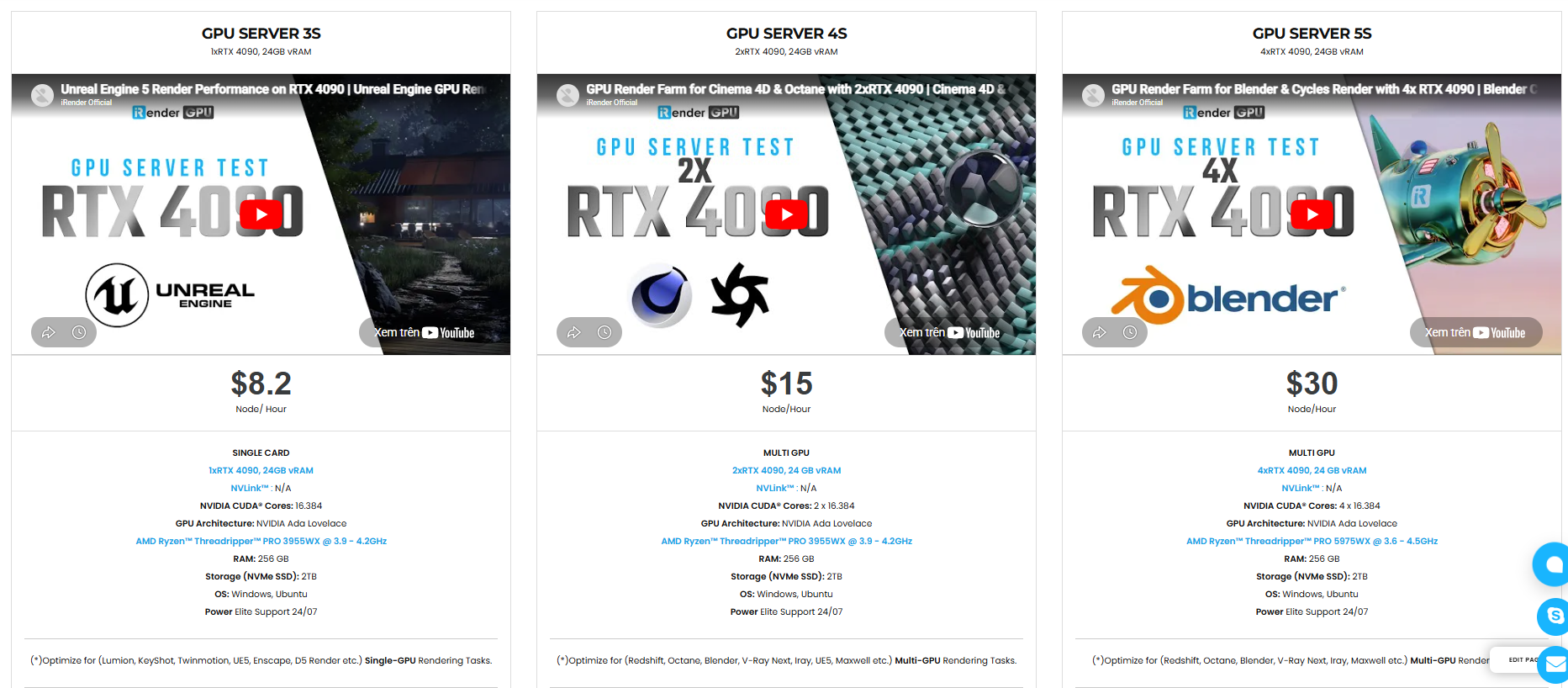
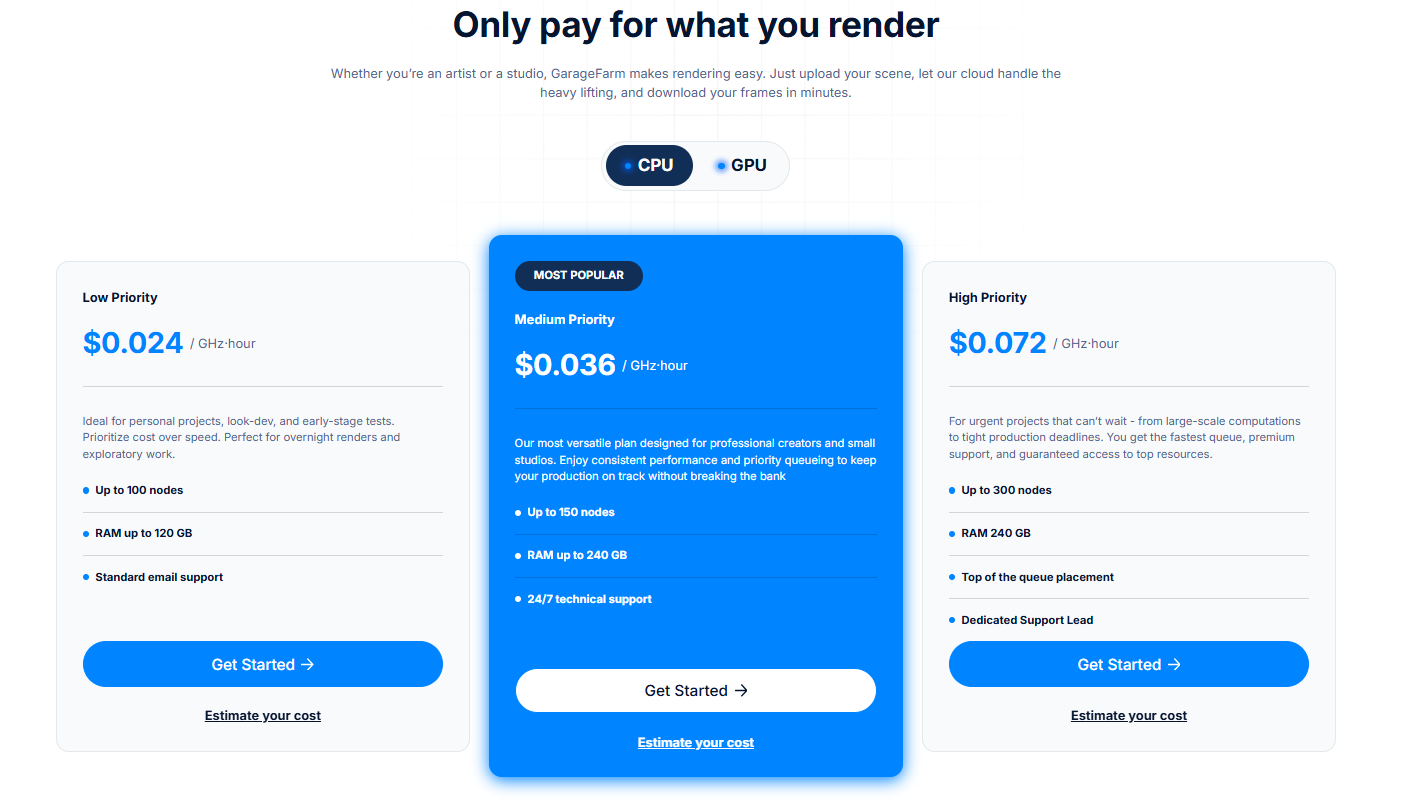
Because every farm uses a different unit of measurement. iRender charges $8.20 per hour for an RTX 4090. GarageFarm charges $0.02 per GHz-hour. How do you compare those? You can’t — unless you translate both into the same unit, like cost per frame for a specific scene.
That’s exactly why we run the same test scene on every farm before ranking them. A 144-frame Blender Cycles animation cost roughly $3.80 on iRender (28 minutes at $8.20/hr) versus approximately $4.20 on GarageFarm (17 minutes, but higher per-GHz pricing). The GHz-hour model looks cheaper per unit but used more billable units for the same job.
Per-hour pricing (like iRender uses) has one clear advantage: you know exactly what you’re paying before you start. No surprises about how many GHz-hours the farm assigned. No confusion about OctaneBench multipliers. The rate is the rate. And because iRender gives you a dedicated server, you control exactly what’s happening on that machine. Your renders, your rules — including how your money gets spent.
How Do You Calculate Your Actual Cost Before Rendering?
For per-hour farms (iRender, Xesktop): Render 1 test frame locally. Note the time. Multiply by total frames. Divide by GPU speedup (RTX 4090 is roughly 3–5× faster than an RTX 3060). Multiply by hourly rate. Example: 200 frames × 2 minutes each ÷ 4× speedup = 100 minutes = 1.67 hours × $8.20 = $13.70. After 20% Credit Back on a weekend: $10.96. After first-deposit bonus: effectively $5.48.
For per-GHz farms (GarageFarm, RebusFarm): This is harder. The farm assigns CPU nodes — you don’t control how many GHz-hours your job uses until it’s done. Most farms offer a cost calculator plugin, but estimates can vary ±30% from actual.
The formula that actually matters: Total project cost ÷ number of successful frames = your real cost per frame. If 10% of frames fail and need re-rendering, your actual cost is 10% higher than the estimate. On IaaS farms (iRender), fail rate is nearly zero because you verify the scene before batch-rendering.
Be honest with yourself about one risk on IaaS: idle time is your enemy. On iRender, if your 200-frame render finishes at 2 AM and you don’t shut down until 8 AM, those 6 idle hours add $49 to your bill. Build that risk into your calculation — or set an alarm.
Know exactly what you’re paying — iRender’s per-hour pricing means no surprises: See transparent GPU pricing





