
GPU Out of Memory When Rendering? Here’s How to Fix It (and When to Go Cloud)
“CUDA error: out of memory” is the most frustrating error in GPU rendering. It means your scene’s textures, geometry, and render data exceed your GPU’s VRAM. An RTX 3060 has 12GB VRAM; an RTX 3070, 8GB; even an RTX 4070 has just 12GB. For complex scenes with 4K textures, displacement maps, and volumetrics, that’s often not enough. You can fix it by reducing texture resolution, using proxies/instances, enabling out-of-core rendering, or optimizing geometry. But when your scene simply needs more VRAM than your card has, the real fix is more GPU memory. iRender’s RTX 4090 provides 24GB per GPU, and with 4–8 GPUs, you can access 96–192GB of pooled VRAM — enough for virtually any production scene.
| Fix | Effort | VRAM Savings | Quality Impact |
|---|---|---|---|
| Reduce texture resolution (4K → 2K) | Low | 30–50% | Minor (barely visible) |
| Use instances instead of copies | Low | 20–60% | None |
| Enable out-of-core rendering | None (toggle setting) | Unlimited* | Slower render (2–5×) |
| Reduce subdivision levels | Medium | 30–70% | Visible on close-ups |
| Disable displacement, use normal maps | Medium | 40–60% | Moderate |
| Render in passes (separate heavy elements) | High | 50–80% | Compositing needed |
| Upgrade local GPU (buy RTX 4090) | $1,600 | +12GB (to 24GB) | None |
| Use cloud GPU (iRender 4–8× RTX 4090) | $3.50/hr | +72–168GB | None |
Which Local Fixes Actually Work — and Which Ones Compromise Your Scene?

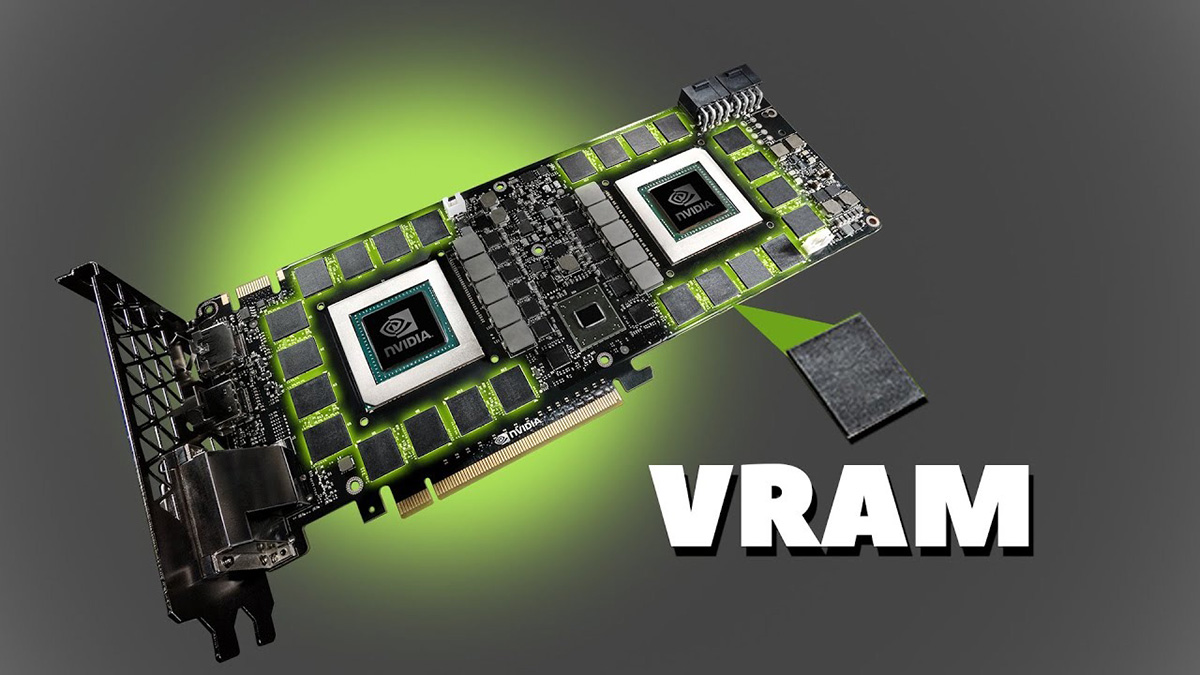
Image Source: NVIDIA
Start with the freebies. Instances instead of copies — if you have 50 identical trees in your scene, using instances means the GPU loads the mesh once instead of 50 times. This alone can save 40–60% VRAM with zero quality loss. Most artists know about instancing, but many forget to check whether their scene actually uses it.
Texture resolution is the next easy win. 4K textures on objects that appear small in frame are wasting VRAM. Scale them down to 2K or even 1K for background elements. The difference is invisible at normal viewing distance, but the VRAM savings can be dramatic — 30–50% in texture-heavy scenes.
Out-of-core rendering (available in Redshift, Octane, V-Ray GPU) lets the renderer spill data from GPU memory to system RAM. It works — your scene will render — but it’s 2–5× slower because GPU→RAM transfers are bottlenecked by PCIe bandwidth. If your scene barely exceeds VRAM, out-of-core might add 20 minutes. If it vastly exceeds VRAM, it might add hours.
The fixes that actually compromise quality — reducing subdivision, removing displacement, rendering in passes — are last resorts. They change how your scene looks. If a client approved a specific look, you can’t suddenly simplify the geometry.
When Should You Stop Optimizing and Just Use More VRAM?
There’s a point where optimization becomes more expensive than the problem. If you’ve spent 2 hours reducing textures, simplifying geometry, and rendering in passes — and the scene still crashes or renders in out-of-core at 5× slower — you’re losing money trying to save money.
On iRender, a single RTX 4090 gives you 24GB VRAM. Four GPUs pool ~96GB. Eight give you ~192GB. Your scene that crashed on a 12GB RTX 3060? It renders normally on a single 24GB RTX 4090 without any optimization changes. The scene stays exactly as you designed it. Your renders, your rules — not your GPU’s rules.
The math is simple: 2 hours of your time optimizing (at $50/hr freelance rate) = $100 in lost productivity. A 1-hour render on iRender at $8.20/hour (or $3.50 after Credit Back + bonus) = $3.50–8.20. Cloud rendering doesn’t just solve the VRAM problem — it solves it faster and cheaper than the DIY fix. The 100% first-deposit bonus means your first cloud render costs practically nothing to test.
One honest note: if every single scene you build needs more than 24GB VRAM, you might need the 4× or 8× GPU config, which runs $32.80–65.60/hour. For that level of regular usage, investing in a local RTX 4090 ($1,600) pays for itself in 25–50 hours of saved cloud time. The right answer often isn’t “cloud OR local” — it’s using each where it makes sense.
- Scene crashing? Don’t compromise your work — render it on 24–192GB VRAM in the cloud: Explore RTX 4090 configurations
- 100% first-deposit bonus. 24GB per GPU × up to 8 GPUs. Your scene, unchanged. Your Renders, Your Rules.






