
Best Hardware Specs for Houdini Cloud Simulation in 2025
Houdini is one of the most powerful and demanding 3D software programs available today. It’s widely used in film, animation, game, and visual effects (VFX) production. Unlike traditional modeling and animation software, Houdini operates procedurally, meaning it relies heavily on complex simulations, particle dynamics, fluid effects, and large-scale environments. Running Houdini cloud simulations efficiently isn’t simply about owning a fast workstation; it’s about choosing the right balance between CPU core count and GPU performance.
If you’re a 3D artist, freelancer, or studio professional, investing in a pre-built PC optimized for Houdini can significantly improve your workflow, boost efficiency, and handle demanding projects with ease. In today’s blog, iRender will find the best hardware specs for Houdini Cloud Simulation in 2025!
Overview of Houdini 2025 (Houdini 21)

Image Source: SideFX
In 2025, Houdini continues as one of the most powerful and flexible 3D software platforms for procedural modeling, simulation, and VFX production. Developed by SideFX, Houdini is widely used in film, television, games, and motion graphics thanks to its node-based system. Houdini places a strong emphasis on performance, scalability, and modern pipelines, with notable improvements to Pyro, FLIP, and Vellum simulations, more efficient VDB handling, and tighter integration with USD-based workflows. GPU acceleration continues to expand, particularly through Karma XPU, enabling artists to leverage modern RTX GPUs for faster lookdev and final rendering while still relying on CPU power for heavy simulations.
Houdini 21 stands out with major performance and workflow upgrades focused on large-scale simulation and modern production pipelines. Key highlights include improved Pyro and FLIP solvers, expanded GPU acceleration through Karma XPU, and better memory handling for heavy VDB workflows.
System Requirements for Houdini 2025

Image Source: ProX
Minimum Requirements
- Operating System: 64-bit Windows 10/11, macOS (Apple Silicon), or Linux 64-bit
- System Memory (RAM): 16 GB minimum
- GPU: OpenGL 4.0, 12 GB+ VRAM
- Hard Drive: 30 GB of free disk space
High-end Requirements
- Operating System: 64-bit Windows 10/11, macOS (Apple Silicon), or Linux 64-bit
- System Memory (RAM): 32GB+ highly recommended
- VRAM: 8GB+ for general use, 10GB+ for demanding GPU rendering
- GPU: NVIDIA CUDA/OptiX (Kepler or later) for denoisers and Karma XPU.
- Hard Drive: 30 GB of free disk space
To ensure optimal performance when operating Houdini on Windows, specific hardware and software requirements must be met. For a stable and efficient experience, Houdini is fully compatible with Windows 10 (64-bit), Windows 8.1 and older, plus Windows Server, are no longer compatible.
Similarly, on macOS, certain system requirements are necessary to ensure the smooth operation of Houdini 21. Houdini 21 requires macOS 11 (Big Sur) or newer for both Apple Silicon (M-series) and Intel-based Macs, continuing the trend from Houdini 20, which also dropped support for older macOS versions. You need a 64-bit Mac and the OS must be 11.0+ to run this latest version of SideFX’s 3D animation software.
Best Hardware Specs for Houdini Cloud Simulation in 2025
1. Processor (CPU)
When selecting a CPU for Houdini, two key specifications play a decisive role in overall performance: clock speed and core count. Clock frequency determines how quickly individual CPU cores can process instructions, which directly affects viewport responsiveness, node cooking, and interactive tasks. Core count, on the other hand, defines how many operations can be executed in parallel, making it especially important for Houdini’s simulation solvers such as Pyro, FLIP, Vellum, and RBD, which are highly multi-threaded. Unlike real-time tools, Houdini scales very well with additional cores, meaning that higher core counts can significantly reduce simulation and caching times. For optimal performance, Houdini users should prioritize a balanced CPU that combines strong single-core speed with a high number of cores. Modern processors from AMD’s Ryzen and Threadripper series, as well as Intel’s Core i9 and Xeon lines, are well-suited for this workload. High-end options such as the AMD Ryzen 9 7950X or Threadripper PRO models, and Intel Core i9 processors, provide the computational power needed to handle complex, large-scale Houdini simulations efficiently.
2. Graphics card (GPU)
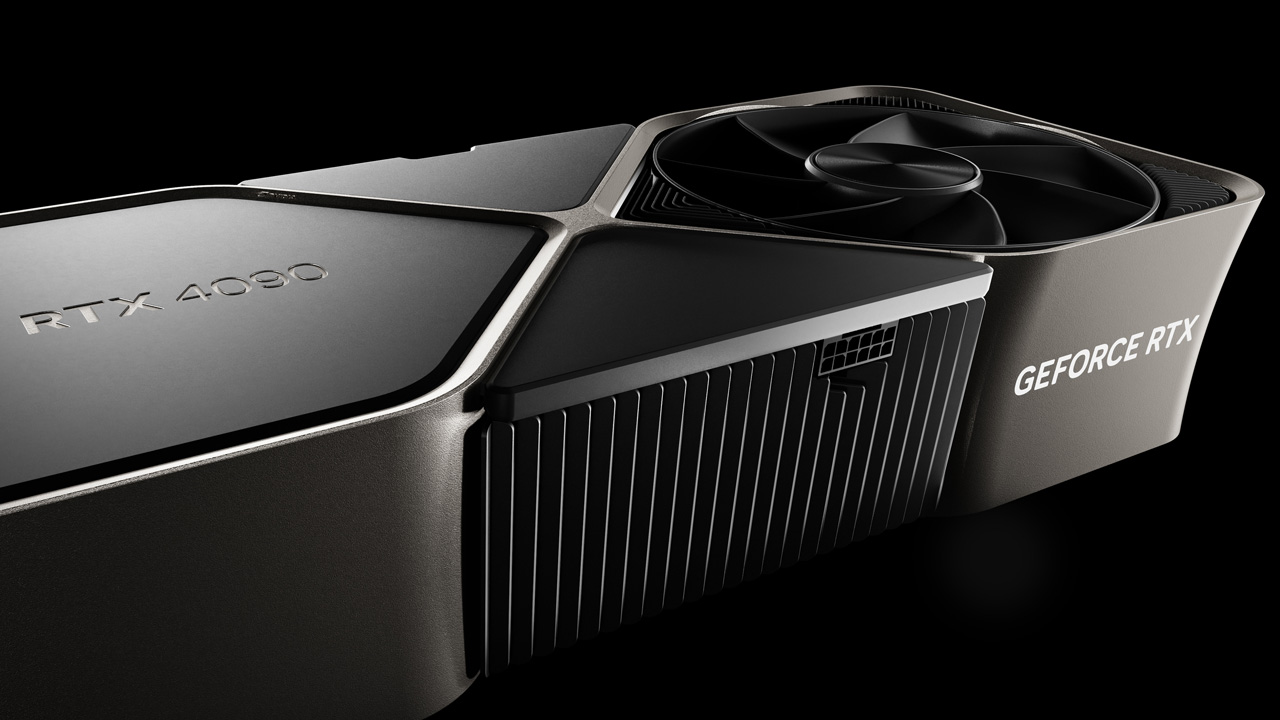
Image Source: NVIDIA
In Houdini, the graphics card plays an important role in viewport performance, GPU-accelerated rendering, and certain simulation and processing tasks, especially in modern workflows. While most core simulations remain CPU-driven, a powerful GPU significantly improves scene interaction, geometry display, and real-time feedback when working with dense meshes, large VDB volumes, or complex shading setups. VRAM capacity is particularly critical, as volumetric data, textures, and GPU render buffers can quickly exceed limited memory, leading to slowdowns or viewport issues. With the growing adoption of GPU-based rendering through Karma XPU and third-party engines, high-end GPUs such as the NVIDIA GeForce RTX 4090 with 24GB of VRAM offer outstanding performance for professional Houdini users. That said, GPUs like the RTX 4080 (16GB) or RTX 4070 SUPER (12GB) remain strong and more accessible options, providing reliable performance for small to mid-scale Houdini projects and learning workflows.
3. Memory (RAM)
To ensure stable and efficient performance when working in Houdini 2025, sufficient system memory (RAM) is absolutely critical, especially for simulation-heavy workflows. RAM directly affects how smoothly Houdini can handle large datasets such as particle systems, volumetric VDBs, and cached simulation data. When memory is limited, Houdini may be forced to rely on disk swapping, which dramatically slows down simulation cooking and viewport interaction. SideFX lists 16 GB of RAM as the minimum requirement to run Houdini, but this is only suitable for basic scenes and learning purposes. For professional use—particularly Pyro, FLIP, or Vellum simulations—32 GB is considered a practical baseline, while 64 GB or more is strongly recommended for complex or large-scale projects. Higher RAM capacity allows Houdini to process simulations more efficiently, cache data faster, and maintain responsive performance throughout demanding production workflows.
4. Storage (Drives)
Image Source: Side FX
For running Houdini 2025 efficiently, storage performance is a crucial factor, especially for simulation-based workflows. Houdini generates large amounts of cache data, including VDB volumes, particle caches, and geometry files, which require fast read and write speeds to avoid bottlenecks. For this reason, a Solid-State Drive (SSD)—preferably an NVMe SSD—is strongly recommended over traditional hard drives. High-speed storage significantly reduces load times, accelerates simulation caching, and improves overall workflow responsiveness when working with large or complex projects. Maintaining ample free disk space is equally important, as simulation caches can grow rapidly during production.
Overall
Cloud simulation in Houdini is one of the most computationally demanding tasks in VFX and 3D production, requiring a careful balance of CPU power, memory capacity, storage speed, and GPU acceleration. In 2025, as Houdini’s Pyro and Vellum solvers continue to scale in complexity and resolution, choosing the right hardware directly determines simulation stability, iteration speed, and final quality. Whether working on local workstations or cloud-based render farms, optimizing hardware for Houdini cloud workflows ensures faster simulations, smoother previews, and more efficient production pipelines. After reading this article, we hope you can choose the most suitable and optimal configuration for cloud simulation rendering in Houdini.
Speed Up Your Houdini Projects with iRender Farm
iRender powers up your creativity with unlimited GPU rendering resources. Our GPU render farm houses the most powerful 3D rendering machines. Configure from 1 to 8 GPUs with top-tier RTX 4090, Threadripper Pro CPUs, 256GB RAM, and 2TB SSD storage – iRender’s machines can handle any 3D project demands. We support all 3D software including Houdini, Cinema 4D, etc.
Once renting our machines, you will own them as your personal workstations. Therefore, you can install and use any render engines, plugins, and/or other 3D software of all versions (even the newly released ones). All our servers are equipped:
- AMD Ryzen™ Threadripper™ PRO 3955WX (3.9-4.2GHz) or
- AMD Ryzen™ Threadripper™ PRO 5975WX (3.6-4.5GHz)
- 1/2/4/6/8x – 4090
- 256GB RAM
- 2TB NVMe SSDs
Let’s see our latest performance test on our servers!


Moreover, iRender offers an iRender GPU app. In this all-in-one application, you can free your workflow from accessing iRender website, and just have to work on the iRender GPU app. This app is only for Window users.

Enjoy our FREE TRIAL to try our RTX 4090 machines and boost your rendering now!
For more detailed information, please contact us via Live chat 24/7 or WhatsApp: +(84) 912-785-500 or Email: [email protected].
iRender – Happy Rendering!
Related Posts
The latest creative news from Houdini Cloud Rendering , Cinema 4D Cloud Rendering , Redshift Cloud Rendering, Octane Cloud Rendering, 3D VFX Plugins & Cloud Rendering.





