
Particle and Fluid Sims Eat All Your Memory: Rendering Big Sims
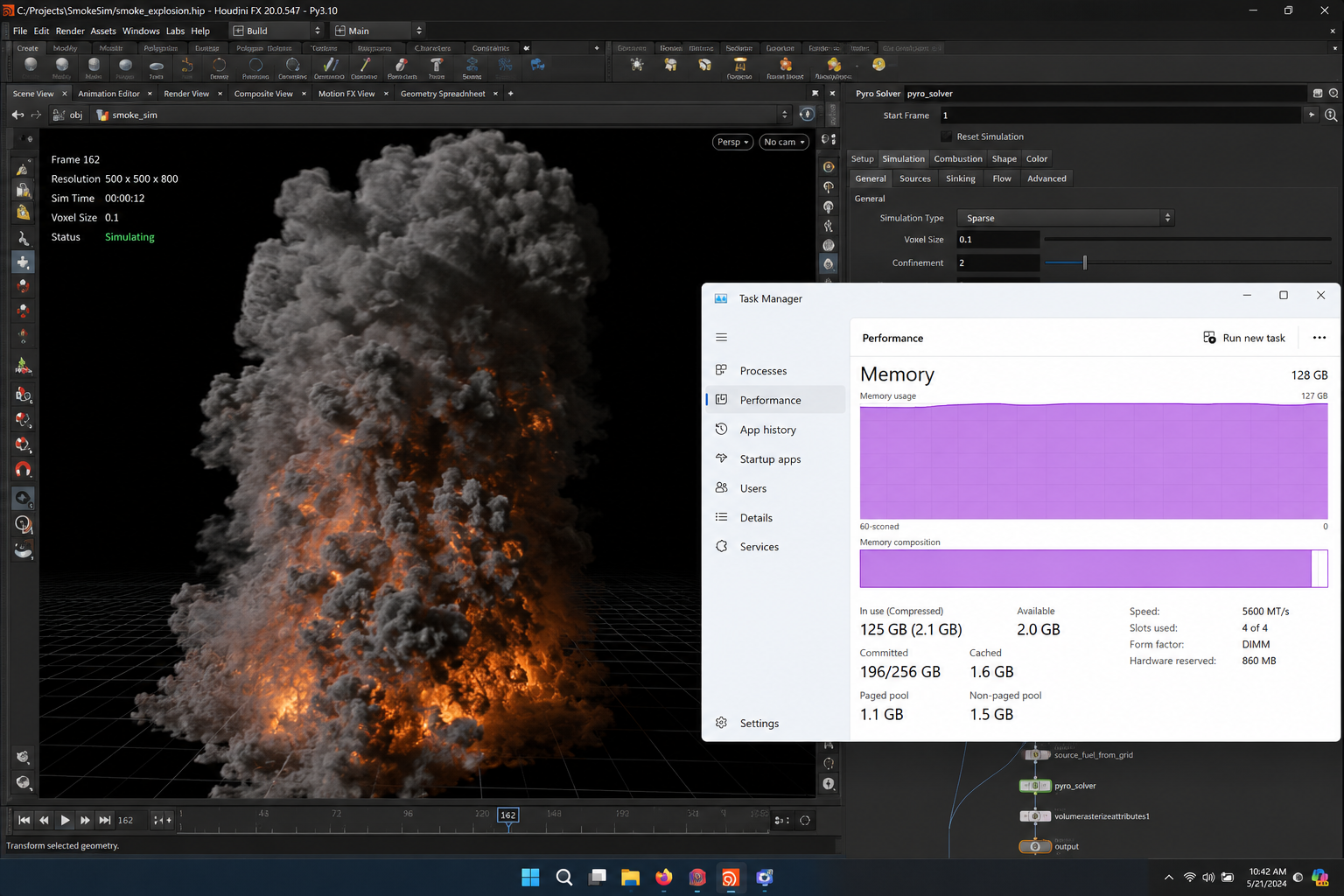
The sim runs for an hour, the cache balloons to dozens of gigabytes, and then either the simulation falls over with a system memory error or the render dies with an out of memory error on the GPU. They look like the same problem, but they are failing in two different places, and that distinction is the whole key to fixing big sims. Simulating eats system RAM and disk. Rendering the result eats VRAM, the memory on the graphics card. Treating one when the other is the problem is how people lose a day.
| Stage | What eats memory | Which memory | How to control it |
|---|---|---|---|
| Simulation | Voxel grids, particle counts, sub-steps | System RAM and disk cache | Lower sim resolution, fewer particles, cache to disk |
| Caching | Frames written to disk (VDB, bgeo) | Disk, then RAM on load | Compress caches, prune fields you will not render |
| Rendering volumes | VDB grids loaded for the shader | VRAM | Lower voxel detail, out of core, fewer channels |
| Rendering particles | Instanced geometry or points | VRAM | Instances, render as points, cull off camera |
Why simulations are so memory hungry in the first place
Volume sims work on a 3D grid of voxels, the small cubes that store density and velocity, and that grid grows fast. Doubling the resolution of a smoke or fluid sim does not double the memory, it roughly multiplies it by eight, because you are adding voxels in all three dimensions at once. That cubic growth is why a sim that ran fine at one detail level chokes the machine the moment you push for finer wisps or splashes. Particle sims have their own version of this, where raising the count or adding sub-steps for stability multiplies the data you have to store per frame.
Most of this work lands on the CPU and lives in system RAM, then gets written to disk as a cache. There are GPU solvers now, Houdini can run Pyro on OpenCL and Vellum on the GPU, for example, but they are capped by the card’s VRAM, so the heavy production sims that overflow a card fall back to the CPU and system RAM anyway. The practical takeaway holds: a big solve is carried by cores and a lot of RAM, and adding more graphics cards does not make the solve itself faster. That matters when you spec hardware, because the part that needs muscle during simulation is not the same part that needs muscle during rendering.
Getting the render to actually finish
Once the sim is cached, rendering it is a separate memory problem. Volumes load their VDB grids into VRAM for the shader to march through, and a dense, high resolution volume can fill a card on its own before you add the rest of the scene. When the render throws an out of memory error, the levers are the voxel detail you render at, the number of fields and channels you keep, and out of core, which spills data the card cannot hold into system RAM.
Particles render as instanced geometry or as points, and the choice changes the memory hugely. Millions of full mesh instances will crush a card, while rendering the same particles as points or with lightweight instances often brings it back under the limit. Cull anything off camera, and do not carry simulation fields into the render that the shader never reads.
Where the hardware actually has to be big, and how iRender fits
The reason sims are awkward is that they stress two different resources at two different times. The simulation wants a lot of system RAM and CPU cores while it solves and caches. The render wants VRAM and GPU power once the cache exists. A machine that is generous on both is what makes big sims comfortable, and that is hard to justify buying for occasional heavy effects work.
iRender suits this because each machine pairs an RTX 4090 with 256GB of system RAM, which gives a heavy sim cache and the render that follows real room to breathe, and you set the machine up with your own software and versions so the result matches your local pipeline, which is what “your renders, your rules” is about. Two things are worth saying plainly. Every iRender card is 24GB, so a single volume that genuinely needs more than that resident in VRAM still has to be reduced or sent out of core. And adding more GPUs speeds the render stage, not the solve, since most heavy sims do not split their work across cards. A practical note on any rented machine: billing runs from the moment the server powers on, so a sim you leave caching unattended is still on the meter, and the first setup takes fifteen to thirty minutes before your saved image launches quickly. If you only need to queue a cached sim for batch rendering, a SaaS render farm can handle that with less setup.
Heavy sim that needs lots of RAM to cache and a strong GPU to render?: Render big sims on RTX 4090 with 256GB RAM
Want to test a heavy sim render on a bigger machine first?: Try iRender now and get a 100% bonus on your first deposit






