
Your GPU Isn’t Being Fully Used During Render? Here’s Why
You open the task manager mid render and your GPU is sitting at around 35 percent. The fans are barely spinning, the render is crawling, and the obvious conclusion is that the card is too weak. In most cases the card is fine. It is waiting on something, and the wait is the part you can fix.
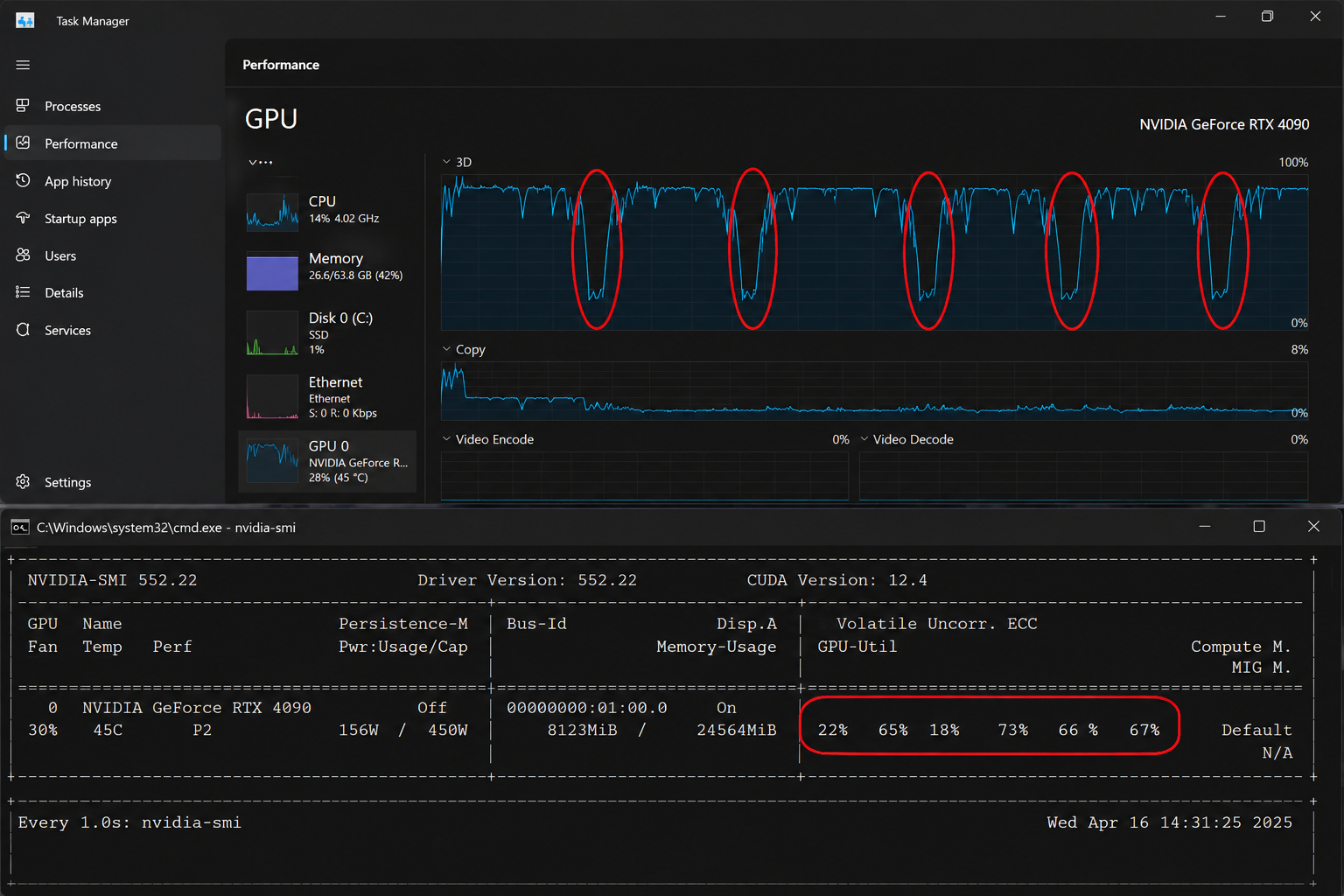
A GPU renders in bursts. It can only trace rays once the scene is prepared, loaded, and handed to it, and all of that preparation happens somewhere else, often on a single CPU thread or a slow disk. When the render manager shows the GPU dropping to a fraction of its capacity, it is usually idling between the moments it actually has work, and those gaps are where your render time goes.
| Phase of the render | GPU usage | What it is waiting on | Fix |
|---|---|---|---|
| Scene build and BVH | Low | CPU preparing geometry, often single threaded | Lighter scene, persistent data for animation |
| Texture and asset loading | Low | Disk or network reading files | Move assets to fast local NVMe |
| Actual ray tracing | High, as it should be | Nothing, this is the work | This is the part you want more of |
| Out of core paging | Looks busy, runs slow | PCIe transfers from system RAM | Cut VRAM usage so it fits on the card |
| Between frames in animation | Drops to near zero | Rebuilding the next frame | Persistent data, batch on more machines |
The usual reasons a GPU sits idle mid render
The most common one is scene preparation. Before a single ray is traced, the renderer builds the acceleration structure around your geometry, and a lot of that work runs on the CPU, sometimes on one thread. On a heavy scene I have watched the GPU sit near zero for the first 40 seconds of every frame while the CPU got the geometry ready, then jump to full load for the actual trace. Across a long animation, those 40 second gaps add up to hours of a card doing nothing.
Asset loading is the next suspect. If your textures and caches live on a slow mechanical drive or a network share, the GPU waits while the data trickles in. Moving the project to a fast local NVMe drive often lifts utilization on its own, because the card stops starving for data.
Out of core is a sneakier case, because the GPU can look busy while being slow. When a scene spills past VRAM, the card spends its time pulling data across the PCIe bus from system RAM rather than tracing rays, so utilization readings can mislead you. If your render is slow and your VRAM is pinned near the limit, that paging is your real bottleneck, and the fix is getting the scene back under the card’s memory.
How do I actually raise GPU utilization?
Match the fix to the phase. For animation, turn on persistent data so the renderer stops rebuilding the whole scene every frame, which removes most of the dead time between frames. Move your assets to fast local storage so loading stops stalling the card. Keep the scene under your VRAM so you are tracing rays rather than paging memory. And accept that some preparation gap is normal, because no render keeps a GPU pinned at 100 percent for every second.
One more thing worth checking is whether your denoiser or compositing step is running on the CPU at the end of each frame. If the GPU finishes the trace quickly then waits while a CPU denoise pass runs, your utilization graph will show a sharp drop at the end of every frame that has nothing to do with the card’s power.
When the card is genuinely the limit, and where iRender fits
Once the gaps are closed and the GPU is tracing rays most of the time, a slow render is no longer an idle card. It is a card working flat out on a scene that is simply heavy, and the way to go faster from there is more cards. Buying them for one busy project rarely makes sense, which is where renting comes in.
iRender gives you full RTX 4090 machines with 256GB of system RAM and fast NVMe storage, which directly addresses two of the stalls above, the slow asset loading and the out of core paging. You install your own software and setup, so the render behaves the way it does at home because you built the environment, which is the meaning behind “your renders, your rules”. The pitfalls are the usual ones for any rented machine. You are charged from the moment it powers on, an idle server costs the same as a busy one, and the first configuration takes a little while before your image is saved. Set auto-shutdown so a forgotten instance does not eat credit overnight. If all you need is to drop frames into a queue and walk away, a SaaS render farm handles that more simply, while iRender suits anyone who wants control of the environment and fast local storage to keep the card fed.
Closed the gaps and the card is now flat out but still slow?: Add more RTX 4090 power on iRender
Want fast NVMe storage and a full GPU to test on?: Try iRender now and get a 100% bonus on your first deposit





