
Lumen vs Path Tracer in Unreal Engine 5.5: Which One is Better?
Unreal Engine 5.5 brings significant improvements to Lumen vs Path Tracer. Since version 5.4, Ray Tracing has been turned into a plugin, no longer available through the standard interface. Existing Ray Tracing projects still work, but with limited settings, accessible only via console commands. This update marks a clear move toward Lumen and Path Tracer as Unreal Engine’s main rendering systems. In this article, we’ll look at what’s new and how both perform in version 5.5.
Lumen vs Path Tracer in Unreal Engine 5.5: Updates and Test Setup
To compare the performance of Lumen vs Path Tracer, all tests in this article use ICVR’s short film LightFall. Each scene was converted to Lumen to ensure consistent conditions for testing. In addition to the two main rendering systems, we also take a closer look at two new technologies introduced in Unreal Engine 5.5: Megalights and NFOR Denoiser.
The Megalights system enhances Unreal’s handling of multiple light sources by automatically grouping nearby lights. It allows a higher number of active lights with minimal performance impact. We’ll test this feature in the Town scene, which previously suffered from shadow artifacts caused by overlapping light radii in older engine versions.
The new NFOR Denoiser enhances the Path Tracer’s noise reduction process. It analyzes inter-frame motion and scene depth data to deliver cleaner images with fewer samples, making Path Tracer faster and more efficient for high-quality renders.
Our testing covers scenes that originally used Ray Tracing and those known for common rendering artifacts. This approach offers a systematic way to assess how both systems handle demanding and complex lighting conditions.
Testing Parameters:
- Resolution: 4K
- Output Format: PNG
- Frame Rate: 24 fps
- Color Space: sRGB
- Anti-Aliasing: Temporal AA x64 for both systems
- Optimization: Standard console commands
Lumen vs Path Tracer in Unreal Engine 5.5: Key Differences
Prairie Scene Test
The Prairie Scene was initially built using a mixed lighting setup, with some sources relying on Ray Tracing, while Lumen handled the global and reflected light. The key elements we will be testing are:
- Warm sunset lighting for realistic global lighting
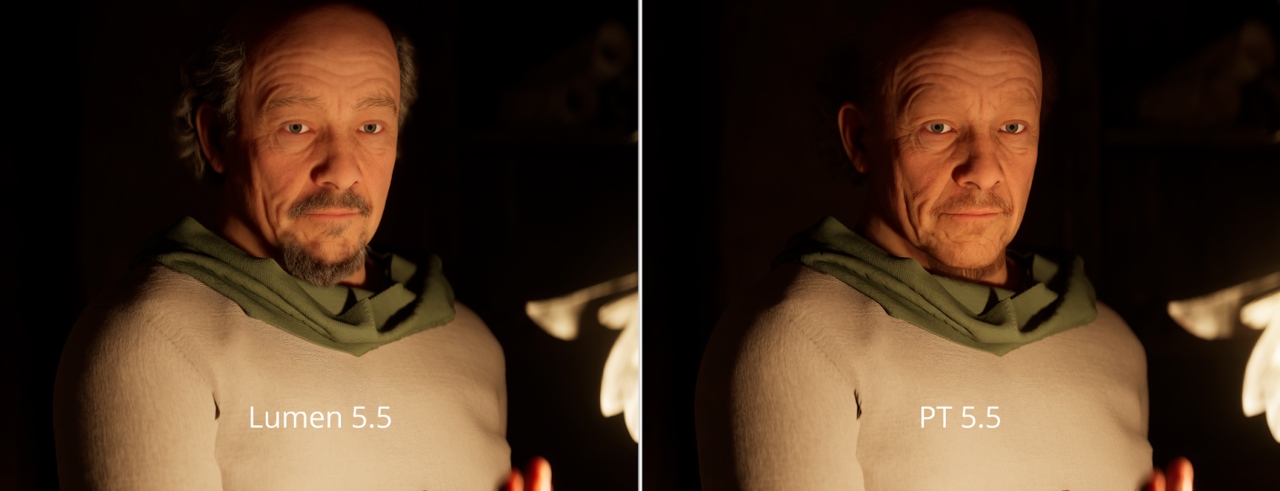
- Subsurface scattering on candles and Lora’s skin.
- Detailed Metahuman hair for realism and performance testing.
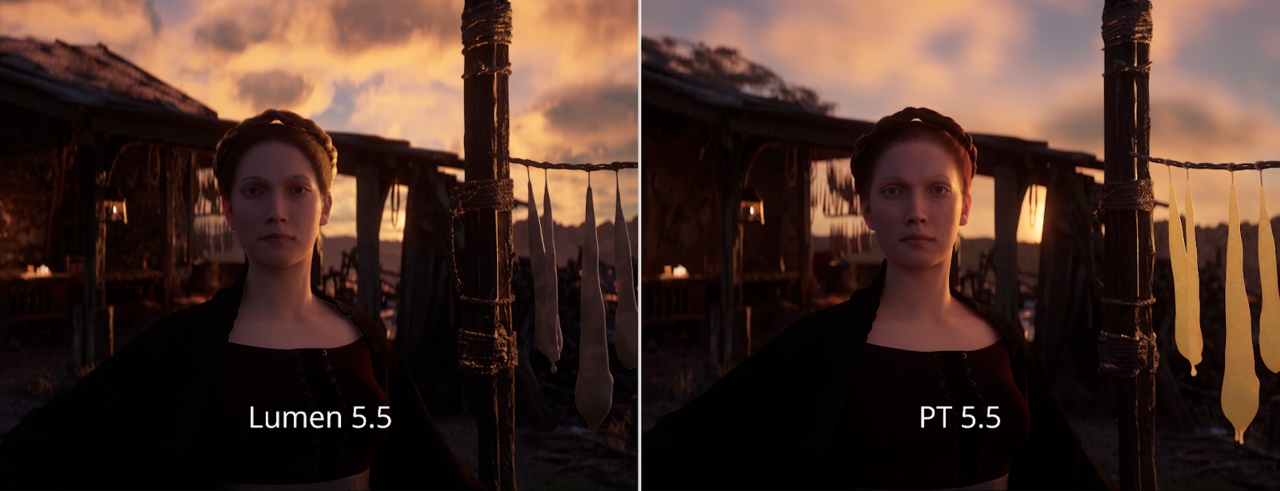
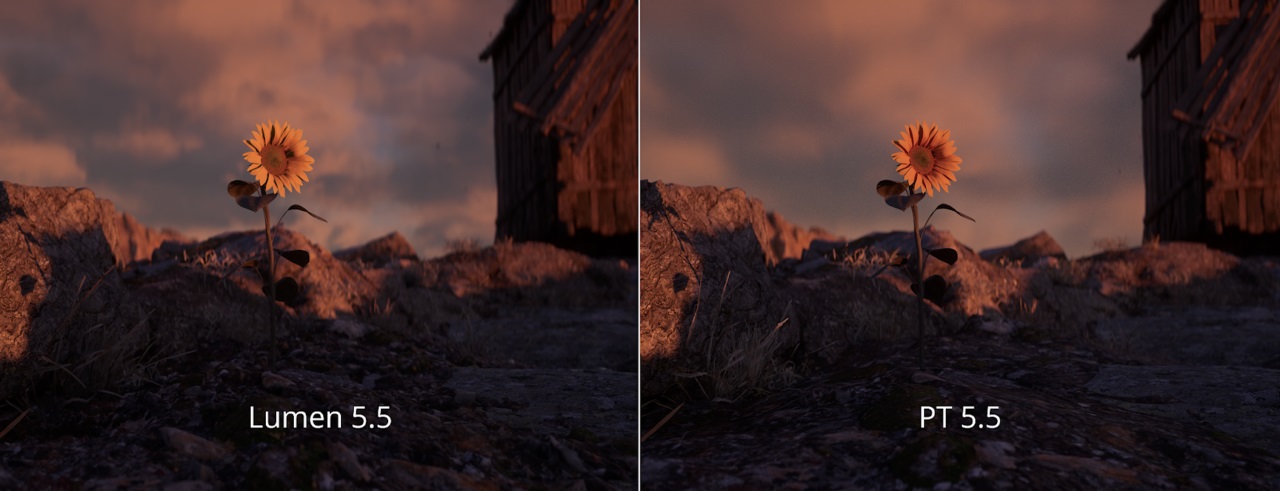
After rendering, in terms of performance, Unreal Engine 5.5 showed noticeable improvements in stability and speed when rendering a 4K 1109 frame sequence with:
- Lumen: 4h15m
- Path Tracer: 4h12m
In Unreal 5.5, Lumen proved to be the more realistic rendering option, delivering great lighting and shadow quality that is close to Path Tracer, while being faster and more stable. Additionally, you can improve the Lumen results with simple commands such as: r.Lumen.ScreenProbeGather.Temporal.DistanceThreshold 0.05 or r.Lumen.ScreenProbeGather.DownsampleFactor 8. These commands help eliminate leaf shadow flickering and improve the overall lighting quality.
Path Tracer, on the other hand, although more accurate, requires more adjustments, including atmosphere reconstruction, hair resources, and SSS materials.
Field Scene Test
The initial Field scene was created using Ray Tracing with subtle twilight and luminosity lighting and a volumetric local fog layer. However, rendering this proved quite challenging as the fog did not work properly without specific controls due to the issue of temporal reflections. Additionally, another challenge arose with Lora’s face under the hood, where the lighting needed further adjustment to achieve a natural result.
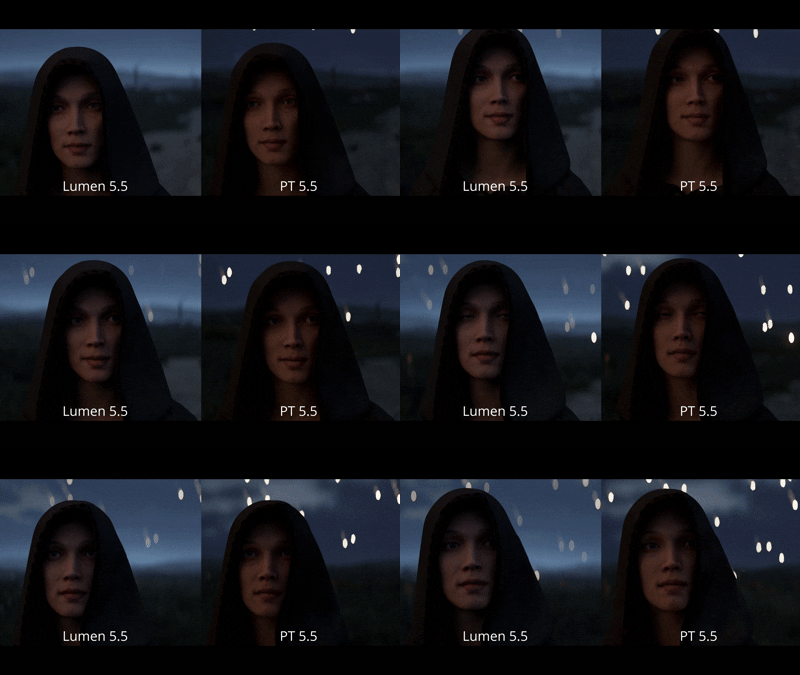
When comparing Path Tracer and Lumen, both have their own strengths. Path Tracer creates a warmer, softer light on Lora’s face and smoother, more realistic shadows. The background fog looks less overexposed, adding to the realism. However, PT slightly reduces the twilight atmosphere of the scene – the unique ‘white night’ feel. And struggles with volumetric effects like fog and clouds, which are often overexposed or don’t work. Furthermore, in low light conditions, 64 samples are not enough to get clear results, and the NFOR denoiser introduces noise. However, the performance of PT in Unreal Engine 5.5 is significantly faster and more stable than previous versions.
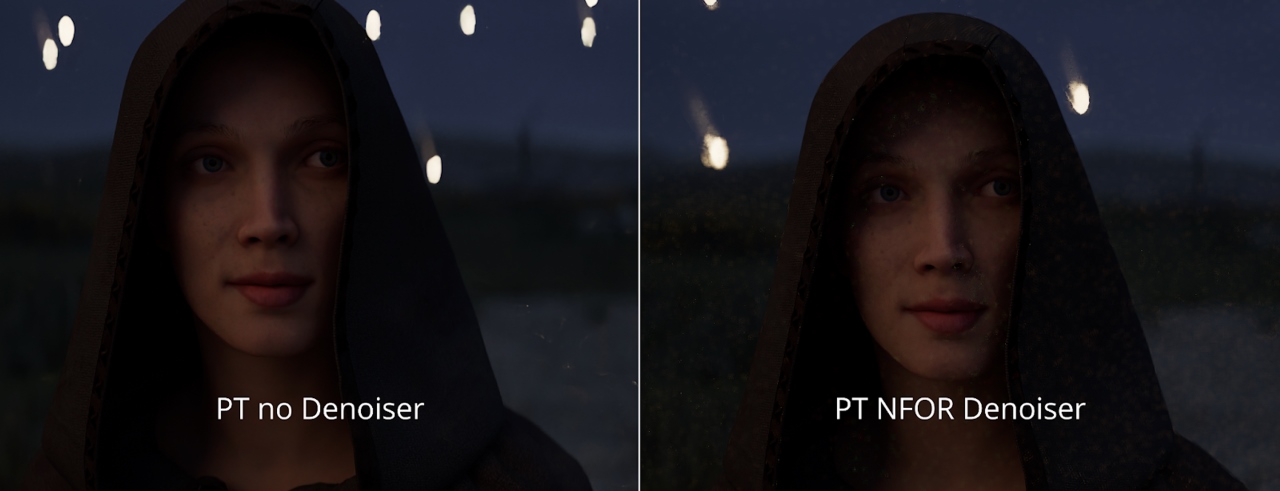
Overall, Path Tracer gives a more natural and cinematic effect, while Lumen is still the more practical choice for this scene. It handles fog and clouds better, requires less adjustment, and can still achieve visually impressive results by blurring shadows and slightly reducing the brightness of the fog.
Town Scene Test
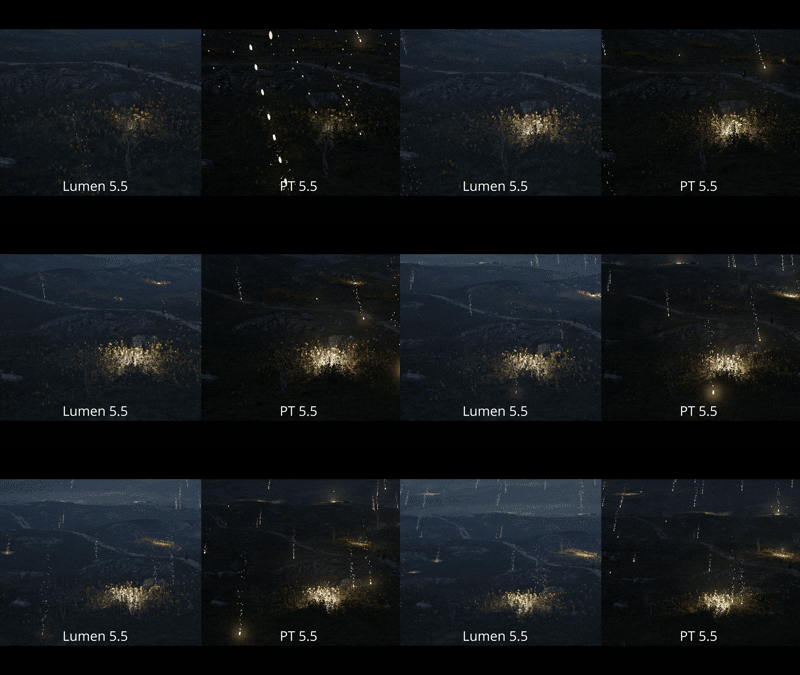
The Town Scene was originally created using Ray Tracing and then adapted for Unreal Engine 5.5. During the rendering process, a number of technical challenges arose, such as distant lights flickering due to inconsistent loading, overlapping light sources causing ghosting, and some alembic assets having issues with Temporal Anti-Aliasing. In some shots, such as SH0050_02, even shadow rendering had to be disabled for most lights to stabilize the output. Metahuman hair shadows also behaved unpredictably, requiring a lot of console tweaking to fix.
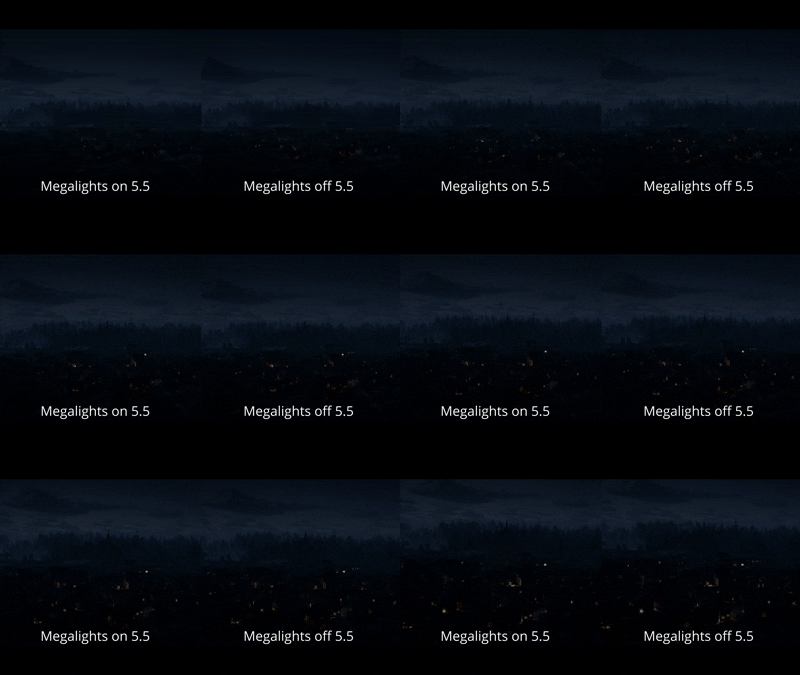
When comparing Lumen and Path Tracer, both systems gave mixed results. Lumen achieved realistic lighting close to RT but suffered from severe light flicker, which even the new Megalights system could not fix. Path Tracer, on the other hand, completely eliminates flicker and handles distant lighting more accurately, although the scene is significantly darker and requires manual lighting adjustments. PT also struggles with some materials, such as windows and localized fog, and renders Metahuman hair poorly without significant reconfiguration.
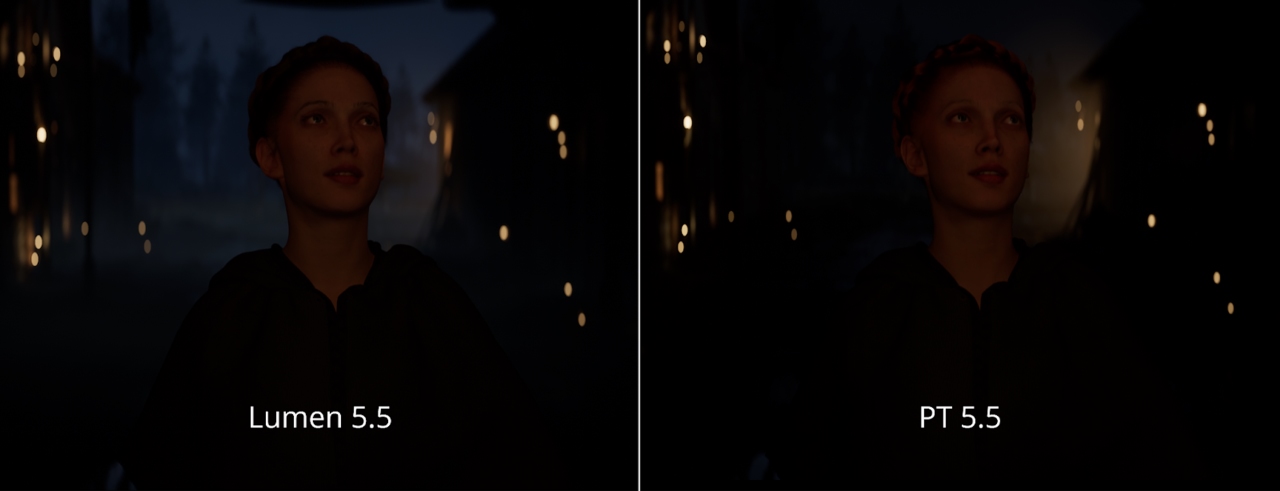
Performance-wise, Lumen is still the more practical choice. It renders faster and doesn’t require major tweaks to materials or space. However, fixing persistent flicker is essential for dynamic scenes to maintain image quality. Once fixed, Lumen’s speed and stability make it the preferred solution for complex environments like this.
PixelField Scene Test
The PixelField scene combines Lumen Global Illumination with Ray Traced Reflections, highlighting the shiny motorcycle surface, transparent floor materials, and glowing elements like lightning effects and city towers in the background. All of these characteristics create a vibrant and impressive environment. The anti-aliasing issue that previously caused blurring on Lora’s head has been fixed in 5.4, improving the overall sharpness of the image.
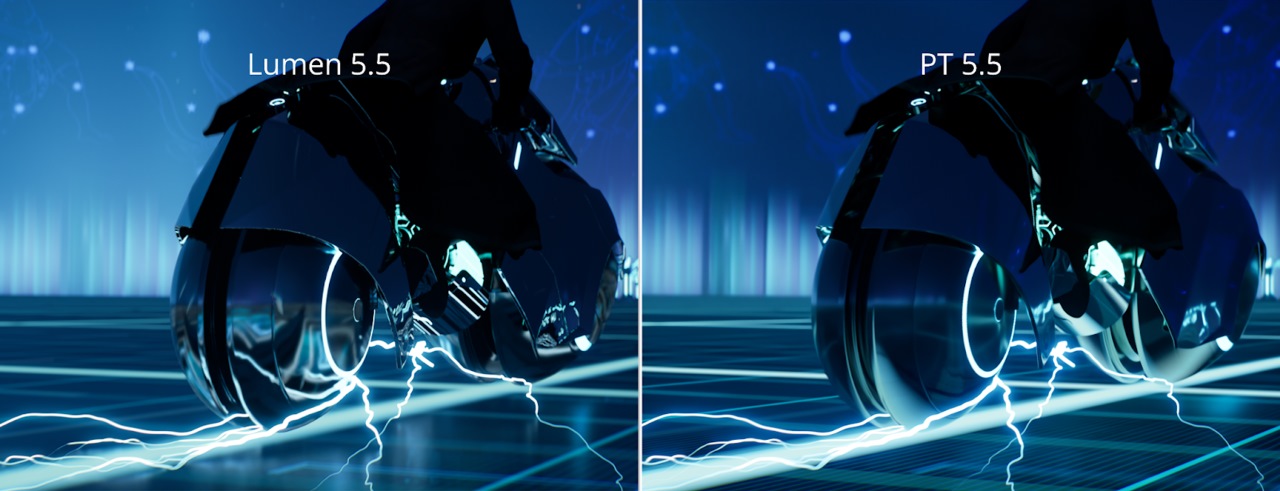
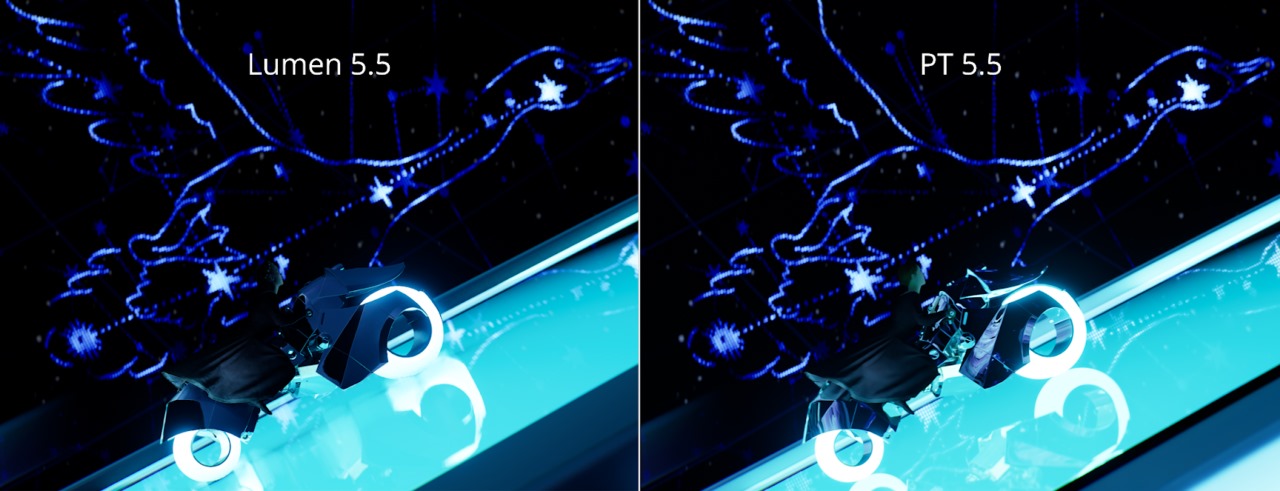
When comparing Path Tracer and Lumen, the two systems perform quite differently in terms of reflections and lighting. Path Tracer produces less soft reflections and does not capture the glowing reflections from the lightning material. However, it performs better at long distances, showing more uniform colors and sharper details on objects like the motorcycle and floor. Lumen, on the other hand, delivers higher quality reflections at close range and handles glowing materials accurately, resulting in a more polished and vibrant image.
In terms of performance, both systems performed well in this scene. The Megalights system didn’t have much impact due to the limited number of light sources, and 64 samples were enough to achieve a clean result. Although the NFOR Denoiser slightly increased noise in certain areas, the overall quality was very good. Between the two, Lumen stands out as the more practical choice because it handles the emissive reflections accurately, allows fine-tuning via command line, and doesn’t require additional resource adjustments. This makes it the most flexible and efficient choice for the PixelField scene.
Summary
A comprehensive analysis of multiple scenes revealed a few key findings:
- Lumen: Lumen is generally more realistic and stable in most situations, delivering good image quality with minimal scene variation. While there are some limitations in handling shadows and reflections, these issues can often be resolved with control commands or minor adjustments.
- Path Tracer: Path Tracer offers superior quality in some specific areas, such as soft shadows and distant reflections. However, it comes with significant technical limitations and compatibility issues, especially with shading and volumetric effects components.
- Megalights: The new Megalights system delivers inconsistent results, sometimes exacerbating existing issues rather than solving them, especially in scenes with multiple light sources.
- NFOR Denoiser: NFOR Denoiser’s performance is inconsistent, sometimes increasing noise rather than reducing it, suggesting that further tweaking is needed to achieve reliable results.
- Performance: Unreal Engine 5.5 shows overall performance improvements for both Lumen and Path Tracer compared to previous versions. However, Path Tracer is still slower than Lumen in most situations.
In summary, Lumen emerges as the more practical choice for production purposes, offering a better balance between quality, stability, and ease of deployment. Meanwhile, Path Tracer is best suited to specific shots where its superior handling of certain effects, such as shadows and reflections, outweighs its technical limitations and additional setup requirements.
iRender - The Best Render Farm for Unreal Engine 5
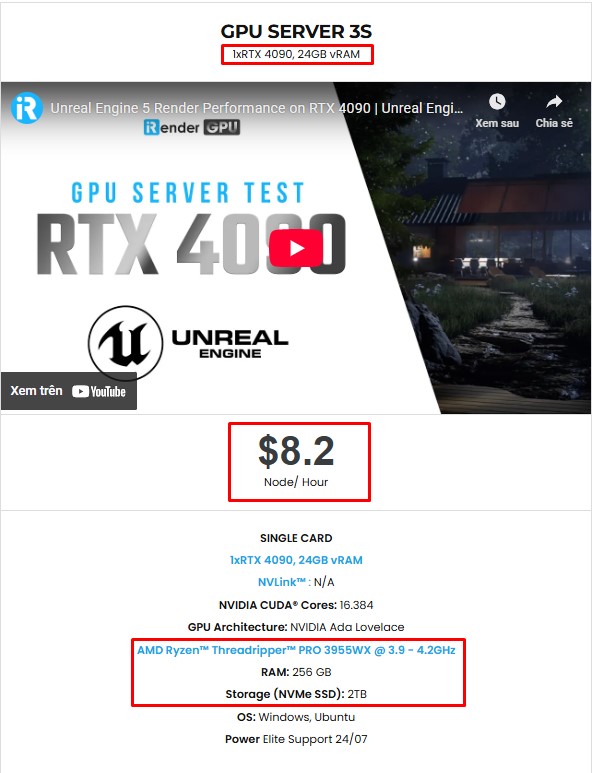
If you need more power than your local machine can handle, especially for large scenes, high-resolution screenshots, or heavy cinematic rendering, iRender is here to help. As one of the best cloud render farms for Unreal Engine, iRender offers high-performance RTX 4090 and CPU servers optimized for real-time workflows. All servers are equipped with:
- AMD Ryzen™ Threadripper™ PRO 3955WX (3.9-4.2GHz) or
- AMD Ryzen™ Threadripper™ PRO 5975WX (3.6-4.5GHz)
- (1/2/4/6/8x) – RTX 4090
- 256GB RAM
- 2TB NVMe SSDs
With Unreal Engine 5, a 3S (1xRTX 4090) server is the best choice with the most affordable price. You have full control over a powerful remote machine, with support for UE5 and all its plugins, so you can render faster, scale larger, and focus on being creative.
Why choose iRender?
Unlike other services, iRender lets you upload and download files without starting the server, saving you both time and money. We offer a Desktop app for Windows with a full feature set and a simple Drive app for macOS for easy file transfers. Here’s why iRender is a top choice for your rendering needs:
- 100% Software Support: We support all 3D software, their plugins, and render engines.
- Full Control: Our service will give you full control over the servers you rent. Therefore, you are free to create your own working environment.
- Go Green: We are committed to using 100% solar renewable energy towards environmental sustainability.
- Real-human 24/7 Support: Our professional support agents and technicians guarantee to bring you the best rendering experience.
Let’s see how Unreal Engine performs on our servers. You’ll definitely see the difference!


If you still wonder if this is the right place for your project, REGISTER NOW to get a trial and receive a 100% bonus promotion for your first transaction with us.

For more detailed information, please contact us via Live chat 24/7 or WhatsApp: +(+84) 912-785-500 or Email: [email protected].
iRender – Happy Rendering!
References: dev.epicgames.com
Related Posts
The latest creative news from Unreal Engine Cloud rendering.






