
Unreal Engine 5 vs Chaos Vantage: Which is right for you in 2026?
If you’re an architectural visualization artist, you know that speed, quality, and creative control are everything when bringing a project to life. A renowned 3D Archviz artist, Adam Z, conducted an interesting experiment building the same simple house model into a complex Archviz animation using two powerful tools: Unreal Engine 5 vs Chaos Vantage. The goal was clear: to fill the scene, create a professional animation, and see which real-time workflow truly excelled.
While both tools are capable of producing professional animations, the results were surprisingly different in terms of workflow, time, ease of use, and the final look of the project. In this article, we’ll delve into the advantages and disadvantages of both, helping you better understand their workflows and decide when to use which tool.
The model and how it transfers
The starting point for both processes is the same: a house model created in 3ds Max.
Here, both Unreal Engine 5 vs Chaos Vantage work very well. With Epic Games’ Datasmith plugin, a 3ds Max model can be imported into Unreal Engine quickly and smoothly. The process is virtually trouble-free. On the Vantage side, if you’ve used 3ds Max and V-Ray, Vantage is like a natural extension of that process. It integrates seamlessly into the existing ecosystem, and the transition is almost instantaneous.
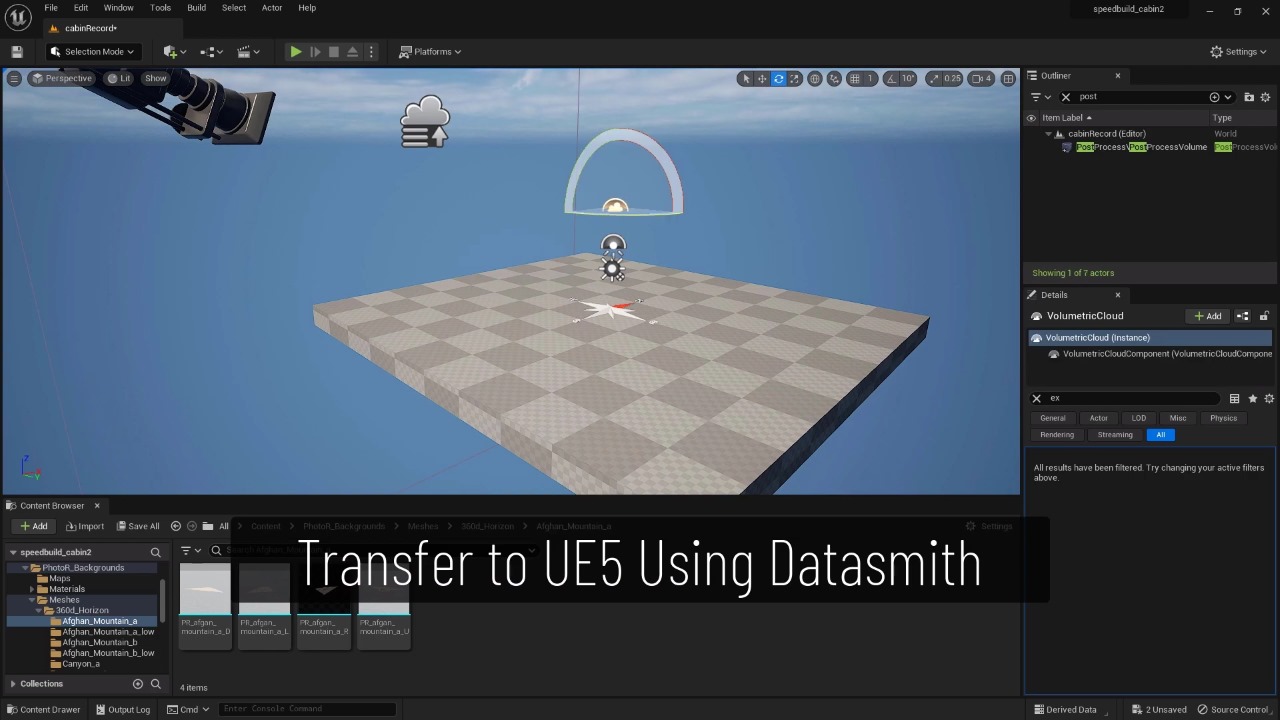
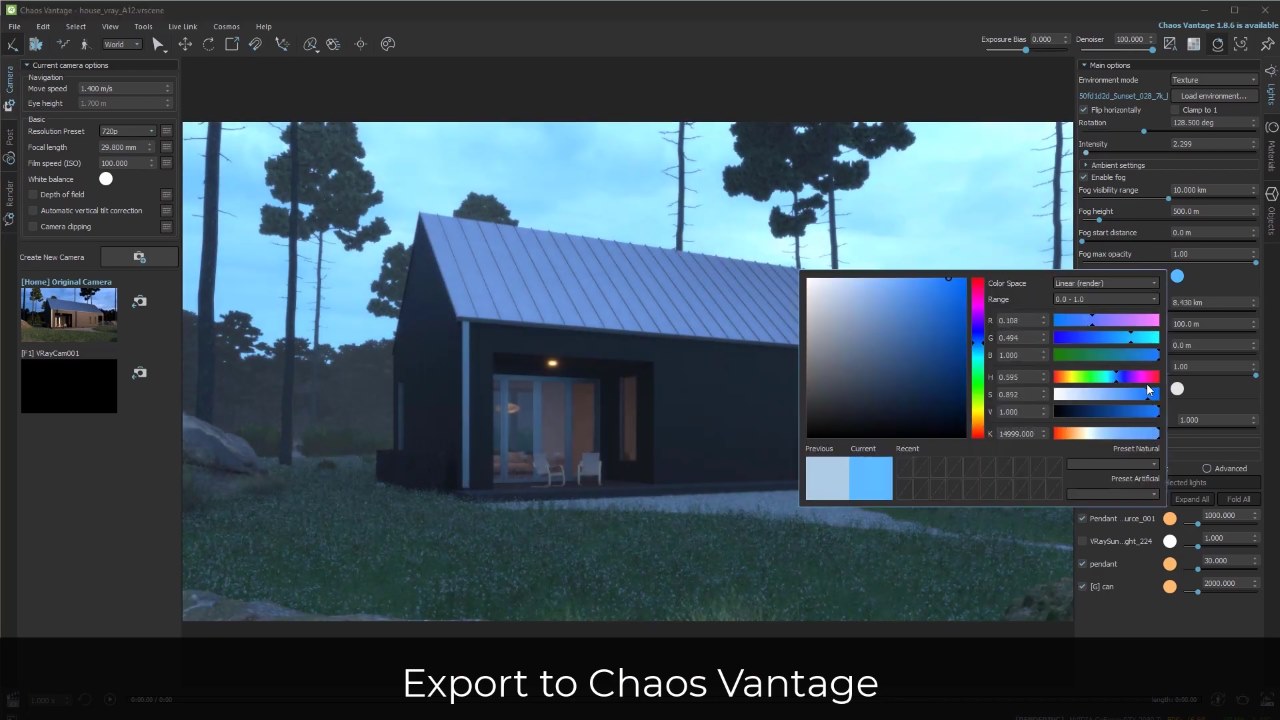
Both tools support the ability to directly link with 3ds Max models, although this feature may need further testing to fully verify, especially with Datasmith. Overall, in terms of the ability to bring models into real-time, both processes are essentially on par. However, we might slightly favor Vantage simply because of its tight integration with 3ds Max and V-Ray, two software programs that many architectural visual design artists are already familiar with.
Materials
When it comes to materials, the perspective of a visual architectural artist familiar with the 3ds Max plus V-Ray workflow can be somewhat biased. While Unreal Engine certainly offers incredibly powerful capabilities in its material editor, many seasoned V-Ray artists prefer to avoid those complex tools entirely.
For those familiar with V-Ray, they often build materials in 3ds Max using V-Ray, then use Datasmith to convert them to UE. The good news is that most V-Ray materials convert well to UE. However, the real advantage of Chaos Vantage lies in its native compatibility. V-Ray and Vantage share the same core rendering engine, so materials are guaranteed to convert seamlessly. Therefore, we rate Vantage higher in this category.
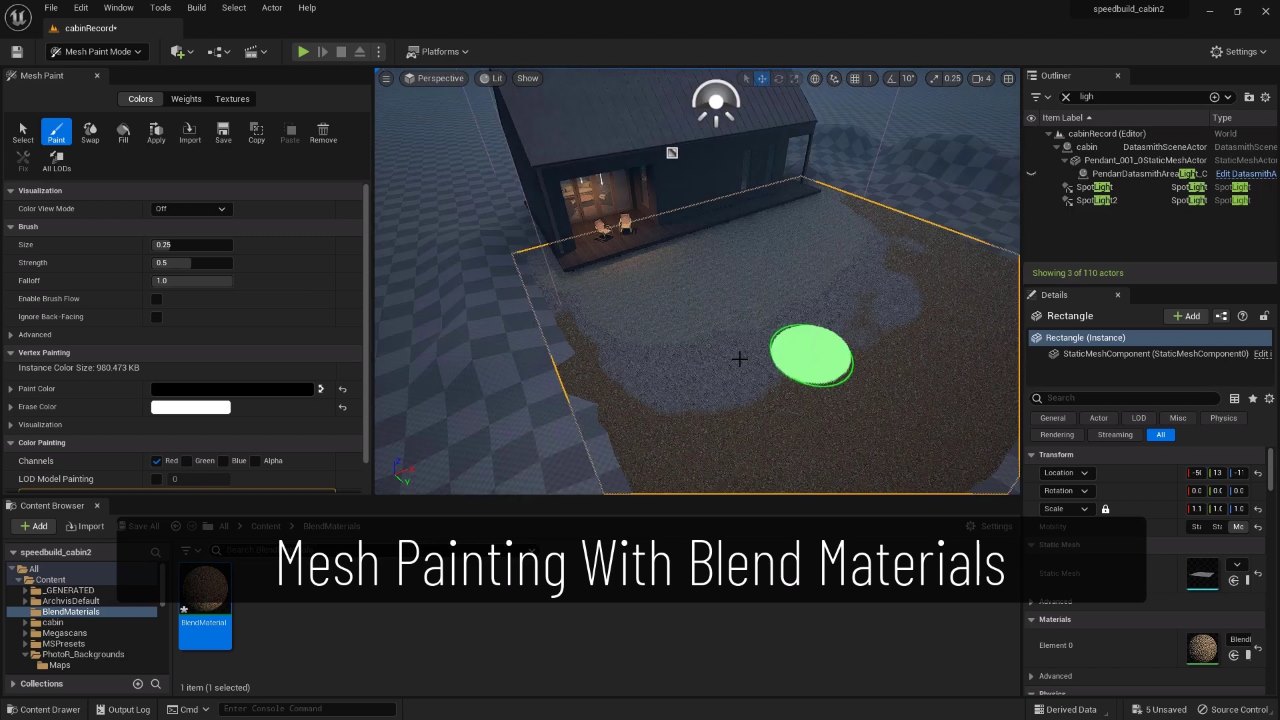
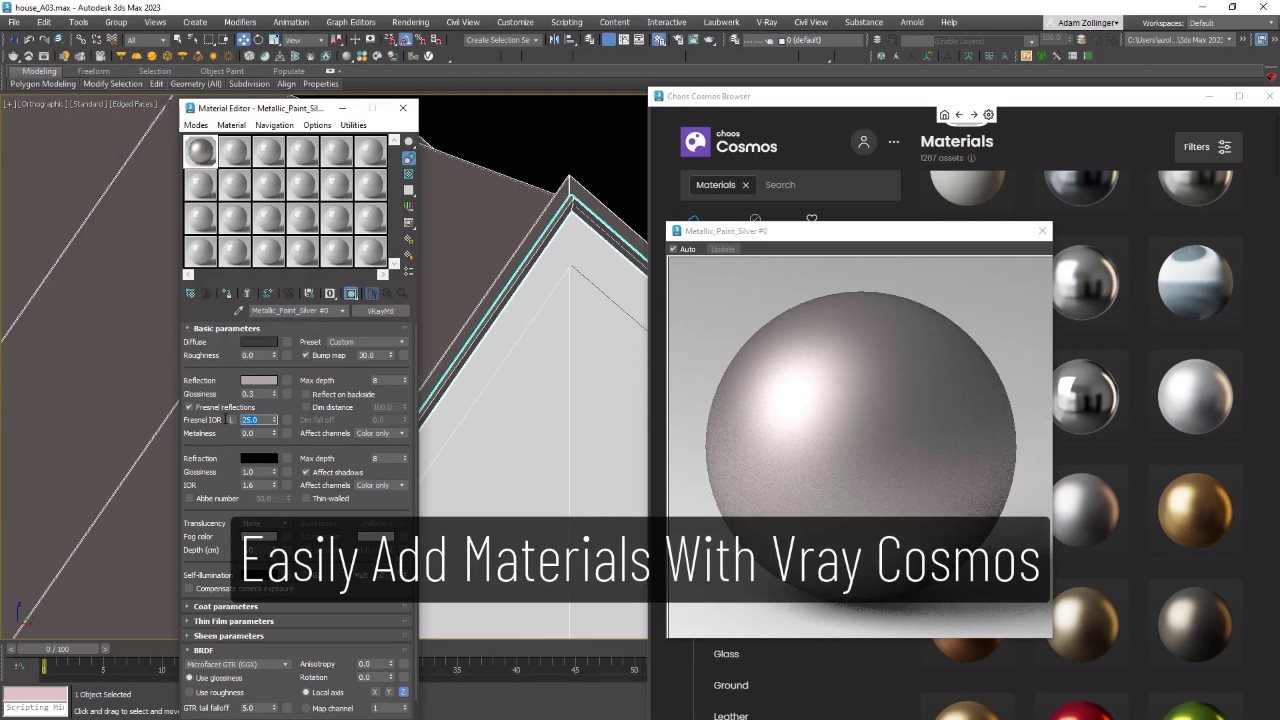
Once models and materials are exported in real time, both tools offer material flexibility. Vantage allows for easy changes by dragging and dropping materials from the built-in Cosmos asset browser. Unreal Engine 5 offers similar functionality using Megascans materials and also has all the necessary tools to edit existing materials or create new custom materials. But that power comes with greater complexity. If you’re new to Unreal’s material system, it might be a little confusing at first.
In short, if you’re already a V-Ray user and want maximum predictability with minimal learning time, Vantage has an advantage in terms of materials. If you’re willing to delve deep into Unreal’s material system, or you’re starting to rely more on Megascans, Unreal becomes incredibly powerful.
Assets
This category turned out to be far more important than anticipated. While both workflows have access to an endless purchasable assets, efficiency often comes from utilizing free, built-in assets due to their seamless integration capabilities.
The main asset ecosystems here are Megascans for Unreal Engine and Cosmos for V-Ray and Vantage. The key difference between these two ecosystems lies in their focus: Megascans focuses heavily on nature and natural environments, while Cosmos focuses on man-made architectural items such as furniture, lighting, and accessories.
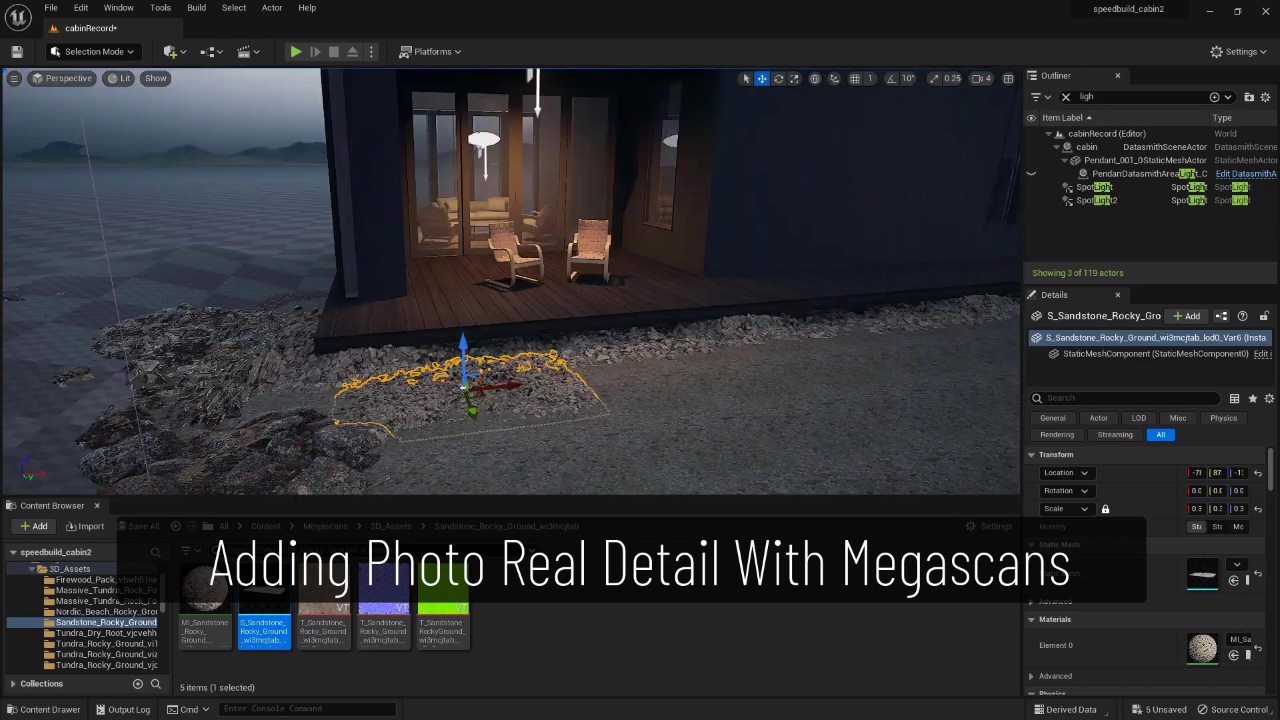
For this particular architectural project, which relies heavily on nature and natural assets to detail the animation, the difference is very clear.
To create a natural environment with hyper-realistic detail, Megascans is completely superior. The integration of Megascans into Unreal Engine is an incredibly powerful combination, especially since you can place everything in real time. Vantage doesn’t have a direct equivalent to the Megascans and Unreal combination. You can still use Megascans with 3ds Max, but it’s not as smooth as drawing and placing objects within Unreal. However, we really appreciate Cosmos for many visual architecture needs, such as interior detailing.
But when the requirement is to quickly build a detailed natural environment, the debate between Unreal Engine 5 vs. Chaos Vantage is definitively settled: the combination of Unreal Engine and Megascans is simply superior.
Scattering
Next, scattering – the ability to distribute objects within a scene – is incredibly important, especially for complex natural environments.
In the 3ds Max + V-Ray + Vantage workflow, artists rely on Chaos Scatter. Because Cosmos provides pre-set Chaos Scatter, users only need to create the control shapes, and they immediately achieve good results. This process is equivalent to using other tools like Forest Pack.
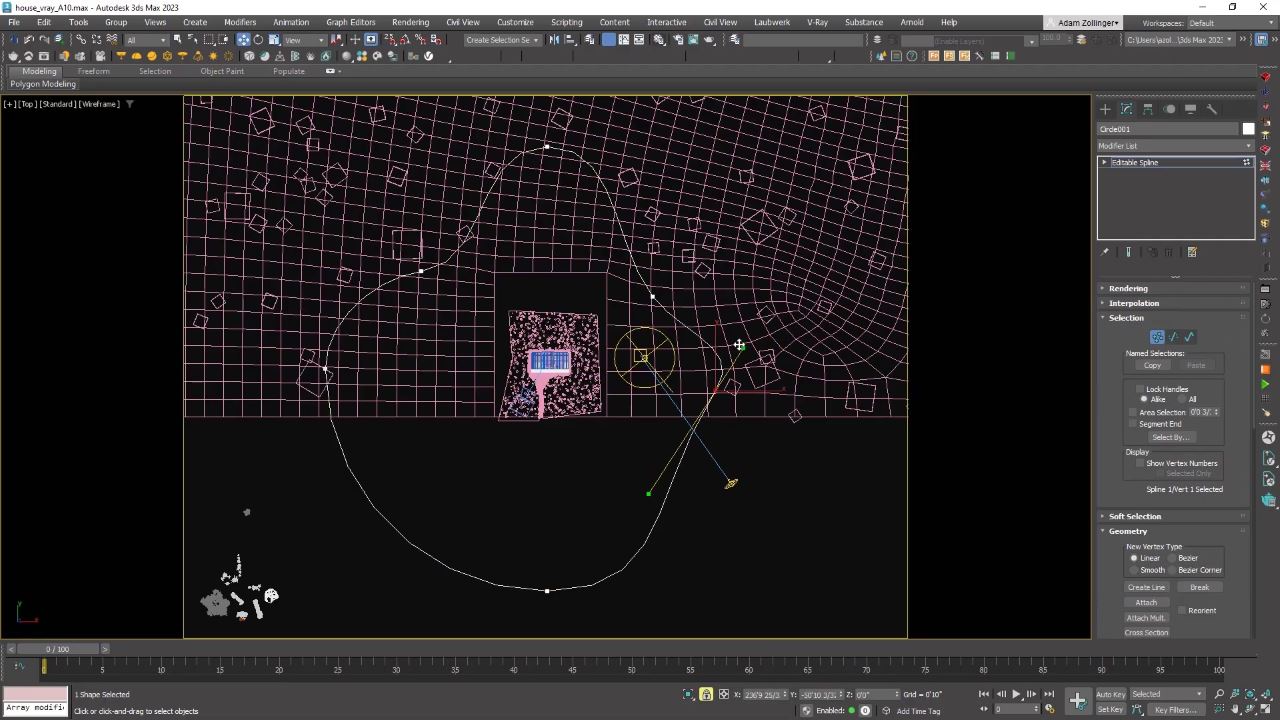
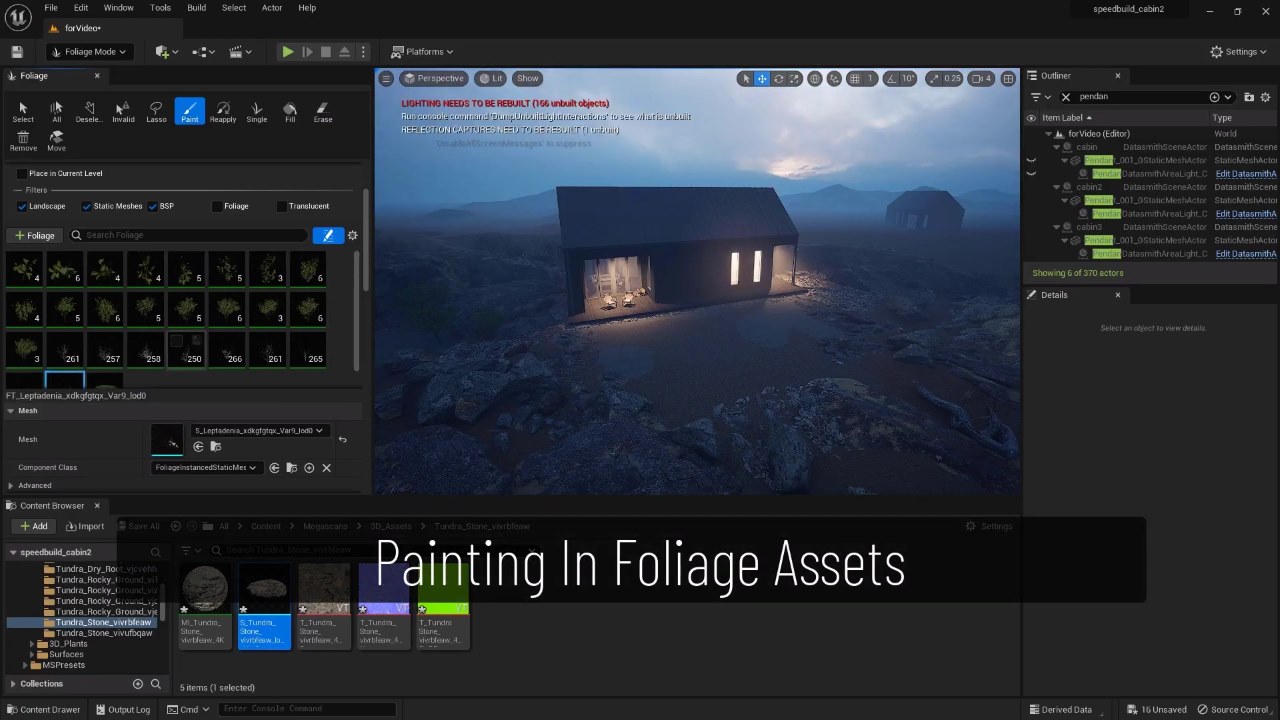
In Unreal Engine, the primary tool used for this is the foliage drawing tools, which allow artists to “draw” objects onto the landscape, individually or in large groups. Both Chaos Scatter and UE’s foliage drawing tools incorporate randomness, so you don’t need to place each blade of grass randomly. Although Unreal Engine has recently introduced tools with a similar workflow to Chaos Scatter, the manual foliage drawing method is still used for this comparison.
While scattering objects like Chaos Scatter is more convenient for large areas far from the camera, drawing objects with UE5’s foliage tool is significantly faster and easier for key, close-up areas where the artist needs complete control over how the foliage frames the image. Again, when the goal is to create a natural environment, Unreal Engine demonstrates a clear advantage in this category of the Unreal Engine 5 vs Chaos Vantage comparison.
Lighting
Lighting is where the philosophical differences between Unreal Engine 5 vs Chaos Vantage become most apparent. Unreal relies heavily on Lumen, a fast, real-time global lighting system that delivers impressive results with minimal setup. While Lumen prioritizes speed over accuracy, users needing true physical precision can turn to Unreal’s built-in ray tracing, though doing so will sacrifice much of the engine’s real-time performance.
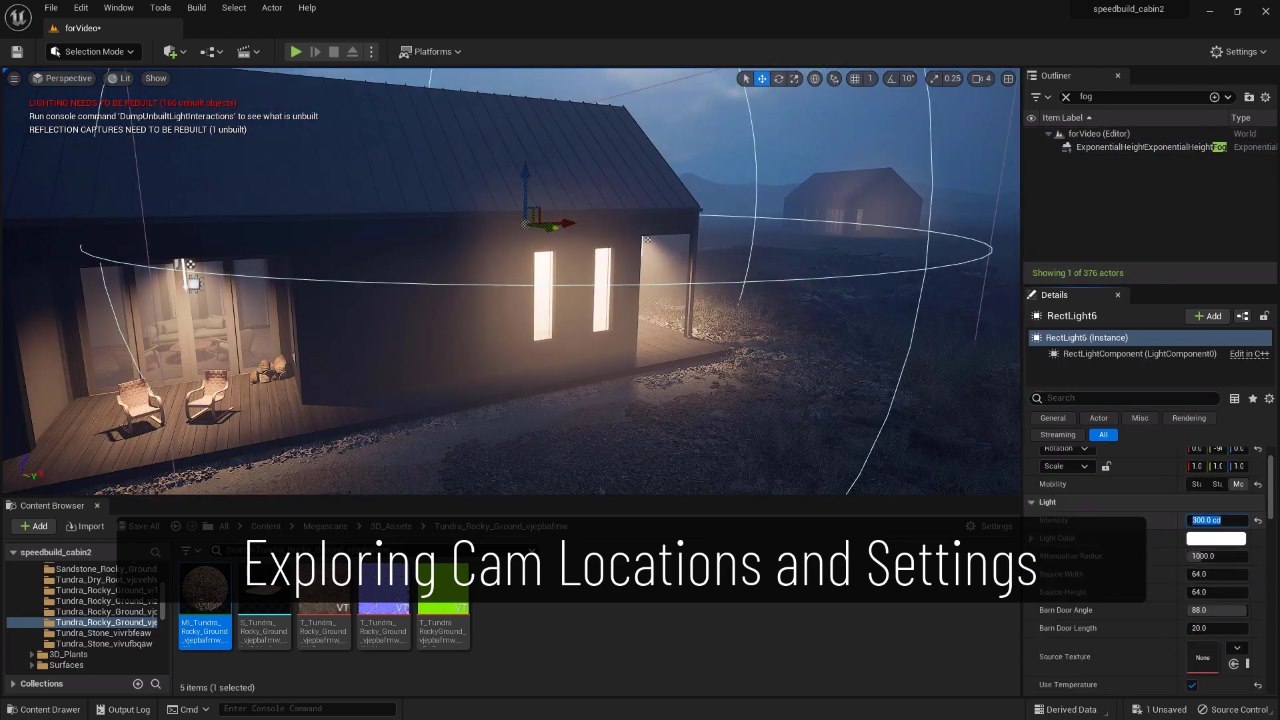
In contrast, Chaos Vantage is built for high accuracy from the outset. Its lighting system closely resembles what you’d expect from V-Ray, even if it can’t match Unreal’s high frame rates. Most artists define lighting as V-Ray lighting in 3ds Max, and Vantage offers a flexible light mixer to adjust color, intensity, and visibility in real time. Unreal users often add lights after importing the model to achieve more predictable results with Unreal’s native lighting types.
Both platforms support spotlights, zone lights, direct lights, point lights, and HDRI dome lights, but the final results will always differ due to how each system interprets light. Unreal gives artists more freedom in styling or exaggerating light to create visual effects, while Vantage is ideal when physical accuracy is paramount. Although both workflows are robust, Lumen’s responsiveness makes Unreal more intuitive for creative lighting, while Vantage remains the better choice when precise lighting is prioritized, in line with V-Ray.
Art Direction
Art direction focuses on the ability to fine-tune the overall mood and aesthetics of a scene, often including adjusting lighting through a light mixer and refining atmospheric effects.
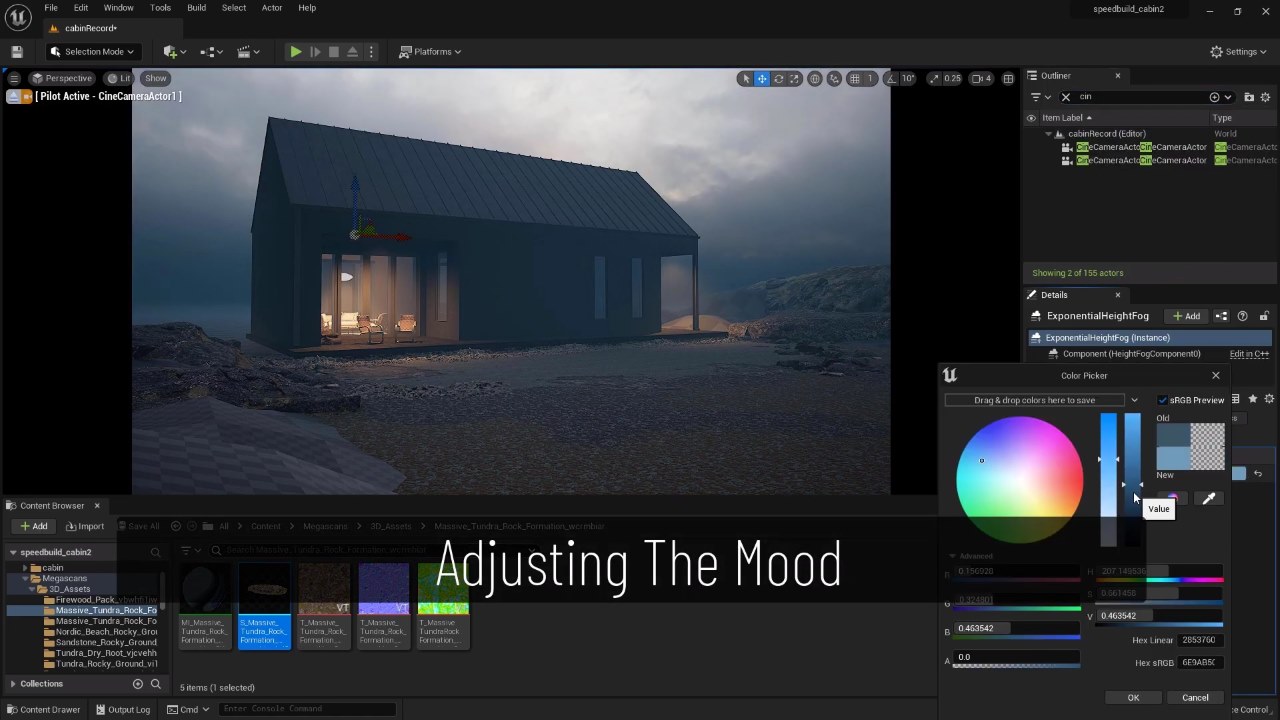
Both tools offer excellent capabilities, but Unreal Engine provides better real-time control. Vantage offers light mixing, some post-processing adjustments, and limited fog control. In contrast, Unreal Engine keeps all these features entirely within its game engine, providing powerful tools with settings for almost every conceivable parameter. This gives UE more control and precision, although it can also be overwhelming or more complex than necessary.
Vantage’s advantage, however, lies with those already proficient in setting atmosphere and mood in 3ds Max using V-Ray; when exported, the scene will look exactly right in Vantage. Unreal’s main strength lies in its highly intuitive and creative experience, and it’s truly enjoyable to adjust the mood of images at 30 frames per second or more, providing the fastest possible feedback.
Animating
For camera animation and its settings, Vantage is simple and user-friendly, providing exactly the necessary functionality. Thanks to this simplicity, anyone can visualize animated camera footage with virtually no prior learning.
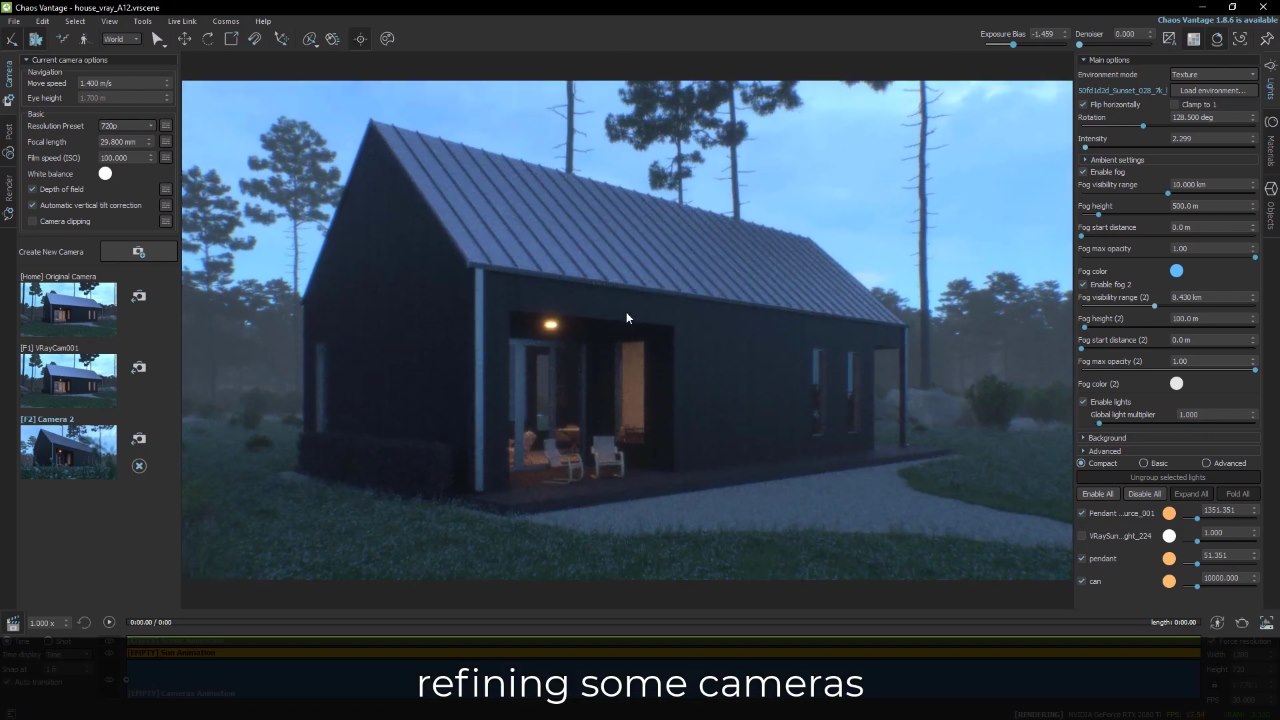
Unreal Engine is also excellent at camera animation, but it inherently possesses more power and functionality, leading to more settings. Therefore, while fairly easy to learn through a simple tutorial, it can feel more complex than Vantage.
If a project requires complex object animation, Unreal Engine handles this naturally. For Vantage, such complex object movements need to be created and imported from 3ds Max. While real-time animation is often superior, both Vantage and Unreal can easily handle basic camera animations, which often make up a large portion of visual architectural animation work.
Rendering
The rendering portion of the workflow is essentially the same in both applications. In both cases, the user specifies the desired output settings and allows the software to process the output. The most important setting to manage is the number of samples, which determines the fine-tuning of each frame and directly impacts rendering time. The goal is to achieve sufficient anti-aliasing and noise removal to obtain a clean image without unnecessarily long rendering cycles.
A direct comparison of the two test animations yielded remarkable results, using a GeForce RTX 2080 Ti GPU:
- Unreal Engine animation, using Lumen: 5 hours with fairly high anti-aliasing settings.
- Vantage animation: 9 hours.
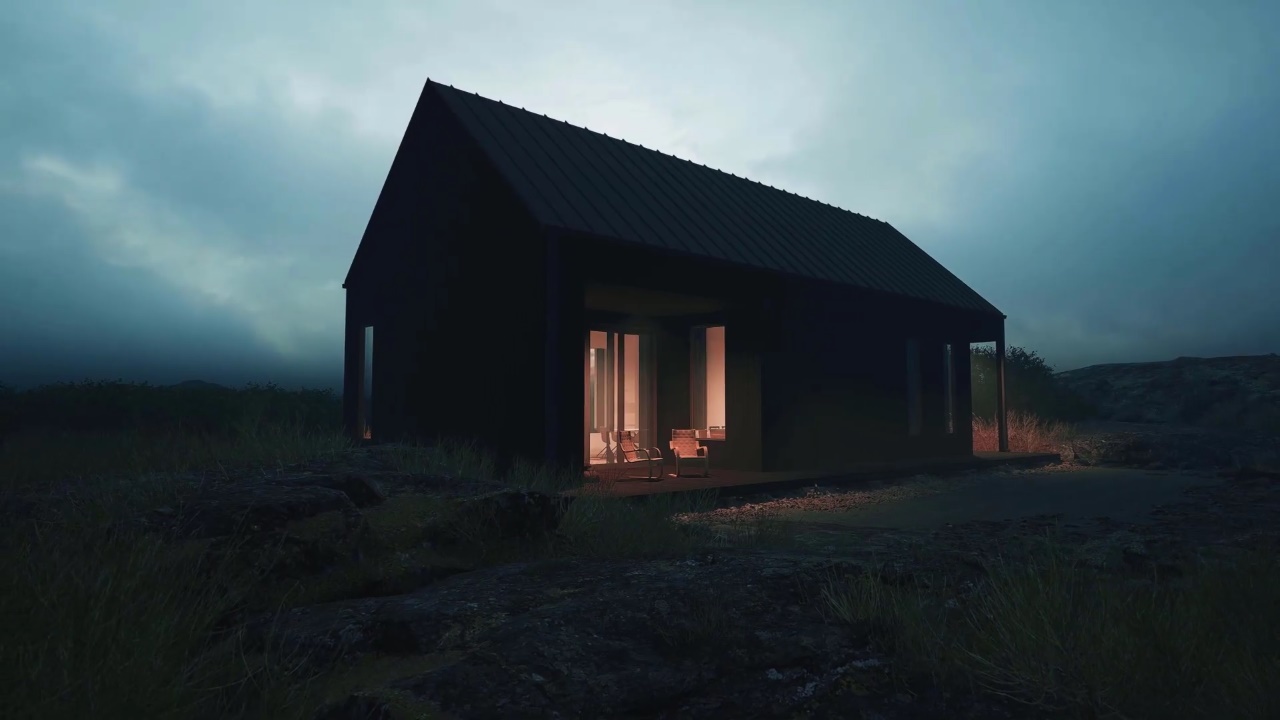

The key difference here is that Vantage animation required nearly twice the time because it calculates accurate reflections and global illumination, while Lumen in Unreal Engine only estimates these factors. In theory, both rendering times can be significantly reduced by lowering the settings.
Unreal Engine 5 vs Chaos Vantage: Which is right for you?
After going through the whole process, the results were surprising. As a long-time V-Ray user, Adam Z believes Chaos Vantage is a more natural and easier way to create animations than ArchViz. But in projects focused heavily on natural environments, Unreal Engine 5 was actually faster, easier, and more enjoyable.
| Category | Unreal Engine 5 | Chaos Vantage |
| Model Transfer | Imports 3ds Max models smoothly using Datasmith. Workflow is stable and efficient for real-time use. | Extremely seamless if you already work with 3ds Max + V-Ray. Feels like a direct extension of 3ds Max. |
| Materials | Powerful material editor and strong Megascans support, but higher complexity and learning curve. | Native V-Ray compatibility ensures perfect material translation with minimal effort. |
| Assets | Megascans excels at natural environments (plants, terrain, organic details) with real-time placement. | Cosmos is ideal for man-made ArchViz assets like furniture, lights, and accessories. |
| Scattering | Foliage painting tools allow fast, intuitive, real-time placement with full artistic control for close-up areas. | Chaos Scatter is efficient for large-scale scattering, especially for background and distant areas. |
| Lighting | Lumen offers fast, real-time global illumination and creative flexibility, with optional path tracing for accuracy. | Lighting is highly accurate and V-Ray–like, with powerful light mixing and predictable physical results. |
| Art Direction | Full real-time control over mood, atmosphere, fog, and post-processing; very intuitive and creative. | Best for artists who prefer finalizing look in 3ds Max + V-Ray before real-time animation. |
| Animation | Excellent for camera and complex object animation; more powerful but slightly more complex. | Very simple and user-friendly for camera animation with almost no learning curve. |
| Rendering Time | Faster renders with Lumen due to estimated GI and reflections (5 hours in test). | Slower renders due to physically accurate GI and reflections (9 hours in test). |
| Use Case | Nature-heavy scenes, real-time iteration, creative exploration, interactive or cinematic environments. | Traditional ArchViz projects rely heavily on 3ds Max + V-Ray with minimal workflow changes. |
Of course, which engine is best suited will depend on the type of project and your personal preferences. Unreal Engine is the tool for you if storytelling through environment and overall atmosphere is your main focus, or if interactions or experimentation are more important. Chaos Vantage is a suitable choice if architecture is your main focus and you need a high level of detail in various features and materials, or for more traditional ArchViz projects using 3ds Max + V-Ray.
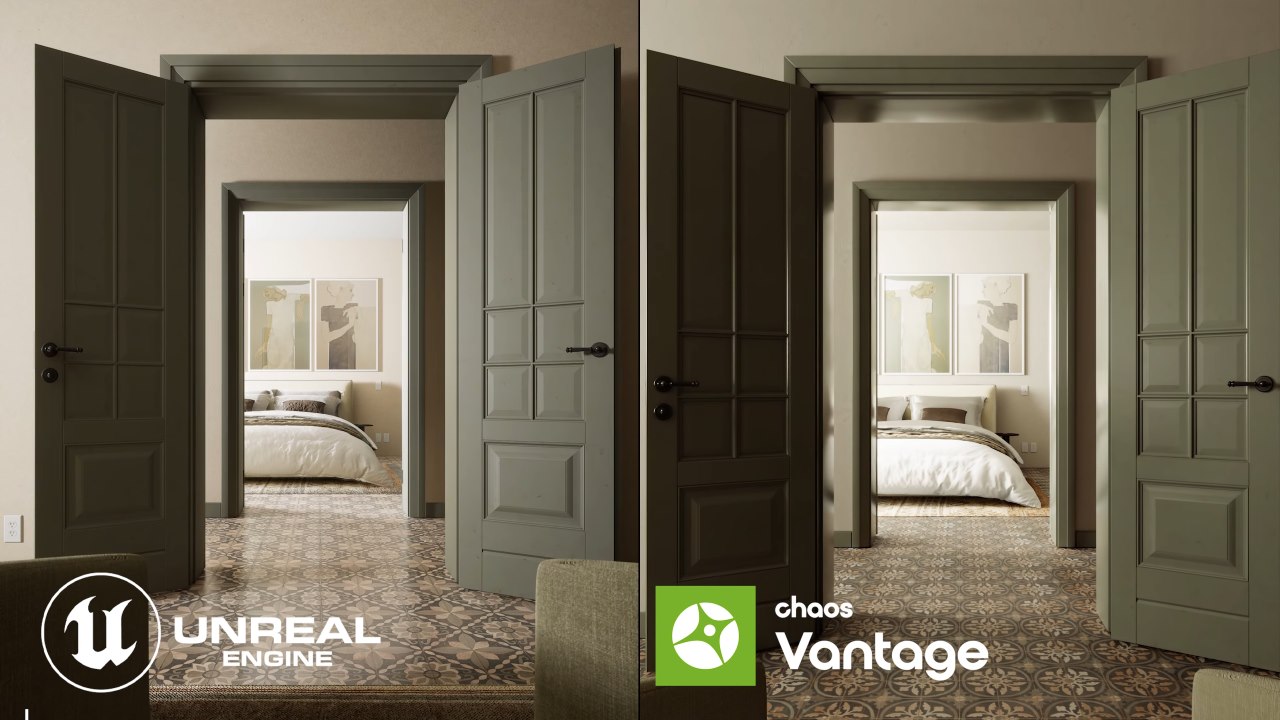
Image source: Estudio 33 Arquitectos
The honest recommendation is: If possible, learn both workflows. Add both Unreal Engine and Vantage to your toolbox. That way, when you have a new project, you can choose the most suitable tool instead of forcing everything into a single workflow.
If this comparison has helped you see the pros and cons more clearly, it might also encourage you to try a workflow you haven’t tried before. And if you want to experience Unreal Engine and Chaos Vantage on a more powerful workstation, take a look at iRender.
iRender - The best render farm for Unreal Engine and Chaos Vantage
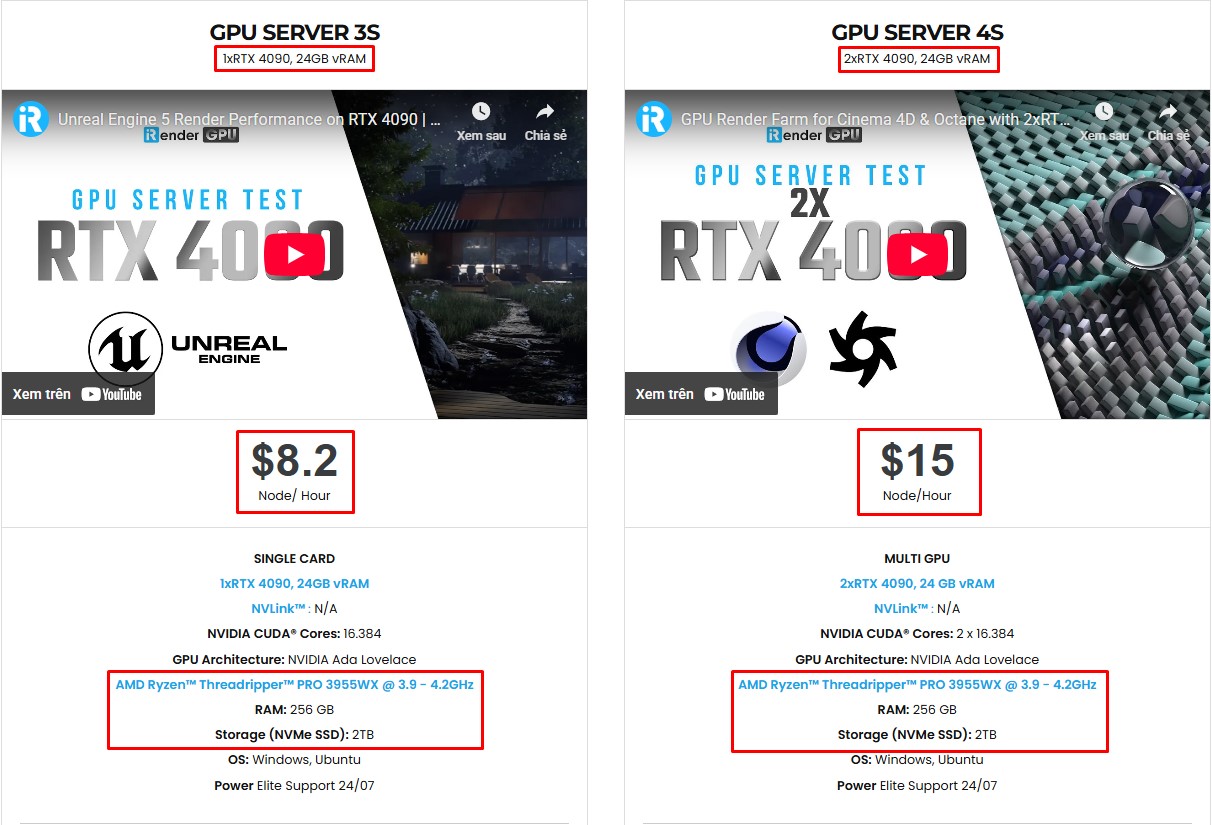
If you’re working with Unreal Engine or Chaos Vantage and want the fastest, smoothest rendering experience, iRender is the ideal choice. Our cloud render farm is built for high-performance workflows, supporting all major 3D software, render engines, and plugins, from 3ds Max or V-Ray to every tool your pipeline requires. With powerful GPU servers on demand, you can boost speed, reduce waiting time, and avoid the cost of constantly upgrading your own hardware. All servers are equipped with:
- AMD Ryzen™ Threadripper™ PRO 3955WX (3.9-4.2GHz) or
- AMD Ryzen™ Threadripper™ PRO 5975WX (3.6-4.5GHz)
- (1/2/4/6/8x) – NVIDIA RTX 4090
- 256GB RAM
- 2TB NVMe SSDs
Unreal Engine uses a single GPU, so 3S (1xRTX 4090) will be the best option. While Chaos Vantage can utilize 2 GPUs, check out the 4S (2xRTX 4090) server.
Why choose iRender?
iRender stands out from traditional render farm services by giving you more flexibility, more control, and a smoother workflow. You can upload and download files even when the server is offline, helping you save both time and costs. We provide a full-featured Desktop app for Windows and a simple Drive app for macOS and Ubuntu, making file transfers effortless across platforms. Here’s what makes iRender a top choice for artists and studios:
- 100% Software Support: We support all 3D software, their plugins, and render engines.
- Full Control: Our service will give you full control over the servers you rent. Therefore, you are free to create your own working environment.
- Go Green: We are committed to using 100% solar renewable energy towards environmental sustainability.
- Real-human 24/7 Support: Our professional support agents and technicians guarantee to bring you the best rendering experience.
Let’s see how Unreal Engine performs on our server!


If you still wonder if this is the right place for your project, REGISTER NOW to get a trial and receive a 100% bonus promotion for your first transaction with us.
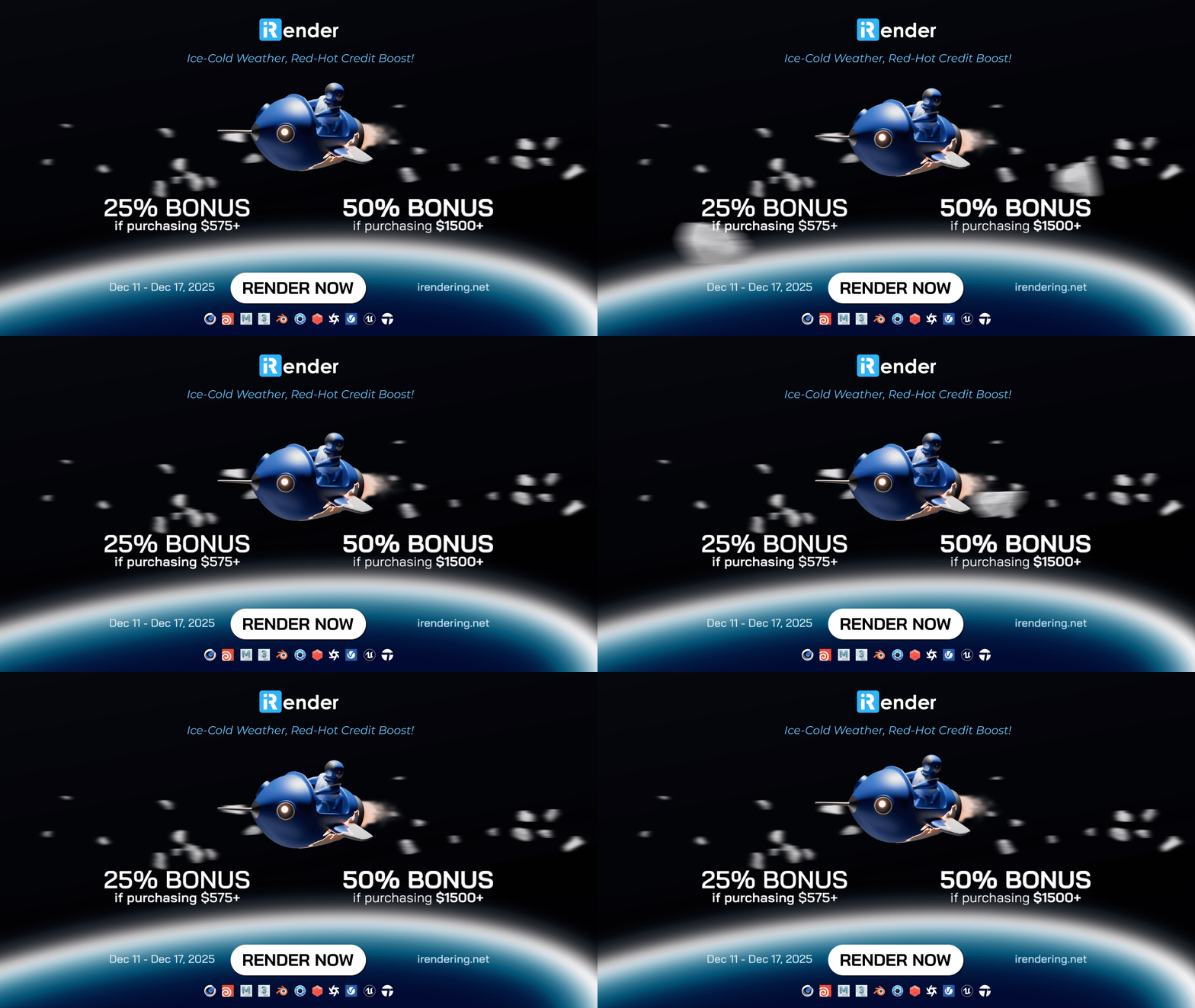
This cold season, we’re turning up the heat with one of our biggest bonuses of the year: Ice-Cold Weather, Red-Hot Credit Boost!
- Get 25% bonus credits when you purchase $575+
- Get 50% bonus credits when you purchase $1500+
For more detailed information, please contact us via Live chat 24/7 or WhatsApp: +(84) 912-785-500 or Email: [email protected].
iRender – Happy Rendering!
References: Adam Z – Learn Archviz
Related Posts
The latest creative news from Unreal Engine Cloud rendering.






