
V-Ray vs Corona Renderer: Which One Is Better for Architectural Visualization?
When you think about architectural rendering, which engine comes to mind first? Choosing the right one is not just a technical decision, it’s the key that determines whether your idea comes into reality or not. In the ArchViz community, two names dominate the discussion: V-Ray and Corona Renderer. Both are capable of producing photorealistic results, both are widely used by professionals, and both have strong reputations, but they differ in critical ways that can shape your workflow. So how do you decide which one is the better fit for your workflow?
In this article, we’ll compare V-Ray and Corona across seven key aspects that matter most to architects and designers: rendering speed, output quality, ease of use & learning curve, price, material & lighting libraries, workflow & integration, and community & support. By the end, you’ll have a clear idea of which one best fits your projects.
1. V-Ray and Corona
- V-Ray was first released in 2000 by Chaos and quickly became one of the most established rendering engines in the world. With its flexibility, scalability, and advanced feature set, V-Ray has been adopted by leading architecture firms and visualization studios. It integrates with a wide range of software: 3ds Max, SketchUp, Rhino, Revit, and more, making it a versatile choice for teams with diverse workflows.
- Corona Renderer, on the other hand, is the younger sibling in the Chaos family. Launched in 2014 and acquired by Chaos in 2017, Corona was designed with a different philosophy: to make high-quality rendering accessible without overwhelming the user. Its intuitive interface and “out-of-the-box realism” quickly won the hearts of architects and designers who wanted stunning results without spending hours adjusting complex settings.

Together, V-Ray and Corona represent two sides of the same coin: one prioritizing power and flexibility, the other focusing on simplicity and ease of use. That’s why the debate between them continues and why this comparison matters.
2. Rendering speed
Corona Renderer
- Relies primarily on CPU-based rendering, with limited GPU involvement
- Generally slower than V-Ray for large-scale or highly detailed scenes
- Uses progressive rendering, allowing users to see an image quickly at low quality and refine it over time
- Optimized for architectural interiors, where iterative refinement is often more important than raw speed
V-Ray
- Supports both CPU and GPU rendering, as well as hybrid modes
- Scales efficiently with multi-core CPUs and multi-GPU setups, making it faster for large or complex projects
- GPU acceleration significantly reduces render times when using high-end cards (e.g., RTX 4090)
- Recent updates have brought noticeable speed improvements, as reflected in Chaos benchmark results
3. Output quality
Corona Renderer
- Known for delivering photorealistic results out of the box with minimal setup
- Strong at natural lighting and realistic materials, ideal for architectural interiors
- Provides physically accurate rendering, with simple controls for light, tone mapping, and exposure
- Less flexibility in specialized effects (e.g., toon shading, advanced volumetrics) compared to V-Ray

V-Ray
- Offers highly customizable rendering controls, giving advanced users detailed control over every aspect of an image
- Excels at complex lighting scenarios and large-scale environments
- Supports a wider range of specialized features (caustics, volumetric rendering, advanced shaders)
- Can achieve equally photorealistic results, but usually requires more tweaking and knowledge of settings

4. Ease of Use & Learning Curve
Corona Renderer
- Designed with simplicity in mind, making it easy to get started even for beginners
- Intuitive interface with fewer parameters to configure compared to other engines
- Delivers high-quality results with minimal adjustments, reducing time spent on trial and error
- Ideal for freelancers, small studios, or architects who want quick results without deep technical expertise
V-Ray
- Offers a comprehensive set of tools and settings, giving users advanced control
- Comes with a steeper learning curve, especially for those new to rendering
- Requires more time to master, but provides greater flexibility for professionals working on complex projects
- Better suited for studios with experienced artists who need to fine-tune every detail
5. Price
Corona Renderer
- Simple price with one license type
- More affordable for freelancers and smaller studios
V-Ray
- Provides a wider range of license options, but at a higher overall price
- Flexible plans tailored for individuals, studios, and enterprises
6. Material & Lighting Libraries
Corona Renderer
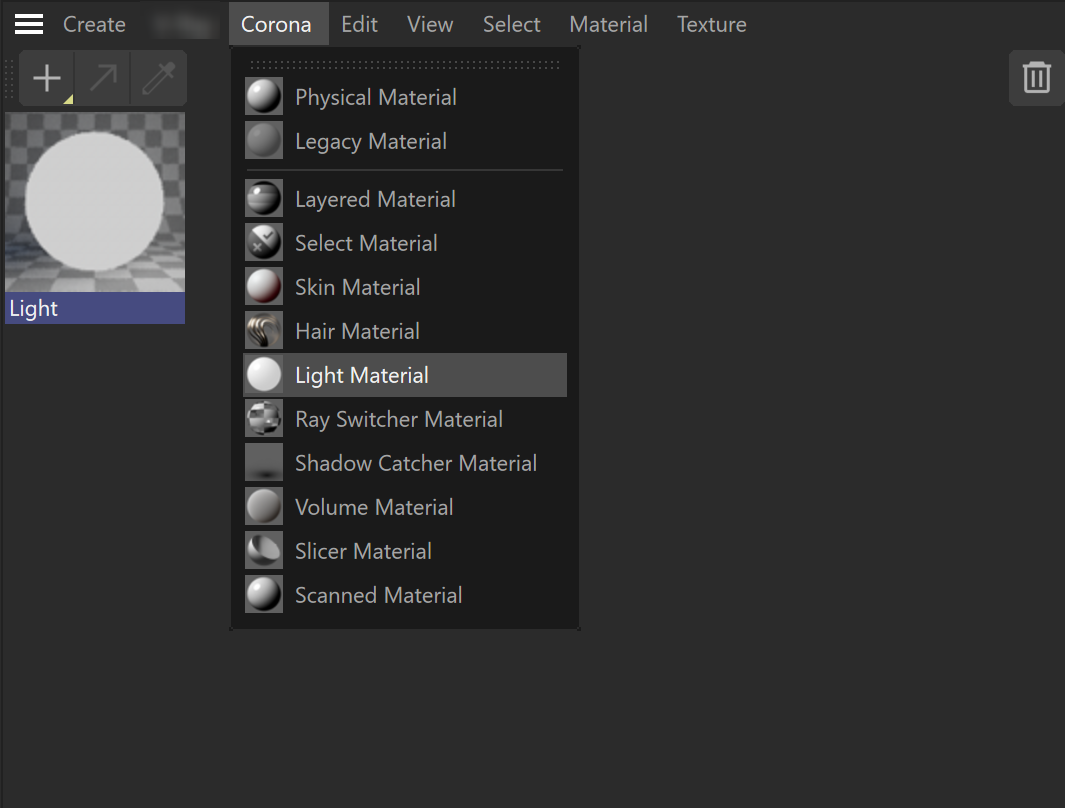
- Comes with a streamlined material library that is easy to use and well-suited for architectural interiors
- Offers intuitive lighting controls with realistic defaults, requiring minimal adjustments
- Known for producing natural daylight and interior lighting quickly
V-Ray
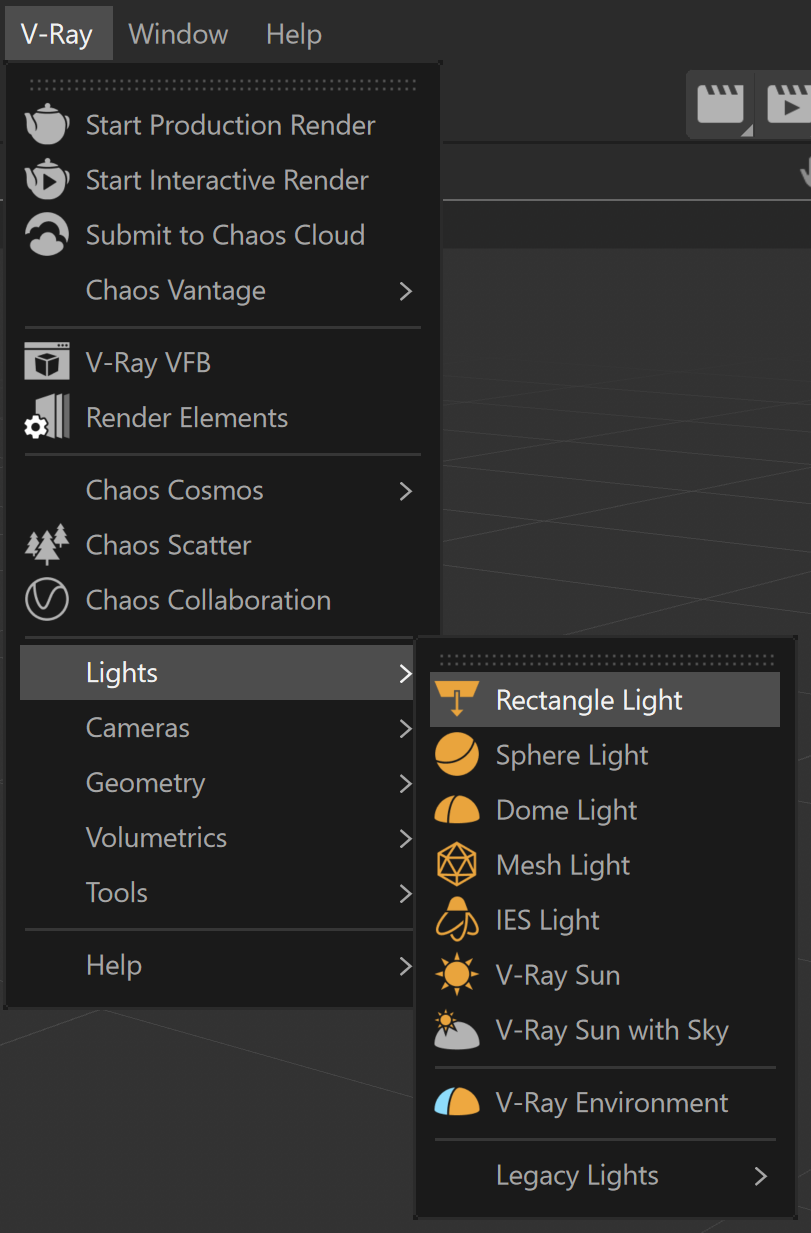
- Provides a much larger material and texture library, with advanced shaders and customizable options
- Supports a wide variety of lighting types, from simple IES lights to complex volumetric effects
7. Workflow & Integration
Corona Renderer
- Seamlessly integrates with 3ds Max (its primary platform) and Cinema 4D
- Prioritizes a straightforward workflow with minimal steps between modeling and rendering
- Limited integrations outside its core platforms, making it more specialized for ArchViz
V-Ray
- Compatible with a wide range of software including 3ds Max, SketchUp, Rhino, Revit, Maya, Cinema 4D, and more
- Well-suited for multi-disciplinary workflows, from architecture to VFX
Offers greater flexibility for studios working across different tools and pipelines.
8. Community & Support
Corona Renderer
- Has a smaller but highly engaged community, mainly focused on architectural visualization
- Offers an official forum and knowledge base that are praised for being beginner-friendly
- Tutorials and learning resources are growing but still more limited compared to V-Ray
V-Ray
- Backed by a large global community spanning architecture, VFX, animation, and design
- Extensive tutorials, courses, and third-party resources available across platforms
- Longstanding industry presence ensures strong peer support and abundant learning materials
Conclusion
Choosing between V-Ray and Corona Renderer is not about finding the “better” engine, but about identifying which one aligns with your workflow and goals.
- Corona Renderer shines with its simplicity, affordability, and out-of-the-box realism, making it ideal for freelancers, small studios, and architects who want quick, high-quality results with minimal setup.
- V-Ray stands out for its speed, scalability, feature depth, and broad integrations, making it the stronger choice for large projects, diverse pipelines, and teams that need advanced control.
In the end, both engines are capable of delivering stunning architectural visualizations. Your choice comes down to whether you value ease and accessibility or power and flexibility. Either way, mastering your chosen tool will be the true key to bringing your architectural visions to life.
iRender - Powerful Render Farm for V-Ray & Corona Render
At iRender, you can install and run any 3D software or render engine you need, including V-Ray and Corona Renderer on our high-performance remote servers. Whether your workflow relies on CPU or GPU power, iRender gives you the flexibility to choose the right configuration for your projects.
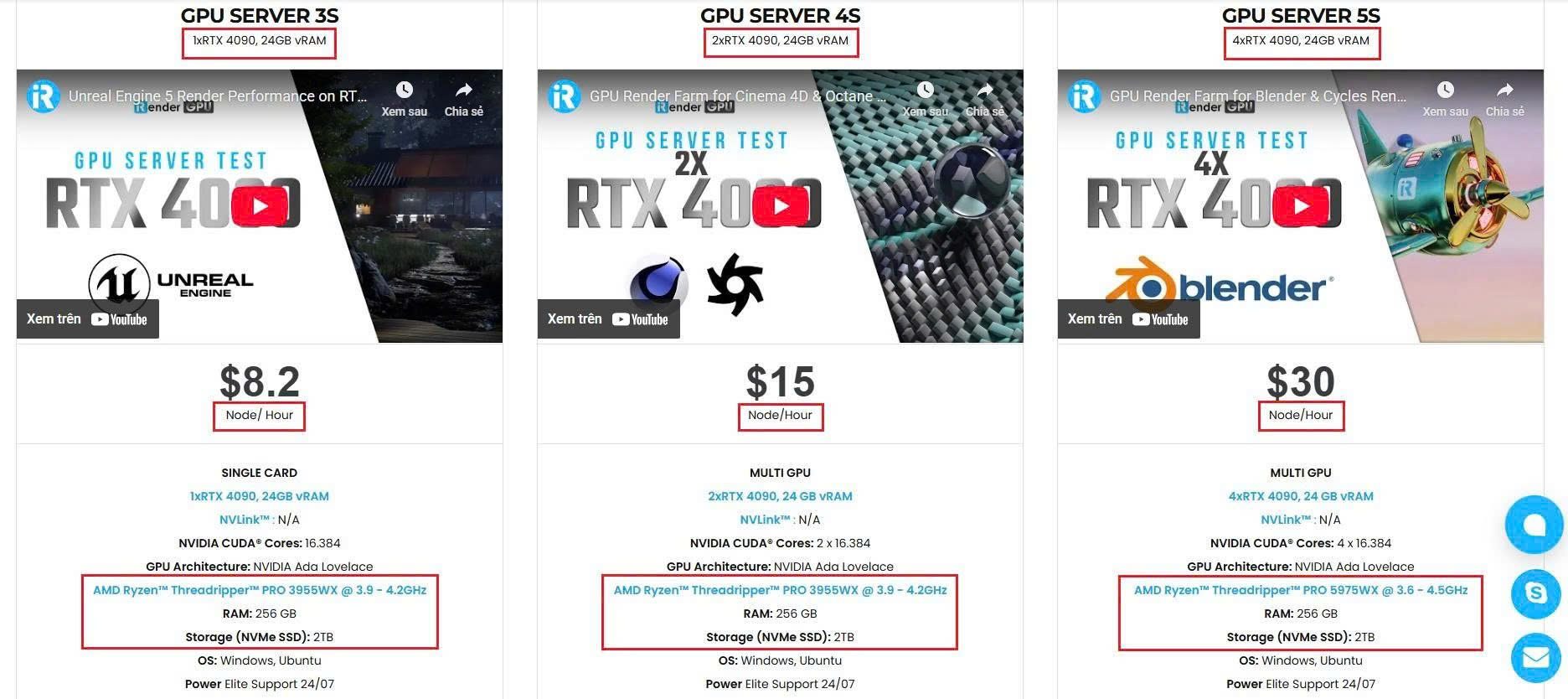
With access to powerful hardware such as the RTX 4090 GPUs and high-core CPUs (CPU AMD Ryzen Threadripper Pro 3955WX @ 3.90GHz – 4.2GHz and AMD Ryzen™ Threadripper™ PRO 5975WX @ 3.6 – 4.5GHz), you can:
- Render faster without being limited by your local workstation
- Scale your projects seamlessly, whether you’re working on small interiors or large architectural scenes
- Enjoy the freedom to set up your preferred tools, add your licenses, and work as if it were your own computer only faster and more reliable
Let’s watch a video testing V-Ray on our remote servers:

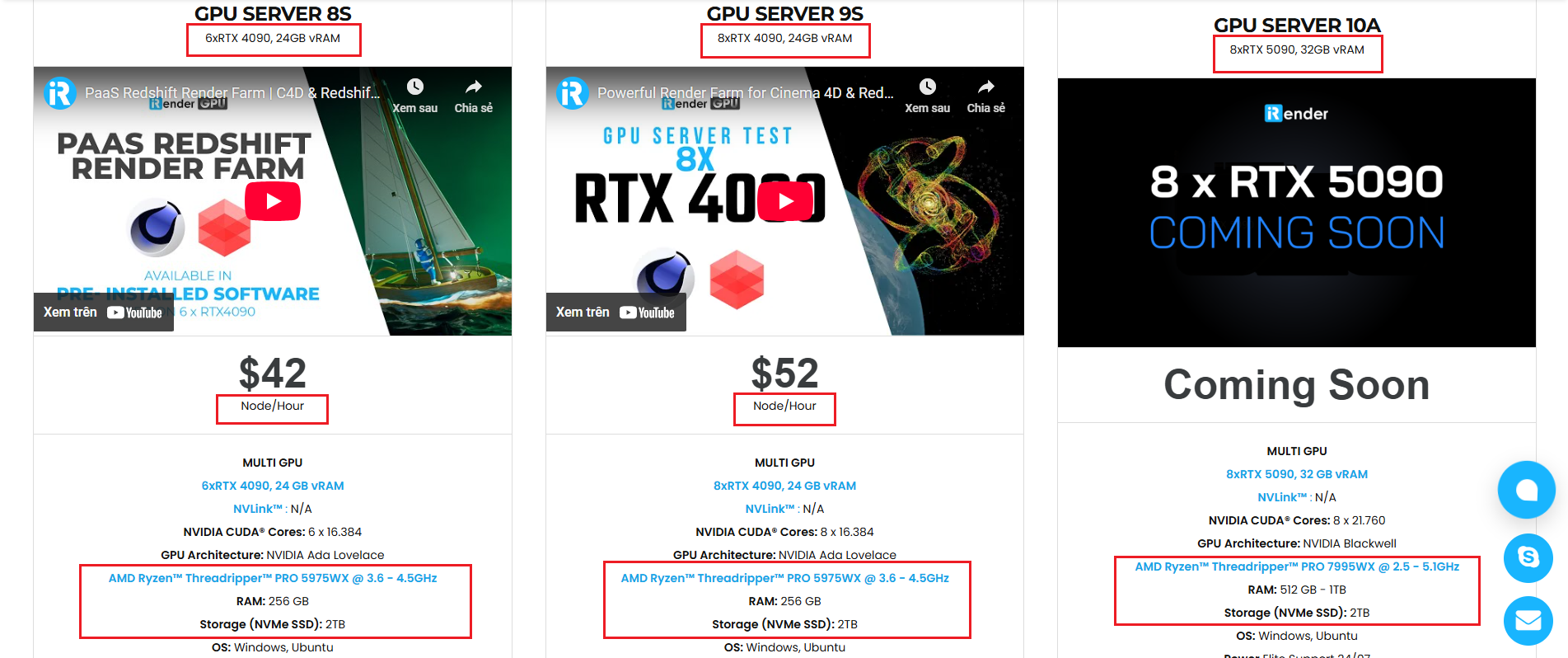
Here is all our servers with detailed information:
Why choose iRender?
When projects become bigger and deadlines become tighter, finding a suitable and optimized renderer is no longer optional, it’s crucial. iRender’s mission is to help you make all your ideas become final products in a faster, stronger and more efficient way.
Powerful performance: GPU RTX 4090 workstations, compatible with almost 3D/AI software. Moreover, iRender’s remote servers also provide CPU AMD Ryzen Threadripper Pro 3955WX @ 3.90GHz – 4.2GHz and AMD Ryzen™ Threadripper™ PRO 5975WX @ 3.6 – 4.5GHz, RAM 256GB and 2TB SSD NVMe Storage
Flexible usage: Use the remote server anytime you want
Secure & Privacy: Guarantee for your data safety and privacy
Fast support: A customer support team ready to assist 24/7
Cost-effective: Pay-as-you-go, pay for the time used
If you are still wondering, register now to get a free trial and receive a 100% iRender bonus points for your first transaction within 24 hours of registration.

🎁 Special Offer from iRender
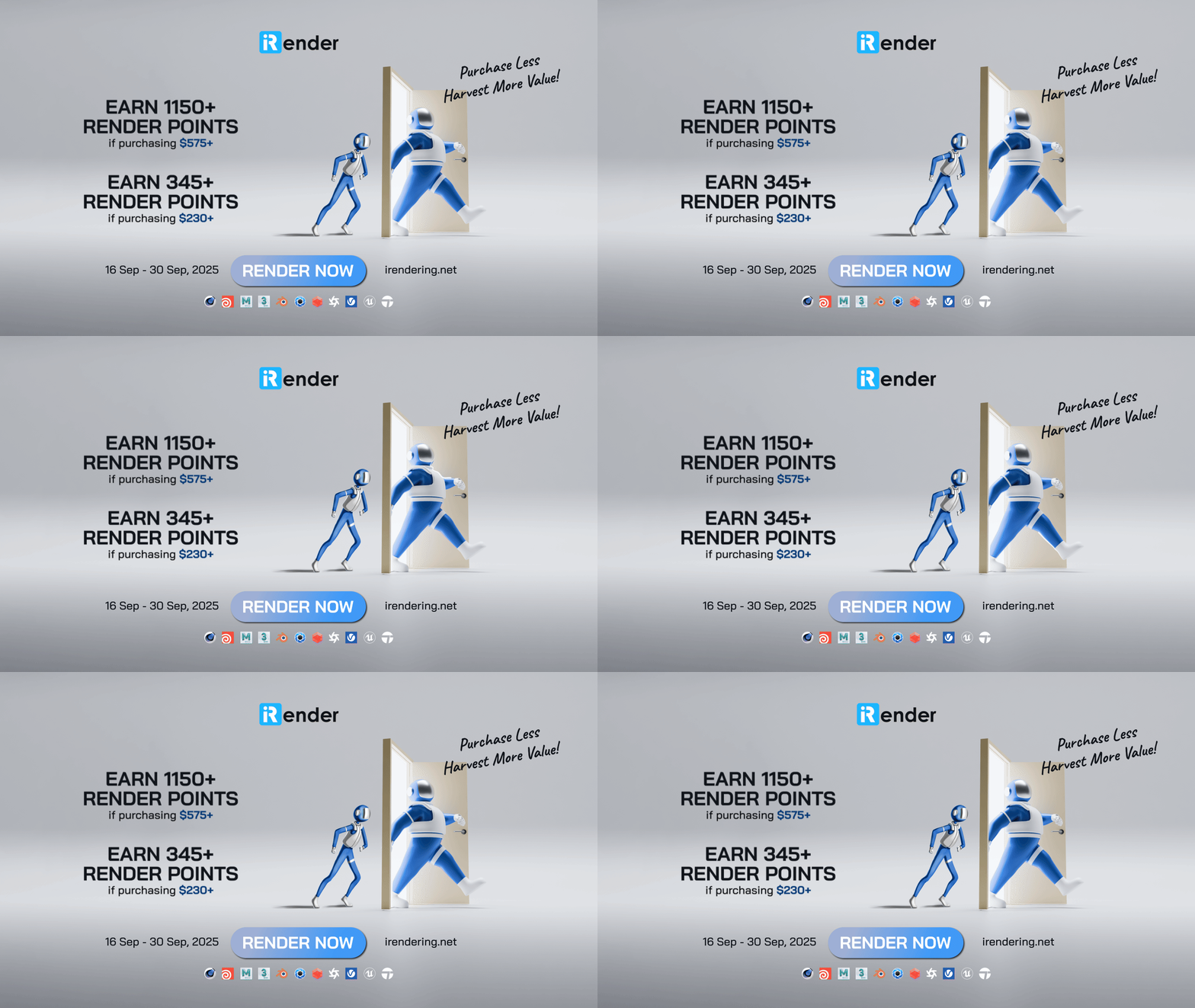
From September 16 to September 30, 2025, iRender is running a special promotion:
- Earn 345+ Render Points with purchases from $230+
- Earn 1150+ Render Points with purchases from $575+
It’s the perfect time to try iRender’s high-performance servers for your rendering projects with V-Ray, Corona, or any other 3D software you prefer. Purchase less, harvest more value!
For more detailed information, please contact us via Live chat 24/7 or WhatsApp: +(84) 962 868 890 or Email: [email protected].
iRender – Happy Rendering!
Related Posts
The latest creative news from V-Ray Cloud Rendering , 3D VFX Plugins & Cloud Rendering.





