
Top 6 best unbiased render engines in 2025
If you work in computer graphics or 3D rendering, you’ve probably heard the terms ‘biased rendering’ and ‘unbiased rendering’ more times than you can count. While biased engines prioritize speed and flexibility by using shortcuts, unbiased rendering engines focus on physical accuracy, simulating lighting and materials as realistically as possible. This article focuses on the latter. We’ve spent hours researching the most popular engines to bring you the 6 best unbiased render engines of 2025. We hope this list helps you find the right engine for your project. Let’s dig deeper with iRender!

Image source: 80 Level
What are biased vs unbiased render engines?
Before diving into the top picks, let’s clarify what biased vs unbiased render engines are.
Unbiased render engines are rendering software that simulate the behavior of light based on the laws of physics, without shortcuts or approximations. They use algorithms like path tracing or bidirectional path tracing to calculate each ray of light and how it interacts with surfaces, reflections, and materials. This approach produces extremely realistic and physically accurate images, particularly when handling complex lighting conditions, caustics, and global illumination.
However, realism comes at a price: unbiased render engines are typically slower than biased ones, as they focus on accuracy over speed. But with the increasing power of GPUs and modern render farms, these engines are becoming more practical than ever for everyday use.
Advantages
- The results of unbiased render engines are more realistic and accurate.
- Ideal for technical visualizations, scientific tasks, and simulations.
- More flexibility in adjusting options and parameters to achieve the desired results.
Disadvantages
- Takes longer to render than biased render engines.
- Creating artistic or stylistic images is more difficult.
- Requires more knowledge and understanding of the basic physics of light and materials.
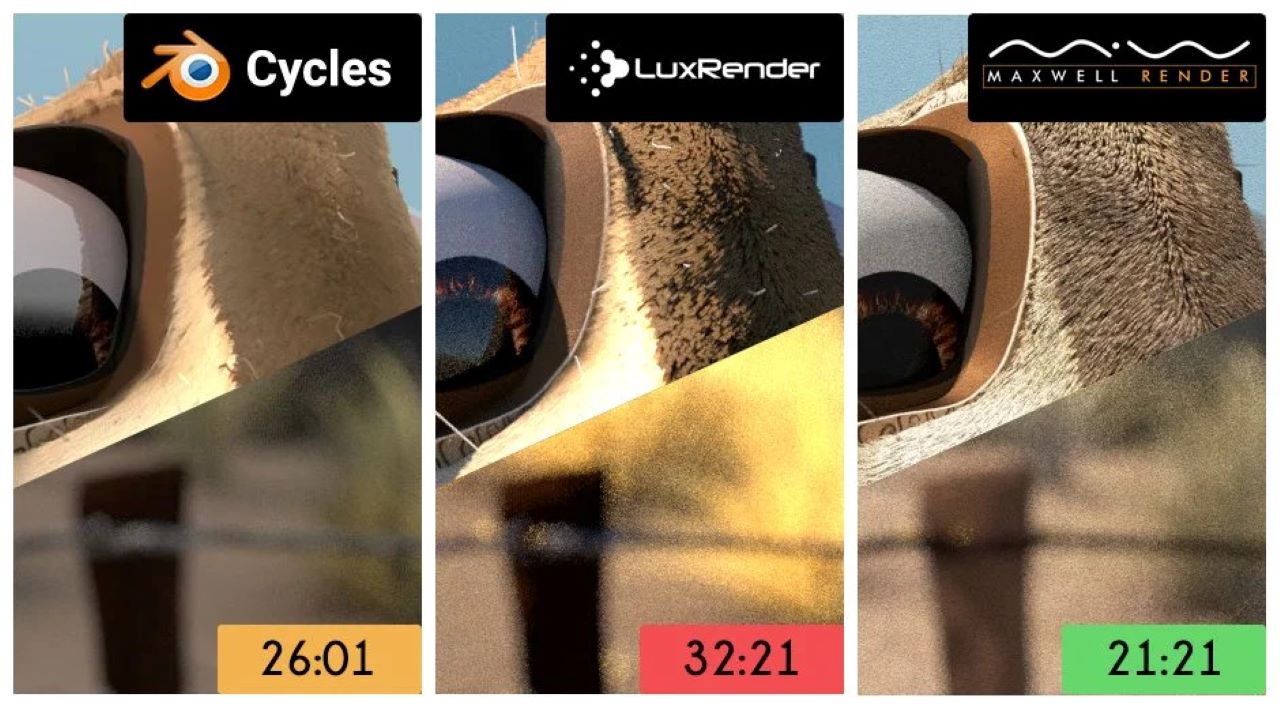
Image source: Blender Guru
In contrast, biased render engines use shortcuts and clever approximations to deliver beautiful results faster, even if they aren’t 100% physically accurate. Unlike unbiased render engines that simulate realistic physics-based lighting behavior, biased render engines prioritize speed and flexibility. In industries like gaming, product design, and projects where deadlines are tight and rendering efficiency is more important than realism, they become the ideal choice.
Advantages
- Faster and more predictable rendering times than unbiased render engines.
- Suitable for architectural, product, and advertising rendering.
- Offers more options for adding special effects and stylized looks.
Disadvantages
- Renderings may not be as accurate or realistic as unbiased render engines.
- Not as flexible as unbiased engines when working with complex scenes.
- Not suitable for rendering tasks that require high technical and scientific precision.
Top 6 best unbiased render engines in 2025
Arnold by Autodesk

Image source: Autodesk
- Supported platforms: Windows, macOS, Linux
- Price: $55/month or $430/year
Arnold by Autodesk is a powerful, unbiased ray tracing renderer originally developed by Solid Angle and now fully integrated into the Autodesk ecosystem. Arnold is particularly popular in the world of VFX and feature film production thanks to its physically based rendering core and artist-friendly design. It offers seamless integration with 3D tools like Maya, 3ds Max, Houdini, and Cinema 4D. Arnold also supports both CPU and GPU rendering. Additionally, features like adaptive sampling help strike a balance between performance and quality. Arnold’s intuitive controls make it accessible to artists with little to no technical knowledge.
While Arnold offers superior quality, it tends to be resource-intensive and slower than GPU-first tools like Octane or Redshift. Also, the $55/month or $430/year price tag is a bit steep for small studios or freelance artists. However, for studios that focus on high-end character rendering with complex lighting and visual effects, Arnold is still the top choice.
Corona Renderer

Image source: Architosh
- Supported platforms: Windows, macOS (3ds Max & Cinema 4D)
- Price: Corona Solo – €29.9/month; Corona Premium €37.9/month, and ArchViz Collection: Corona Edition €74.9/month (billed annually)
Corona Renderer is an unbiased renderer that is popular in the architecture and product design industries for its simple workflow and ability to create highly realistic images. Corona is a pure CPU render engine, but recent updates have added GPU acceleration and AI denoising. Some of Corona’s notable features include physically accurate path tracing, real-time previews, and a powerful LightMix tool that lets you adjust lighting even after rendering. Additionally, setting up objects is user-friendly with an intuitive node interface. Corona also offers tone mapping options and exposure controls, which help optimize the lighting and color in the final product.
Corona is suitable for architecture, interior design, product visualization, or marketing projects where realism is required. However, a major limitation is that the software currently only supports 3ds Max and Cinema 4D and doesn’t officially support GPU rendering.
Cycles (Blender)

Image source: CG Cookie
- Supported platforms: Windows, macOS, Linux
- Price: Free and open-source
Cycles is Blender’s native path-tracing renderer and stands out among unbiased renderers, especially for artists seeking a cost-effective solution. As an open-source renderer, Cycles is constantly being improved by the Blender Foundation and the community to become a powerful and flexible tool for 3D creators. The engine offers physically accurate, unbiased rendering, supporting both GPU and CPU rendering. Features like real-time viewport rendering with Cycles X and advanced denoising tools enable users to preview results while maintaining high quality quickly. Cycles also offers a wide range of shaders, texturing, and rendering options that are built into Blender without the need for additional setup or installation.
Cycles is popular for everything from short films and indie animations to product visualizations and professional VFX shots. However, because it is integrated with Blender, Cycles cannot be used as a standalone renderer for other 3D software, and it can also be slower than some commercial renderers when dealing with complex scenes. However, for Blender users who want realism without paying extra, Cycles is still an unbeatable choice.
LuxCoreRender

Image source: LuxCoreRender
- Supported platforms: Windows, macOS, Linux
- Price: Free and open-source
LuxCoreRender is a powerful, unbiased renderer designed for those who prioritize physical realism and fine-grained control. It is built on advanced lighting simulation techniques such as path tracing, bidirectional path tracing, and Metroplolis Light Transport (MLT). LuxCoreRender outperforms traditional renderers by rendering spectral and complex lighting effects such as caustics and volumetrics.
As an open source project, LuxCoreRender is completely free to use and benefits from community development. It supports GPU acceleration via OpenCL and has a powerful material system that allows for detailed shading and surface customization. This makes LuxCoreRender popular in scientific visualization, experimental 3D rendering, and product rendering, where high-fidelity is required.
However, LuxCoreRender is not a beginner-friendly tool. Its user interface is quite minimalistic and is often used through integrations like BlenderLuxCore for Blender. So for artists who are comfortable with a more technical workflow and want a high level of control, and especially, completely free of charge, LuxCoreRender is a worthy option.
Maxwell Render

Image source: Maxwellrender
- Supported platforms: Windows, macOS, Linux
- Price:
-
- Maxwell | Bundles: From €475.
- Maxwell | Studio/Rhinoceros/Cinema4D/SketchUp/Archicad/Maya/3ds Max/form Z: from €495.50.
- Maxwel | Cloud: From €60.00.
- Maxwel | Nodes: From €195.00.
Maxwell Render was one of the pioneers of unbiased rendering and remains a trusted name for artists who want absolute realism. Built on true unbiased path tracing with spectral rendering, Maxwell is designed to simulate the behavior of light in the real world as accurately as possible. Its physically accurate camera system, lens simulation, and Multilight feature allow you to adjust lighting without re-rendering. This makes Maxwell suitable for still image rendering.
Professionals in luxury product visualization, such as jewelry and watches, and automotive design often rely on Maxwell to render photorealistic results. It is also popular in architectural visualization, where visual fidelity is more important than speed. Maxwell also supports many 3D software through plugins, including Rhino, SketchUp, and Cinema 4D.
However, its main weakness is performance. Maxwell is notoriously slower than modern GPU-accelerated renderers, so it may not be suitable for animation or time-sensitive projects. But if your top priority is visual accuracy and realism, Maxwell is still a strong contender in 2025.
OctaneRenderer

Image source: Octane Render
- Supported platforms: Windows, macOS, Linux
- Price: 23.95 €/month (billed monthly) or 19.99 €/month (billed yearly)
OctaneRender is the world’s most popular unbiased, high-speed, GPU-based render engine developed by OTOY. Combining real-time feedback with realistic output, Octane has become the rendering engine of choice for many professionals in the fields of motion design, animation, and VFX. Its rendering core is built entirely on GPU acceleration, allowing for faster iterations and high-quality previews with minimal latency. This is a big plus for creative workflows that require speed without compromising visual fidelity.
Key features like spectral rendering, volumetric lighting, and deep RTX integration make Octane a powerful tool for achieving cinematic results. It supports a wide range of 3D applications, including Blender, Cinema 4D, Houdini, Maya, and more.
However, Octane also comes with a few caveats. It requires a powerful NVIDIA GPU to reach its full potential, which can hinder accessibility for users. Octane can also be difficult to get started with, especially for those new to node-based materials or GPU rendering. Users may also encounter occasional stability issues when working with heavy scenes. However, for its affordable price and speed, realism, and advanced features, Octane remains a top-notch render engine.
Which unbiased render engines should we choose?
Choosing the right unbiased render engine depends a lot on your needs, software environment, and hardware setup.
If you are using Blender, Cycles and LuxCoreRender are good choices. Cycles offers a great balance between ease of use and power, while LuxCoreRender is more advanced and extremely accurate, but comes with a steeper learning curve. For architectural visualization, Corona and Maxwell are great choices with realistic materials and lighting tools. Corona is easier to use while Maxwell is ideal where absolute realism is more important than speed. If you are focusing on film or VFX, Arnold is a powerful, industry-standard tool. For speed and real-time performance, especially in motion graphics, Octane is an undeniable choice.
Overall, if you’re a freelancer or hobbyist on a budget, open-source options like Cycles or LuxCoreRender offer top quality without breaking the bank. For studios or professionals who want the best output regardless of render time, combining these tools with a powerful GPU rendering system can dramatically reduce processing times.
Render without limits with iRender’s powerful servers
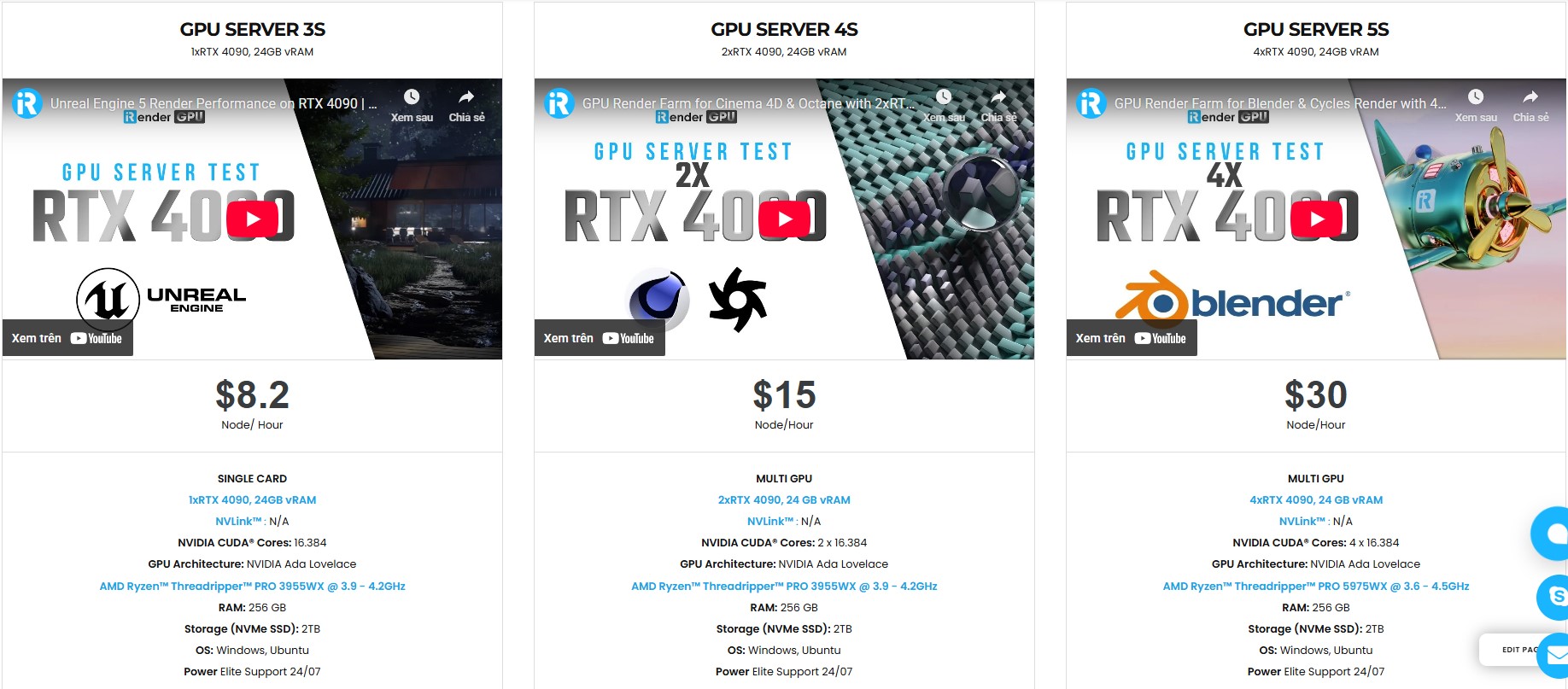
iRender fully supports all software and render engines like Octane, Arnold, Corona, Cycles, LuxCoreRender, and more. With over 1000+ powerful GPU nodes (single to multi RTX 4090), iRender is built to handle everything from personal projects to high-volume studio workloads. From freelancers to small teams and large production studios, we give you the scalability, speed, and freedom to bring your creative vision to life without compromise.
All servers are equipped with:
- AMD Ryzen™ Threadripper™ PRO 3955WX (3.9-4.2GHz) or
- AMD Ryzen™ Threadripper™ PRO 5975WX (3.6-4.5GHz)
- Single to multi – RTX 4090
- 256GB RAM
- 2TB NVMe SSDs
Why choose iRender?
Unlike other services, iRender lets you upload and download files without starting the server, saving you both time and money. We offer a Desktop app for Windows with a full feature set and a simple Drive app for macOS for easy file transfers. Here’s why iRender is a top choice for your rendering needs:
- 100% Software Support: We support all 3D software, their plugins, and render engines.
- Full Control: Our service will give you full control over the servers you rent. Therefore, you are free to create your own working environment.
- Go Green: We are committed to using 100% solar renewable energy towards environmental sustainability.
- Real-human Live Support: Our professional support agents and technicians guarantee to bring you the best rendering experience.
Let’s see our latest performance test for Blender Cycles and C4D Octane on our servers, you’ll definitely see the difference!


If you still wonder if this is the right place for your project, REGISTER NOW to get a trial and receive a 100% bonus promotion for your first transaction within 24 hours of registration with us.
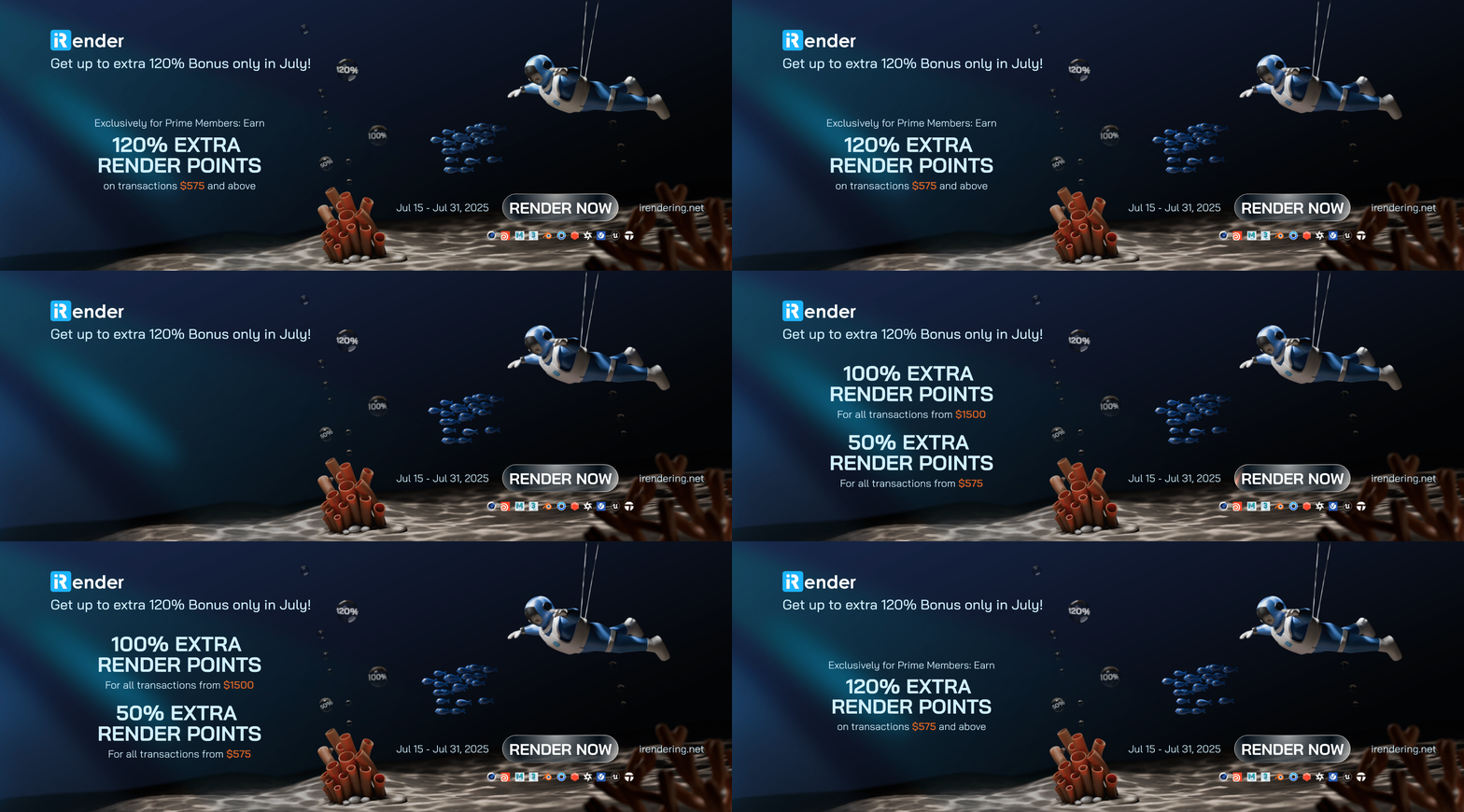
This July, let’s get a Big July Deal at iRender – Double the Power, Same Price! Enjoy up to a 120% bonus with us.
For more detailed information, please contact us via Live chat or WhatsApp: +(84) 912-785-500 or Email: [email protected]
iRender – Your Renders, Your Rules!
Related Posts
The latest creative news from Cinema 4D Cloud Rendering , Blender Cloud Rendering, Redshift Cloud Rendering, Houdini Cloud Rendering , Octane Cloud Rendering, 3D VFX Plugins & Cloud Rendering.






